



Willie D. Washington
Subscribed: 0Played: 63
Subscribe
Description
Tech Junkie - Games, Movies, How-To, Informational, Random Stuff!
78 Episodes
Reverse
I thought of this a while back, but it took a long time for me to get around to doing it. Yes, I know... it's Demon's Souls intro music, but one day it dawned on me how awesome it would be if I made different effects with the pounding of the drums and other instruments.
Not the best video game animation collaboration, but it was something I had in mind and thought I'd share with you. It was supposed to be longer, but even though I had footage of other fails, it really ended up looking pretty much the same. So I thought I'd end it abruptly and rather appropriately in cadence with the music I created.

I just uploaded this video raw from my OnePlus 3 phone in 4K. I had a Seagate 3TB die a couple months back and I've always been curious about taking one apart in a last ditch effort to possibly recover something from it; and yes, I already tried freezing it to no avail. The good thing is there is nothing really of any value on it in the first place that wasn't recoverable outside of the drive itself. Just a curiosity piece.
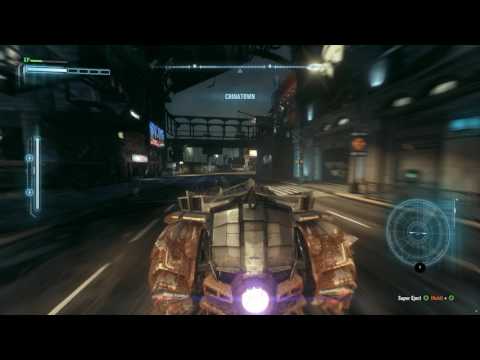
I've been noticing that I've been getting freezing like this when I have Arkham Knight on my regular SSD along with Steam, but my OS is on the Samsung EVO 960 M.2 NVMe SSD. This is completely eliminated when I install the game on the M.2 NVMe SSD, which is inconvenient since it's only 250GB. I am running Windows 7 Professional 64bit.
My computer components:
AMD RYZEN 7 1700 8-Core overclocked to 3.9GHz @ 1.35V
GIGABYTE AORUS GA-AX370-Gaming K7 mobo
SAMSUNG 960 EVO M.2 250GB NVMe PCI-Express 3.0 x4 Internal SSD
ADATA SP550 480GB SSD
5TB Seagate Expansion HDD
EVGA SuperNOVA 750 G3 PSU
CORSAIR Vengeance LPX 16GB (2 x 8GB) 288-Pin DDR4 SDRAM DDR4 2666
EVGA GeForce GTX 1070 SC GAMING ACX 3.0 Black Edition
Windows 7 Professional 64Bit

I wanted to do a video showing all of the diagnostics of a Ryzen CPU while playing this game at 1440p downscaled to a 1080p 144Hz BENQ monitor. As you can see, no matter whether it's Intel or AMD processors, this game demands much from the CPU, but the result sure is good!
I disabled the motion blur because I don't like them in my games as well as the anti-aliasing since I'm going for a sharper look with the 1440p. I didn't realize I hadn't recorded it with "In-Game" resolution until I was done and I didn't want to do it over because I believe I achieved what I wanted to with this test.
My computer components:
AMD RYZEN 7 1700 8-Core overclocked to 3.9GHz @ 1.35V
GIGABYTE AORUS GA-AX370-Gaming K7 mobo
SAMSUNG 960 EVO M.2 250GB NVMe SSD
EVGA SuperNOVA 750 G3 PSU
CORSAIR Vengeance LPX 16GB (2 x 8GB) DDR4 2666
EVGA GeForce GTX 1070 SC GAMING ACX 3.0 Black Edition
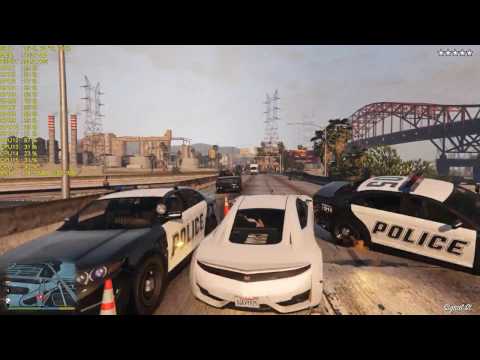
Just fooling around in GTA V, testing out my newly built Ryzen powered PC as you can tell by the FPS, CPU temps and utilization, system and GPU utilization info on the left hand side of the video in yellow. I love GTA Mods as you can see! The music is from my personal music through the Self Radio option in the game.
My computer components:
AMD RYZEN 7 1700 8-Core overclocked to 3.8GHz @ 1.3V
GIGABYTE AORUS GA-AX370-Gaming K7 mobo
SAMSUNG 960 EVO M.2 250GB NVMe PCI-Express 3.0 x4 Internal SSD
ADATA SP550 480GB SSD
5TB Seagate Expansion HDD
EVGA SuperNOVA 750 G3 PSU
CORSAIR Vengeance LPX 16GB (2 x 8GB) 288-Pin DDR4 SDRAM DDR4 2666
EVGA GeForce GTX 1070 SC GAMING ACX 3.0 Black Edition

Comments

Download from Google Play

Download from App Store
 United States