


 Claim Ownership
Hands-On Apple (Video)
Subscribed: 64Played: 369
Subscribe

© This work is licensed under a Creative Commons License - Attribution-NonCommercial-NoDerivatives 4.0 International - https://creativecommons.org/licenses/by-nc-nd/4.0/
Description
Hands-On Apple explores and explains the Mac — and beyond! From clever Terminal commands to little-known iOS settings, Mikah Sargent shares all the best tips and tricks for your Mac, iPad, iPhone, and Apple Watch. You'll get all the details on Apple's apps and the best apps in the App Store, you'll learn about awesome accessories for your Apple devices, and you'll explore updates to Apple's operating systems — including iOS, macOS, iPadOS, and watchOS. Hands-On Apple is your one-stop shop for Apple know-how.
You can join Club TWiT for $10 per month and get ad-free audio and video feeds for all our shows plus everything else the club offers...or get just this podcast ad-free for $5 per month.
New episodes every Thursday.
184 Episodes
Reverse

Tired of waiting for your favorite gym, library, or coffee shop to offer digital cards? With iOS 27, you can finally make your own custom Apple Wallet passes for any barcode or QR code, no third-party apps needed.
Physical loyalty cards now easily added to Apple Wallet with iOS 27
"Create a Pass" feature lets users digitize any barcode or QR code
Three wallet pass templates: Standard, Membership, and Event
Apple Intelligence enables automatic code scanning on supported iPhones
Passes can include color themes, icons, member info, and custom fields
Sharing passes with family members now possible
Using wallet passes on iPhone and Apple Watch at checkout
Host: Mikah Sargent
Download or subscribe to Hands-On Apple at https://twit.tv/shows/hands-on-apple
Want access to the ad-free audio and video and exclusive features? Become a member of Club TWiT today! https://twit.tv/clubtwit
Club TWiT members can discuss this episode and leave feedback in the Club TWiT Discord.
Sponsors:
trustedtech.team/twit
threatlocker.com/twit
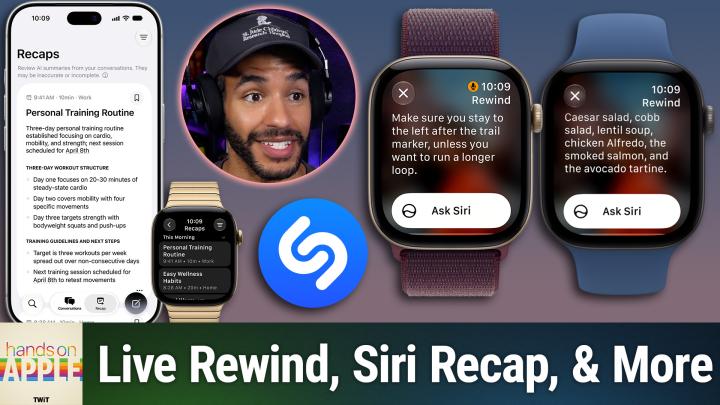
Apple Watch's new Audio Intelligence tools promise instant transcriptions and meeting summaries without keeping your recordings. But is the S11 chip's privacy tech strong enough to calm nerves on both sides of the conversation?
Apple Watch Audio Intelligence: Four Features, One Secure Chip
Sound Recognition and Shazam: Always-On Environmental Listening
Live Rewind: 15-Second Instant Replay With Privacy Safeguards
Siri Recap: Automated Meeting Summaries, Not Full Transcripts
Privacy, Secure Exclave processing, and Cloud Summarization Explained
Usage Limits, Age Restrictions, and Launch Timeline for Features
Transparency and Social Impacts of New Tools
Host: Mikah Sargent
Download or subscribe to Hands-On Apple at https://twit.tv/shows/hands-on-apple
Want access to the ad-free audio and video and exclusive features? Become a member of Club TWiT today! https://twit.tv/clubtwit
Club TWiT members can discuss this episode and leave feedback in the Club TWiT Discord.
Sponsor:
trustedtech.team/twit
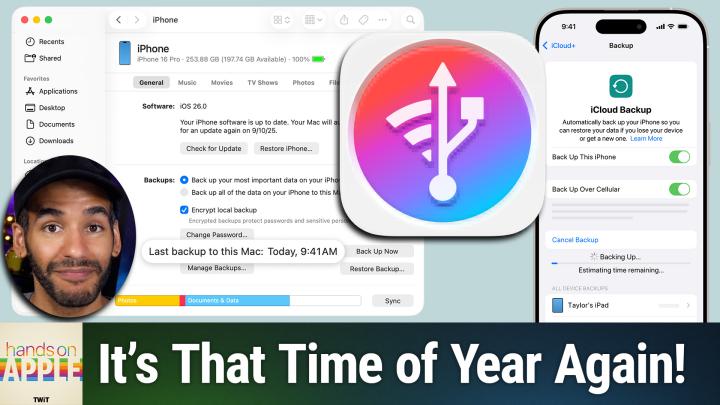
With new iPhones shipping and major iOS updates around the corner, now is the moment to protect your info. Mikah shows the overlooked features and essential steps that keep your data truly safe. You might be missing crucial areas and not even know it!
iCloud Backup: how it works, what it includes, and limitations
Key differences between synced data and backed-up data
Backing up locally to Mac or PC: process and pros
How to back up via Finder on macOS and Apple Devices app on Windows
Managing and locating your iPhone backups on Mac and PC
Importance and benefits of encrypting local backups
Using 3rd-party backup tools like iMazing for flexibility
Wi-Fi scheduled snapshots, storage locations, and restore caveats
Host: Mikah Sargent
Download or subscribe to Hands-On Apple at https://twit.tv/shows/hands-on-apple
Want access to the ad-free audio and video and exclusive features? Become a member of Club TWiT today! https://twit.tv/clubtwit
Club TWiT members can discuss this episode and leave feedback in the Club TWiT Discord.

The Apple TV app's constant renaming and feature shuffling have left users wondering where their watchlists vanished and what each oddly similar label actually means. Mikah Sargent untangles the confusion and reveals why your streaming experience might be missing more than you think.
Identifying Watchlist and Continue Watching rows on iOS
How to add, find, and remove shows from Watchlist and Continue Watching
Syncing watch progress and lists across Apple devices
Which streaming services and apps connect to Apple TV app
Navigating Apple TV channels vs. third-party connected apps
Missing Netflix and YouTube integrations and why some services don't appear
Managing app subscriptions, billing confusion, and multi-device login strategy
Essential Apple TV settings: autoplay, recommendations, and sports scores
Controlling play history, privacy, and clearing recommendations
Adjusting streaming and download quality for bandwidth and data usage
Host: Mikah Sargent
Download or subscribe to Hands-On Apple at https://twit.tv/shows/hands-on-apple
Want access to the ad-free audio and video and exclusive features? Become a member of Club TWiT today! https://twit.tv/clubtwit
Club TWiT members can discuss this episode and leave feedback in the Club TWiT Discord.
Sponsors:
outsystems.com/twit
joindeleteme.com/twit-biz

You're missing out if you haven't explored Apple's accessibility menu. Mikah spotlights simple tweaks that solve real problems for everyone, not just those who need them. These are features you can toggle once, and love forever!
Reducing car sickness with Vehicle Motion Cues and customizable dots
Flash for Alerts: flash notifications with LED or screen for incoming calls and texts
Custom haptic vibrations for messages and contacts
Built-in white noise machine: Background Sounds on iPhone, iPad, and Mac
Music Haptics: feeling rhythms and beats through the Taptic Engine
Host: Mikah Sargent
Download or subscribe to Hands-On Apple at https://twit.tv/shows/hands-on-apple
Want access to the ad-free audio and video and exclusive features? Become a member of Club TWiT today! https://twit.tv/clubtwit
Club TWiT members can discuss this episode and leave feedback in the Club TWiT Discord.
Sponsor:
threatlocker.com/twit

Comments

Download from Google Play

Download from App Store
 United States