


 Claim Ownership
Microsoft Mechanics Podcast
Subscribed: 748Played: 41,200
Subscribe

Description
Made for tech enthusiasts and IT professionals. Expanded coverage of your favorite technologies across Microsoft; including Office, Azure, Windows and Data Platforms. We'll even bring you broader topics such as device innovation with Surface, machine learning, and predictive analytics.
100 Episodes
Reverse
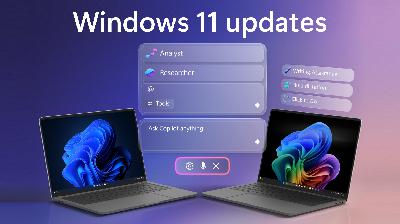
Stay productive without changing how you work with new Microsoft 365 Copilot and AI experiences on any Windows 11 PC. Access Copilot and agents right from the taskbar; find answers across your files, email, and meetings, and turn ideas into polished content using voice or text. AI is right there where you already work, so you can move faster, stay in your flow, and make better decisions without switching context, opening other apps or moving to the browser. And if you do have a Copilot+ PC, you can use fluid voice dictation across apps, find files with natural language search, take action on anything on your screen, and refine writing anywhere, even offline. Jeremy Chapman, Microsoft 365 Director, shows how whether you're planning projects, collaborating with teammates, or building solutions, you can move faster, stay focused, and turn context into real outcomes. ► QUICK LINKS: 00:00 - Ask Copilot 00:55 - Use voice with Copilot 02:30 - Agents on Windows 11 taskbar 04:19 - Copilot in File Explorer 05:19 - Copilot+ PC capabilities 07:04 - Click to Do 07:52 - Writing Assistance with Copilot 09:15 - Wrap up ► Link References Check out https://aka.ms/Windows11AI ► Unfamiliar with Microsoft Mechanics? As Microsoft's official video series for IT, you can watch and share valuable content and demos of current and upcoming tech from the people who build it at Microsoft. • Subscribe to our YouTube: https://www.youtube.com/c/MicrosoftMechanicsSeries • Talk with other IT Pros, join us on the Microsoft Tech Community: https://techcommunity.microsoft.com/t5/microsoft-mechanics-blog/bg-p/MicrosoftMechanicsBlog • Watch or listen from anywhere, subscribe to our podcast: https://microsoftmechanics.libsyn.com/podcast ► Keep getting this insider knowledge, join us on social: • Follow us on Twitter: https://twitter.com/MSFTMechanics • Share knowledge on LinkedIn: https://www.linkedin.com/company/microsoft-mechanics/ • Enjoy us on Instagram: https://www.instagram.com/msftmechanics/ • Loosen up with us on TikTok: https://www.tiktok.com/@msftmechanics

Adopt a Zero Trust approach that lets you verify every access request—human, machine, or AI—before it reaches your most critical resources. As AI agents, semantic search, and automation accelerate how work gets done, you can reduce risk by explicitly validating identity, enforcing least-privilege access, and assuming breach across every step of your environment. Apply layered, continuous protection across identities, endpoints, networks, data, AI resources, applications, and infrastructure so attackers can't exploit any weak links. Michael Madrigal, Security Product Manager, shares how you can protect productivity and keep pace with an evolving threat landscape, by continuously assessing risk, securing resources at runtime, and adapting policies as conditions change. ► QUICK LINKS: 00:00 - Zero Trust for AI 01:41 - Overview of Zero Trust 02:43 - Identities 04:38 - Endpoints 04:50 - How Zero Trust applies to your network 06:51 - How Zero Trust applies to your data 07:31 - How Zero Trust applies to AI resources 08:24 - App Layer 08:31 - Infrastructure 09:49 - Security 10:23 - Wrap up ► Link References Check out https://aka.ms/GoZeroTrust Watch our series at https://aka.ms/ZTMechanics ► Unfamiliar with Microsoft Mechanics? As Microsoft's official video series for IT, you can watch and share valuable content and demos of current and upcoming tech from the people who build it at Microsoft. • Subscribe to our YouTube: https://www.youtube.com/c/MicrosoftMechanicsSeries • Talk with other IT Pros, join us on the Microsoft Tech Community: https://techcommunity.microsoft.com/t5/microsoft-mechanics-blog/bg-p/MicrosoftMechanicsBlog • Watch or listen from anywhere, subscribe to our podcast: https://microsoftmechanics.libsyn.com/podcast ► Keep getting this insider knowledge, join us on social: • Follow us on Twitter: https://twitter.com/MSFTMechanics • Share knowledge on LinkedIn: https://www.linkedin.com/company/microsoft-mechanics/ • Enjoy us on Instagram: https://www.instagram.com/msftmechanics/ • Loosen up with us on TikTok: https://www.tiktok.com/@msftmechanics
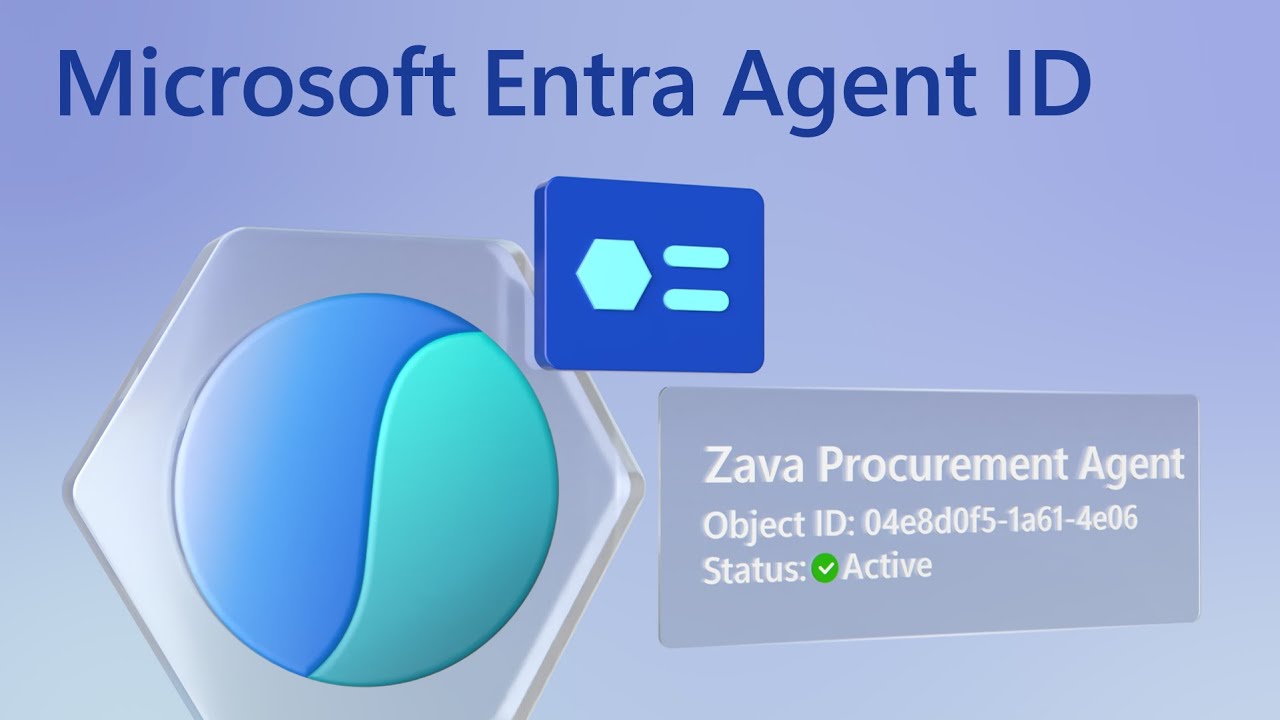
Control AI agents as they are created across your environment by treating them like real identities with Microsoft Entra Agent ID. See every agent in one place, understand what it can access, detect agent sprawl early, and apply least-privilege permissions using the same Microsoft Entra tools you already use for users—without introducing new governance models. Approve and scope agent access with accountability, enforce agent-specific Conditional Access in real time, automatically block risky behavior, and ensure every agent always has an owner, even as people change roles or leave. Leandro Iwase, Microsoft Entra Senior Product Manager shows how to keep agents operating securely, transparently, and predictably across their entire lifecycle. ► QUICK LINKS: 00:00 - Treat AI Agents Like Real Identities 00:42 - Stop Agent Sprawl 02:26 - Least Privilege with Agent Blueprints 03:39 - Scope Agent Access 05:10 - Create agent specific Conditional Access policies 06:12 - Protect against a sponsor account 07:01 - Agents flagged as risky 07:50 - Ownerless agents 09:00 - Wrap up ► Link References Check out https://aka.ms/EntraAgentID ► Unfamiliar with Microsoft Mechanics? As Microsoft's official video series for IT, you can watch and share valuable content and demos of current and upcoming tech from the people who build it at Microsoft. • Subscribe to our YouTube: https://www.youtube.com/c/MicrosoftMechanicsSeries • Talk with other IT Pros, join us on the Microsoft Tech Community: https://techcommunity.microsoft.com/t5/microsoft-mechanics-blog/bg-p/MicrosoftMechanicsBlog • Watch or listen from anywhere, subscribe to our podcast: https://microsoftmechanics.libsyn.com/podcast ► Keep getting this insider knowledge, join us on social: • Follow us on Twitter: https://twitter.com/MSFTMechanics • Share knowledge on LinkedIn: https://www.linkedin.com/company/microsoft-mechanics/ • Enjoy us on Instagram: https://www.instagram.com/msftmechanics/ • Loosen up with us on TikTok: https://www.tiktok.com/@msftmechanics

Strengthen your daily security workflow, focus on real risks, act faster, and stay ahead of emerging threats with new agents in Microsoft Purview. Use the Data Security Triage Agent to cut through alert overload, eliminate false positives, and immediately understand which Insider Risk or DLP incidents need your attention. Stay in control with automated user outreach and clear, contextual reasoning behind every alert. Use the Data Security Posture Agent to uncover risks that hide behind context with natural-language queries. When issues are found, apply labels and trigger security policies right from the insight, helping you proactively prevent data loss. Powered by Security Copilot, these agents give you a faster, smarter, more efficient way to manage data security. ► QUICK LINKS: 00:00 - Agents in Microsoft Purview 00:44 - Data Security Triage Agent 01:48 - Data Security Posture Agent ► Unfamiliar with Microsoft Mechanics? As Microsoft's official video series for IT, you can watch and share valuable content and demos of current and upcoming tech from the people who build it at Microsoft. • Subscribe to our YouTube: https://www.youtube.com/c/MicrosoftMechanicsSeries • Talk with other IT Pros, join us on the Microsoft Tech Community: https://techcommunity.microsoft.com/t5/microsoft-mechanics-blog/bg-p/MicrosoftMechanicsBlog • Watch or listen from anywhere, subscribe to our podcast: https://microsoftmechanics.libsyn.com/podcast ► Keep getting this insider knowledge, join us on social: • Follow us on Twitter: https://twitter.com/MSFTMechanics • Share knowledge on LinkedIn: https://www.linkedin.com/company/microsoft-mechanics/ • Enjoy us on Instagram: https://www.instagram.com/msftmechanics/ • Loosen up with us on TikTok: https://www.tiktok.com/@msftmechanics
Bring AI agents directly into your daily workflows with Microsoft Agent 365. Agents have their own identity, email, OneDrive and Teams presence, and collaborate just like coworkers. Onboard agents, give them the policies and knowledge they need, and let them work in parallel with you to handle procurement, approvals, research, and updates using the same Microsoft 365 tools you already rely on. As your use of agents grows, keep full visibility and control. Track every action, understand their impact across your organization, govern permissions with least-privilege access, and manage all agents from a single unified control plane. Jeremy Chapman, Microsoft 365 Director, shares how you can adopt autonomous agents at scale with confidence, security, and clarity across your business. ► QUICK LINKS: 00:00 - Microsoft Agent 365 01:04 - Agent capabilities 02:48 - Visualize the agent's impact 03:23 - How it works 04:48 - Agent 365 control plane 07:31 - Zero in on risks 08:18 - Agent map 09:10 - Wrap up ► Unfamiliar with Microsoft Mechanics? As Microsoft's official video series for IT, you can watch and share valuable content and demos of current and upcoming tech from the people who build it at Microsoft. • Subscribe to our YouTube: https://www.youtube.com/c/MicrosoftMechanicsSeries • Talk with other IT Pros, join us on the Microsoft Tech Community: https://techcommunity.microsoft.com/t5/microsoft-mechanics-blog/bg-p/MicrosoftMechanicsBlog • Watch or listen from anywhere, subscribe to our podcast: https://microsoftmechanics.libsyn.com/podcast ► Keep getting this insider knowledge, join us on social: • Follow us on Twitter: https://twitter.com/MSFTMechanics • Share knowledge on LinkedIn: https://www.linkedin.com/company/microsoft-mechanics/ • Enjoy us on Instagram: https://www.instagram.com/msftmechanics/ • Loosen up with us on TikTok: https://www.tiktok.com/@msftmechanics
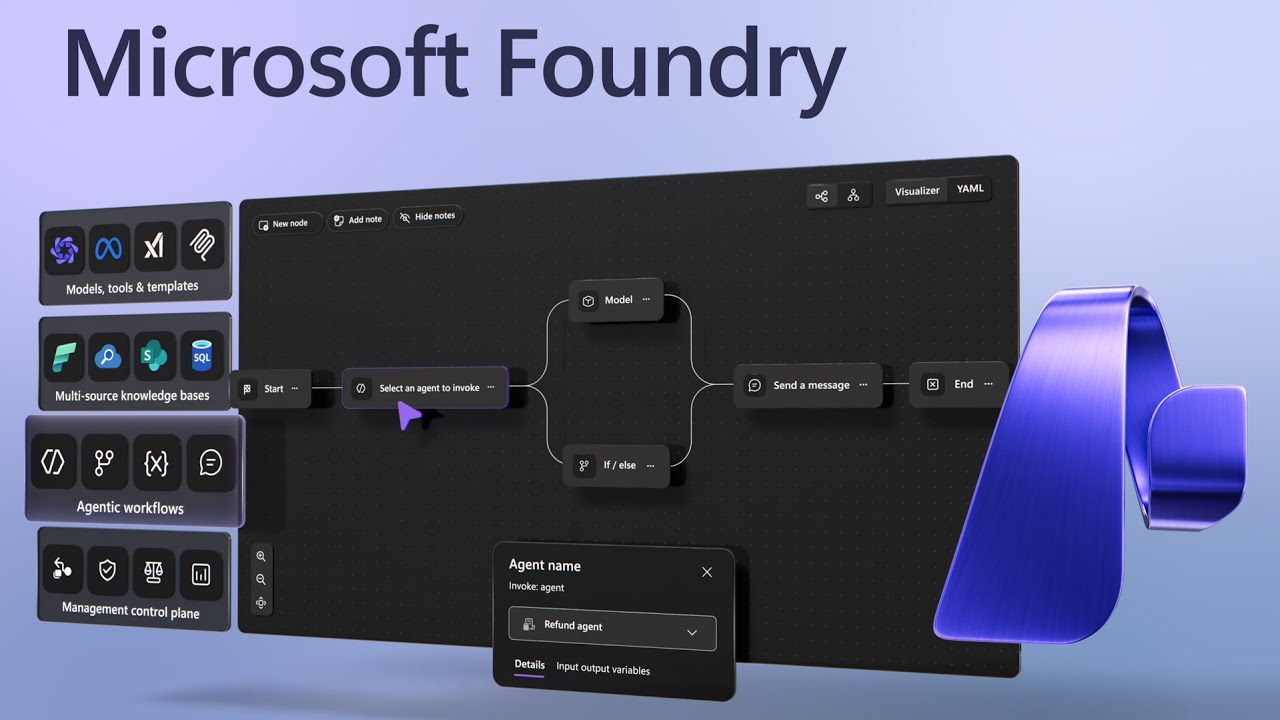
It's never been easier to build, optimize, and govern AI apps and agents that understand your business context and deliver business impact. Our unified, interoperable AI platform enables developers to build faster and smarter, while organizations gain fleetwide security and governance in a unified portal. Yina Arenas, Microsoft Foundry CVP, shares how to keep your development and operations teams coordinated, ensuring productivity, governance, and visibility across all your AI projects. Learn more in this Microsoft Mechanics demo, and start building with Microsoft Foundry at ai.azure.com ► QUICK LINKS: 00:54 - Tour the Microsoft Foundry portal 03:32 - The Build tab and Workflows 05:03 - How to build an agentic app 07:02 - Evaluate agent performance 08:37 - Safety and security 09:18 - Publish your agentic app 09:41 - Post deployment 11:36 - Wrap up ► Link References Visit https://ai.azure.com and get started today ► Unfamiliar with Microsoft Mechanics? As Microsoft's official video series for IT, you can watch and share valuable content and demos of current and upcoming tech from the people who build it at Microsoft. • Subscribe to our YouTube: https://www.youtube.com/c/MicrosoftMechanicsSeries • Talk with other IT Pros, join us on the Microsoft Tech Community: https://techcommunity.microsoft.com/t5/microsoft-mechanics-blog/bg-p/MicrosoftMechanicsBlog • Watch or listen from anywhere, subscribe to our podcast: https://microsoftmechanics.libsyn.com/podcast ► Keep getting this insider knowledge, join us on social: • Follow us on Twitter: https://twitter.com/MSFTMechanics • Share knowledge on LinkedIn: https://www.linkedin.com/company/microsoft-mechanics/ • Enjoy us on Instagram: https://www.instagram.com/msftmechanics/ • Loosen up with us on TikTok: https://www.tiktok.com/@msftmechanics Formerly Azure AI Foundry and Azure Cognitive Services
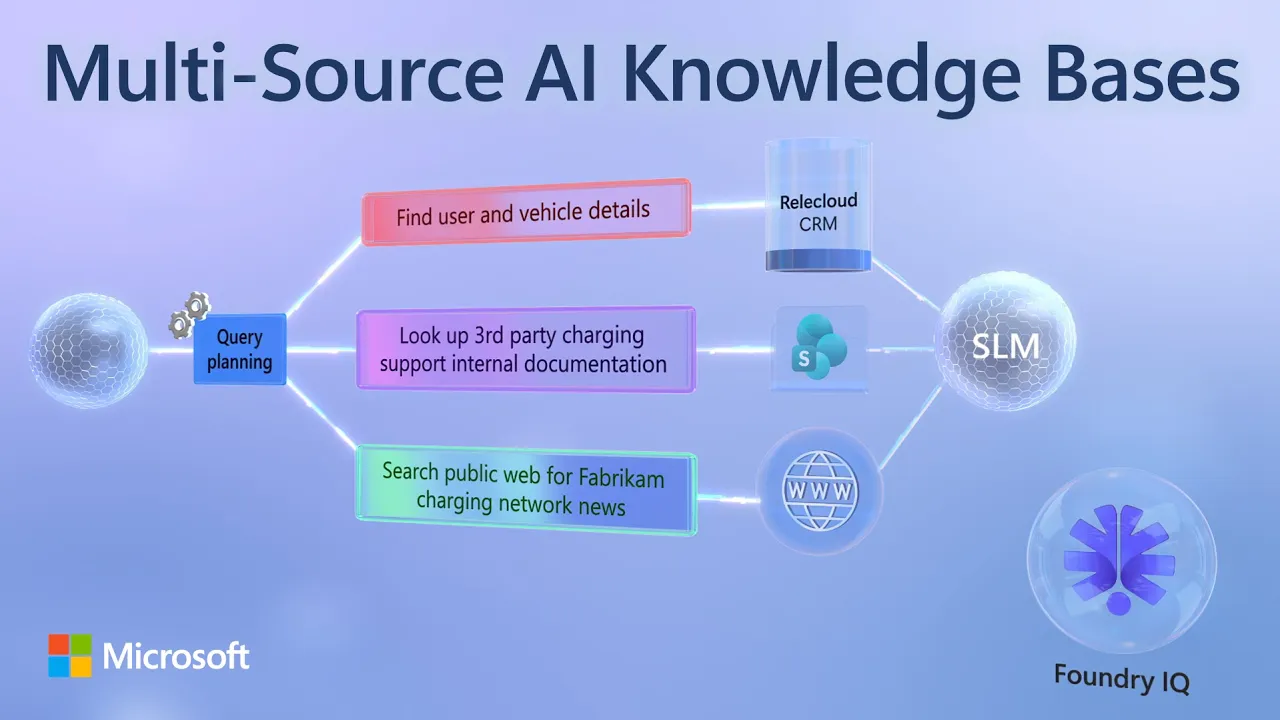
Ground your AI agents on your organization's knowledge, pulling from multiple sources at once, connecting the dots automatically, and getting more accurate, context-rich answers without doing manual orchestration with Foundry IQ in Microsoft Foundry. Navigate complex, distributed data across Azure stores, SharePoint, OneLake, MCP servers, and even the web, all through a single knowledge base that handles query planning and iteration for you. Reuse the Azure AI Search assets you already have, build new knowledge bases with minimal setup, and control how much reasoning effort your agents apply. As you develop, you can rely on iterative retrieval only when it improves results, saving time, tokens, and development complexity. Pablo Castro, Azure AI Search CVP and Distinguished Engineer, joins Jeremy Chapman to share how to build smarter, more capable AI agents, with higher-quality grounded answers and less engineering overhead. ► Link References To learn more check out https://aka.ms/FoundryIQ For more details on the evaluation metric discussed on this show, read our blog at https://aka.ms/kb-evals For more on Microsoft Foundry go to https://ai.azure.com/nextgen ► Unfamiliar with Microsoft Mechanics? As Microsoft's official video series for IT, you can watch and share valuable content and demos of current and upcoming tech from the people who build it at Microsoft. • Subscribe to our YouTube: https://www.youtube.com/c/MicrosoftMechanicsSeries • Talk with other IT Pros, join us on the Microsoft Tech Community: https://techcommunity.microsoft.com/t5/microsoft-mechanics-blog/bg-p/MicrosoftMechanicsBlog • Watch or listen from anywhere, subscribe to our podcast: https://microsoftmechanics.libsyn.com/podcast ► Keep getting this insider knowledge, join us on social: • Follow us on Twitter: https://twitter.com/MSFTMechanics • Share knowledge on LinkedIn: https://www.linkedin.com/company/microsoft-mechanics/ • Enjoy us on Instagram: https://www.instagram.com/msftmechanics/ • Loosen up with us on TikTok: https://www.tiktok.com/@msftmechanics ► QUICK LINKS: 00:00 - Foundry IQ in Microsoft Foundry 01:02 - How it's evolved 03:02 - Knowledge bases in Foundry IQ 04:37 - Azure AI Search and retrieval stack 05:51 - How it works 06:52 - Visualization tool demo 08:07 - Build a knowledge base 10:10 - Evaluating results 13:11 - Wrap up
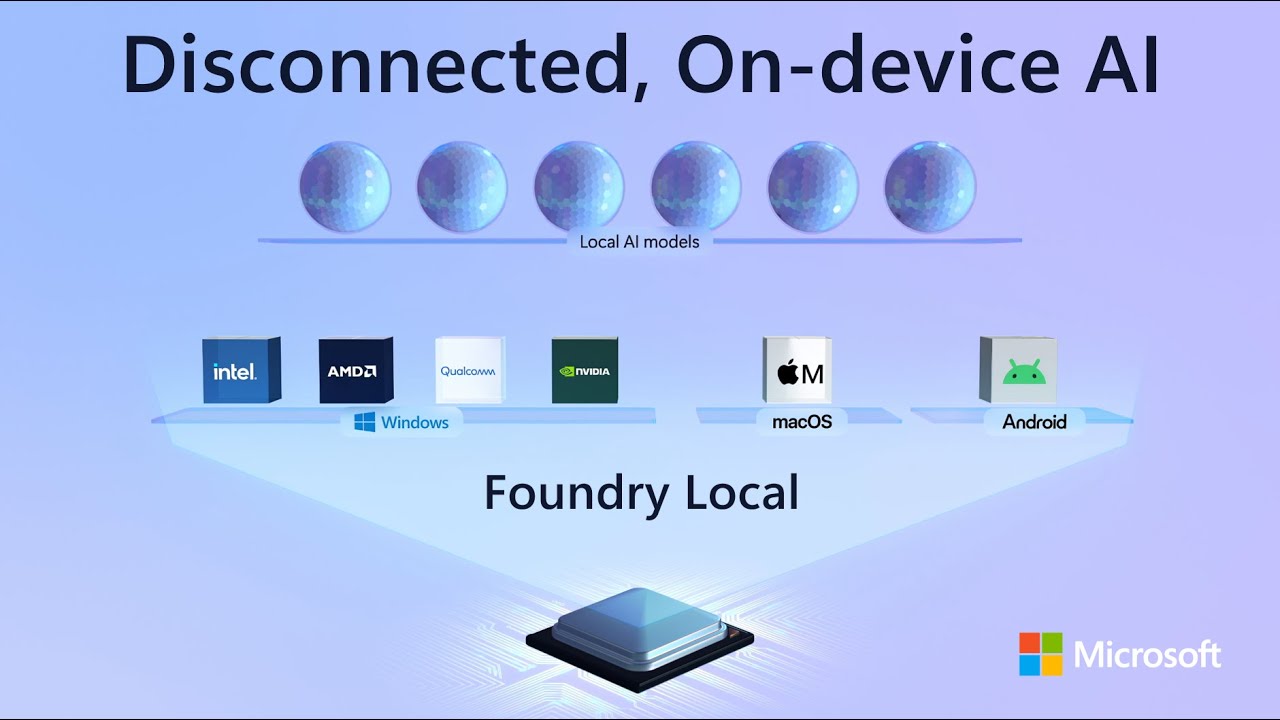
Build powerful AI apps that run locally on any device—Windows, macOS, or mobile—without relying on the cloud using Foundry Local. Leverage full hardware performance, keep data private, reduce latency, and predict costs, even in offline or low-connectivity scenarios. Simplify development and deploy AI apps across diverse hardware and OS platforms with the Foundry Local SDK. Manage models locally, switch AI engines easily, and deliver consistent, multi-modal experiences, voice or text, without complex cross-platform setup. Raji Rajagopalan, Microsoft CoreAI Vice President, shares how to start quickly, test locally, and scale confidently. ► QUICK LINKS: 00:00 - Run AI locally 01:48 - Local AI use cases 02:23 - App portability 03:18 - Run apps on any device 05:14 - Run on older devices 05:58 - Run apps on MacOS 06:18 - Local AI is Multi-modal 07:25 - How it works 08:20 - How to get it running on your device 09:26 - Start with AI Toolkit in VS Code with new SDK 10:11 - Wrap up ► Link References Check out https://aka.ms/foundrylocalSDK Build an app using code in our repo at https://aka.ms/foundrylocalsamples ► Unfamiliar with Microsoft Mechanics? As Microsoft's official video series for IT, you can watch and share valuable content and demos of current and upcoming tech from the people who build it at Microsoft. • Subscribe to our YouTube: https://www.youtube.com/c/MicrosoftMechanicsSeries • Talk with other IT Pros, join us on the Microsoft Tech Community: https://techcommunity.microsoft.com/t5/microsoft-mechanics-blog/bg-p/MicrosoftMechanicsBlog • Watch or listen from anywhere, subscribe to our podcast: https://microsoftmechanics.libsyn.com/podcast ► Keep getting this insider knowledge, join us on social: • Follow us on Twitter: https://twitter.com/MSFTMechanics • Share knowledge on LinkedIn: https://www.linkedin.com/company/microsoft-mechanics/ • Enjoy us on Instagram: https://www.instagram.com/msftmechanics/ • Loosen up with us on TikTok: https://www.tiktok.com/@msftmechanics
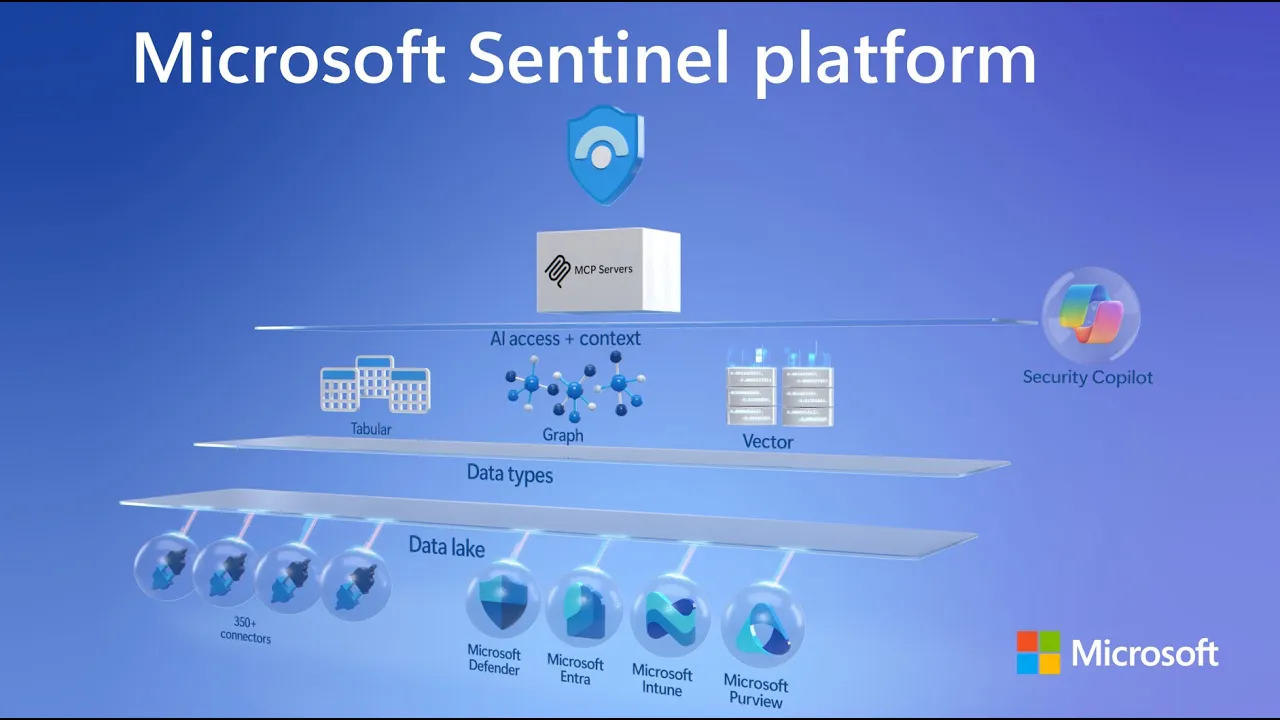
Unify your security data and use AI to reason over your entire digital estate with Microsoft Sentinel. See how threats evolve in real time, map attack paths, and understand which assets are most at risk. Visualize relationships across users, devices, and resources to pinpoint vulnerabilities and focus your response where it matters most. Using natural language, you can investigate faster. Ask questions, get context, and act on insights without writing complex queries. Build and extend your own identity graphs to include multicloud systems like Salesforce, enriching your view of risk. Vandana Mahtani, Microsoft Sentinel Principal PM, shares how to detect, investigate, and disrupt threats in one connected experience with Microsoft Sentinel. You can find more info on custom graphs: https://aka.ms/sentinel/graph/ignite and sign-up for preview at: https://aka.ms/sentinel/graph/customsignup ► QUICK LINKS: 00:00 - Microsoft Sentinel SIEM and AI-ready security platform 01:37 - Blast radius integration 02:34 - Investigate using AI with the Sentinel MCP server 03:40 - Advanced hunting 04:53 - Custom graphs 07:07 - Build your own custom graph 08:51 - Wrap up ► Link References For more information, visit https://aka.ms/sentinelplatform Custom graph public preview signup at https://aka.ms/sentinel/graph/customsignup ► Unfamiliar with Microsoft Mechanics? As Microsoft's official video series for IT, you can watch and share valuable content and demos of current and upcoming tech from the people who build it at Microsoft. • Subscribe to our YouTube: https://www.youtube.com/c/MicrosoftMechanicsSeries • Talk with other IT Pros, join us on the Microsoft Tech Community: https://techcommunity.microsoft.com/t5/microsoft-mechanics-blog/bg-p/MicrosoftMechanicsBlog • Watch or listen from anywhere, subscribe to our podcast: https://microsoftmechanics.libsyn.com/podcast ► Keep getting this insider knowledge, join us on social: • Follow us on Twitter: https://twitter.com/MSFTMechanics • Share knowledge on LinkedIn: https://www.linkedin.com/company/microsoft-mechanics/ • Enjoy us on Instagram: https://www.instagram.com/msftmechanics/ • Loosen up with us on TikTok: https://www.tiktok.com/@msftmechanics
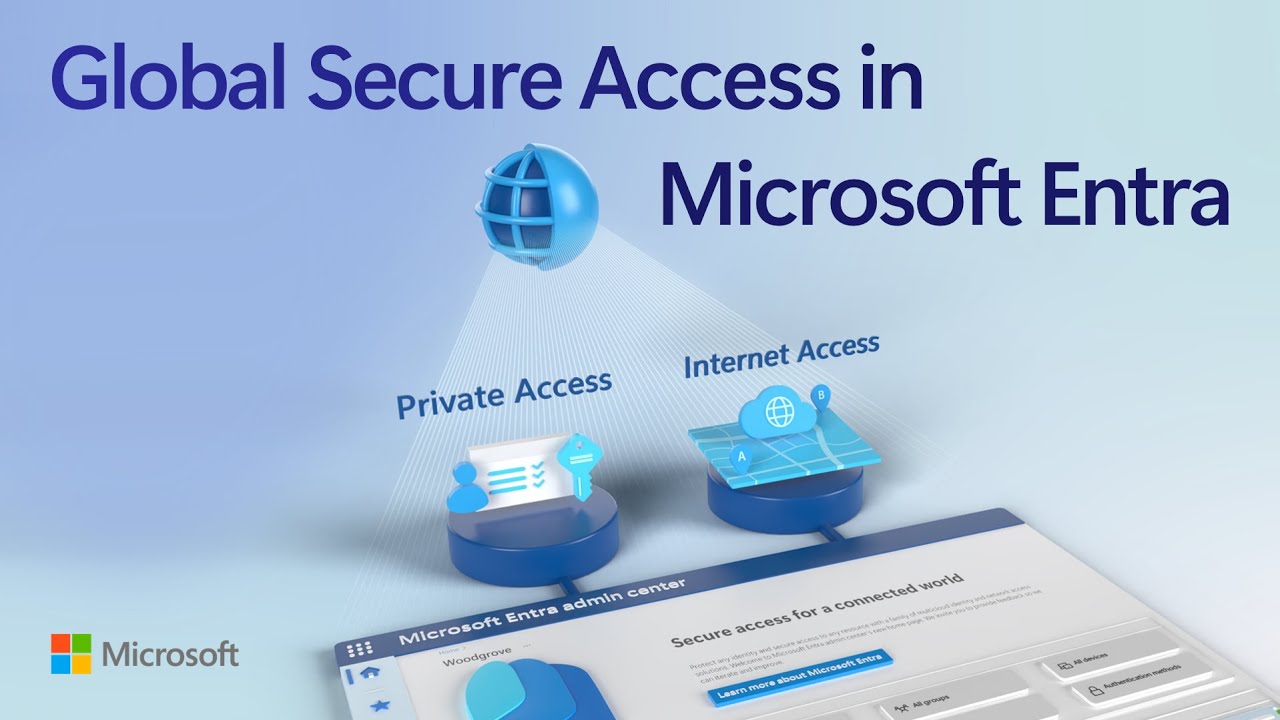
Connect users to on-premises resources while enforcing Conditional Access policies, including MFA, and eliminate the need for VPNs using Secure Access Service Edge with Microsoft Entra. Route authentication through Microsoft Entra before granting resource access, even within legacy on-premises systems. Boost performance with intelligent local access that keeps internal traffic local while routing only authentication to the cloud. Protect sensitive data from being uploaded to AI apps, and stop prompt injection attacks—without modifying your applications or AI models. Ashish Jain, Microsoft Entra Principal GPM, shares how to strengthen your zero trust architecture while simplifying the access experience for users. ► QUICK LINKS: 00:00 - Secure Access Service Edge 01:12 - Conditional Access controls 01:35 - See it in action 02:21 - Windows client on same network 04:00 - Private Access - Intelligent Local Access 06:21 - Block AI file uploads 07:32 - Prompt injection attacks 09:46 - Wrap up ► Link References Check out https://aka.ms/SASEwithEntra ► Unfamiliar with Microsoft Mechanics? As Microsoft's official video series for IT, you can watch and share valuable content and demos of current and upcoming tech from the people who build it at Microsoft. • Subscribe to our YouTube: https://www.youtube.com/c/MicrosoftMechanicsSeries • Talk with other IT Pros, join us on the Microsoft Tech Community: https://techcommunity.microsoft.com/t5/microsoft-mechanics-blog/bg-p/MicrosoftMechanicsBlog • Watch or listen from anywhere, subscribe to our podcast: https://microsoftmechanics.libsyn.com/podcast ► Keep getting this insider knowledge, join us on social: • Follow us on Twitter: https://twitter.com/MSFTMechanics • Share knowledge on LinkedIn: https://www.linkedin.com/company/microsoft-mechanics/ • Enjoy us on Instagram: https://www.instagram.com/msftmechanics/ • Loosen up with us on TikTok: https://www.tiktok.com/@msftmechanics
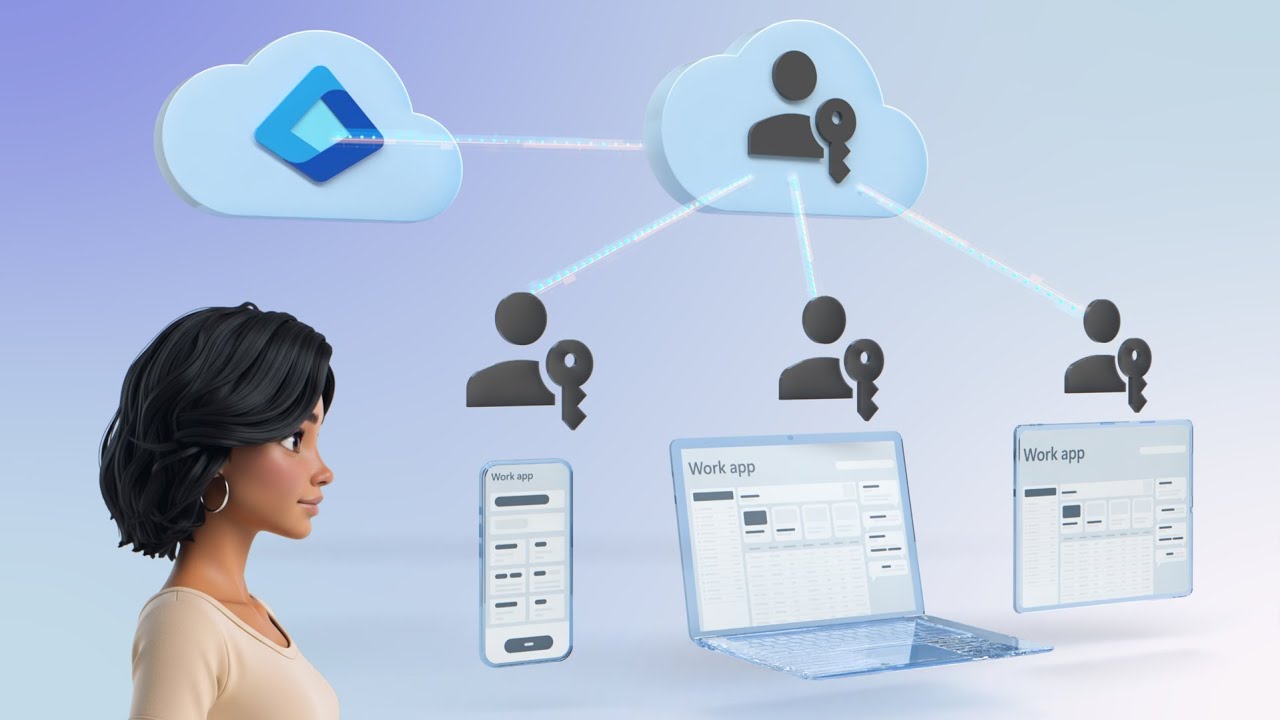
Secure sign-in across all your devices without relying on passwords or extra apps using passkeys in Microsoft Entra. Register, sync, and use passkeys with just your device's camera and biometrics, making authentication seamless, fast, and phishing-resistant. As an admin, control who uses which passkey type, streamline recovery with Verified ID, and automatically remediate risk in real time. Jarred Boone, Identity Security Senior Product Manager, shows how users can access work apps safely, confidently, and efficiently while reducing help desk overhead. ► QUICK LINKS: 00:00 - Passkeys in Microsoft Entra ID 01:19 - Register your passkey 02:12 - Authenticate into apps & services 03:34 - Sync passkeys on updated devices 04:16 - Configure passkeys as an admin 05:51 - Account recovery 07:18 - Conditional Access policies 07:53 - Wrap up ► Link References Check out https://aka.ms/PasskeysInEntra ► Unfamiliar with Microsoft Mechanics? As Microsoft's official video series for IT, you can watch and share valuable content and demos of current and upcoming tech from the people who build it at Microsoft. • Subscribe to our YouTube: https://www.youtube.com/c/MicrosoftMechanicsSeries • Talk with other IT Pros, join us on the Microsoft Tech Community: https://techcommunity.microsoft.com/t5/microsoft-mechanics-blog/bg-p/MicrosoftMechanicsBlog • Watch or listen from anywhere, subscribe to our podcast: https://microsoftmechanics.libsyn.com/podcast ► Keep getting this insider knowledge, join us on social: • Follow us on Twitter: https://twitter.com/MSFTMechanics • Share knowledge on LinkedIn: https://www.linkedin.com/company/microsoft-mechanics/ • Enjoy us on Instagram: https://www.instagram.com/msftmechanics/ • Loosen up with us on TikTok: https://www.tiktok.com/@msftmechanics
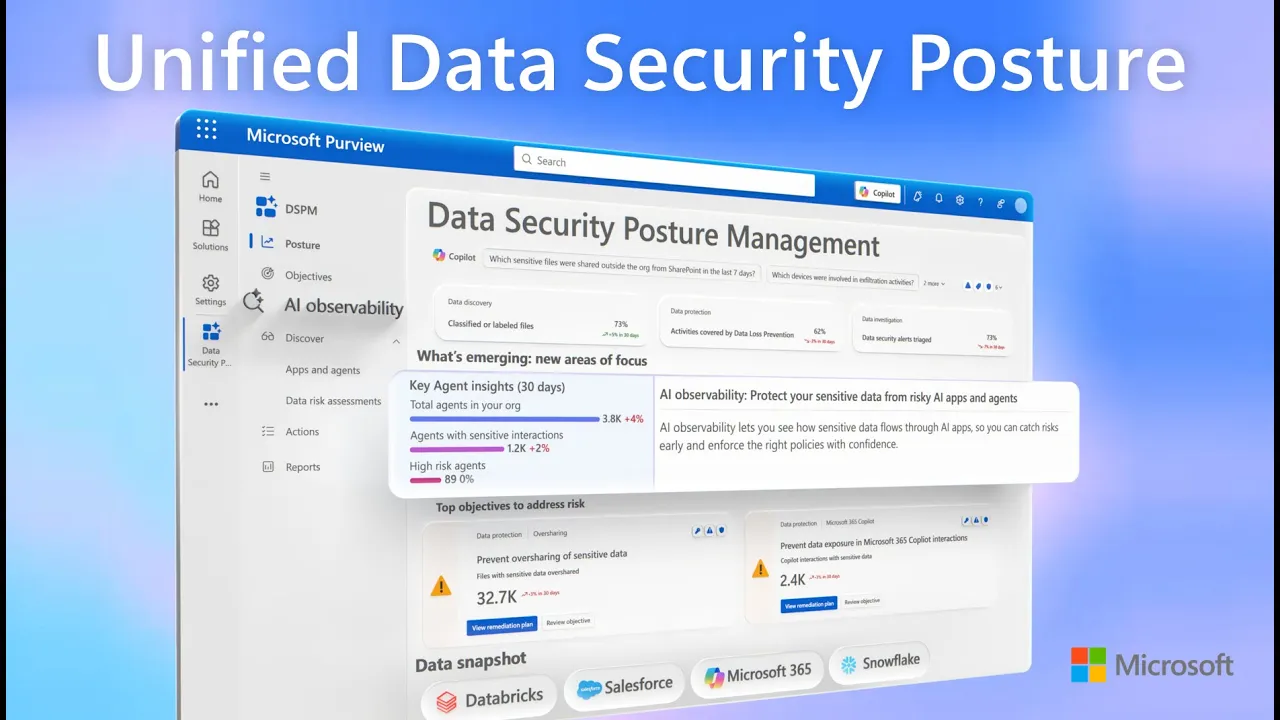
Locate, assess, and prioritize high-risk data across Microsoft and non-Microsoft services using Microsoft Purview Data Security Posture Management (DSPM). Identify sensitive files, understand emerging data risks, and focus remediation efforts where they matter most without slowing down productivity. You can also remediate oversharing, enforce data loss prevention policies, and monitor AI agent activity with full visibility into their interactions with sensitive data. Talhah Mir, Microsoft Purview Partner GM, shares how to take control of your data security posture, act on top priorities, and build a sustainable discipline for protecting your organization's information at scale. ► QUICK LINKS: 00:00 - Unified solution with DSPM 01:48 - Day-to-day DSPM use 03:36 - Prevent oversharing 05:52 - AI observability 07:42 - Longer-term view of DSPM 08:25 - How to get DSPM working in your org 09:28 - Wrap up ► Link References Try it out at https://aka.ms/DSPM ► Unfamiliar with Microsoft Mechanics? As Microsoft's official video series for IT, you can watch and share valuable content and demos of current and upcoming tech from the people who build it at Microsoft. • Subscribe to our YouTube: https://www.youtube.com/c/MicrosoftMechanicsSeries • Talk with other IT Pros, join us on the Microsoft Tech Community: https://techcommunity.microsoft.com/t5/microsoft-mechanics-blog/bg-p/MicrosoftMechanicsBlog • Watch or listen from anywhere, subscribe to our podcast: https://microsoftmechanics.libsyn.com/podcast ► Keep getting this insider knowledge, join us on social: • Follow us on Twitter: https://twitter.com/MSFTMechanics • Share knowledge on LinkedIn: https://www.linkedin.com/company/microsoft-mechanics/ • Enjoy us on Instagram: https://www.instagram.com/msftmechanics/ • Loosen up with us on TikTok: https://www.tiktok.com/@msftmechanics

Automate real work, modernize app delivery, and keep users productive from any device with Windows 365 for Agents. Assign AI agents their own Cloud PCs to complete tasks in your apps and workflows using natural-language instructions to eliminate fragile UI-based automation and accelerate scalable, resilient processes across your organization. Publish individual Cloud Apps instead of full desktops to simplify management, modernize legacy applications, and deliver consistent experiences to any device. And if a device breaks, is lost, or needs repair, Windows 365 Reserve lets you instantly provide users with a secure, temporary Cloud PC, restoring productivity in minutes while reducing IT overhead. Scott Manchester, Windows 365 Vice President, joins Jeremy Chapman to show how you can streamline automation, app delivery, and business continuity with the latest Windows 365 updates. ► QUICK LINKS: 00:00 - Updates for Cloud PCs with Windows 365 00:47 - Computer-using agents 02:27 - Build a computer-using agent 04:46 - Managing Windows 365 for Agents 05:26 - Windows 365 Cloud Apps 08:16 - Access published Cloud Apps in Windows 365 09:53 - Windows 365 Reserve 11:13 - Provisioning 12:24 - Deprovision and Self-Provision 13:12 - Wrap up ► Link References Check out https://aka.ms/windows365blog ► Unfamiliar with Microsoft Mechanics? As Microsoft's official video series for IT, you can watch and share valuable content and demos of current and upcoming tech from the people who build it at Microsoft. • Subscribe to our YouTube: https://www.youtube.com/c/MicrosoftMechanicsSeries • Talk with other IT Pros, join us on the Microsoft Tech Community: https://techcommunity.microsoft.com/t5/microsoft-mechanics-blog/bg-p/MicrosoftMechanicsBlog • Watch or listen from anywhere, subscribe to our podcast: https://microsoftmechanics.libsyn.com/podcast ► Keep getting this insider knowledge, join us on social: • Follow us on Twitter: https://twitter.com/MSFTMechanics • Share knowledge on LinkedIn: https://www.linkedin.com/company/microsoft-mechanics/ • Enjoy us on Instagram: https://www.instagram.com/msftmechanics/ • Loosen up with us on TikTok: https://www.tiktok.com/@msftmechanics
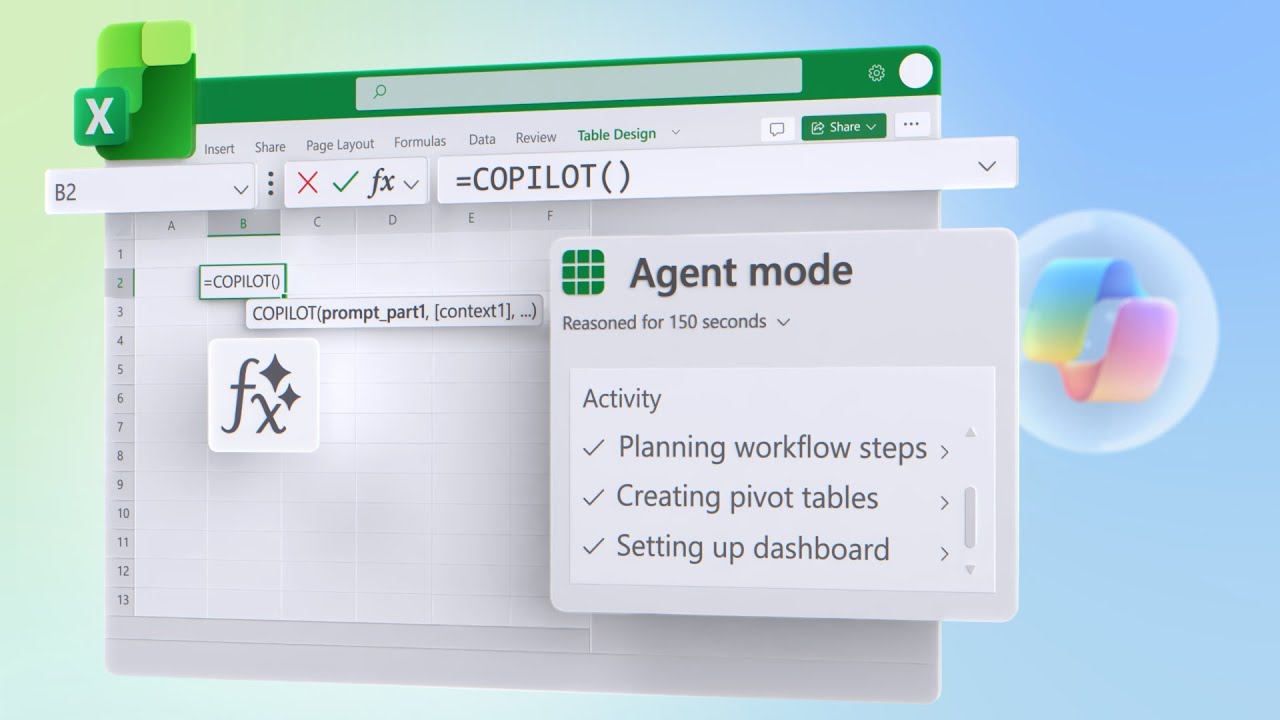
Turn raw Excel data into actionable insights, visual dashboards, and KPIs in minutes. With Agent Mode, automate complex analysis, create pivot tables, and build interactive dashboards without manual setup. Streamline text analysis, formula generation, and complex calculations right inside Excel. Use the Copilot function to categorize feedback, score sentiment, or automate repetitive tasks, and leverage Formula AI to generate accurate formulas from plain language prompts. Jeremy Chapman, Microsoft 365 Director, shares how to work smarter and make faster, data-driven decisions in Microsoft Excel. ► QUICK LINKS: 00:00 - Excel and Microsoft 365 Copilot updates 01:24 - Agent Mode 03:55 - Copilot function 06:02 - Formula completion 07:13 - Formula AI 08:41 - Wrap up ► Unfamiliar with Microsoft Mechanics? As Microsoft's official video series for IT, you can watch and share valuable content and demos of current and upcoming tech from the people who build it at Microsoft. • Subscribe to our YouTube: https://www.youtube.com/c/MicrosoftMechanicsSeries • Talk with other IT Pros, join us on the Microsoft Tech Community: https://techcommunity.microsoft.com/t5/microsoft-mechanics-blog/bg-p/MicrosoftMechanicsBlog • Watch or listen from anywhere, subscribe to our podcast: https://microsoftmechanics.libsyn.com/podcast ► Keep getting this insider knowledge, join us on social: • Follow us on Twitter: https://twitter.com/MSFTMechanics • Share knowledge on LinkedIn: https://www.linkedin.com/company/microsoft-mechanics/ • Enjoy us on Instagram: https://www.instagram.com/msftmechanics/ • Loosen up with us on TikTok: https://www.tiktok.com/@msftmechanics
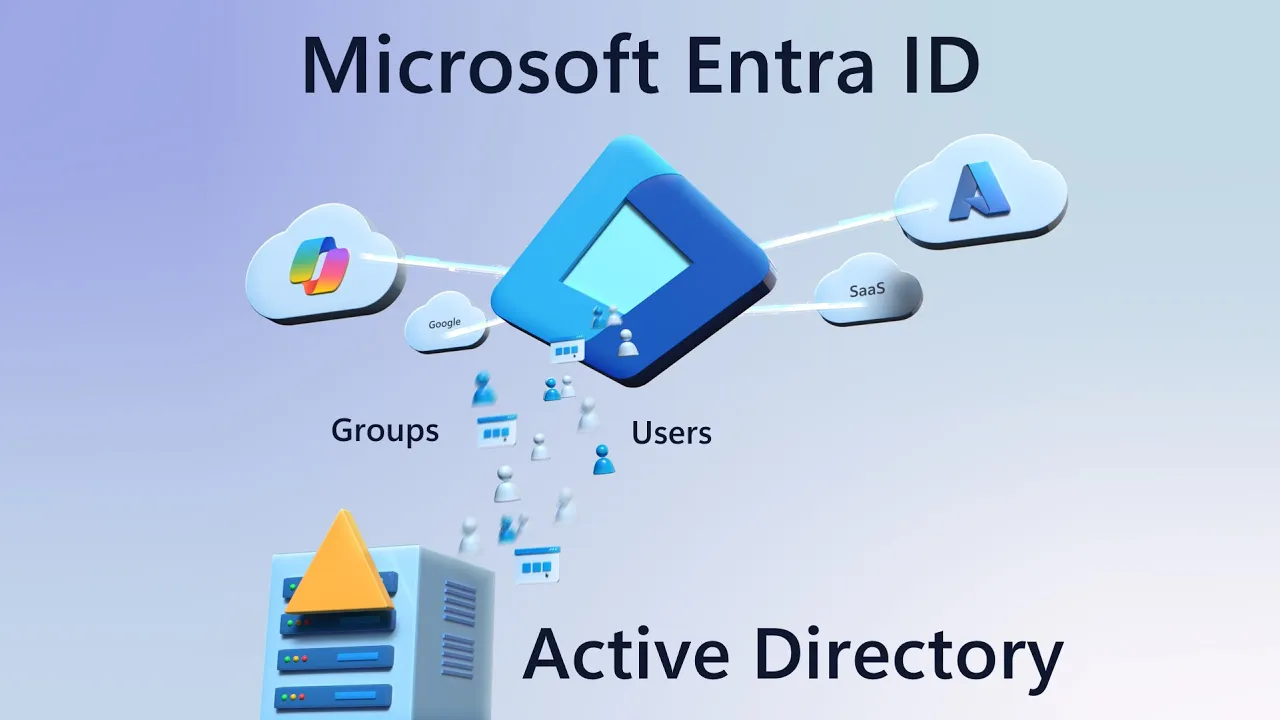
Strengthen your security posture by moving groups and users from Active Directory to Microsoft Entra. This gives you seamless access for your teams, stronger authentication with MFA and passwordless options, and centralized visibility into risks across your environment. Simplify hybrid identity management by reducing dual overhead, prioritizing key groups, migrating users without disruption, and automating policies with Graph or PowerShell. Jeremy Chapman, Microsoft 365 Director, shows how to start minimizing your local directory and make Microsoft Entra your source of authority to protect access everywhere. ► QUICK LINKS: 00:00 - Minimize Active Directory with Microsoft Entra 00:34 - Build a Strong Identity Foundation 01:28 - Reduce Dual Management Overhead 02:06 - Begin with Groups 03:04 - Automate with Graph & Policy Controls 03:50 - Access packages 06:00 - Move user objects to be cloud-managed 07:03 - Automate using scripts or code 09:17 - Wrap up ► Link References Get started at https://aka.ms/CloudManagedIdentity Use SOA scenarios at https://aka.ms/usersoadocs Group SOA scenarios at https://aka.ms/groupsoadocs Guidance for IT Architects on benefits of SOA at https://aka.ms/SOAITArchitectsGuidance ► Unfamiliar with Microsoft Mechanics? As Microsoft's official video series for IT, you can watch and share valuable content and demos of current and upcoming tech from the people who build it at Microsoft. • Subscribe to our YouTube: https://www.youtube.com/c/MicrosoftMechanicsSeries • Talk with other IT Pros, join us on the Microsoft Tech Community: https://techcommunity.microsoft.com/t5/microsoft-mechanics-blog/bg-p/MicrosoftMechanicsBlog • Watch or listen from anywhere, subscribe to our podcast: https://microsoftmechanics.libsyn.com/podcast ► Keep getting this insider knowledge, join us on social: • Follow us on Twitter: https://twitter.com/MSFTMechanics • Share knowledge on LinkedIn: https://www.linkedin.com/company/microsoft-mechanics/ • Enjoy us on Instagram: https://www.instagram.com/msftmechanics/ • Loosen up with us on TikTok: https://www.tiktok.com/@msftmechanics
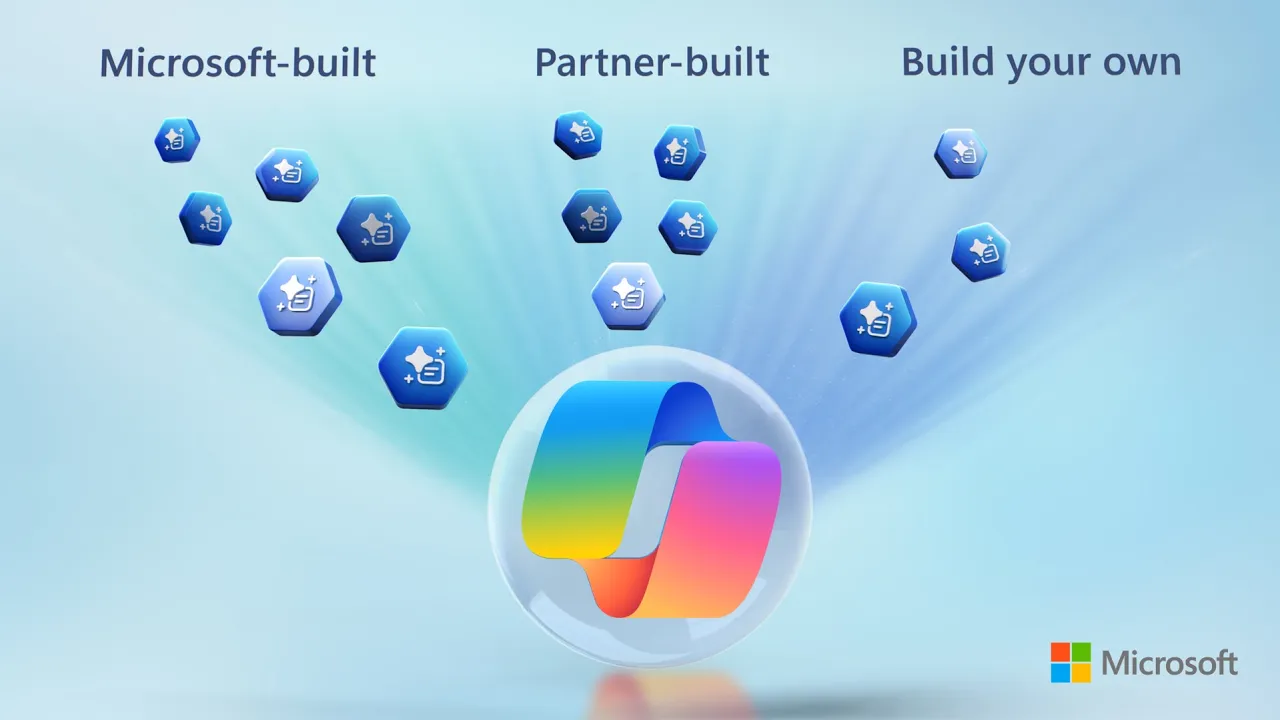
Take control of security operations and act fast on high priority threats with Microsoft Security Copilot agents. Automate phishing triage, prioritize alerts, streamline access reviews, and close policy gaps while keeping full control through natural language feedback and recommendations. Reduce repetitive work, cut through alert noise, and focus on the most critical risks facing your organization. Stay ahead of vulnerabilities and evolving threats by proactively identifying at-risk devices, deploying patches, and optimizing access policies as your environment changes. Build custom agents tailored to your workflows, connecting tools and data to automate your most time-consuming security tasks. Dilip Radhakrishnan, Microsoft Security Copilot Partner Director, shares how to keep your organization protected with Security Copilot agents. ► QUICK LINKS: 00:00 - Security Copilot agents 01:02 - Phishing Triage Agent 02:17 - Alert Triage Agents 03:24 - Access governance 04:41 - Conditional Access Optimization Agent 05:57 - Vulnerability Remediation Agent 06:57 - Build your own specialized agents 07:54 - Wrap up ► Link References Get started at https://aka.ms/securitycopilotadoptionhub ► Unfamiliar with Microsoft Mechanics? As Microsoft's official video series for IT, you can watch and share valuable content and demos of current and upcoming tech from the people who build it at Microsoft. • Subscribe to our YouTube: https://www.youtube.com/c/MicrosoftMechanicsSeries • Talk with other IT Pros, join us on the Microsoft Tech Community: https://techcommunity.microsoft.com/t5/microsoft-mechanics-blog/bg-p/MicrosoftMechanicsBlog • Watch or listen from anywhere, subscribe to our podcast: https://microsoftmechanics.libsyn.com/podcast ► Keep getting this insider knowledge, join us on social: • Follow us on Twitter: https://twitter.com/MSFTMechanics • Share knowledge on LinkedIn: https://www.linkedin.com/company/microsoft-mechanics/ • Enjoy us on Instagram: https://www.instagram.com/msftmechanics/ • Loosen up with us on TikTok: https://www.tiktok.com/@msftmechanics
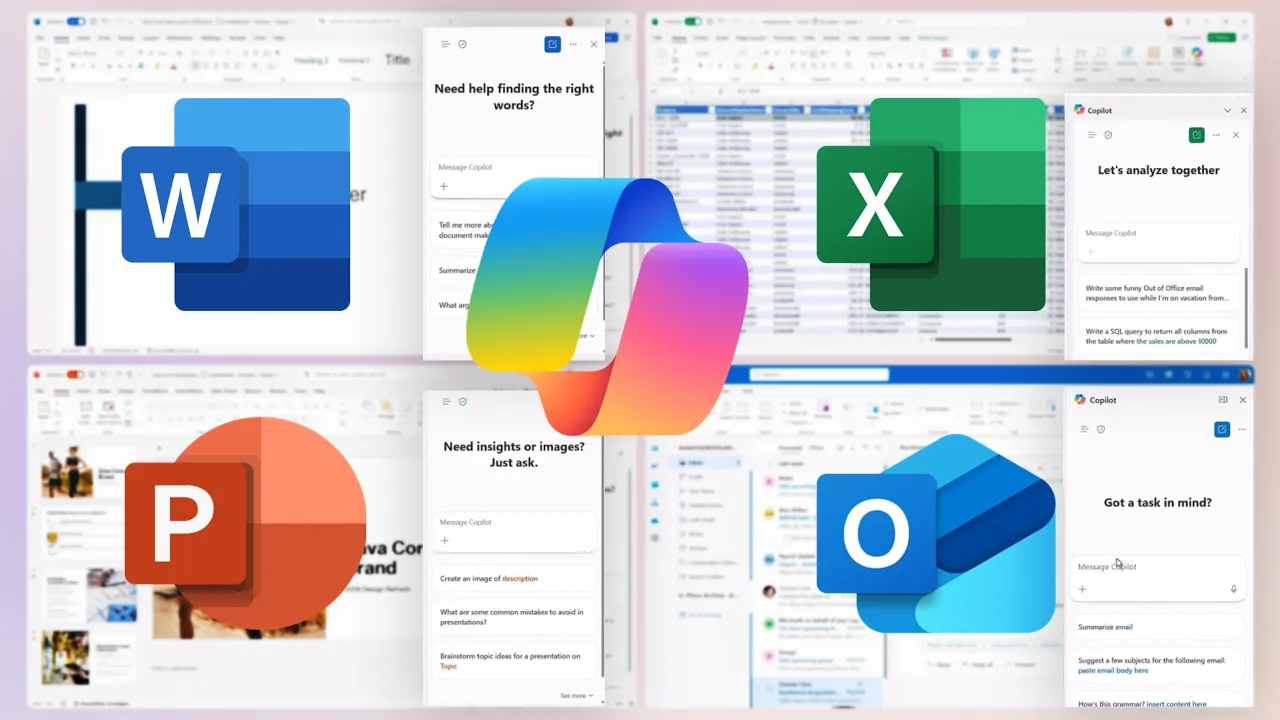
Work efficiently using Microsoft 365 Copilot Chat, now available directly in Word, Excel, PowerPoint, Outlook, and OneNote for everyone with an Office 365 or Microsoft 365 subscription. Summarize long email threads, generate bullet-point executive summaries, create charts, and update presentations—all without leaving your familiar apps. Copilot understands your context, remembers your preferences, and helps you reuse content seamlessly across Microsoft 365. IT admins stay in control while you boost productivity. Enterprise-grade protections, Microsoft Purview, and the Copilot Control System ensure your data stays secure. Jeremy Chapman, Microsoft 365 Director, shares how with premium features like intelligent data retrieval, meeting facilitation, and specialized agents, you can automate routine tasks, generate insights, and stay in the flow without leaving your apps. ► QUICK LINKS: 00:00 - Microsoft 365 Copilot Chat within Microsoft 365 apps 00:45 - Copilot Chat in Outlook 01:29 - Copilot Chat in Word 02:15 - Copilot Chat in Excel 02:59 - Copilot Chat in Power Point 04:58 - Security and Admin Experience 05:38 - Premium experience 06:44 - Wrap up ► Unfamiliar with Microsoft Mechanics? As Microsoft's official video series for IT, you can watch and share valuable content and demos of current and upcoming tech from the people who build it at Microsoft. • Subscribe to our YouTube: https://www.youtube.com/c/MicrosoftMechanicsSeries • Talk with other IT Pros, join us on the Microsoft Tech Community: https://techcommunity.microsoft.com/t5/microsoft-mechanics-blog/bg-p/MicrosoftMechanicsBlog • Watch or listen from anywhere, subscribe to our podcast: https://microsoftmechanics.libsyn.com/podcast ► Keep getting this insider knowledge, join us on social: • Follow us on Twitter: https://twitter.com/MSFTMechanics • Share knowledge on LinkedIn: https://www.linkedin.com/company/microsoft-mechanics/ • Enjoy us on Instagram: https://www.instagram.com/msftmechanics/ • Loosen up with us on TikTok: https://www.tiktok.com/@msftmechanics
The newest agents for Microsoft 365 Copilot users can now act as virtual members of your team, helping you stay organized, informed, and secure while you work. Watch how these collaborative agents partner with you in real time across your everyday apps. Knowledge Agent streamlines SharePoint by auto-tagging files, retiring outdated pages, and even drafting new content so your sites stay current and searchable. Facilitator Agent in Microsoft Teams keeps meetings on track—managing agendas, taking notes, assigning follow-ups, and capturing decisions automatically. Agents in Teams channels summarize conversations, generate status reports, and handle routine updates so projects move forward without missed details. Agents in Viva Engage communities draft accurate, data-driven responses to questions, connecting colleagues to the right information and reducing response times. ► QUICK LINKS: 00:00 - Collaborative agents in Microsoft 365 Copilot 01:08 - Knowledge Agent in SharePoint 02:29 - Keep SharePoint site up-to-date 03:41 - Create pages and new posts in SharePoint 04:47 - Agents in Microsoft Teams channels 06:34 - Facilitator in Microsoft Teams meetings 07:58 - Agents in Viva Engage communities 09:12 - Wrap up ► Link References Find out more at https://aka.ms/HumanAgentTeams ► Unfamiliar with Microsoft Mechanics? As Microsoft's official video series for IT, you can watch and share valuable content and demos of current and upcoming tech from the people who build it at Microsoft. • Subscribe to our YouTube: https://www.youtube.com/c/MicrosoftMechanicsSeries • Talk with other IT Pros, join us on the Microsoft Tech Community: https://techcommunity.microsoft.com/t5/microsoft-mechanics-blog/bg-p/MicrosoftMechanicsBlog • Watch or listen from anywhere, subscribe to our podcast: https://microsoftmechanics.libsyn.com/podcast ► Keep getting this insider knowledge, join us on social: • Follow us on Twitter: https://twitter.com/MSFTMechanics • Share knowledge on LinkedIn: https://www.linkedin.com/company/microsoft-mechanics/ • Enjoy us on Instagram: https://www.instagram.com/msftmechanics/ • Loosen up with us on TikTok: https://www.tiktok.com/@msftmechanics
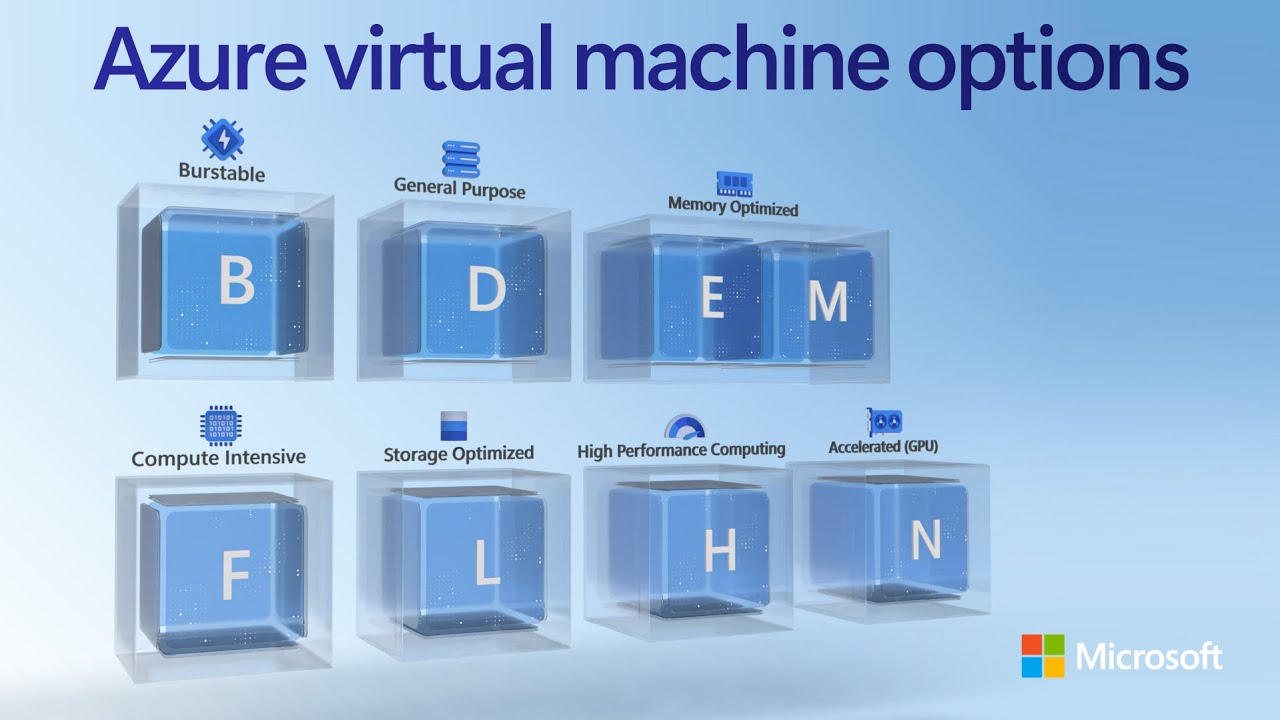
Build and run everything from simple web apps to AI supercomputing by matching each workload to the right Azure VM in minutes. Find and know exactly what you're provisioning by understanding the naming format to see CPU type, memory, storage, and features before deployment to match what your app or workload needs. Use free tools like Azure Migrate to right-size and plan. Matt McSpirit, Microsoft Azure expert, shows how to choose, size, and deploy workloads such as burstable web apps, massive in-memory databases, GPU-driven AI training, and high-performance scientific modeling, all with automatic scaling and confidential computing when needed. ► QUICK LINKS: 00:00 - Azure Virtual Machines 01:12 - Decode Azure VM Names 01:28 - Right-Size with Azure Migrate 02:15 - B series 02:45 - D series 03:23 - E series 04:14 - F series 04:29 - L series 05:01 - M series 05:23 - Constrained vCPU VMs 05:49 - H series 06:20 - N series 06:55 - Azure Boost 07:24 - Confidential VMs & Deploying your VMs 08:28 - Wrap up ► Link References Get started at https://aka.ms/VMAzure Azure VM naming conventions at https://aka.ms/VMnames ► Unfamiliar with Microsoft Mechanics? As Microsoft's official video series for IT, you can watch and share valuable content and demos of current and upcoming tech from the people who build it at Microsoft. • Subscribe to our YouTube: https://www.youtube.com/c/MicrosoftMechanicsSeries • Talk with other IT Pros, join us on the Microsoft Tech Community: https://techcommunity.microsoft.com/t5/microsoft-mechanics-blog/bg-p/MicrosoftMechanicsBlog • Watch or listen from anywhere, subscribe to our podcast: https://microsoftmechanics.libsyn.com/podcast ► Keep getting this insider knowledge, join us on social: • Follow us on Twitter: https://twitter.com/MSFTMechanics • Share knowledge on LinkedIn: https://www.linkedin.com/company/microsoft-mechanics/ • Enjoy us on Instagram: https://www.instagram.com/msftmechanics/ • Loosen up with us on TikTok: https://www.tiktok.com/@msftmechanics
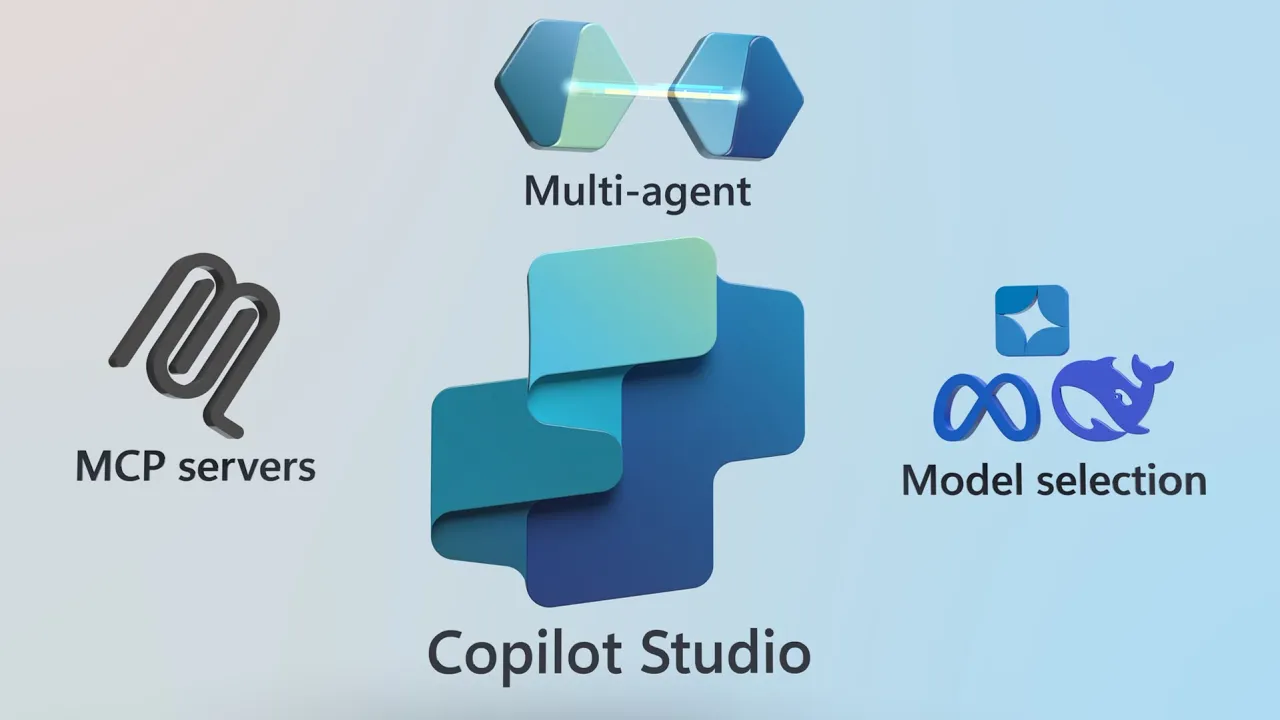
Build AI agents to automate complex workflows—like project planning and go-to-market strategies—without writing code, all with Microsoft Copilot Studio. Use triggers to launch processes from signals like approval emails, connect to the right data with Model Context Protocol (MCP) for faster, more accurate responses, and coordinate multiple agents to handle everything from task assignments to inventory planning. Choose AI models that fit each job, prompt agents to generate detailed documents, and test their reasoning in real time. Jeremy Chapman, Director of Microsoft 365, shows how to transform repetitive work into scalable, intelligent systems. ► QUICK LINKS: 00:00 - Build an agent with Microsoft Copilot Studio 00:41 - Automate project planning 01:22 - How agents work 02:47 - Define tools and triggers 03:58 - Model Context Protocol (MCP) 05:44 - Use prompt tools to auto-create key docs 06:22 - Choose the right model 07:13 - Test your agent 08:08 - Wrap up ► Link References To get started building your own agents go to https://copilotstudio.microsoft.com Check out our lab at https://aka.ms/MCSMCPLab ► Unfamiliar with Microsoft Mechanics? As Microsoft's official video series for IT, you can watch and share valuable content and demos of current and upcoming tech from the people who build it at Microsoft. • Subscribe to our YouTube: https://www.youtube.com/c/MicrosoftMechanicsSeries • Talk with other IT Pros, join us on the Microsoft Tech Community: https://techcommunity.microsoft.com/t5/microsoft-mechanics-blog/bg-p/MicrosoftMechanicsBlog • Watch or listen from anywhere, subscribe to our podcast: https://microsoftmechanics.libsyn.com/podcast ► Keep getting this insider knowledge, join us on social: • Follow us on Twitter: https://twitter.com/MSFTMechanics • Share knowledge on LinkedIn: https://www.linkedin.com/company/microsoft-mechanics/ • Enjoy us on Instagram: https://www.instagram.com/msftmechanics/ • Loosen up with us on TikTok: https://www.tiktok.com/@msftmechanics


Download from Google Play

Download from App Store
 United States
Thanks for sharing your experience! It surprises me that not every business uses such applications yet. But this is the most important tool for the global growth of your business. In addition, it is now easier than ever to implement your idea using tools like this one https://www.back4app.com/
This podcast was very informative for moving users away from IE and getting them to explicitly use Edge. By using the IE compatibility and rendering sites within Edge using IE mode makes this possible. Furthermore the sandbox environment in which Microsoft Defender launches applications from is a great security feature to prevent malware.