


Epic Ally (Carrie on Accessibility)
Subscribed: 4Played: 2
Subscribe

© Carrie on Accessibility
Description
Tune into the audio version of the Epic A11y Video Podcast, brought to you by Carrie on Accessibility! Join me as I interview the innovators and movers shaping the future of accessibility and technology. Get inspired, stay informed, and learn from the experts with me.
18 Episodes
Reverse
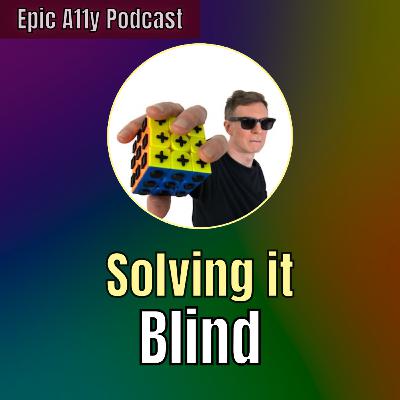
Yes! Blind people can solve rubik's cubes and speed cubes. Just add some tactile markings and anyone can solve non-visually. In this video, I'm joined by Paul Martz to share his book how to "solve it!" and his experience with blind cubing.Check out the "Solve It! The Only Speedsolving Guide for Blind Cubers" book!https://tactilecuber.com/Textured Cube:https://texturecube.com/Inexpensive Tactile Rubik's Cube:Amazon - https://amzn.to/47tpltQVideo - https://youtube.com/shorts/snwkVi0lTvA?si=dswHHZuC5_vzhtEtMy puzzle cube collection:https://youtube.com/shorts/fLK9qnPsQ-E?si=k-wW275VsoarNdA-
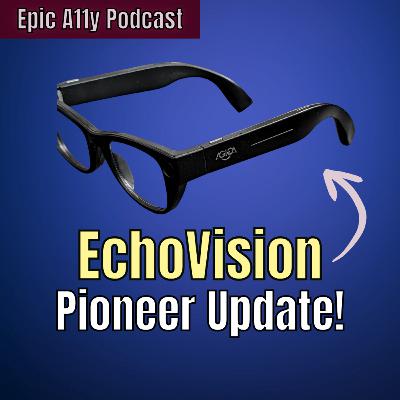
Agiga is poised to launch their EchoVision Pioneer Editions on October 29th. In this episode, I share an interview with Agiga about this update, why they decided to do this and what their plans for it. What do you think? Was it a good move? If you pre-ordered, did you choose to be a pioneer or will you wait for the final product?EchoVision Website: https://echovision.agiga.ai/
Digital Accessibility is crucial for assistive technology users in the blind, low vision, and disability community. Easy Surf was created by people with disabilities who work in this space and in this episode we sit down and discuss the current landscape of digital accessibility and how we feel the industry could be improved. We also discuss how Easy Surf started and tips for aspiring accessibility/usability testers.http://EasySurf.ca
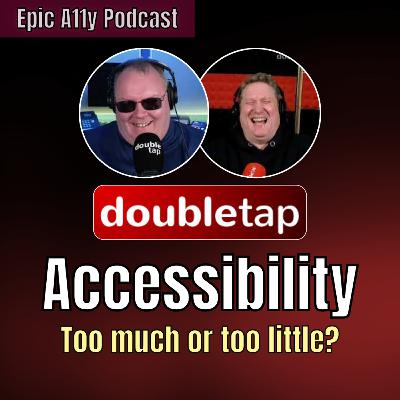
In today's episode, Carrie chats with Steven and Shaun from Double Tap to discuss their experience at CSUN, hands on with the technology there, and accessibility/assistive technology in general. Make sure to check out @DoubleTapVideo and their coverage at CSUN! https://doubletaponair.com/csun/EchoVisions Glasses: AI Wearable for the Blind & Visually Impaired from Agigahttps://youtu.be/5raHFE58RpAEpic Ally Podcast https://www.youtube.com/playlist?list=PLI_qJN1lJVU5xxIOz-JoldbkehCdIU0SwVideo Chapters00:00 Intro 02:27 Hello Steven and Shaun 03:50 How was CSUN?08:12 Blazie at CSUN08:56 Lighthouse Tech Glasses 10:20 Wearables 11:07 Costs & AT Development13:23 Choices, Diversificatio, Collaboration 19:19 Glidance 30:06 EchoVision and AI 40:30 What’s your favorite tech?
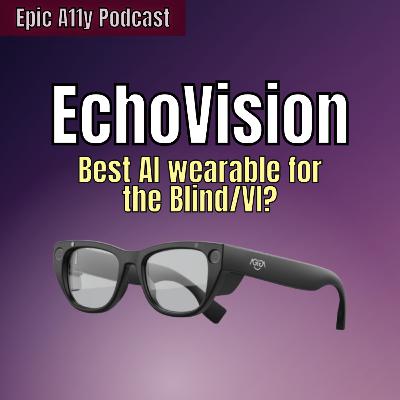
The EchoVision smart glasses are being developed by Agiga and will have AI descriptions, facial recognition, text reading, integration with Be My Eyes and Aira, and more. In this follow up interview with Agiga, the EchoVisions are shown in action with demonstrations! Share your feedback and questions in the comments or contact Agiga directly.Pre-Order with code CARRIE to get $20 off!http://Echovision.Agiga.aiContact Agiga:contact@agiga.aiWatch the original interview:https://youtu.be/658ADcVfHmQ?si=xVQZDf--dNNiwDG1
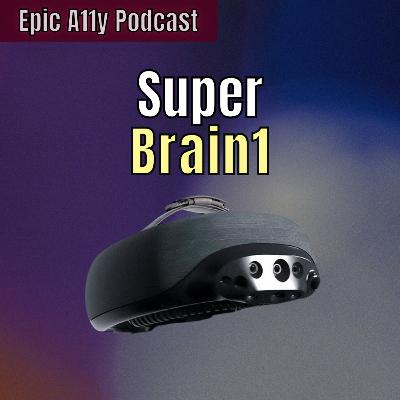
A wearable called the SuperBrain 1 from 7Sense wants to give the blind and visually impaired a remote sense of touch with haptics. Learn all about what it's like and what it can do in this Epic Ally podcast interview. Let me know in the comments what you think about this device!Find out more about the SuperBrain 1:https://7sense.ee/superbrain-1/Epic Ally Podcast playlist:https://youtube.com/playlist?list=PLI_qJN1lJVU5xxIOz-JoldbkehCdIU0Sw&si=-b3GDSfyhE8nP-wuVideo Chapters 00:00 – Intro 01:20 – Meet Michael for 7Sense 02:08 – What is the SuperBrain 1?04:24 – Describing the wearable device 07:20 – Does it work on it’s own? 08:52 – The Onboarding Experience14:56 – Modes and AI Haptic Features19:52 – The 3rd Mode 23:23 – Can you exercise with SuperBrain 1? 24:14 – Sensors and Cameras 26:45 – Outdoors to Indoors 27:42 – Backstory of SuperBrain 29:56 – Pricing and Availability 31:30 – What makes AT so expensive? 37:08 – My Thoughts About the SuperBrain
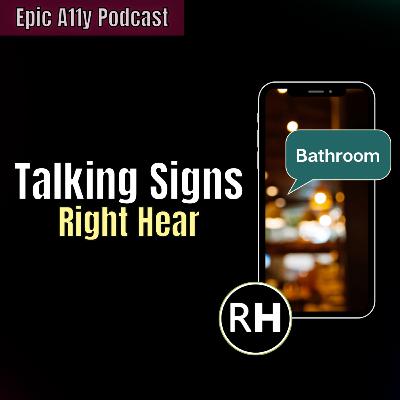
What if signs could talk? That's what Right hear wants to do! In this episode, I talk to the CEO of Right Hear, Idan Meir, to discuss their technology and how it could enhance the experience of people who are blind and visually impaired. Idan also shares a glimpse into what they're planning next.
Right Hear Website:
https://www.right-hear.com/
Right Hear on Android:
https://play.google.com/store/apps/details?id=com.righthear&hl=en_US
Right Hear on iOS:
https://apps.apple.com/us/app/righthear-blind-assistant/id1061791840
Can you imagine not being able to see anything, and listening to music to find your way and learn what's around you? Or would you rather AI give you descriptions? How about making it easier to get audio descriptions? On this CoA Epic Ally episode, Patrick Burton tells us all about Ben Vision products, the BEN app, Speakaboo and ViddyScribe, what's unique about the way Ben Vision is developing navigating solutions and some things to look forward to in tech and accessibility.
Benvision
https://ben.vision/
ViddyScribe
https://www.viddyscribe.com/
Speakaboo:
https://apps.apple.com/us/app/speakaboo-blind-ai-assistance/id6480101099
Here is a link to a video that's been processed by ViddyScribe: https://youtu.be/f_v3mti0sY4
This is a short edited video Patrick Burton (founder of Benvision and ViddyScribe) took on a date night with his wife. This is the original before processing, in case you would like to compare: https://youtu.be/zHtTZqyhzT4
Video Chapters
00:00 Intro
01:08 – Patrick and Ben Vision
03:13 – Speakaboo
09:52 – BEN App
13:50 – The BEN App Experience
18:57 – Programing Waypoints and Regions
20:15 – Dynamic Environments
22:15 – Creating Custom Waypoint
23:19 – ViddyScribe
29:25 – Free Apps
30:30 – Why is AT so expensive?
35:40 – Vision for tech and accessibility?
38:02 – Final Words
38:48 – My Thoughts on Ben Vision
Can someone blind or visually impaired play video games? What kinds of accessibility features are there, and what's not accessible and frustrating in the gaming world? In this episode of the COA Epic Ally Podcast, Jessie from Illegally Sighted shares his insights, lived experience, and recommendations as a visually impaired gamer. Find out how the gaming world is becoming more accessible and share in the comments if there's any particular game that you're really into or excited about.
Jesse from Illegally Sighted
https://www.youtube.com/@IllegallySighted
Use code CoA15 for $15 off on your first order on Innosearch.ai
https://www.innosearch.ai/
Video Chapters
00:00 – Intro
02:07 – Meet Jessie from Illegally Sighted
05:11 – What makes a game accessible?
07:56 – Accessibility advice for game developers
11:32 – Accessibility/usability issues in gaming
14:49 – Accessibility features that’s available
19:45 – Forza Motor Sports and accessibility
23:05 – Console vs PC Gaming
29:46 – Finding accessible games, mods and extensions
31:08 – VR, AR, Mixed Reality Headsets
4135 – More on the inaccessibility of VR headsets
44:50 – Has accessibility improved in gaming?
51:42 – Game Recommendations
56:10 – Jessie’s favorite color and favorite drink!
57:04 – Final thoughts about gaming and accessibility
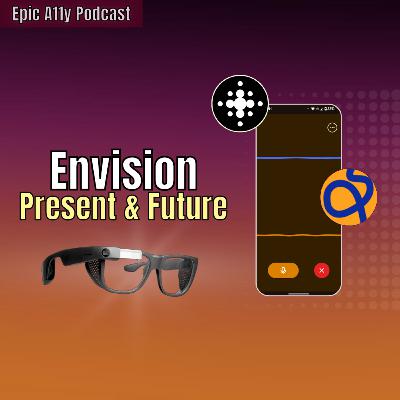
Envision offers a free app, and for purchase, the Envision Glasses for the blind and visually impaired that helps with text recognition, facial recognition, product recognition and a lot more. On this Episode of the CoA Epic Ally podcast, I interviewed CTO, Karthik Mahadevan, from Envision to tell us all about their apps and glasses, and some of the things that he's excited about assistive technology and AI.
Envision
https://www.letsenvision.com/
Video Chapters
00:00 – Intro
01:15 –CTO and Co-Founder Karthik Kannan
01:57 - Envision App and Updates
07:37 – AI on the Envision
14:26 – The Envision Glasses
17:15 – Battery and Charging
19:01 – Connecting Phone Audio
19:24 – Google Glass
24:15 – Envision AI and Data Privacy
28:35 – Community Input into Development
30:57 – Envision vs Other Smart Glasses
36:31 – How Envision Started
42:05 – From Paid Subscription to Free
45:21 – Envision Glasses – Price and Availability
46:52 – Why is AT so expensive?
50:10 – What’s exciting in AT and AI?
51:41 – Envision Demo
52:19 – Final Thoughts about Envision Ap
52:59 – Final Thoughts about Envision Glasses
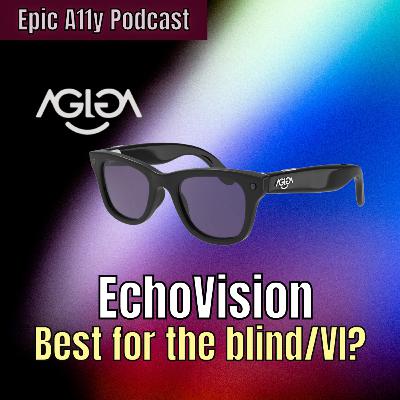
The EvhoVision smart glasses is a wearable that looks like a pair of regular glasses, but features multiple accessibility tools and AI made especially for the blind or visually impaired. In this Epic Ally interview with Agiga CEO, Xiaoran, and CTO, Huasong, I was excited to hear about the features setting EchoVision apart--a button for scene description, OCR and full document reading capabilities, asking AI follow up questions, and more. Also find out about their pre-order offer, availability, future subscriptions, and my thoughts on the EvchoVision.
EchoVision Glasses
https://echovision.agiga.ai/
Agiga Homepage
https://agiga.ai/
Video Chapters:
00:00 Echo Vision Smart Glasses
00:35 What makes the Echo Vision promising
02:34 Interview with Agiga Introduction
02:54 - Introducing Echo Vision
04:11 Description of the Echo Vision
05:45 - AI (Magic) Button
06:04 AI Follow Up Questions
06:15 Can it read documents?
07:04 Scene description versus OCR
08:06 App Integrations, WI-Fi and Phone, Connectivity
10:52 Past Conversations with AI
12:21 Phone Audio Connectivity
12:52 Camera Quality, Battery, and Charging
14:14 What types of lenses are available?
15:20 Clip on sunglasses… yes or no?
15:57 Echo Vision versus Meta Glasses
20:14 How Echo Vision began and Agiga’s mission
24:52 Echo Vision Availability, Pricing, and Pre-Order
26:37 Echo Vision Subscription?
30:11 Assistive Technology Pricing versus Echo Vision Pricing
35:42 Echo Vision’s Future
36:40 Voice Memo “AI Memory” Capabilities
38:53 Audio Recordings versus Voice Memo AI
40:43 Carrie’s Thoughts on the Echo Vision
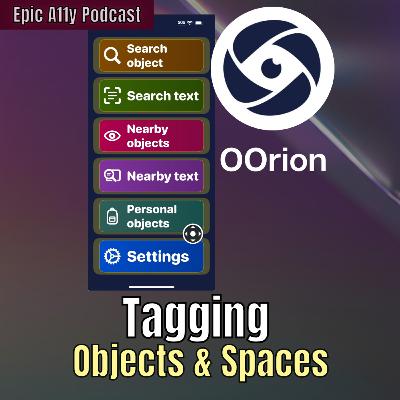
OOrion is an iOS app that can help you find and identify text and objects- even personal objects that you scan! Plus, they're working on making spaces and indoor navigation more accessible. In this episode, we meet Stephenie, cofounder of the OOrion app, developed for the blind and visually impaired to be able to search for objects and texts in their environment and locate tagged spaces by businesses. Follow the Epic A11y Podcast for more AT interviews and deep dives into interesting accessibility developments!
OOrion
https://www.oorion.fr/en
App Download:
https://apps.apple.com/ag/app/oorion/id1567957213
Video Chapters
00:00 – Epic Ally Intro
01:19 – Meet Stephenie from OOrion
02:30 – Idea Behind OOrion
04:25 – Search for Object
07:44 – Other OOrion Features
08:55 – Customized Object Library
10:28 – Will It Be Available on Android?
12:17 – OOrions Busines Model
18:13 – How Tagging Locations Work
22:04 – Can Users Tag Their Own Locations?
26:31 – OOrion’s Development Process
30:41 – What Are Your Goals?
33:51 – What Sets OOrion Apart?
38:50 – What’s Exciting in Tech?
43:15 – Last Words from OOrion
44:55 – My Thoughts on OOrion
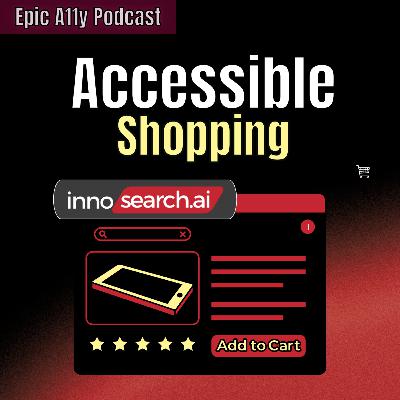
As a blind or visually impaired person, what's your online shopping experience like? On this Epic A11y Podcast, I interview Brain, Co-founder of Innosearch.ai.--a whole separate shopping platform designed to be optimized for screen reader users. On Innosearch.ai you can shop for products from several retailers and have AI help you find what you're looking for. Find out all about it and share your thoughts!
Innosearch.ai Website
https://www.innosearch.ai/
Video Chapters
00:00 – Epic Ally Intro
01:14 – Meet Brian, Innosearch.ai Co-founder
02:41 – How does it work?
04:19 – Pricing and Availability Updates
05:05 – Customer Service Options
05:29 – Returns
06:08 – Limitations
07:21 – Story Behind Innosearch.ai
09:30 – About the AI on Innosearch
10:39 – Can the AI do image descriptions?
11:42 – What if the AI is wrong?
13:09 – Why a separate platform?
14:54 – Available Retailers
15:26 – Price Comparisons
16:32 – Can AI find the best deal?
17:00 – Can you purchase through the AI?
17:33 – How do you make money and do things cost more?
19:47 – Development Process
20:23 – Goals for Innosearch.ai
21:19 – Why is AT so expensive?
22:56 – What’s exciting?
23:47 – Interview Wrap Up and Deal
25:03 – What do I think?
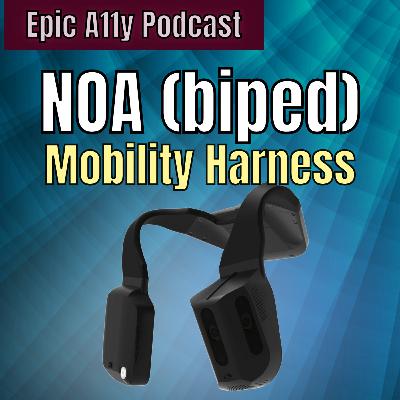
Biped is working on a new mobility device for the blind and visually impaired called NOA. This stands for Navigation, obstacle detection, and AI. You wear it around your shoulders - it has a quality camera module on one side and a high performance AI computer. In this episode, I interview Maël Fabien, one of the cofounders of Biped to do a deep dive into the device.
http:.biped.ai
Video Chapters
00:00 – Epic Ally Intro
01:24 – Meet Meal
01:44 – What is Biped?
02:20 – Description of Biped
03:48 – Can you wear it with a backpack?
04:20 – Does it work with an app or is it a sand alone?
06:29 – Is it available now?
07:29 – What’s the onboarding like?
09:32 – Is it compatible with Bluetooth devices?
11:53 – Unboxing Experience
13:34 – Batteries and Charger
15:39 – Controls
19:08 – Obstacle Detection
23:33 – Connection
27:16 – AI Follow Up Questions
28:00 – More About Audio
29:49 – Other Sensors
32:27 – More on Obstacle Detection
38:54 – Form Factor
43:01 – Using NOA with a White Cane
44:08 – Origin Story of Biped and NOA
47:14 – How does Navigation work?
51:43 – Availability and Price
54:02 – Why is AT so expensive?
57:00 – Price for Subscription
57:16 – Vision for Future of Biped
59:27 – What’s Exciting?
1:01:17 – My Thoughts
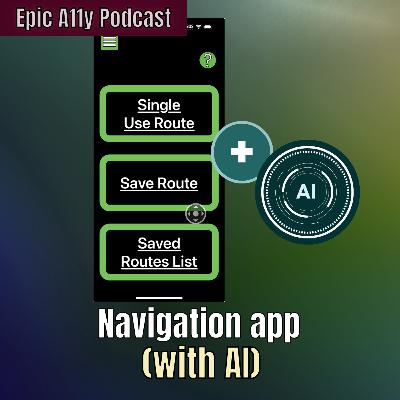
In this episode, I interviewed Paul Ruvolo, the developer of the CLEW app, about a new app under development. It may or may not be called Navishare, but like the app CLEW, it will allow users to map routes and spaces. Unlike CLEW, it will use AI to "stitch" different points together and allow these routes and maps to be shared. I'm excited to learn more about it and hope it continues development!
Clew App on iOS
https://apps.apple.com/us/app/clew/id1268077870
Paul Ruvolo's Emailpruvolo@olin.edu
Video Chapters
00:00 Epic Ally Podcast Intro
03:23 Introducing Paul Ruvolo and CLEW
06:10 Navishare
8:36 Sharing Maps
10:01 Who can share maps?12:37 – Approach to navigation
14:22 Keeping it monetized
16:31 How does it work?
23:05 Using AI
25:40 When will it be available on Android?
27:30 Working with the community
30:04 What do you think makes assistive tech expensive
31:49 What’s exciting?
35:02 Contacting Paul
35:55 Carrie's thoughts on the interview
----------------
Join the Carrie on Accessibility Patreon for exclusive weekly updates, community meet up's and more!
http://patreon.com/carrieonaccessibility
Support CoA through my Amazon Storefront!
http://amazon.com/shop/carrieonaccessibility
Get a 1 month free Audible trial!
https://amzn.to/42UstMn
Join a supportive and community on Discord!
https://discord.gg/sQrH377mkh
YouTube Shorts: https://www.youtube.com/channel/UCraSGW8s4NMaFKrJ5YbjB4w
TikTok! http://tiktok.com/@carrieonaccessibility
Twitter: http://twitter.com/carrieona11y
Facebook: http://facebook.com/carrieonaccessibility
Instagram: https://www.instagram.com/carrieonaccessibility/
Website: http://carrieonaccessibility.com
Email: email@carrieonaccessibility.com
Though it's discontinued, you can still check out the archive of videos from Live Accessible! http://youtube.com/@liveaccessible
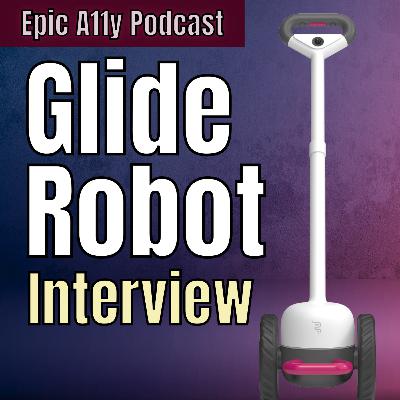
Glide is a new mobility aid that's being developed by Glidance. It has a long adjustable handle, and as you push it it steers you. At the bottom it has big wheels and a core that houses all the robotics and tech. It has cameras and sensors for obstacle detection with AI capabilities, haptic feedback on the handle, and other features that make it a possible alternative to the white cane or the guide dog.
In this Epic Ally Podcast, I interview the CEO of Glidance, Amos Miller and get his full insight on the concept behind Glide and what the experience could be like to use it. He shares his thoughts and challenges with other mobility devices and wearables as a blind person and more. Stay tune till the end where I share my thoughts about Glide!
Glidance:
https://glidance.io/
Video Chapters
00:00 - Epic Ally Podcast Intro
20:26 – Introducing Amos Miller, Glidance and Glide
60:08 – Glide as a Primary Mobility Aid
07:25 – How do you use Glide on stairs?
09:16 – Why Glide?
14:08 – The Glide Experience
21:00 – Can Glide be a Standalone Device?
22:33 – Glide's Stage of Development
25:18 – The Glide Handles
28:34 – Is Glide waterproof?
29:02 – Adjustability?
31:32 – Glide VS Other Mobility Devices
34:03 – Price
34:36 – Thoughts on Mobility Aids
39:22 – Why is AT so expensive?
41:55 – What’s exciting about tech?
44:22 – My thoughts on Glide
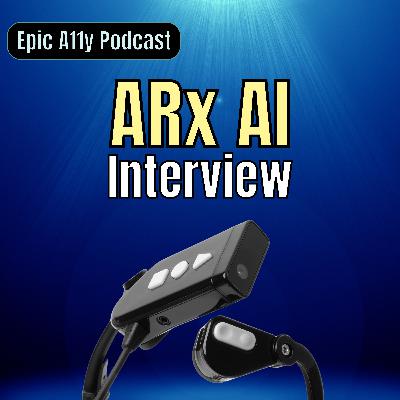
Join me as I interview Charles Leclercq, the CEO of ARx Vision. We discuss the new 1.5 generation of the ARx AI headset - a bone conduction headset with a 4k camera for OCR, scene descriptions, AI, and more.

Aira recently announced Access AI for their Aira Explorer apps. It's in Bata and with it you'll be able to upload images and get descriptions and be able to ask questions with AI. How does it work and how is it different from all the other apps out there like Be My AI and Seeing AI? Join me for this Epic A11y interview with Aira's CEO Troy Otillio to learn all about Access AI and get your questions answered.
Aira website: https://explorer.aira.io
Get the Aira App: https://aira.io/aira-app/
Access AI Beta Signup: https://explorer.aira.io/access_ai
Video Chapters
00:00 – Intro to Aira and Access AI
01:29 – Introducing Troy Otillio
02:27 – Access AI Announcement
08:56 – How many images at a time?
10:00 – Can you share an image from your file or gallery?
11:13 – Is this free?
13:02 – Getting validation under 20 seconds
18:16 – Will Access AI continue to be free?
22:07 – Using Open AI and Gemini
25:00 – Cloud or device?
27:23 – What happens to image sent to Access AI?
29:55 – What countries and language will Access AI be available in?
33:30 – What makes Access AI better?
35:20 – Wrap up questions
40:59 - Where is it available?
----------------
Join the Carrie on Accessibility Patreon for exclusive weekly updates, community meet up's and more!
http://patreon.com/carrieonaccessibility
Support CoA through my Amazon Storefront!
http://amazon.com/shop/carrieonaccessibility
Get a 1 month free Audible trial!
https://amzn.to/42UstMn
Join a supportive and community on Discord!
https://discord.gg/sQrH377mkh
YouTube Shorts: https://www.youtube.com/channel/UCraSGW8s4NMaFKrJ5YbjB4w
TikTok! http://tiktok.com/@carrieonaccessibility
Twitter: http://twitter.com/carrieona11y
Facebook: http://facebook.com/carrieonaccessibility
Instagram: https://www.instagram.com/carrieonaccessibility/
Website: http://carrieonaccessibility.com
Email: email@carrieonaccessibility.com
Though it's discontinued, you can still check out the archive of videos from Live Accessible! http://youtube.com/@liveaccessible
Comments


Download from Google Play

Download from App Store
 United States