


 Claim Ownership
How To Use AI (And Automation)
Subscribed: 6Played: 92
Subscribe

© Copyright 2025 Tony Winyard
Description
Feel like AI is racing ahead and you're struggling to keep up?
You're not alone - and you're exactly who this show is for.
How to Use AI (and Automation) is a beginner-friendly podcast designed to help curious business owners, freelancers, and professionals unlock the real power of AI - without jargon, overwhelm, or tech talk.
Every short episode focuses on just one idea, explained clearly and simply, with one real-world story to bring it to life and one small, practical action you can use immediately.
Hosted by Tony Winyard - AI consultant, automation specialist, and passionate advocate for making technology human - the show offers a fresh way to learn:
No hype.
No complexity.
No “you should already know this” attitude.
You'll discover how to work with AI as a creative teammate (not just use it like a search engine). You'll build real confidence step-by-step, without feeling overwhelmed or left behind.
Whether you're curious about ChatGPT, want to explore automating your business workflows, or simply want to feel a little less lost in the AI revolution, this podcast will guide you with warmth, clarity, and just enough wit to keep things human.
🎙️ New episodes drop weekly - available in both audio and video formats - keeping things short, sharp, and practical, perfect for a coffee break listen or watch.
Ready to make AI work for you - not the other way around?
Subscribe today, and start turning confusion into confidence.
✨ Bonus: If you'd like extra support or want your AI questions answered personally, join our beginner-friendly How to Use AI Facebook Group. (Link in the show notes!)
You're not alone - and you're exactly who this show is for.
How to Use AI (and Automation) is a beginner-friendly podcast designed to help curious business owners, freelancers, and professionals unlock the real power of AI - without jargon, overwhelm, or tech talk.
Every short episode focuses on just one idea, explained clearly and simply, with one real-world story to bring it to life and one small, practical action you can use immediately.
Hosted by Tony Winyard - AI consultant, automation specialist, and passionate advocate for making technology human - the show offers a fresh way to learn:
No hype.
No complexity.
No “you should already know this” attitude.
You'll discover how to work with AI as a creative teammate (not just use it like a search engine). You'll build real confidence step-by-step, without feeling overwhelmed or left behind.
Whether you're curious about ChatGPT, want to explore automating your business workflows, or simply want to feel a little less lost in the AI revolution, this podcast will guide you with warmth, clarity, and just enough wit to keep things human.
🎙️ New episodes drop weekly - available in both audio and video formats - keeping things short, sharp, and practical, perfect for a coffee break listen or watch.
Ready to make AI work for you - not the other way around?
Subscribe today, and start turning confusion into confidence.
✨ Bonus: If you'd like extra support or want your AI questions answered personally, join our beginner-friendly How to Use AI Facebook Group. (Link in the show notes!)
9 Episodes
Reverse
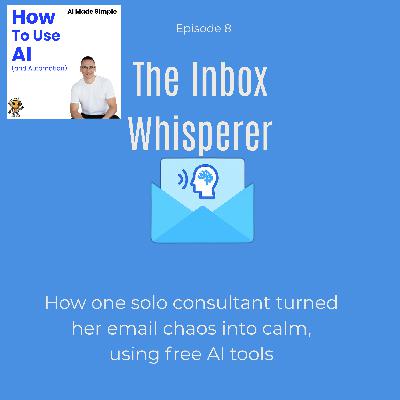
Episode 8 – The Inbox Whisperer: Master Email with Free AI ToolsEmma was stuck. Her inbox was overloaded, her brain was frazzled, and opportunities were slipping through the cracks.In this practical, story-led episode, Tony shares how a solo consultant used AI to regain control of her inbox — and how you can do the same.🎧 What You’ll Learn:A 5-part “Inbox Whisperer” systemThe difference between sorting and prioritisingFree tools that transform how you handle emailHow Emma saved 8 hours a week and booked more clients🛠️ Mentioned Tools:SuperhumanChatGPT + ZapierSaneBoxNotionGmailSiri/Voice Shortcuts📥 Free Resource:Inbox Whisperer Setup Guide📺 Watch on YouTube and Spotify for full visuals📅 Free Live Webinar – Monday 7 July @ 7:30pmRegister: https://www.tonywinyard.com/live-sessions💬 Join the Facebook Group
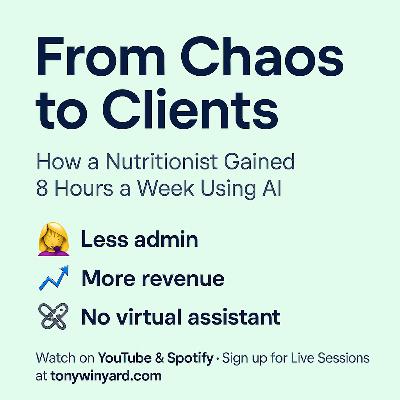
This episode is a game-changer for small business owners drowning in admin.Tony shares a real-world case study of Sophie, a nutritionist struggling with messy systems, repetitive onboarding, and content chaos. Learn how she used tools like Tally, Notion, Calendly, and ChatGPT to save time, serve more clients, and finally get ahead of her schedule.What You’ll Learn:How to automate your client intake process without hiring staffHow one blog post can become 5 pieces of content using AIHow to save hours a week with minimal tech skillsMentioned Tools:Tally, Notion, Calendly, Make.com, ChatGPT, Otter.ai, Bardeen.ai, CanvaWatch the video version on YouTube and SpotifySign up for the free webinar (first Monday): https://tonywinyard.com > Live SessionsJoin the “How to Use AI” Facebook group: https://www.facebook.com/groups/howtouseaiListen to all episodes: https://how-to-use-ai.captivate.fm/listen"
Procrastinating? Overthinking? Waiting for motivation?In Episode 6 of How to Use AI (and Automation), Tony Winyard shows you how to break free from perfectionism and overwhelm — with the help of beginner-friendly AI tools like ChatGPT, Goblin Tools, and Otter.ai.🎧 What You'll Learn:Why procrastination isn’t about laziness — and what it really meansHow to use Goblin Tools to break big tasks into small stepsHow ChatGPT can coach you through the messy middleWhat happens when you let AI support your first draft instead of fighting for the perfect one🛠 Tools in this Episode:Goblin Tools: https://goblin.toolsChatGPT: https://chat.openai.comOtter.ai: https://otter.ai🗓 Free Webinar: Automate the Tasks You HateJoin us Monday 1 July @ 7:30PM — Sign up at https://www.tonywinyard.com (click “Live Sessions”)📺 Watch every episode: YouTube + Spotify🎧 Subscribe to the show: https://how-to-use-ai.captivate.fm/listen💬 Join the Facebook group: https://www.facebook.com/groups/howtouseai
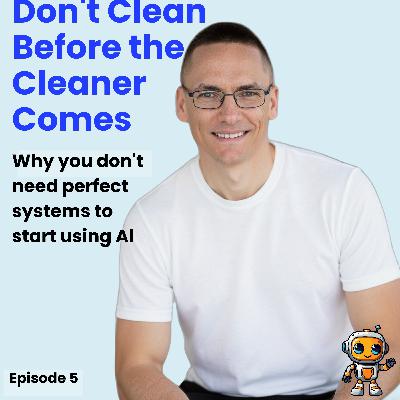
Why you don’t need perfect systems to start using AIMost small business owners delay using AI because their systems are messy. But AI is made for mess. In this episode, Tony explains why you don’t need to organise everything first, and how to get value straight away.In this episode:Why “I’ll start once I’m organised” is a lieWhat AI tools actually need to workReal-life case studies from Tony’s clientsHow to get powerful results from chaosTony’s personal 3-step “messy start” methodTools & Links Mentioned:ChatGPT (Free Version)Bardeen.aiSaneBox for EmailThis Week’s Action:Choose one messy file (notes, spreadsheet, email thread)→ Drop it into ChatGPT→ Ask: “What’s in here? Give me 3 ways I can use this.”📢 Join the Community:Come ask questions, share ideas, and connect with other small business owners using AI in the Facebook Group – How to Use AI with Tony Winyard.🎥 Video version on YouTube and Spotify

📺 Watch this episode on YouTube or Spotify for visual tool demos and screenshots.Do you feel like your feed is hijacking your focus?This episode is your practical guide to fighting back with AI.Tony Winyard walks beginners through 5 simple tools to reclaim attention, reset your digital habits, and make your tech work for you — not the other way around.⏱ What you’ll learn:• How platforms like YouTube, Meta, and TikTok steer your decisions• What “filter bubbles” and “predictive nudging” actually mean• How to block manipulative ads and invisible trackers• Tools that let you diversify your feed and defend your time• How to stay ethical when using AI as a business owner🧰 Tools mentioned in this episode:• uBlock Origin – ruthless ad blocker → https://ublockorigin.com• Privacy Badger – tracker-suppressor → https://privacybadger.org• Who Targets Me – see who’s influencing you → https://whotargets.me• Feedly – build a bias-free news pipeline → https://feedly.com• Glaze – cloak your artwork from scraping → https://glaze.cs.uchicago.edu• RescueTime – auto track time lost to distraction → https://rescuetime.com• Feed Audit Tracker – Download CSV🎯 Listener Challenge: Run the Feed AuditTrack your digital distractions, apply two tools from this episode, and measure your results over 7 days.Post your gains in the Facebook group poll:👉 Join the Facebook Group – “How to Use AI”📅 Upcoming: FREE LIVE WEBINAR🗓 Monday 2 June @ 7:30PM🎙 “Automate the Tasks You Hate with AI”👉 Save your seat via the Facebook group or www.tonywinyard.com📌 Subscribe for More Beginner-Friendly AI Help🔔 New episodes weekly🎥 Watch on YouTube | 🎧 Listen on Spotify, Apple Podcasts💬 Continue the conversation in the Facebook group#HowToUseAI #AIForBeginners #DigitalWellness #uBlockOrigin #PrivacyBadger #FeedAudit #SmallBusinessAI #EthicalMarketing #TonyWinyard

When someone pushes your buttons, your first draft isn't your best draft. In this episode, Tony shares a practical, emotionally intelligent way to use AI when you're angry, so you don't send that email you'll regret.Learn a repeatable 3-step process to:Vent safely (without blowing up your inbox)Rewrite with clarity and calmSet boundaries while keeping your dignityYou'll also hear how to use AI as a temporary therapist, why your response says more about you than them, and what a Roman emperor got right about difficult people.Try The Diffuser GPT now: Bookmark it so you can find it before your next meltdown.Want help using AI with more emotional intelligence? Join the How to Use AI Facebook group.In the show I mentioned I'd reommend a couple of other links also:1. Angry Email TranslatorPurpose: Transforms angry or strongly-worded emails into more diplomatic and professional communication.Features:Rewrites emotionally charged messages into polite, actionable, and thoughtful emails.Provides strategic consultation on what to omit and what to emphasizs.Access: Available through God of Prompt and YesChat.ai platforms.God of Prompt2. Tailored Emotional Support CompanionPurpose: Offers customised emotional support, making mental health care accessible and personalised.Features:Provides empathetic listening and personalized guidance.Designed to assist users in managing emotional distress.Access: Available through GPT Store.
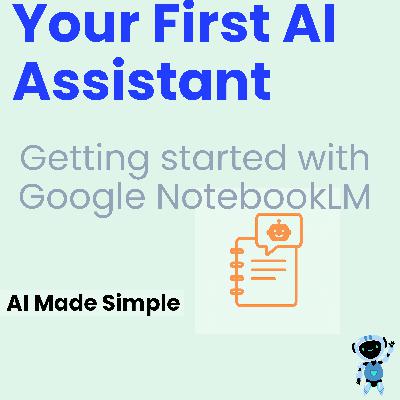
If you're new to AI and not sure where to start — this is your episode.In Episode 2 of How to Use AI (and Automation), Tony walks you through Google NotebookLM — a free and beginner-friendly tool that turns your documents into smart summaries and even generates podcast-style audio from them.You'll see (and hear!) a live demo using a recent article on how Finland is fighting fake news in schools.Whether you're a coach, small business owner, or curious hobbyist — you'll walk away with practical ideas to save time, share knowledge, and engage clients or learners with less effort.✅ What You’ll LearnWhat Google NotebookLM is and how to use itHow to turn documents into interactive summaries and audioBusiness and personal use casesA live example using a news articleHow to get started in 5 minutes📌 Resources & LinksTry NotebookLM: https://notebooklm.google.comFinland Fake News Article (demo source): World Economic ForumVideo version of this episode: YouTube channel https://youtu.be/z4-n0QYWXo8the How to Use AI Facebook Group: https://www.facebook.com/groups/4100772116861082: "

In Episode 1 of How to Use AI (and Automation), Tony Winyard breaks down one of the most common beginner pitfalls: treating AI like a search engine. If your only move is asking a single prompt and hoping for gold, you're barely scratching the surface.This episode introduces a powerful mindset shift – from passive input to active collaboration – and gives you a simple framework for working with AI instead of through it.You’ll hear:A relatable story from Tony’s real-world AI useA practical walkthrough of the "Five Whys" to uncover better questionsHow to treat ChatGPT as a thinking partner, not a vending machineOne experiment to try today to immediately improve your resultsWhether you're a freelancer, coach, or small business owner, this episode will help you stop wasting time and start unlocking smarter, deeper output from your AI tools.
 1
1New to AI or automation? How to Use AI (and Automation) is a short, story-led podcast for beginners who want practical, jargon-free advice. Hosted by Tony Winyard, each episode delivers one simple idea, one real-world story, and one action you can apply straight away.
Comments

Download from Google Play

Download from App Store
 United States