


 Claim Ownership
All About AI with Shervin
Subscribed: 2Played: 13
Subscribe

© Shervin Shaffie
Description
Simple tutorials on AI, Copilot, and Agents — by Shervin Shaffie, Principal Engineer at Microsoft.
You can also watch these episodes on my YouTube Channel, Collaboration Simplified - https://www.youtube.com/@collaborationsimplified.
You can also email me with your episode ideas and comments at info@cosi.pro
39 Episodes
Reverse

Join Shervin Shaffie, Copilot Principal Engineer at Microsoft, as he demonstrates how to build a Copilot agent that thinks like your boss and improves your work before they ever see it.⏩ You can watch this Podcast as a video here: https://youtu.be/_NWL-OfaV7MThis Podcast represents the opinions of Shervin Shaffie and his guests to the video and does not reflect the opinions of Microsoft, affiliates, or the companies with which this video's participants are affiliated with.
Claude Cowork inspired it. Microsoft Copilot Cowork delivers agentic workflow to Microsoft 365—automate tasks across Outlook, Teams, Word, and Excel with AI.⏩ You can watch this Podcast as a video here: https://youtu.be/CmcngCt7hhIThis Podcast represents the opinions of Shervin Shaffie and his guests to the video and does not reflect the opinions of Microsoft, affiliates, or the companies with which this video's participants are affiliated with.

In this video, Shervin Shaffie, Copilot Principal Engineer at Microsoft, compares the latest models from OpenAI, Anthropic, and xAI by running the same AI agent in Microsoft Copilot Studio three times, each time powered by a different LLM.⏩ You can watch this Podcast as a video here: https://youtu.be/imhVISEduToThis Podcast represents the opinions of Shervin Shaffie and his guests to the video and does not reflect the opinions of Microsoft, affiliates, or the companies with which this video's participants are affiliated with.

Conversation with Sue Vencill, Copilot Solutions Engineer at Microsoft focused on accessibility tools AI enables. Here are the links Sue mentions in the Podcast:More logical navigation through Word documents for screen readersVoice Access for Accessibility | Microsoft WindowsGet started with voice access - Microsoft SupportAccessibility Assistant updates: Smarter handling of tables and shapesWindows 11 Accessibility Features | MicrosoftAccessibility Technology & Tools | Microsoft Accessibility⏩ Make sure to visit my YouTube Channel, Collaboration Simplified for more AI videos: https://www.youtube.com/@CollaborationSimplifiedThis Podcast represents the opinions of Shervin Shaffie and his guests to the video and does not reflect the opinions of Microsoft, affiliates, or the companies with which this video's participants are affiliated with.

Conversation with Michael Goad, Copilot Solutions Engineer at Microsoft focused on Health and Life Sciences.Here are Michael's YouTube channels:Michael Goad - YouTube (Personal YouTube Channel)Microsoft Healthcare and Life Blog Videos - YouTubeheyitsgoad/copilot-playground: This is my hub for Copilot prompts, custom agents, and video guides.…⏩ Make sure to visit my YouTube Channel, Collaboration Simplified for more AI videos: https://www.youtube.com/@CollaborationSimplifiedThis Podcast represents the opinions of Shervin Shaffie and his guests to the video and does not reflect the opinions of Microsoft, affiliates, or the companies with which this video's participants are affiliated with.
Join Shervin Shaffie, Copilot Principal Engineer, in this simple tutorial on how to build powerful Microsoft 365 Copilot Agents, using the new & improved Agent Builder. In this step-by-step guide, you’ll learn how to create a Project Assistant Copilot agent from scratch inside the Microsoft 365 Copilot app.⏩ You can watch this Podcast as a video here: https://youtu.be/9_Dw9qcjLgAThis Podcast represents the opinions of Shervin Shaffie and his guests to the video and does not reflect the opinions of Microsoft, affiliates, or the companies with which this video's participants are affiliated with.

Microsoft Copilot in Excel, AI data analysis, Agent Mode, Anthropic Claude, and OpenAI ChatGPT 5.2 — in this Podcast, I use the newest Copilot features in Excel to analyze FIFA World Cup data and decide which games are actually worth buying tickets for.⏩ You can watch this Podcast as a video here: https://youtu.be/iyculEdLUDYThis Podcast represents the opinions of Shervin Shaffie and his guests to the video and does not reflect the opinions of Microsoft, affiliates, or the companies with which this video's participants are affiliated with.
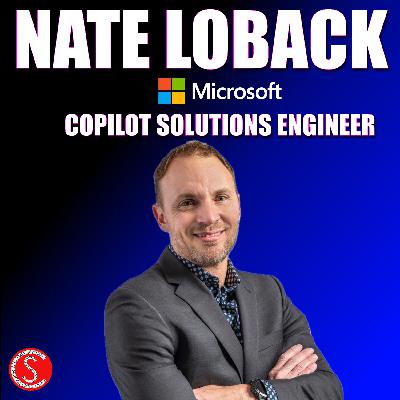
Conversation with Nate Loback, Copilot Solutions Engineer at Microsoft.⏩ Make sure to visit my YouTube Channel, Collaboration Simplified for more AI videos: https://www.youtube.com/@CollaborationSimplifiedThis Podcast represents the opinions of Shervin Shaffie and his guests to the video and does not reflect the opinions of Microsoft, affiliates, or the companies with which this video's participants are affiliated with.

Learn how to build an Autonomous Copilot Agent in Microsoft Copilot Studio to de-clutter your Outlook Inbox by automatically sorting, organizing and notifying you of urgent emails in Microsoft Teams. Join Shervin Shaffie, a Copilot Principal Engineer at Microsoft, as he walks you through all the steps to creating this powerful agent and simplify your work.⏩ You can watch this Podcast as a video here: https://youtu.be/Y8NmL93HzdIThis Podcast represents the opinions of Shervin Shaffie and his guests to the video and does not reflect the opinions of Microsoft, affiliates, or the companies with which this video's participants are affiliated with.
Copilot for Microsoft 365, Copilot for Business, Copilot for Personal, Family - which one do you have and where are all the places you can access it from? That’s exactly what we’ll cover in this video.⏩ You can watch this Podcast as a video here: https://youtu.be/PbLylmwDHEQThis Podcast represents the opinions of Shervin Shaffie and his guests to the video and does not reflect the opinions of Microsoft, affiliates, or the companies with which this video's participants are affiliated with.

Bet you can't guess how kids are using AI these days!!Feel free to email me with your thoughts on topics you'd like to hear from me on - anything related to AI is fair game (it doesn't have to be Microsoft :) info@cosi.pro⏩ My main videos are located on my YouTube Channel, Collaboration Simplified: https://www.youtube.com/@CollaborationSimplifiedThis Podcast represents the opinions of Shervin Shaffie and his guests to the video and does not reflect the opinions of Microsoft, affiliates, or the companies with which this video's participants are affiliated with.
Learn how to build a fully autonomous AI agent in Microsoft Copilot Studio that can automate your boring tasks. In this step-by-step tutorial, Shervin Shaffie, Copilot Principal Engineer at Microsoft, walks through creating an agent that moves a task through Outlook, SharePoint, Word, and Teams until it’s complete. The setup is explained in clear, practical terms so anyone with a Microsoft 365 Copilot license can build the same end-to-end automation for their own work.⏩ You can watch this Podcast as a video here: https://youtu.be/NXBp4UxE9N8This Podcast represents the opinions of Shervin Shaffie and his guests to the video and does not reflect the opinions of Microsoft, affiliates, or the companies with which this video's participants are affiliated with.
Learn how to use the new Copilot Workflows Agent in Microsoft 365 Copilot with this clear, step-by-step tutorial. Join Shervin Shaffie, a Copilot Principal Engineer at Microsoft, as he turns simple natural-language prompts into powerful automations you can use immediately across Outlook and Teams.⏩ You can watch this Podcast as a video here: https://youtu.be/_w-jVw8Uhc0This Podcast represents the opinions of Shervin Shaffie and his guests to the video and does not reflect the opinions of Microsoft, affiliates, or the companies with which this video's participants are affiliated with.
Unlock 5 hidden features in Microsoft 365 Copilot and Excel to dramatically boost your productivity. Whether you’re a casual user or want to become a true Copilot POWER USER, this tutorial is for you. Join Shervin Shaffie, Copilot Principal Engineer at Microsoft, as he walks through five essential Copilot tips that every professional should know.⏩ You can watch this Podcast as a video here: https://youtu.be/GeeK0GoFlkEThis Podcast represents the opinions of Shervin Shaffie and his guests to the video and does not reflect the opinions of Microsoft, affiliates, or the companies with which this video's participants are affiliated with.

Learn how to use Computer Use in Microsoft Copilot Studio to automate desktop and web apps — even when there’s no API. In this tutorial, Microsoft Principal Engineer Shervin Shaffie shows how Copilot Agents can interact with computers using natural language to click buttons, fill forms, and perform tasks automatically.⏩ You can watch this Podcast as a video here: https://youtu.be/PjfMRRj7v4EThis Podcast represents the opinions of Shervin Shaffie and his guests to the video and does not reflect the opinions of Microsoft, affiliates, or the companies with which this video's participants are affiliated with.
Now that every Microsoft 365 licensed business and enterprise comes with Copilot Chat, get ready to unlock the power of simple, free AI Agents — no heavy coding, no expensive tools. In this hands-on tutorial, Shervin Shaffie, a Copilot Principal Engineer at Microsoft, walks you through using Copilot Studio (Lite) to create your own agents that do real work in Microsoft 365. As a Microsoft engineer, he drops pro tips, best practices, and gotchas to speed you past frustration.⏩ You can watch this Podcast as a video here: https://youtu.be/huOyZ_TxtJYThis Podcast represents the opinions of Shervin Shaffie and his guests to the video and does not reflect the opinions of Microsoft, affiliates, or the companies with which this video's participants are affiliated with.
Learn how to create Podcasts with Microsoft 365 Copilot using Teams Meetings, Word Documents, OneDrive, and Copilot Notebooks. In this step-by-step tutorial, Shervin Shaffie, Copilot Principal Engineer, shows you how to turn long meetings and Office docs into AI-generated podcasts you can listen to anytime, anywhere.⏩ You can watch this Podcast as a video here: https://youtu.be/uwyASIwqOhQThis Podcast represents the opinions of Shervin Shaffie and his guests to the video and does not reflect the opinions of Microsoft, affiliates, or the companies with which this video's participants are affiliated with.

In this tutorial, we’ll show you how to build an AI chatbot in Microsoft Copilot Studio that delivers powerful, human-like support for customers. Special THANKS to Danny Dias, Microsoft Copilot Principal Solutions Engineer for creating this AI Chatbot with support from our Product Group!⏩ You can watch this Podcast as a video here: https://youtu.be/m02uCPdKz2IThis Podcast represents the opinions of Shervin Shaffie and his guests to the video and does not reflect the opinions of Microsoft, affiliates, or the companies with which this video's participants are affiliated with.
Join Shervin Shaffie, Copilot Principal Engineer at Microsoft as he demonstrates his top Microsoft 365 Copilot tips. You'll learn about brand new features inside M365 Copilot Chat, Copilot in Excel and Copilot for Outlook.⏩ You can watch this Podcast as a video here: https://youtu.be/0T39n8uAqOkThis Podcast represents the opinions of Shervin Shaffie and his guests to the video and does not reflect the opinions of Microsoft, affiliates, or the companies with which this video's participants are affiliated with.
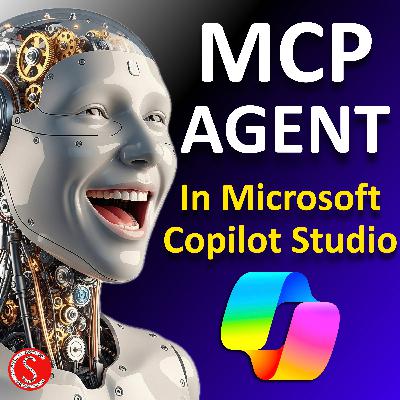
Tutorial on how to build an Anthropic Model Context Protocol (MCP) Copilot Agent in Microsoft Copilot Studio and DocuSign. Perfect for beginners and pros alike! In this hands-on tutorial, Shervin Shaffie, Copilot Principal Engineer at Microsoft, will walk you through the entire process of creating a powerful MCP Agent, from logging in to publishing, with everything explained in a simple, easy-to-follow way. Whether you’re new to Microsoft Copilot or need a quick MCP refresher, this video has you covered. You’ll see how MCP compares to Agent Flows, how to integrate services like DocuSign, and how to make your agent useful in real-world scenarios.⏩ You can watch this Podcast as a video here: https://youtu.be/_F6M410TZtUThis Podcast represents the opinions of Shervin Shaffie and his guests to the video and does not reflect the opinions of Microsoft, affiliates, or the companies with which this video's participants are affiliated with.

Comments

Download from Google Play

Download from App Store
 United States