


 Claim Ownership
HCI Explained
Subscribed: 2Played: 4
Subscribe

© HCI Explained
Description
Curious about how humans interact with technology? HCI Explained breaks down complex Human-Computer Interaction topics into clear, engaging stories. From agency and automation to design ethics and UX psychology, we explore how tech shapes what it means to be human. Whether you're a student, designer, or tech enthusiast, join us weekly to learn how interaction design influences our everyday lives.
Support the show on Buy Me a Coffee to help keep new episodes coming: https://buymeacoffee.com/hciexplained. 💙🚀
Support the show on Buy Me a Coffee to help keep new episodes coming: https://buymeacoffee.com/hciexplained. 💙🚀
20 Episodes
Reverse

Failure is not an edge case. It is part of every user experience.In this episode, we unpack why designing for failure is essential in modern UX. From broken flows and system errors to unexpected user behaviour, the best products are not those that avoid failure, but those that handle it well.We cover:• What “failure” means in UX• Why most systems ignore failure states• How poor failure design breaks trust• Real-world examples (error messages, payments, AI systems)• Practical strategies to design resilient experiencesIf you design only for success, your product will fail your users.If you design for failure, your product earns their trust.

Modern technologies don’t always know, and pretending they do can be risky.From AI predictions and recommendations to navigation and health apps, uncertainty is built into how many systems work. The real design challenge is not removing uncertainty, but helping people understand and work with it.In this episode of HCI Explained, we explore what it means to design with uncertainty in Human–Computer Interaction.We discuss:Why uncertainty is unavoidable in modern systemsHow hiding uncertainty can undermine trust and decision-makingThe difference between accuracy and confidenceDesign strategies for communicating uncertainty clearlyGraceful failure, fallback options, and user agencyWhy uncertainty is a design condition, not a bug💡 Good design doesn’t promise certainty. It helps people make informed decisions despite uncertainty.👉 Tune in for a grounded discussion on trust, responsibility, and interaction design in an uncertain world.#HCIExplained #DesigningWithUncertainty #HCI #UXDesign #Trust #AI #InteractionDesign

Good UX is meant to help users — but what happens when it doesn’t?Many design patterns celebrated as “good UX” are optimised for engagement, speed, and convenience. Over time, these same choices can lead to overuse, manipulation, and loss of autonomy.In this episode of HCI Explained, we examine how good UX can still cause harm, even when intentions are positive.We discuss:Why usability and ethics are not the sameHow engagement-driven design can undermine well-beingPersuasive patterns that look helpful but create dependencyWhy harm often emerges gradually rather than instantlyThe limits of metrics like engagement and retentionDesigner's responsibility beyond making things easy💡 A design can be usable, elegant, and successful — and still be harmful.👉 Tune in for a critical discussion on ethics, responsibility, and long-term impact in UX design.#HCIExplained #UXEthics #DarkPatterns #PersuasiveDesign #HCI #UXDesign #ResponsibleDesign
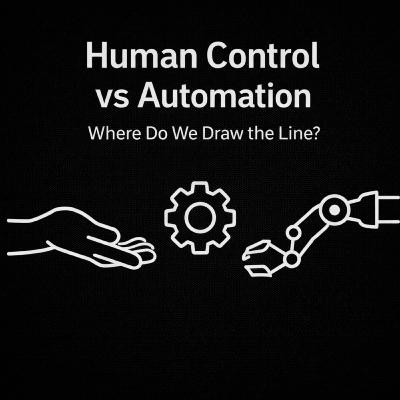
Automation promises speed, efficiency, and scale — but it also raises a difficult question: how much control should humans give up?As AI systems increasingly make decisions, take actions, and optimise outcomes on our behalf, issues of agency, responsibility, and trust move to the centre of Human–Computer Interaction.In this episode of HCI Explained, we examine the tension between human control and automation, and why this trade-off is rarely simple.We discuss:Why automation is so appealing — and where it breaks downAutomation bias and over-reliance on intelligent systemsLoss of agency, skill fade, and invisible decision-makingConcepts like human-in-the-loop and shared controlHow design choices shift responsibility when systems fail💡 The real question is not whether to automate, but how control is shared between humans and machines.👉 Tune in for a grounded discussion on designing automated systems that keep humans meaningfully involved.#HCIExplained #Automation #HumanControl #HCI #UXDesign #ResponsibleAI #InteractionDesign

Why do we trust some technologies and hesitate with others?As AI systems become more autonomous, adaptive, and opaque, trust has become one of the most complex challenges in Human–Computer Interaction.In this episode of HCI Explained, we unpack what trust really means in AI-driven systems and why traditional UX approaches often fall short.We explore:What trust means in HCI, beyond usability and satisfactionHow AI systems challenge trust through opacity, automation, and unpredictabilityAutomation bias and over-reliance on intelligent systemsWhy “more explanation” does not always lead to more trustDesign factors that shape trust: transparency, predictability, control, and accountabilityThe idea of appropriate trust rather than maximum trust💡 Trust is not something you add at the interface level. It emerges over time from how systems behave, fail, and take responsibility.👉 Tune in for a grounded discussion on how designers and researchers can think more carefully about trust in an age of AI.#HCIExplained #TrustInAI #HCI #UXDesign #ResponsibleAI #InteractionDesign

As we look beyond 2025, the question isn’t what will definitely happen, it’s what might become possible.In this episode of HCI Explained, we explore what could be in store for technology in 2026, drawing on emerging signals, open questions, and unresolved tensions shaping the future of tech.We discuss:Likely directions in AI, HCI, and product designShifts in how people may interact with technologyOpportunities and risks around ethics, regulation, and trustWhat designers, researchers, and tech leaders should prepare forWhy uncertainty matters more than prediction💡 This episode is not about forecasting. It’s about learning how to think responsibly about the future.👉 Tune in for a grounded, reflective look at the possibilities that 2026 may bring.#HCIExplained #FutureOfTech #Tech2026 #HCI #UX #TechnologyTrends

2025 was a defining year for technology, marked by major breakthroughs and equally notable missteps.In this episode of HCI Explained, we examine the biggest tech successes and failures of 2025, delving beyond headlines to understand why some ideas were successful while others failed.We cover:The most impactful tech successes and what made them succeedHigh-profile failures, flops, and controversiesOverhyped technologies that didn’t deliverKey decisions around design, ethics, timing, and executionPractical lessons for designers, engineers, and product leaders💡 This episode isn’t about winners and losers; it’s about learning how innovation actually succeeds or fails in the real world.👉 Tune in for a clear, balanced reflection on what 2025 taught us about building technology responsibly and effectively.#HCIExplained #Tech2025 #TechFailures #TechSuccess #ProductDesign #UX #TechnologyTrends

Want to find usability problems before they frustrate your users?That’s where heuristic evaluation comes in — a quick, expert-based method that delivers powerful UX insights without needing large-scale testing.In this episode of HCI Explained, we explore how heuristic evaluation works and why it’s a must-have in every UX toolkit:What heuristic evaluation is and how it helps spot usability issues.Nielsen’s 10 usability heuristics, explained with simple, real-world examples.Step-by-step process: gathering evaluators, reviewing the interface, logging problems, and prioritising fixes.Quick wins: fast, low-cost, and highly effective for improving user experience.Limitations: why expert judgment should complement, not replace, user testing.💡 Heuristic evaluation is all about achieving quick wins in UX — making products more intuitive, consistent, and user-friendly from the start.👉 Tune in to discover how you can apply heuristic evaluation today to improve your designs.

Ever tapped through an app and thought, who tested this?That’s where usability testing comes in — one of the most practical and powerful methods in Human-Computer Interaction (HCI) and UX design.In this episode of HCI Explained, we unpack the essentials of usability testing:What it is and why it mattersStep-by-step process: setting goals, recruiting users, creating tasks, running sessions, and analyzing insightsBest practices: test early and often, stay neutral, and keep it simpleCommon mistakes: leading participants, testing with too few users, or ignoring real-world contextExamples in action: from apps to dashboards to VR headsets💡 Usability testing helps us design products that are more intuitive, accessible, and enjoyable. And here’s the good news: it’s not just for big companies — anyone building an interface can do it.👉 Tune in to learn how usability testing can transform the way you design and experience technology.#HCIExplained #UsabilityTesting #UXResearch #HumanComputerInteraction
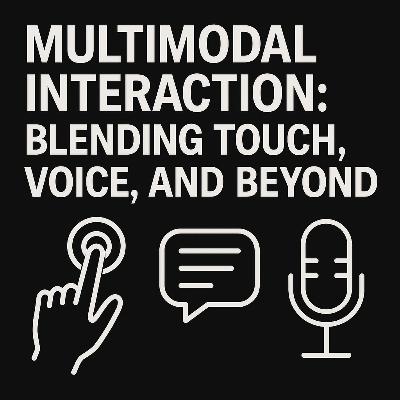
Every day, you’re already engaging in multimodal interaction, whether you’re tapping on a screen, speaking to a virtual assistant, or combining gestures and voice commands in your car. But what does it really mean when technology supports more than one way of communicating? And how does it change the way we design, use, and experience our digital tools?In this episode of HCI Explained, we explore multimodal interaction: the blending of touch, voice, gesture, and other input modes to create more natural, flexible, and powerful ways of working with technology.🔹 What we cover in this episode:The basics of multimodal interaction and why it’s a step beyond single-mode systems.How combining modalities (like voice + touch, or gesture + gaze) reduces cognitive load and enhances accessibility.The challenges designers face when blending modalities, including context, consistency, and system complexity.Everyday examples: voice assistants, adaptive car interfaces, VR/AR environments, and smart devices.Emerging frontiers: AI-driven multimodality, where systems learn and adapt to your preferred ways of interacting.Multimodal systems aren’t just about convenience, they represent a major shift in human-computer interaction (HCI). They allow more inclusive experiences, support diverse user needs, and create interfaces that adapt to us rather than forcing us to adapt to them.As automation and AI increasingly shape how we live and work, multimodal interaction also raises fascinating design and ethical questions:How can we ensure systems remain intuitive while growing in complexity?What happens to agency when the system “decides” which mode to prioritise?Can multimodal interaction help close accessibility gaps, or will it widen them if not carefully designed?By the end of this episode, you’ll have a clearer sense of how multimodal interaction is already shaping your daily tech experiences and how it could transform the future of human-AI collaboration.🎧 Tune in and let’s unpack the many voices, touches, and gestures that are redefining interaction.#HCIE #MultimodalInteraction #UX #HCI
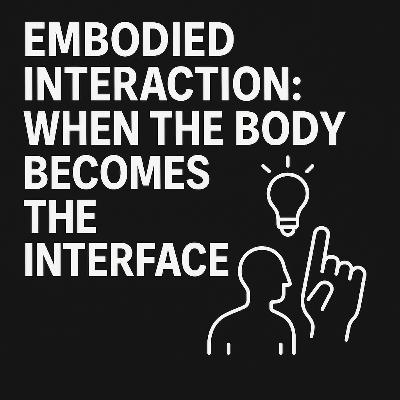
What if your body wasn’t just a tool to operate technology but the interface itself? From swiping on a touchscreen to moving through a VR world, your body is already shaping how you experience the digital. This is the essence of embodied interaction, an HCI perspective that sees the body not just as an input device, but as central to how we think, act, and connect with technology.In this episode of HCI Explained, we dive into the fascinating world of embodied interaction, exploring how movement, posture, and gestures allow us to interact more naturally with digital systems.🔎 What you’ll learn in this episode:The roots of embodied interaction: How human cognition is shaped by our bodies, and why this matters for technology design.Everyday examples: Touchscreens that respond to swipes, fitness trackers that map movement, VR headsets that sense orientation, and gesture-based controls in gaming.Beyond the basics: How embodied interaction is pushing into advanced areas like full-body tracking, somatic design (using the felt experience of the body in design), and augmented movement through wearables or robotics.Theoretical underpinnings: Links between embodiment, perception, and cognition that make these interactions feel natural rather than artificial.Social and cultural contexts: Why the meaning of a gesture or movement can shift depending on who uses it and where.Future directions: From brain-computer interfaces to somatic play, embodied interaction could transform not just usability but also creativity, therapy, and social connection.💡 Why this mattersEmbodied interaction challenges us to rethink the boundaries between body and computer. It makes interactions more intuitive, immersive, and human-centered, while also raising important questions: How do we design responsibly when tech literally moves our bodies? How do we ensure inclusivity when bodies differ in ability, culture, and context?By the end of this episode, you’ll see that your body isn’t just using technology, it’s part of the interface itself.🎧 HCI Explained brings you weekly insights into the hidden principles shaping how humans and computers connect.
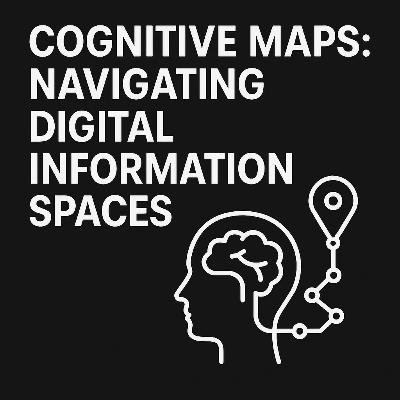
Every time you open an app, scroll through a website, or manage a cluster of browser tabs, your brain is doing more than you realise. It’s not just clicking and scrolling — it’s building a mental map of a hidden digital landscape. These internal representations, called cognitive maps, shape how we navigate, find information, and make sense of complex digital worlds.In this episode of HCI Explained, we explore the fascinating role of cognitive maps in Human-Computer Interaction (HCI). Originally studied in psychology to explain how humans and animals navigate physical spaces, cognitive maps now help us understand how people orient themselves in vast digital environments.🔎 What you’ll learn in this episode:How cognitive maps, once tied to navigating cities and physical spaces, now extend to digital platforms.Everyday examples: feeling lost in a sea of tabs, learning the layout of a new app, or remembering where settings are in your phone’s OS.How users build these maps through repetition, patterns, cultural conventions, and landmarks like icons, menus, and breadcrumbs.The difference between good design (that supports mental mapping with clarity and consistency) versus poor design (that leads to confusion, frustration, and abandonment).How disorientation in digital spaces mirrors being lost in real ones — and why that costs time, energy, and trust.Design strategies to support user maps: clear landmarks, predictable layouts, and consistency across contexts.Future frontiers: how AR and VR extend physical navigation into virtual environments, how AI may serve as adaptive “guides,” and the ethical questions of whether designers should empower exploration or funnel behaviour.💡 Why this mattersCognitive maps explain why some interfaces feel intuitive while others leave us struggling. They reveal how design choices directly affect user orientation, memory, and satisfaction. Understanding cognitive maps can revolutionise the way we design digital spaces — making them more navigable, humane, and empowering.By the end of this episode, you’ll see that you’re not just “using” apps and websites — you’re exploring invisible landscapes your brain is constantly mapping.🎧 HCI Explained is your guide to uncovering the hidden principles that shape our interactions with technology.
Every tap, click, and swipe leaves a trace — and the system whispers back. That whisper is feedback.In this episode of HCI Explained, we dive deep into the fascinating world of feedback loops in Human-Computer Interaction, uncovering how they keep us informed, reduce errors, and help us build trust in the technology we use every day.Think about the everyday moments when feedback quietly reassures us:The satisfying click of a keyboard key that tells you a letter has been typed.The illuminated elevator button confirming your request has been received.A progress bar creeping forward, reassuring you that your upload is on its way.Without these signals, technology feels broken, uncertain, or even untrustworthy. Feedback is not just a convenience — it’s a core requirement of good design.🔎 In this episode, we explore:Everyday feedback in action: simple but powerful examples that show why feedback is indispensable in both physical and digital worlds.The forms of feedback: visual (icons, progress bars, status lights), auditory (beeps, alerts, notification sounds), and haptic (vibrations, tactile clicks), and how they can be combined to enrich user experience.Positive and negative feedback loops: how games keep us hooked, how wearables like smartwatches encourage healthier habits, and how AI-powered recommendations adapt over time.Good vs. bad feedback: why vague error messages frustrate users, while clear, timely, and actionable feedback empowers them to recover quickly.Best practices for feedback design: covering timeliness (instant vs. delayed responses), clarity (avoiding confusion), proportionality (feedback that matches the action), and accessibility (feedback that works for all users, regardless of ability).Emerging frontiers: how feedback loops evolve in immersive environments like AR and VR, how IoT devices use feedback to blend into our everyday routines, and how conversational agents are changing the way feedback is delivered through natural language.Along the way, we ask important questions:What happens when feedback is absent or misleading?How does feedback shape our sense of control, trust, and engagement with technology?In a future where AI anticipates our actions, how much feedback will we really need?✨ By the end of this episode, you’ll see feedback not as an afterthought, but as the heartbeat of interaction design — the invisible thread that connects user intention with system response.🎧 Join us as we decode how feedback loops shape not just our digital world, but also our minds, behaviours, and expectations of technology.Acknowledgements: Powered by Google.
Ever wondered why some tech feels so intuitive while other interfaces leave you confused? In this episode of HCI Explained, we dive into the fascinating design principles of affordances and constraints—two forces that quietly shape how we interact with technology every day.We’ll explore how affordances suggest possible actions, from the obvious tap of a smartphone icon to the subtle hint of a swipe gesture. Then, we’ll unpack constraints—the intentional limits designers place to guide behaviour—whether it’s a greyed-out menu option, the shape of a VR track, or the logical sequence of an online form.Through real-world examples spanning smartphones, smart home devices, voice assistants, and AI-powered tools, you’ll see how designers combine affordances and constraints to create intuitive and safe interfaces.By the end, you’ll have a deeper appreciation for how these concepts influence your everyday tech experiences—and how you can use them to design better, more user-friendly products.🎧 HCI Explained is your guide to understanding the design and psychology behind the technology you use every day.Episode highlights:What affordances are and how they work in techThe different types of constraints: physical, logical, and culturalHow these concepts appear in everyday devices and appsModern examples from AI, VR, and smart home designWhy balancing affordances and constraints is crucial for good UX
In today's fast-paced technological landscape, "User-Centered Design" (UCD) is a term often thrown around, but its true depth and transformative power are frequently misunderstood. Too many assume it's simply about conducting a single usability test or a quick user interview. But as this episode will reveal, UCD is a far more comprehensive, dynamic, and profoundly evolving practice that reshapes how we build products and experiences.Join us as we embark on a journey to uncover what UCD truly means, moving beyond superficial understandings to explore its fundamental principles and pervasive influence. We'll delve into the iterative nature of UCD, a continuous cycle of empathy, ideation, prototyping, and testing, demonstrating how this ongoing engagement with users empowers them not just to react to designs but to actively co-create solutions. This isn't just about understanding user pain points; it's about deeply immersing ourselves in their worlds, anticipating their needs, and responding with agility.We'll challenge the notion that empathy alone is sufficient. True UCD demands more: it must be ethical, ensuring privacy, avoiding manipulative "dark patterns," and designing for fairness and transparency. It must be inclusive, proactively addressing the diverse needs and abilities of all potential users, breaking down barriers rather than creating them. And crucially, it must be adaptive, capable of evolving alongside new technologies and shifting user behaviours.Prepare to expand your understanding of where UCD is applied today. We'll explore its critical role in shaping modern interfaces, from the intuitive interactions of AI systems and the seamless integration of wearables to the immersive and often complex experiences of virtual and augmented reality environments. How do you truly centre a user when the "interface" might be a voice assistant, haptic feedback, or an entire digital world? This episode tackles these cutting-edge challenges, revealing how UCD principles are being reimagined for the future.This episode is for anyone who has ever grappled with the question of how to design better for people. It's not just about designing with them in mind, but fundamentally with them involved at every stage. We'll prompt critical reflection on what it genuinely means to "centre the user" in an era of unprecedented technological advancement and increasing societal complexity. Discover how a robust, ethical, and adaptive UCD approach can lead to products and services that are not only functional and usable but also truly meaningful, delightful, and impactful for everyone.
Why do some objects feel intuitive while others leave us confused? In this episode of HCI Explained, we dive into the concept of affordances, the hidden (or visible) clues that guide how we interact with things. From doorknobs to app icons to anything else we feel like acting with, or being acted upon by, affordances shape our actions and expectations.We'll explore:What affordances are and where the idea came fromThe difference between perceived and actual affordancesReal-world examples from physical and digital designHow affordances impact usability and user experienceWhether you're a designer, developer, or just curious about how humans and computers connect, this episode breaks it all down with clarity and curiosity. Tune in and rethink how design communicates action.

Why do certain interfaces just feel right to use, while others frustrate us instantly? In Episode 4 of HCI Explained, we explore the psychology behind good design — how cognitive science, mental models, and human perception shape what we consider “usable.”In this episode, we unpack:Core psychological principles like Hick’s Law, Fitts’ Law, and affordancesHow attention, memory, and emotions influence user experienceWhy feedback loops, consistency, and simplicity matter so muchReal-world examples that highlight the power (and consequences) of design decisionsThis episode is perfect for UX designers, product thinkers, researchers, and curious minds who want to understand the hidden mental rules that govern our interactions with technology.🔍 Want to understand why design matters? Tune in and discover how psychology shapes not only how we interact — but how we feel about those interactions.🎧 Listen now on Spotify, YouTube, and your favourite podcast platforms.📅 New episodes every week.🔗 Follow for more on Human-Computer Interaction and design thinking.

What makes some digital interfaces feel intuitive while others leave us confused and frustrated? In this episode of HCI Explained, we explore the concept of usability, which is a fundamental aspect of Human-Computer Interaction. We examine the five key attributes of usability: learnability, efficiency, memorability, error prevention, and satisfaction. You will discover how designers assess usability, why it is important in every interaction, and how it relates to trust, delight, and accessibility. With real-world examples and practical insights, this episode will help you understand how great interfaces are designed—and why good usability often goes unnoticed until it is lacking.

What exactly is Human-Computer Interaction, and why does it matter?In this episode of HCI Explained, we break down the core concepts of HCI—how we interact with computers, and how technology can be designed to work with people, not against them.Learn about the foundations of HCI, including:– User-Centered Design– Mental Models– Affordances and Constraints– Usability and User Experience (UX)– Accessibility and inclusive designWe also explore how emerging technologies like AI, voice interfaces, gesture recognition, VR, and AR are transforming the way we interact with machines—and how ethical design must keep up. Whether you're just discovering HCI or brushing up on the basics, this episode is your gateway to understanding how great tech gets designed for real people.

Have you ever wondered what it really means to feel in control of your actions? In this debut episode of HCI Explained, we dive deep into the Sense of Agency — the invisible link between your intentions, actions, and outcomes. Discover the difference between the Feeling of Agency and the Judgment of Agency, why you can’t tickle yourself, how expert mountain bikers master control, and how AI and automation are reshaping our relationship with agency. Join us as we explore the science behind everyday control.
Comments


Download from Google Play

Download from App Store
 United States