


 Claim Ownership
Blue Lightning AI Daily
Subscribed: 1Played: 35
Subscribe

© 2025 Blue Lightning
Description
Blue Lightning AI Daily is your go-to AI podcast for creators, delivering fast, focused updates on the world of generative AI.
We cover the latest breakthroughs in LLMs, AI video, AI audio, and creative tools.
We cover the latest breakthroughs in LLMs, AI video, AI audio, and creative tools.
104 Episodes
Reverse
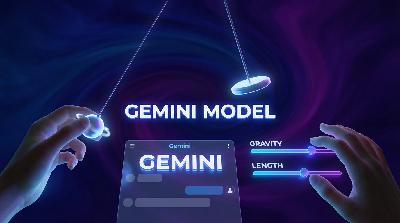
Google’s Gemini app is stepping up its creative game with the ability to generate interactive three-dimensional models and live simulations right inside your chat. Today, Hunter and Riley dive into what this means for creators, marketers, and anyone tired of misunderstanding product mockups in meetings. No more endless rounds of "can we see it from the other side"—now you can spin, zoom, and tweak models live without leaving the chat. But while this new feature streamlines workflows and speeds up alignment, there are some hilarious new pitfalls: the so-called "slider delusion" where fast decision-making in simulated worlds might not match real-world rigor. The hosts explore who benefits most from these interactive objects, from explainers and agencies to teachers craving hands-on demos. They also dish on practical prompts to unlock the feature—hint: starting with "show me" or "help me visualize"—and the current limits, like needing a Pro Gemini account and no easy exports yet. Despite rollout quirks, this upgrade marks a shift toward fewer distractions, more in-conversation creativity, and a possible end to the countless app-switching during team brainstorms. If you hate tab-hopping or need to win arguments with live physics, this episode is your three-dimensional truth serum.

Today on Blue Lightning AI Daily, we dive into the reveal of Muse Spark: Meta's new flagship model from Superintelligence Labs. Unlike past Meta launches, Muse Spark is all closed weights—no DIY for developers, just seamless multimodal magic inside Meta's own tools. We break down what makes Muse Spark unique, from its instant, thinking, and contemplating modes to deep multimodal workflows that handle text, images, and audio natively. The hosts debate the creative power and possible risks of adjustable 'thinking' modes, the liability of fast answers, and the practical impact for creators working in real-world content workflows. This episode explores the industry-wide move toward integrated AI features — with CapCut, Google Veo, and Adobe Firefly also tightening the gap between ideas and shippable content. We get into the promise of parallel agents, the perils of merged contradictions, and the challenge of transparency and trust as more AI assistants land in mainstream apps. Plus, quick hits on wild AI news stories, from Grok the cat-saver to the face recognition fiasco, and a discussion on humor, safety, and not building your whole creative stack on rented land. If you want to understand what Muse Spark means for modern creators, agencies, and anyone betting on AI for production, this episode is for you.
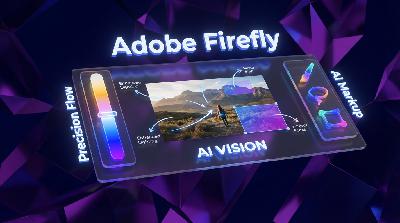
Today on Blue Lightning AI Daily, hosts Hunter and Riley break down Adobe’s massive Firefly update designed to end prompt chaos and make AI image editing actually predictable. Discover how Precision Flow lets you use sliders for controlled, consistent tweaks to mood, atmosphere, and lighting without rewriting your prompt 15 times. From moody thumbnails to subtle client feedback, creators get the bumpers they need to avoid wild, unwanted changes. Next up: AI Markup. This feature enables you to brush, erase, or box-select any part of an image and pair it with hyper-specific prompts. It is a true leap for directing changes only where they are needed—no more surprise hats on mascots. Expect honest talk about where the tools still struggle—think product packaging, hair, and reflections—and why human oversight stays critical. Plus, get a whirlwind roundup of AI oddities, from sandwich-loving bots to accidental pet discipline and bureaucracy glitches blamed on ChatGPT. Whether you are a pro creator needing reliable workflows or a rookie looking for chaos insurance, this episode keeps it real, helps you avoid slot-machine art direction, and shares what to try first with these new Firefly tools. For the latest in creative tech, hit subscribe.
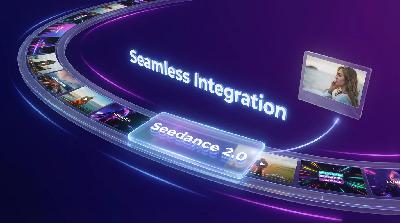
Today on Blue Lightning AI Daily, we break down ByteDance’s big move: Seedance 2.0 is now baked straight into CapCut as timeline-ready media. No detours, no exporting loops, just generate-your-AI-clip and drop it right where you need it. Hosts Hunter and Riley highlight how this practical update targets a real pain for creators by turning gen video into a normal part of editing, not a separate workflow. They dig into the idea of 'omni-reference' and how using your own images and videos as prompts keeps AI output closer to your creative intent. The team discusses the fast-moving landscape of integrated AI tools, from Google’s Veo updates inside Google Vids to Pika’s experimental agent-driven video chats. Find out why these integrations are changing not just what’s possible, but how creators actually work—making the AI magic frictionless, but also raising questions about habit, lock-in, and creative decision overload. Plus: practical tips for using Seedance 2.0 wisely, and why workflow trumps raw model flashiness. If you want the inside scoop on the AI video editing revolution and how to survive (and thrive) in a world where the robots are always updating, this episode is for you.
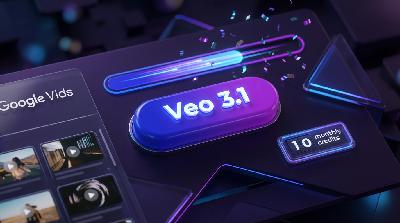
Google has dropped a game-changer: anyone with a personal Google account can now access Veo 3.1’s AI video generation right inside Google Vids, no admin needed. Creators get ten free video generations a month, making it easy to prototype, storyboard, and build dynamic b-rolls—all embedded seamlessly in the collaborative Vids workflow. The catch? Clips are about eight seconds each, encouraging creators and teams to use them as scene blocks rather than expecting one perfect video per generation.
This move shifts AI video tools from futuristic demos to everyday office essentials. No more asking IT for access; your free monthly allowance is ready for review loops, quick pitches, internal comms, and CEO updates (awkward avatars and all). Hosts Hunter and Riley dive into what this means for creators: more speed, but also new chaos as teams race to align on prompts and ration their generations strategically. The era of rewrite meetings becomes the era of prompt meetings.
The conversation also tracks the wider landscape, from PikaStream’s real-time agents to the buzz around OpenAI’s leaked “tape” and Google’s freshly open-sourced Gemma 4 weights. With AI video getting more controllable and increasingly embedded in the tools people already use, it is less about beating benchmarks and more about producing useful, repeatable drafts.
Google’s integration strategy—the button-in-the-toolbar effect—is setting a new normal. Video becomes as expected as slides, and even non-creatives will find themselves on the fast track to becoming “accidental TikTok editors.” Plus, vertical video generation and direct YouTube publishing are tailored for today’s mobile-first audiences. The bottom line: It is not about having the most dazzling model, but the AI video tool that actually gets used. Tune in for analysis, laughs, and a look at why the real winners might be the teams who move fastest from idea to review-ready draft.
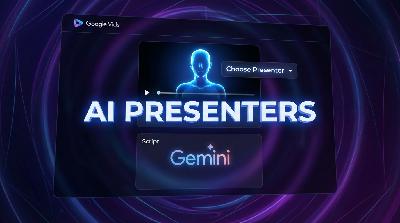
Get ready for a bold leap in workplace video: Google Vids has added AI presenter avatars, making 'pick your spokesperson' as simple as choosing from a dropdown. In today’s episode, Hunter and Riley dive into why this is practical for boring but necessary videos like onboarding, training, and internal updates, but potentially disastrous for anything culture-related or heartfelt. Hear how the new workflow lets you paste a script, pick an avatar, and instantly generate talking-head clips without a camera or microphone. Learn about the tight integration with Gemini for outlining, scripting, and editing inside Workspace, which unlocks rapid revision, localization, and tight control—but also moves the bottleneck from the camera-shy exec to the script owner (hello, legal and compliance!). We talk about the dangers of the wrong avatar or mismatched tone, why Google caps videos at thirty seconds, why modular videos beat monologues, and how this trend fits into a boom week for generative AI tools. Finally, we hit on how the internet’s love for viral, character-driven AI video contrasts with the frictionless, utility-first avatars of the workplace. If you’re a creator or marketer, you’ll want to know where to automate and where to show your real face. Plus: the subtle governance moves behind Google’s growing media stack. Tune in for the wildest implications, the biggest AI fails, and a lightning-fast look at the tools now shaping the future of workplace and creator video.
On today’s Blue Lightning Daily, Hunter and Riley dive into the mysterious appearance of new image models on LMSYS Arena using names like maskingtape-alpha, gaffertape-alpha, and packingtape-alpha. With OpenAI silent and the community sleuthing, we explore early impressions and real-world usability improvements: better prompt following, legible text, coherent compositions, and fewer “alien” hands or garbled signage. This episode breaks down why the secret sauce isn’t style but controllability, and why readable text is more valuable for pros than another wild art filter. We also zoom out to trends like Netflix’s VOID for smarter object removal, PixVerse V6 for effortless video and audio generation, and PikaStream’s push to make AI characters interactive in real time. From Arena’s “Thunderdome” blind tests to commercial-grade production, the episode unpacks what matters for creators: consistency, editing tools, true-to-life details, and whether these “tape” models can scale beyond viral moments. Jump in for a fast, funny tour of the week’s biggest surprises in gen AI, why workflow wins over wow factor, and what pros are really hoping for if OpenAI is about to reveal its next image powerhouse.

Saturday's Blue Lightning AI Daily dives into the big buzz: Google DeepMind has released the Gemma 4 family as true open-weight models, now with the Apache 2.0 license. Why is everyone so hyped about open weights? It means creators and developers finally get freedom to build, ship, and sell products without worrying about surprise license changes or access being restricted overnight. The Gemma models are powerful and flexible, spanning lightweight edge models that handle audio all the way to giant context, multimodal models capable of text, image, and video workflows. The edge models (Gemma-4-E2B, Gemma-4-E4B) even support local audio input for creators who want to keep their data on their device. The Mixture-of-Experts and dense flagship versions bring huge context windows for maintaining consistent project brains and tackling big collaborative projects.
We also say farewell to GPT-4o, talk about what truly open means vs models that are "open-ish," and why creators should value tools they can keep running instead of renting through an API. Plus: Netflix open-sources VOID for video object removal, PixVerse V6 levels up ad workflows, and new chat-import features in Google Gemini help you keep your AI history searchable.
The podcast wraps with practical tips on getting started with Gemma 4, model size considerations, and building for portability (and not getting too attached to any one API). Oh, and we spend a moment in chaos corner reviewing the Claude code leak, the rise of draft plus critic AI workflows, and one wild dog-mRNA vaccine story. If you’re a creator or builder, this episode is your guide to making the most of actual, for-real open models.
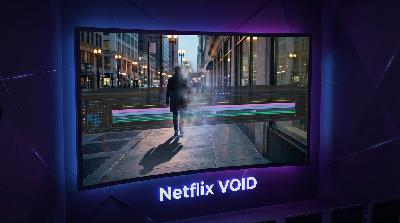
Today on Blue Lightning AI Daily, we dive into Netflix’s newly open-sourced VOID, or Video Object and Interaction Deletion. VOID isn’t your average object remover. It goes beyond erasing people from videos and wipes out all traces—shadows, reflections, and even how the object affected the scene. Think of it as pressing delete on video reality, not just patching a hole. We break down what makes VOID different from classic inpainting tools. Instead of smearing backgrounds, VOID regens a “what if it never happened” version and rewrites physics interactions to keep everything looking real. For creators, this means finally saying goodbye to pesky boom mic shadows, reflections of gear, and accidental cameos that are a pain to fix manually. But is it one-click magic? Not yet. Teams with tech muscle can dive in, but casual users will see the benefits trickle down into video editing apps soon. We talk about when to use it, what footage stumps even the best AI, and where creators still need classic best practices—like getting a clean shot and stable footage. We also tackle the big ethical debate: what happens when deletion tools become good enough to disguise reality, not just clean up mistakes? There’s a fine line between brand safety and rewriting history. Plus, we round up the week’s other AI chaos, from Alibaba’s Qwen Sprint to Perplexity’s privacy drama and OpenAI buying a tech news show. Want to know how these fast-changing tools will affect your videos, ad campaigns, and creative workflows? Hit play for all the details and a healthy dose of robot jokes.
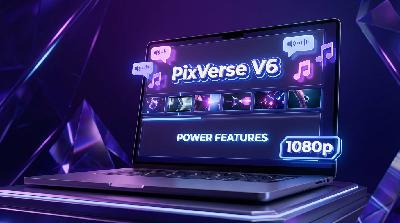
PixVerse V6 just dropped and it aims to compress your whole workflow into minutes. In this episode, Hunter and Riley dig into the new release that promises high-res 1080p output, true multi-shot sequences from a single prompt, and native audio generation complete with lip-sync for dialogue. We look at how these features shift video creation from “too raw to review” to “basically client-ready,” and discuss the new bottlenecks: is it now about prompt writing, creative taste, or just approval hell? The hosts break down the biggest caveats: audio is a game-changer but comes with limitations if you need surgical edits or script tweaks. Multi-shot generation with continuity is harder than it looks—does V6 keep your product, character, and label consistent across scenes? Plus, we hit on why true 1080p is less about maximum quality and more about surviving social platform compression. Camera and lens controls are now at your fingertips, but they can be more for creative freedom or committee chaos depending on your team’s vibe. If you’re a performance marketer, creator, or freelancer who’s tired of “Frankensteining” ad drafts, this release targets you. The hosts share tips for getting the most from PixVerse V6: write explicit ad briefs, set shot intent, keep dialogue expectations realistic, and treat generated audio as a draft to keep your workflow nimble. The takeaway? PixVerse V6 is your shortcut to animatics that look and sound finished enough to get approved—so you can stop losing time to endless stitching, exporting, and patching. Stay tuned for fresh AI updates that keep creators ahead of the game!
What happens when every chatbot on Earth wakes up and gets the day wrong? On this very April Fools' edition of Blue Lightning Daily, we dive into a weirdly calm week of AI news: no blockbuster tool drops, just a shifting ecosystem beneath the surface. Join Hunter and Riley as they break down why quiet weeks can be a hidden blessing for creators and teams. Instead of chasing rumors, it is time to strengthen your creative pipeline, really document your prompts, and build simple systems so a background update does not nuke your workflow. We also hit the meme madness: fake gadgets like the OPPO urine-testing phone prank, avocado scanners, and chatbots confidently giving out bad health advice. The real takeaways? Consistency is now a killer feature, model access can change while you sleep, and your best creative safeguards come from low-key process hacks, not new tech. Whether you are a solo TikToker or part of a big brand, we outline practical ways to survive model churn, export your work, and build a backup path that actually ships when your favorite tool faces a meltdown. Plus: the truth about multi-model hubs like Firefly Custom Models, the difference between platform and model lock-in, and why boring release notes should be your secret superpower. If you have ever had a prompt suddenly stop working, a campaign torpedoed by a vanished feature, or just want to avoid getting gaslit by split rollouts, this episode is your blueprint. And please—do not ask chatbots to debate your medical choices. Enjoy the calm before the next AI storm.
The digital junk drawer just got an upgrade. Today, Hunter and Riley dive into Google Gemini’s new Import AI chats feature. Now you can migrate your chat history from ChatGPT or Claude into Gemini, turning old conversations into a searchable library. What does this mean for creators, agencies, and serial brainstormers? Less starting from scratch, more organized creative IP, and easier onboarding for teams. But it is not all sunshine—attachments do not always make the trip, awkward prompt quirks remain, and privacy still matters. The crew explains how to treat your imported chats like a reference vault, why search beats scrolling, and why Gemini’s move is a game changer for streamlining messy workflows. Plus, the dangers of importing all your drama, the future of prompt chain black markets, and the myth of digital minimalism. If you have ever wanted to switch assistants without losing your brain crumbs, this episode unpacks what Gemini’s new tool delivers and what it does not. Listen in for the creator’s take on the most boring (but powerful) feature drop of the season.

Google Gemini now lets you import chat histories from ChatGPT and Claude, making it possible to bring your entire prompt library and creative workflow into one place. In this episode, we break down why this seemingly simple import feature is a game-changer for creators, marketing teams, and anyone who lives inside chat assistants. We dig into how “Import AI chats” in Gemini works, why prompt archives have become your most valuable asset, and what new ops hygiene you need when your strategy, templates, and voice calibration all fit in a downloadable ZIP file. We also cover the practical realities and pitfalls: imported chats become searchable references, not instant superpowers. Attachments and complex threads might get messy, and cross-model prompts never behave exactly the same. We talk about IP questions, onboarding improvements, the need for clear workspace boundaries, and how centralizing your history could save your bacon with clients or legal. Plus, we zoom out on a week of tighter tool integration across the AI ecosystem—from CapCut’s editing upgrades to OpenAI’s evolving policy spec. Whether you’re eyeing a platform switch or just want to preserve your creative chaos, this episode is your playbook for smarter, safer chat library portability in the age of AI workflows.
CapCut just turned the tables for creators by rolling out Seedance 2.0, ByteDance’s advanced text-to-video engine, straight into the editing timeline—no more exporting, uploading, or juggling tabs. In this episode, we unpack why this “boring” update is the real MVP for creatives who want workflow, not just wow factor. Seedance 2.0 started as a demo in Dreamina but now lets you generate, tweak, and cut AI video clips right inside CapCut, side by side with your templates, captions, and effects. This frees creators from painful re-roll loops and lets you iterate even faster, making short-form edits and b-roll much less of a grind. We debate what this means for brand safety, creativity, and the risk of a wave of look-alike content. More importantly, we break down reference-based control, which keeps characters and products consistent for campaigns while promising cleaner motion and steadier faces. We also cover key takeaways if you get access this weekend: use it for hook scenes and b-roll where speed beats polish, and remember to edit, design, and caption your raw AI output for brand and creative unique. Listen as we zoom out on Sora’s shutdown and ByteDance’s big move to make generative video a main ingredient, not just a flashy feature. The deadline gets easier, but the creative standards are still all on you. Tune in for the real impact of AI video tools sitting right where your edits happen.
Today on Blue Lightning Daily, Hunter and Riley dive deep into OpenAI’s Model Spec, the under-the-hood rulebook that explains why your chatbot might act strict, weirdly polite, or suddenly shift its brand voice. They break down the chain of command for AI instructions: from OpenAI’s core rules, to app-level behavior, developer settings, user prompts, and guidelines. Learn how and where to lock in your brand rules to avoid workflow chaos, why safe completions matter, and how regression testing is your friend—not just a nerd thing. Plus, hear about the latest in AI hilarity and havoc, from AI detectors flagging historical documents and sand dunes to automated systems praising gibberish and flagging innocent people. The takeaway? Make your rules explicit, put them in the right place, treat all AI outputs as drafts until reviewed by humans, and keep your prompt test packs handy. Whether you’re a creator, marketer, or just navigating the wild world of AI, this episode serves practical advice, funny stories, and essential warnings about letting algorithms run the show unchecked.
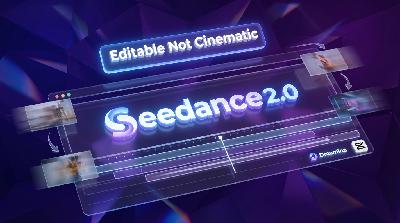
Today on Blue Lightning Daily, we dive into ByteDance's new Seedance 2.0, fresh inside the Dreamina platform. Rather than focusing on pure cinematic wow factor, Seedance 2.0 is designed for creators who need videos that hold up through edits, captions, speed ramps and feedback loops. The big advantages include cleaner baseline outputs, improved motion stability, and new iteration tools—like extending a shot, object swapping, and look adjustments that keep continuity tight. For anyone who’s ever had to re-roll a video a thousand times for brand consistency or product shots, these workflow improvements cut down on fatigue and frustration. Native 1080p video now comes standard, helping maintain quality when it is time to add overlays and captions. Reference control is a headline feature: you can guide the AI using text prompts combined with images, videos or even audio references—giving creators tangible control over character, product, and color consistency. Integration is another game changer: Seedance is inside Dreamina and CapCut, meaning you can generate videos right next to your favorite editor, smoothing out everything from product passes to quick transitions. We also check in on the bigger ecosystem, with reminders that dependency on any one tool (hello Sora sunset) is risky, while AI tools like Google Gemini and NVIDIA Nemotron are pushing toward deeper distribution and productivity. The show wraps with practical tips for creators: treat Seedance 2.0 like a fast draft engine, lean on references for consistency, and iterate like a director-not just a prompter. Editing still matters, but start closer to done. Subscribe for your daily dose of AI disruption, with a side order of timeline chaos.
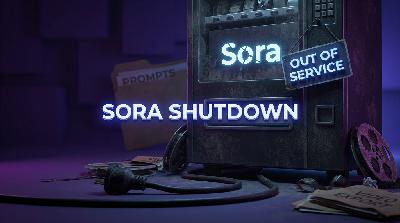
OpenAI has unplugged the Sora app and API, leaving creators and marketers scrambling to export their work and preserve valuable video prompts and assets. In this episode, Hunter and Riley walk through a practical migration checklist, explain why exporting just video files is not enough, and offer tips for future-proofing your workflow against sudden platform outages. You will learn about OpenAI’s Sora export tools, the critical importance of saving prompts, seeds, and remix histories, and strategies for preventing link rot across your internal docs. The hosts discuss the broader trend of AI tools moving from novelties to infrastructure, and what happens as platforms like Sora disappear overnight. Plus, hear why storing your creative assets locally and making AI video a modular part of your tech stack is now non-negotiable. The episode rounds out with news about oral exams making a comeback in colleges, MIT’s Wi-Fi that can sense through walls, and why the AI music bot scam proves anti-fraud systems are always playing catch up. Tune in for actionable advice and industry insights to help you protect your creative pipeline in an unpredictable AI landscape.
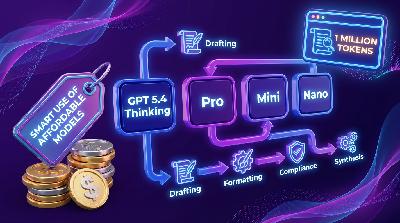
If your workflow still relies on the priciest LLM for every task, you might be paying premium prices for basic glue work. In today’s episode, Hunter and Riley break down OpenAI’s newly-noticed GPT-5.4 family—Thinking, Pro, Mini, and Nano—and how model routing is changing the game for creators and teams. Learn how to match the right model to each job, so you can scale content, automate pipelines, and keep your brand voice consistent without setting your wallet on fire. We also tackle the reality of one million token context windows: why more room can help, but only if your inputs are curated, not chaotic. Plus: routing readiness checklists, the cultural shift from “use the best” to “use what fits,” and what OpenAI’s segmentation means for the rise of specialized toolchains. We touch on Google Gemini, Adobe Firefly Custom Models, and NVIDIA Nemotron, all pointing toward a future where boring reliability wins over algorithmic novelty. Finally, get practical tips for smarter automation, batch sanity, and building workflows that actually work for you—not against your budget. Forget the hype: it’s all about picking the right model at the right step, every single time.

Today on Blue Lightning Daily, Hunter and Riley dig into Google’s bold new move: integrating Gemini AI directly into Chrome on iPhone and iPad. No more app-hopping—creators can now brainstorm, generate images, and draft ideas without ever leaving the browser they already use. The new "Ask Gemini" and "Create image" buttons promise to turn Chrome from a research tool into a true creative surface, streamlining everything from moodboarding to thumbnail ideation. We break down why this isn’t just an "image maker" but a workflow revolution—plus where the risks and "accidental lookalike" problems start to creep in. The hosts debate how brand teams and solo creators should handle these quick drafts, discuss lightweight guardrails, and explain why browser-native AI is great for concepting but not a replacement for pro design tools. Then, we connect it to the bigger picture: OpenAI’s Mini models, Adobe’s Firefly Custom Models, and NVIDIA’s open agent tools, all part of AI becoming embedded in work, not just a splashy new app. Whether you build marketing campaigns or sketch out new ideas on your phone, this episode gives you the real scoop on the creative future inside your browser. Plus, some much-needed tips on how not to end up with cursed AI art in your ad campaigns.
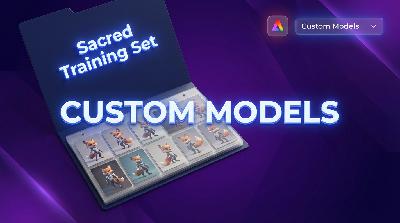
Today on Blue Lightning Daily, Hunter and Riley break down one of the most practical AI updates of the year: Adobe Firefly Custom Models, now in public beta. Tired of your mascot morphing oddly or your product shots losing all consistency? This episode dives into how Firefly Custom Models lets you train private models with as few as ten to thirty of your own branded images—no massive datasets or PhDs required. Learn the difference between subject and style modes, get real-world tips for curating your training folder, and find out why the 'sacred folder' is the new power move in marketing.
The hosts discuss why repeatable outputs matter more than random AI 'bangers,' and how this tech makes life easier for teams juggling lots of campaigns and variants. They also touch on the new pitfalls: who controls the training set, model governance, and the looming threat of 'brand drift.' Will private models solve more problems or just create model sprawl? Plus, get a rapid-fire tour of new updates from OpenAI, Google Gemini Embedding 2, and Lightricks, all focused on making creative workflows less painful and more controllable.
Tune in for actionable advice, examples for both solo creators and agencies, and enough digital therapy for anyone burned by inconsistent AI art. As always, subscribe for more daily takes on what’s new and what actually works in AI.

Comments

Download from Google Play

Download from App Store
 United States