


 Claim Ownership
Compiling Ideas Podcast
Subscribed: 0Played: 0
Subscribe

© Patrick Koss
Description
Deep dives on systems, software, and the strange beauty of engineering — compiled, not copy-pasted.
patrickkoss.substack.com
patrickkoss.substack.com
21 Episodes
Reverse

Ever deleted a user that was never created? Or watched a payment process before money hit the account? Welcome to the wild world of distributed systems, where events happen everywhere at once and getting the order wrong can turn your database into a zombie apocalypse. This episode breaks down the theory and practice of keeping things straight when everything’s running in parallel.DescriptionDistributed systems are messy. Events fire off on different servers, different continents, all at the same time. Some of them need to happen in a specific order. Some don’t. Get it wrong and you’re deleting accounts that don’t exist or charging credit cards with zero balance.In this episode, we dig into the fundamentals of concurrency and causality. We start with Leslie Lamport’s happens-before relationship and work our way through the real-world systems that enforce order at scale. You’ll learn how consensus algorithms like Raft use leader terms and epochs to reject stale messages from old leaders. How linearizability gives you the illusion of a single timeline even when a hundred things are happening at once. And how Apache Kafka maintains ordering using partitions and keys, routing related events into the same ordered log while letting independent streams run wild in parallel.This isn’t academic theory. This is the difference between a system that works and one that silently corrupts your data. Whether you’re debugging a race condition or designing cross-datacenter replication, the same principles apply. Know your events. Understand their relationships. Make sure your system respects causality.By the end, you’ll see that parallelism and causality aren’t enemies. They’re two sides of the same coin. Master both and you can build systems that are fast and correct, taking advantage of doing many things at once without losing the plot of the story they’re telling.Key TopicsThe TheoryWe start with what it means for events to be truly parallel versus sequential. When two things happen at the same time with no causal link, they’re concurrent. Neither can affect the other. But when one event depends on another, that’s a happens-before relationship. Delete can only happen after create. Payment can only happen after deposit. Causality defines the arrows of time in your system.Consensus and RaftDistributed consensus algorithms like Raft exist to impose a single sequence on chaos. We explore how Raft uses a leader to order events, how term numbers act like epochs to reject messages from old leaders, and how majority agreement creates a total order broadcast. Every node applies events in the exact same sequence, even when they’re being proposed in parallel.LinearizabilityThe strongest consistency model. Linearizability makes a distributed system behave like there’s one copy of the data and one timeline of operations. If an update finished before a read started in real time, the read will see it. No surprises. No stale data. We break down how consensus-based systems achieve this illusion and why it matters for correctness.Kafka’s Pragmatic ApproachApache Kafka shows you don’t always need total order on everything. Kafka partitions topics and guarantees ordering within each partition using keys. All events with the same key land in the same partition, in sequence. Events with different keys can be processed in parallel across partitions. It’s a compromise that gives high throughput while maintaining order where it counts.Real-World LessonsWe tie it all together with the principle that matters most. Identify what needs ordering and what can run in parallel. Group causally related events so they’re ordered within their group. Use techniques like logical clocks, consensus protocols, and careful partitioning to navigate the sea of concurrent events. The goal is to build systems that are both fast and correct, orchestrating parallelism without descending into chaos. Get full access to Compiling Ideas at patrickkoss.substack.com/subscribe

Ever wonder why some websites load instantly while others make you wait? It’s not magic. It’s an invisible army of caches working together at five different layers, passing data like a relay team. From DNS lookups to browser storage, from Redis to database buffers, every click you make triggers a cascade of caching decisions. And somewhere, a developer is losing sleep over whether to set a TTL of 60 seconds or 300.DescriptionWhen you click a link, your request doesn’t just teleport to a server and back. It goes on a journey. And at every stop along the way, there’s a cache waiting to either hand you the answer immediately or pass you along to the next layer.This episode walks through the entire lifecycle of a web request, meeting every cache along the way. We start with DNS resolution, where your system keeps an address book of websites to avoid repetitive lookups. Then we hit the browser cache, which prevents you from downloading the same logo 47 times. Modern web apps add their own caching layer on top, using LocalStorage, IndexedDB, and service workers to enable offline-first experiences.On the backend, distributed caches like Redis shield databases from getting hammered into the ground. And databases themselves? They keep hot data in memory buffers so they don’t have to hit the disk every time someone asks for your user profile.We also break down the four major caching strategies: cache-aside (lazy loading), read-through, write-through, and write-behind. Each has different trade-offs between speed, consistency, and complexity. Picking the right one can make your app feel instant instead of sluggish.Sure, caching introduces complexity. Cache invalidation is famously one of the two hardest problems in computer science (along with naming things). But the performance gains are so massive that it’s worth it. A well-cached system can handle 10x or 100x more traffic than an uncached one.Next time you load a page and it feels instant, remember: there’s an invisible relay race happening behind the scenes. And it’s beautiful.Key Topics- DNS caching and TTL (Time to Live)- Browser HTTP caching with Cache-Control, ETag, and Last-Modified headers- Cache busting strategies with versioned filenames- Frontend application caching with LocalStorage, IndexedDB, and service workers- Progressive Web Apps (PWAs) and offline-first architecture- Backend distributed caching with Redis and Memcached- Cache-aside pattern (lazy loading)- Read-through, write-through, and write-behind caching strategies- Database buffer pools and query plan caching- Cache invalidation trade-offs and TTL strategies- Performance scaling through multi-layer caching Get full access to Compiling Ideas at patrickkoss.substack.com/subscribe

Remember when slapping “.com” on your company name could triple your stock price overnight? Now we’re doing the same thing with “AI.” History doesn’t repeat, but it sure does rhyme. In this episode, we dig into four tech gold rushes, figure out who actually struck it rich, and try to answer the question: is AI the real deal, or are we all just panning for fool’s gold again?DescriptionEvery decade brings a new technology that makes everyone lose their minds. The internet boom turned garage startups into trillion-dollar empires (and vaporized thousands of others). Crypto promised to replace banks and minted Bitcoin millionaires out of random nerds. NFTs convinced people to pay millions for cartoon apes. And now? AI is the newest gold rush, with ChatGPT breaking the internet and VCs throwing $60 billion at anything with “AI” in the pitch deck.This episode walks through the pattern. We start with the 1990s dot-com frenzy when Pets.com spent millions on Super Bowl ads before figuring out how to make money. We watch Amazon go from a garage bookstore to a $570 billion juggernaut. We see Google turn targeted ads into a money-printing machine and Facebook bet that people are addicted to stalking their friends (spoiler: they were right).Then we jump to crypto. Bitcoin went from worthless nerd money you could mine on your laptop to nearly $70,000 per coin. Ethereum introduced programmable money. Dogecoin started as a literal meme and somehow became worth billions because Elon tweeted about it. And NFTs? People paid $24 million at Sotheby’s for computer-generated ape pictures. The whole thing felt like tulip mania, except with pixels.Now it’s AI’s turn. ChatGPT hit 100 million users in two months, the fastest growth in history. AI coding tools like Cursor raised $900 million at a $9 billion valuation in just three years. OpenAI is being valued at $300 billion, more than McDonald’s or Nike. The hype is real, the money is insane, and everyone’s convinced this time is different.But here’s the thing about gold rushes: they follow a pattern. New tech emerges. Early adopters get rich. Everyone else rushes in. The bubble pops. Most people lose money. A few winners reshape the world. We’ve seen this movie four times now. So where does AI fit in? Are we at the beginning of a transformative era, or are we about to watch another spectacular crash?We break down the gold rush pattern, compare AI to previous booms, and try to figure out if you can actually strike gold in this wave (spoiler: yes, but probably not). We talk about the real opportunities, the real risks, and how to prospect wisely without losing your shirt.Whether you’re a founder chasing the next unicorn, an engineer trying to stay relevant, or just someone wondering what all the fuss is about, this episode gives you the context to understand where we are in the hype cycle and what actually matters.Grab your digital pan and start sifting. Just remember: for every prospector who found gold in California, hundreds went home broke. The difference? The winners knew when to dig, when to hold, and when to walk away.Key TopicsThe Internet Boom and Its WinnersHow adding “.com” to your business plan could make you a billionaire. We explore the late 90s frenzy, the spectacular 2000 crash, and how Amazon, Google, and Facebook actually found gold while thousands of startups went bust.Crypto and the NFT ManiaFrom Bitcoin’s mysterious origins to Dogecoin memes to $24 million cartoon apes. We trace the crypto gold rush, the fortunes made and lost, and whether blockchain is the future or just an elaborate Ponzi scheme.AI Breaks the InternetChatGPT hits 100 million users in 60 days. AI startups raise $60 billion in three months. Coding assistants get $9 billion valuations. We examine the current AI frenzy and compare it to previous tech booms.The Gold Rush PatternNew tech emerges. Early adopters strike it rich. Everyone piles in. The bubble pops. The tech changes the world anyway. We break down the five-stage pattern that repeats across every major tech wave.Can You Actually Strike Gold in AI?The honest answer: yes, but probably not. We discuss the real opportunities, the genuine risks, and how to participate in the AI wave without being stupid about it.How to Prospect WiselyBe enthusiastic, but don’t be an idiot. We share practical advice for navigating the AI gold rush, whether you’re building, investing, or just trying to upskill before your job gets automated. Get full access to Compiling Ideas at patrickkoss.substack.com/subscribe
Your career trajectory isn’t just about the code you ship. It’s about the story running in your head while you’re shipping it. This episode unpacks how choosing optimistic interpretations turns you into the engineer who stays calm in fires, attracts the best projects, and builds teams that actually want to work together. No fluff. Just the feedback loops that separate engineers who plateau from those who keep leveling up.DescriptionIt’s 8:57 a.m. and the database migration just nuked half the platform. Your heart should be racing, but instead you’re thinking “well, this’ll make a great post-mortem.” That split-second difference in your internal monologue? It decides everything that happens next.We dive into the invisible circuit board of workplace optimism and trace how a single generous assumption cascades into better solutions, stronger relationships, and a career that looks suspiciously like an exponential curve. You’ll discover why two engineers staring at the same legacy mess see completely different realities, how positive feedback loops compound like interest, and why the most interesting projects always land on certain desks.This isn’t motivational-poster philosophy. It’s basic cause-and-effect you can wire up like any other system. We break down the pseudo-code of mindset loops, explore why resilient minds treat rejection as latency instead of fatal errors, and reveal how emotional contagion spreads through teams faster than network packets.Plus, you get three practical training protocols to flash your mindset firmware: the Interpretation Pause, the Small-Win Ledger, and the Language Linter. No affirmations in the mirror required. Just cognitive refactors as mundane as cleaning imports.Key TopicsThe Lens Effect - How interpretive bias acts like a compiler choosing default values for every uninitialized variable in your workday, and why those defaults become self-fulfilling propheciesUpward Spiral Engineering - Breaking down the while-loop of positivity: assume generous intent, act collaboratively, observe supportive responses, reinforce positive beliefs, repeatFailing Forward - Why optimists use temporary, specific explanations for failure while pessimists go global and permanent, and how that difference affects learning speed at the biochemical levelEmotional Wi-Fi - How mirror neurons create contagion effects in teams, why one upbeat engineer can reboot a whole room’s firmware, and what psychological safety actually means in practiceGravity-Defying Opportunities - The hidden network graph where optimism thickens relationship edges, and why managers allocate moonshot projects to engineers who keep the temperature downFirmware Flashing Protocols - Three TDD-style practices for training your inner coach: the five-second interpretation pause, the daily small-win ledger, and the real-time language linter for pessimistic code smells Get full access to Compiling Ideas at patrickkoss.substack.com/subscribe

It’s 3 a.m., you’re staring at a Terraform state lock that won’t release, and your deploy is blocked. State files lock you out. Monolithic applies slow you down. Drift happens and you only find out when you remember to run a plan. What if your infrastructure could be managed like your Kubernetes workloads? Always reconciling. Always watching. No state files to wrestle with. Enter Crossplane: the Kubernetes-native approach that might be the IaC evolution you didn’t know you needed.DescriptionTerraform dominated Infrastructure as Code for a decade, and for good reason. It brought declarative configuration, multi-cloud support, and repeatability to infrastructure management. But as teams scaled up and infrastructure grew more complex, some cracks started to show.In this episode, we walk through Terraform’s pain points that have become increasingly hard to ignore. The state file that locks out your entire team when someone runs a long apply. The monolithic plan that recalculates the world even when you want to change one database parameter. The drift that only gets caught when you remember to manually run a plan. The lack of continuous reconciliation.We explore Pulumi’s attempt to solve some of these problems by letting you write infrastructure in real programming languages—Python, TypeScript, Go—which is genuinely nice. But Pulumi still follows the Terraform execution model: one-shot CLI tool, state backend, no continuous drift correction. It’s “Terraform with a nicer language,” which is valuable, but doesn’t fundamentally change the paradigm.Then we dive into Crossplane: a Kubernetes-native control plane that runs continuously inside your cluster. Instead of a CLI tool you run occasionally, Crossplane extends Kubernetes with custom resources that represent cloud infrastructure. Controllers watch these resources and reconcile them against actual cloud state, just like Kubernetes reconciles Pods and Services.What does that get you? Continuous reconciliation that detects and corrects drift in near-real-time. No external state file—the Kubernetes API server is your source of truth. Parallel, independent operations instead of monolithic applies. Native integration with Kubernetes RBAC, admission controllers for policy enforcement, and GitOps workflows. When someone tries to create a database without encryption, the admission controller rejects it before it hits the cloud.We also cover the architectural patterns for running Crossplane, from single clusters with namespaces to dedicated management clusters to “control plane of control planes” for large organizations. And we’re honest about the trade-offs: you need Kubernetes skills, provider maturity isn’t quite at Terraform’s level yet, and you’re adding operational overhead by running another cluster.But for teams already invested in Kubernetes, who care about continuous compliance, and who want infrastructure that reconciles itself without manual intervention, Crossplane offers a compelling alternative. The future of IaC is cloud-native, and Crossplane is leading the charge.Key Topics- Why Infrastructure as Code exists: version control, repeatability, and escaping snowflake servers- Terraform’s decade of dominance: HCL, 1000+ providers, and the state file model- Where Terraform starts to hurt: state file hell (50%+ of users encounter state issues), monolithic sequential applies, drift detection gaps- The operational pain: 3 a.m. state locks, waiting 10 minutes for plans that touch 47 resources to change one thing- Pulumi’s approach: real programming languages (Python, TypeScript, Go) but still one-shot execution model- Crossplane’s paradigm shift: Kubernetes as your infrastructure control plane with continuous reconciliation- Continuous drift correction: controllers run in a loop, detecting and reverting manual changes within seconds- No external state file: Kubernetes API server (etcd) as source of truth, no locks, no corruption- Parallel operations: independent resources reconcile simultaneously, targeted updates without global plans- Policy enforcement via admission controllers: Kyverno or OPA/Gatekeeper rejecting non-compliant resources at API level- GitOps for infrastructure: store YAML in Git, use Argo CD or Flux for continuous application- Tight integration with application workloads: Crossplane auto-publishes connection details as Kubernetes Secrets- Architectural patterns: single cluster, dedicated management cluster, control plane of control planes- The trade-offs: Kubernetes skills required, provider maturity still growing, operational overhead of running clusters- Real-world adoption: CNCF graduated project used by Accenture, Deutsche Bahn, and others Get full access to Compiling Ideas at patrickkoss.substack.com/subscribe
Unsuccessful teams don’t fail because they lack smart engineers. They fail because of how they work: arguing about code behavior instead of writing tests, bikeshedding formatting instead of automating it, manually testing everything, optimizing for ego over outcomes. We break down eight patterns I’ve seen repeatedly in struggling teams and contrast them with what successful teams do differently. If you see your team here, it’s not an accusation—it’s a starting point.DescriptionEvery failing software team looks unique from the inside. Different products, different tech stacks, different company politics. But zoom out a bit, and the patterns repeat with almost embarrassing consistency.In this episode, we walk through the most common anti-patterns I’ve seen in unsuccessful teams and contrast them with what successful teams do instead. This isn’t about abstract “best practices.” It’s about day-to-day behavior: pull requests, naming, tests, deployments, documentation, and culture.We start with the PR debates that never end. Unsuccessful teams argue about code behavior in comments because there are no tests to prove anything. Successful teams write executable examples and let the tests settle the argument. Airbnb evolved from shipping mostly untested code to a culture where untested changes get flagged immediately. Netflix runs nearly a thousand functional tests per PR. They don’t argue about behavior—they prove it.Then there’s bikeshedding: massive energy spent on snake_case vs camelCase, brace placement, and naming conventions. We have tools for this. Successful teams push formatting and style into automated tooling—black, ruff, gofmt, clippy—so code reviews can focus on design, correctness, and clarity instead of style tribunals.We explore why manual testing kills velocity, how toxic team dynamics optimize for ego over outcomes (with Google’s Project Aristotle research showing psychological safety as the single most critical factor in team success), why inventing a new project structure in every repo creates chaos, and how the “hero engineer” with a bus factor of one is a structural problem, not an asset.Documentation and reflection tie it all together. Unsuccessful teams rely on tribal knowledge passed through Slack threads and half-remembered meetings. Successful teams capture decisions in Architecture Decision Records, maintain runbooks, and document the things people repeatedly ask about. And they regularly reflect on whether their process is actually working.The difference between unsuccessful and successful teams isn’t one big transformation. It’s a long series of small, deliberate corrections. This episode gives you a mirror. If you see your team here, pick one area and move it one step in the right direction.Key Topics- Arguing about behavior in PRs instead of proving it with tests (Airbnb and Netflix testing culture examples)- Bikeshedding: how Parkinson’s Law of Triviality wastes energy on formatting instead of architecture- The illusion of control in manual testing vs the reality of automated CI/CD pipelines (Netflix’s Spinnaker, Spotify’s 14-day-to-5-minute deployment transformation)- Toxic team dynamics: proving you’re smart vs building something together (Google’s Project Aristotle findings on psychological safety)- Why inventing a new structure in every repo creates cognitive overhead and slows reviews- The bus factor of one: why hero engineers are single points of failure (research shows 10 of 25 popular GitHub projects had bus factor of 1)- Documentation as a product: Architecture Decision Records, runbooks, and capturing knowledge before people leave- Never reflecting on how you work: why continuous improvement through retrospectives is critical (Spotify and Atlassian retro practices)- From quiet failure to deliberate success: picking one area and making small, deliberate corrections- Practical starting points: automate what can be automated, standardize what can be standardized, document what others will need, share knowledge instead of hoarding it Get full access to Compiling Ideas at patrickkoss.substack.com/subscribe

LLMs generate code 12x faster than you can type, and they’re getting better every month. Some engineers call it slop. Others are shipping production features at breakneck speed. So which is it—revolution or really fast tech debt? The answer depends on something that has nothing to do with the AI: whether you actually know your patterns, your boundaries, and your architecture. Because code was never the bottleneck. And now that it’s basically free, that’s more true than ever.DescriptionThere’s a weird divide in software engineering right now. One group looks at AI-generated code and sees unusable garbage that’ll haunt codebases for years. Another group is absolutely blown away, shipping features faster than ever and wondering why anyone still types boilerplate by hand.The reality? Both groups are right. And the difference comes down to one thing: domain and structure.In this episode, we break down why LLMs excel in well-documented domains like web development (where we used to copy from Stack Overflow anyway) but struggle in niche areas with sparse training data. We explore the dirty secret nobody talks about: code was never the hard part. Architecture was. Boundaries were. Maintainability was.Now we have tools that can generate thousands of lines of code in an afternoon. That means you can create a tightly-coupled mess at 12x speed. You can ship features that work today but will take three engineers two weeks to modify six months from now.The engineers thriving in this new era aren’t the fastest typers or syntax memorizers. They’re the ones who know their patterns deeply—when to use microservices vs modular monoliths, how to define clean boundaries, why TDD isn’t just nice-to-have but a survival strategy. They understand that LLMs have the same context problem as junior developers: show them a tangled codebase where everything depends on everything else, and they’ll write code that compiles but breaks production at 3 a.m.This is about the fundamental shift happening in software engineering. Your value isn’t in typing anymore. It’s in foresight. In knowing what happens when you scale. In designing systems that are maintainable not just by you, but by AI, by junior developers, by anyone who comes after you.Because code is cheap now. It’s getting cheaper every month. But the ability to structure systems so they don’t collapse under their own weight? That’s getting more valuable.Key Topics- The speed gap: LLMs generate 1200 words per minute vs human typing at 100 wpm, and why this is only the baseline- Why some engineers see gold and others see garbage: domain matters more than skill level- The web development advantage: oceans of training data vs niche domains with sparse documentation- The dirty secret: code was never the bottleneck—architecture, boundaries, and tech debt were (Stripe study shows devs spend 1/3 of time on tech debt, $3T global GDP impact)- How LLMs are like incredibly productive junior developers: terrible at long-term planning- Why you need to know your patterns: vertical vs horizontal slicing, domain models, event sourcing, when to use microservices vs monoliths- Real examples: Shopify’s modular monolith with 2.8M lines of Ruby, Uber’s SOA transition struggles- The context window problem: LLMs suffer from “lost in the middle” and need clean boundaries to succeed- Test-driven development as a survival strategy: defining contracts and boundaries that make safe changes possible- Your new job description: from feature factory to architect, from writing code to designing systems- Why learning the basics deeply (the why, not just the names) is the only way to keep up Get full access to Compiling Ideas at patrickkoss.substack.com/subscribe

Forget LeetCode marathons and whiteboard coding for millions of imaginary users. Germany’s tech hiring process is completely different from the US playbook—more practical, more real-world, way more chill. But don’t confuse ‘different’ with ‘easy.’ We break down what companies actually test at every level, from juniors building their first CRUD app to staff engineers designing systems that don’t collapse under their own weight.DescriptionAfter years on both sides of the interview table, I’ve noticed something: Germany’s software engineering hiring process operates on an entirely different wavelength than Silicon Valley’s algorithm-obsessed grind.No five-hour LeetCode gauntlets. No designing Instagram for a billion users on a whiteboard. Instead, it’s practical, grounded in real problems, and focused on whether you can actually build and explain working software. But the bar is still high—it’s just high in different ways.In this episode, we walk through the evolution of expectations from junior to staff level. For juniors and interns, it’s about fundamentals: can you build a functional CRUD API and explain your decisions? We discuss how AI-powered resume inflation has made CVs look incredible while practical skills remain inconsistent, and why portfolio projects matter more than polished bullet points.For mid and senior engineers, the task looks identical, but the questioning goes deep. We probe distributed systems, concurrency, HTTP semantics, database tradeoffs. Small inaccuracies lead to rejections. Title inflation has made “senior” nearly meaningless across Europe, so we test for actual depth, not credentials.At the staff and architect level, everything shifts. You’re not just coding anymore—you’re leading teams, designing resilient systems, and making judgment calls when there’s no obvious right answer. The interview becomes a technical discussion, not a performance. We want to learn something from you.This is a candid look at what German tech companies actually care about, how to prepare without grinding algorithm puzzles, and why “we’re not hiring your resume—we’re hiring you” isn’t just a platitude.Key Topics- Why Germany’s hiring process prioritizes practical skills over algorithmic performance- Junior/intern expectations: portfolio projects, take-home assignments, and the impact of AI resume inflation- How we test juniors with simple CRUD tasks and why explanation matters as much as working code- Mid/senior engineer interviews: same task, radically deeper questioning on fundamentals- The title inflation crisis in Europe and why “senior” no longer means senior- Real-world system design questions vs. abstract “design Instagram” nonsense- The staff/architect shift: leadership, judgment, and why many can’t code anymore (but still need to)- Why there’s no centralized playbook in Germany and what that means for interview prep- Practical advice: focus on fundamentals, understand tradeoffs, and bring real experience to the table Get full access to Compiling Ideas at patrickkoss.substack.com/subscribe
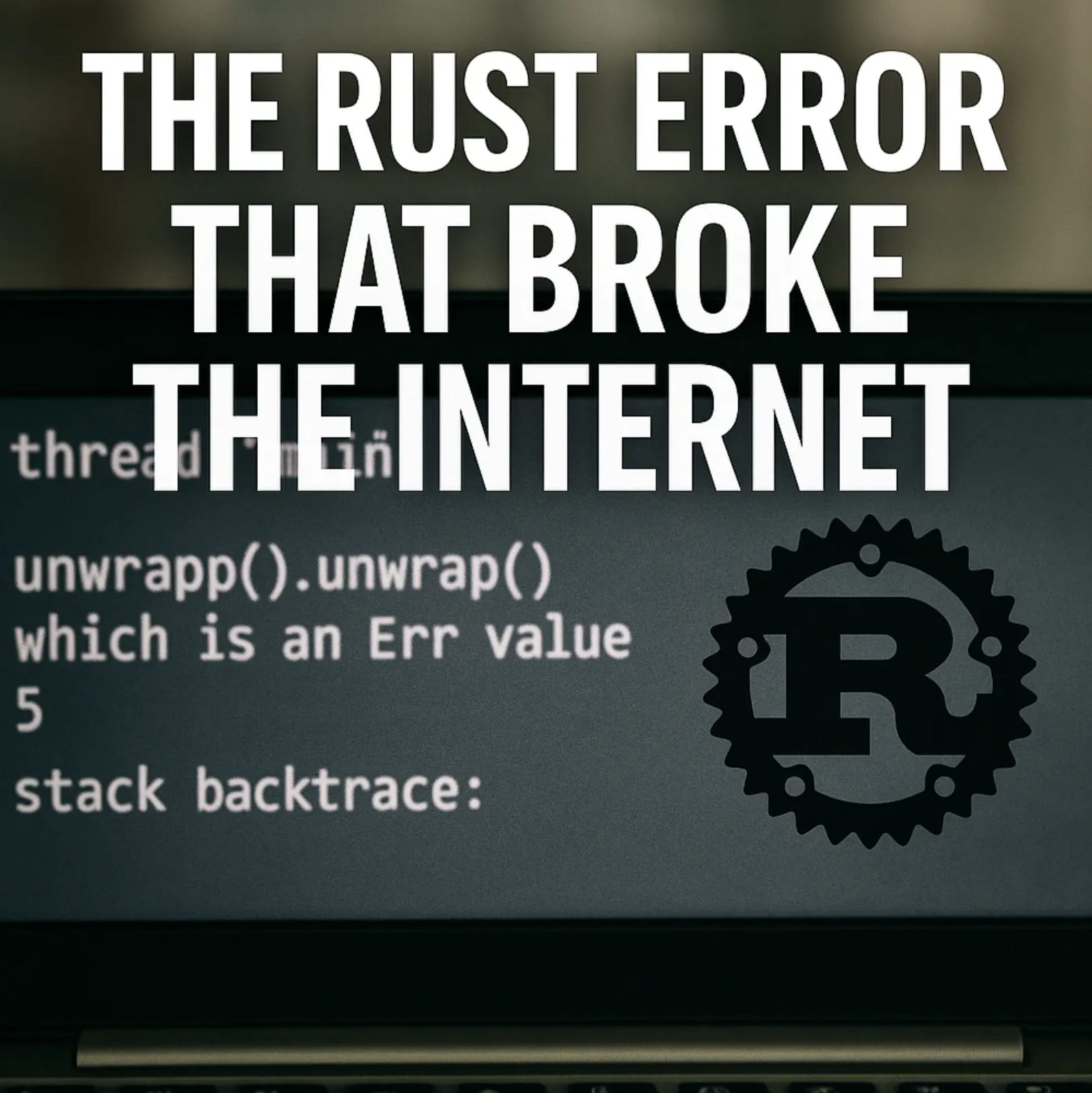
A single line of Rust code took down Cloudflare and half the Internet. But blaming unwrap() misses the real story: a database permission tweak that rolled straight to production without ever touching staging. We break down what actually happened and how to build systems where config changes die in dev instead of becoming headlines.DescriptionOn November 18, 2025, Cloudflare experienced its worst outage since 2019. The narrative quickly became “Rust’s unwrap() broke the Internet,” but that’s dangerously incomplete.In this episode, we dig past the clickbait to understand what really failed: a ClickHouse database permission change altered query behavior, generating a configuration file that violated a hard-coded 200-feature limit in the Bot Management module. That config rolled globally without failing in lower environments first. When the module hit the “impossible” state, Rust did exactly what it promises—it panicked.We explore why configuration deserves the same rigor as code, how staging environments need to actually mirror production (not just exist), and the defense-in-depth layers every critical system needs: pipeline validation, graceful degradation, and intentional error handling.Whether you’re a staff engineer reviewing incident postmortems or building latency-sensitive systems with heavy config dependencies, this breakdown turns one outage into actionable lessons for your entire development lifecycle.Key Topics- The real cascade: database permissions → query behavior → config generation → production panic- Why “config is code” and how to treat it with proper CI/CD rigor- The three requirements for staging to actually catch these bugs (representative data, same codepaths, environment-aware rollouts)- Defense in depth: config pipeline validation, service-level degradation, and code-level error handling- When to use unwrap() vs Result in Rust, and why panic policies matter for blast radius- Practical guidance: multi-stage config rollouts, canary deployments, and graceful failure modes- How to build systems where misconfigurations die in dev instead of taking down the Internet Get full access to Compiling Ideas at patrickkoss.substack.com/subscribe

Ever wonder why your beautifully trained machine learning model works perfectly in your Jupyter notebook but completely falls apart at 3 AM when it’s actually serving production traffic? You’re not alone. Most ML teams discover the hard way that the actual model code is only about 5% of building a real ML system. The other 95% is infrastructure, data pipelines, monitoring, and a thousand things that can break in spectacularly creative ways.In this episode, we’re diving deep into what it actually takes to build a machine learning platform that doesn’t crumble under pressure. We’re not talking high-level fluff here. This is a technical walkthrough of how companies like Netflix, Uber, and Airbnb designed their ML infrastructure to handle billions of predictions without falling over.We’ll break down the three critical pipelines every ML platform needs: data management, model training, and production deployment. You’ll learn why training-serving skew is one of the most insidious bugs in ML systems and how Google Play boosted their app install rate by 2% just by fixing it. We’ll explore why experiment tracking isn’t optional if you want any hope of reproducing your results, and how platforms like MLflow became the version control system for machine learning.But here’s where it gets interesting. For every component we discuss, we’re going to look at four approaches: the naive “bad” approach that everyone tries first, the “medium” approach that’s getting warmer, the “good” approach where things start working properly, and the “very good” approach that’s what you aim for when you need bulletproof systems.We’ll cover the infrastructure nobody talks about until it breaks: how to orchestrate distributed training across GPU clusters, how hyperparameter tuning platforms like Kubeflow’s Katib can try hundreds of model configurations in parallel using Bayesian optimization, and why model registries are the bridge between your experimentation chaos and production reliability.You’ll learn about canary deployments and how to roll out new models to 10% of traffic before betting the farm. We’ll talk about monitoring for data drift, because the world changes and yesterday’s perfect model becomes today’s garbage predictor. And we’ll discuss the fault tolerance patterns that let Netflix process trillions of events daily without the whole system collapsing when individual components fail.This isn’t for people looking for a gentle introduction to machine learning. This is for engineers in the trenches who need to understand how to build ML infrastructure that scales, how to debug models that mysteriously underperform in production, and how to set up systems that won’t require you to manually babysit every training run at 2 AM.Whether you’re building your first ML platform from scratch or trying to figure out why your current system keeps catching fire, this episode will give you the architectural patterns and war stories you need to build something that actually works.Let’s get into it.References[1] Sculley, D., Holt, G., Golovin, D., et al. (2015). “Hidden Technical Debt in Machine Learning Systems.” *Proceedings of NIPS 2015*. https://papers.nips.cc/paper_files/paper/2015/hash/86df7dcfd896fcaf2674f757a2463eba-Abstract.html[2] “MLOps as the Remedy to Tech Debt in Machine Learning.” Alectio Blog. https://alectio.com/2023/03/26/mlops-as-the-remedy-to-tech-debt-in-machine-learning/[3] “MLOps-Reducing the technical debt of Machine Learning.” MLOps Community. https://medium.com/mlops-community/mlops-reducing-the-technical-debt-of-machine-learning-dac528ef39de[4] “MLOps: Continuous delivery and automation pipelines in machine learning.” Google Cloud Architecture Center. https://cloud.google.com/architecture/mlops-continuous-delivery-and-automation-pipelines-in-machine-learning[5] “Top End to End MLOps Platforms and Tools in 2024.” JFrog ML. https://www.qwak.com/post/top-mlops-end-to-end[6] Rustamy, F. “Machine Learning Platforms Using Kubeflow.” Medium. https://medium.com/@faheemrustamy/machine-learning-platforms-using-kubeflow-a0a9be98f57f[7] “Architecture | Kubeflow.” Kubeflow Documentation. https://www.kubeflow.org/docs/started/architecture/[8] “Automating Machine Learning Pipelines on Kubernetes with Kubeflow.” IOD Blog. https://iamondemand.com/blog/automating-machine-learning-pipelines-on-kubernetes-with-kubeflow/[9] “MLflow: A Unified Platform for Experiment Tracking and Model Management.” Medium. https://medium.com/@pi_45757/mlflow-a-unified-platform-for-experiment-tracking-and-model-management-13dd8b8356db[10] “MLflow Tracking.” MLflow Documentation. https://mlflow.org/docs/latest/ml/tracking/[11] “How to Build an End-To-End ML Pipeline.” Neptune.ai Blog. https://neptune.ai/blog/building-end-to-end-ml-pipeline[12] “MLOps Architecture Guide.” Neptune.ai Blog. https://neptune.ai/blog/mlops-architecture-guide[13] “The Evolution of the Machine Learning Platform.” Scribd Technology Blog. https://tech.scribd.com/blog/2024/evolution-of-mlplatform.html[14] “Challenges of building high performance data pipelines for big data analytics.” Eyer.ai Blog. https://www.eyer.ai/blog/challenges-of-building-high-performance-data-pipelines-for-big-data-analytics/[15] “Industry Spotlight - Engineering the AI Factory: Inside Netflix’s AI Infrastructure (Part 3).” Vamsi Talks Tech. https://www.vamsitalkstech.com/ai/industry-spotlight-engineering-the-ai-factory-inside-netflixs-ai-infrastructure-part-3/[16] “Machine Learning Infrastructure.” LinkedIn Engineering. https://engineering.linkedin.com/teams/data/data-infrastructure/machine-learning-infrastructure[17] “Model Deployment Strategies: Discover How to Boost your ML Deployment Success.” Medium. https://medium.com/@juanc.olamendy/model-deployment-strategies-discover-how-to-boost-your-ml-deployment-success-d82b320ac118[18] “They Handle 500B Events Daily. Here’s Their Data Engineering Architecture.” Monte Carlo Data Blog. https://www.montecarlodata.com/blog-data-engineering-architecture/[19] “What Is a Feature Store?” Tecton Blog. https://www.tecton.ai/blog/what-is-a-feature-store/[20] “Top 3 Feature Stores To Ease Feature Management in Machine Learning.” Censius Blog. https://censius.ai/blogs/top-3-feature-stores-to-ease-feature-management-in-machine-learning[21] “What is training-serving skew in Machine Learning?” JFrog ML Blog. https://www.qwak.com/post/training-serving-skew-in-machine-learning[22] “Monitor models for training-serving skew with Vertex AI.” Google Cloud Blog. https://cloud.google.com/blog/topics/developers-practitioners/monitor-models-training-serving-skew-vertex-ai[23] “Meet Michelangelo: Uber’s Machine Learning Platform.” Uber Engineering Blog. https://www.uber.com/blog/michelangelo-machine-learning-platform/[24] “Open sourcing Feathr – LinkedIn’s feature store for productive machine learning.” LinkedIn Engineering Blog. https://engineering.linkedin.com/blog/2022/open-sourcing-feathr---linkedin-s-feature-store-for-productive-m[25] “Getting started with Kubeflow Pipelines.” Google Cloud Blog. https://cloud.google.com/blog/products/ai-machine-learning/getting-started-kubeflow-pipelines[26] “Experiment Tracking with MLflow in 10 Minutes.” Towards Data Science. https://towardsdatascience.com/experiment-tracking-with-mlflow-in-10-minutes-f7c2128b8f2c/[27] “Demystifying MLflow: A Hands-on Guide to Experiment Tracking and Model Registry.” Medium. https://dspatil.medium.com/demystifying-mlflow-a-hands-on-guide-to-experiment-tracking-and-model-registry-d99b6bfd1bda[28] “Machine Learning (ML) Orchestration on Kubernetes using Kubeflow.” InfraCloud Blog. https://www.infracloud.io/blogs/machine-learning-orchestration-kubernetes-kubeflow/[29] “Kubeflow: Architecture, Tutorial, and Best Practices.” Komodor Learn. https://komodor.com/learn/kubeflow-architecture-tutorial-and-best-practices/[30] “Overview | Kubeflow.” Kubeflow Training Documentation. https://www.kubeflow.org/docs/components/training/overview/[31] “GitHub - kubeflow/trainer: Distributed ML Training and Fine-Tuning on Kubernetes.” GitHub. https://github.com/kubeflow/trainer[32] “An overview for Katib.” Kubeflow Documentation. https://www.kubeflow.org/docs/components/katib/overview/[33] “Kubeflow Part 4: AutoML Experimentation in Kubeflow Using Katib.” Invisibl Blog. https://invisibl.io/blog/kubeflow-automl-experimentation-katib-kubernetes-mlops/[34] “Hyperparameter optimization - Wikipedia.” Wikipedia. https://en.wikipedia.org/wiki/Hyperparameter_optimization[35] “Kubeflow 1.9: New Tools for Model Management and Training Optimization.” Kubeflow Blog. https://blog.kubeflow.org/kubeflow-1.9-release/[36] “MLflow Model Registry | MLflow.” MLflow Documentation. https://mlflow.org/docs/latest/ml/model-registry/[37] “KServe | MLServer.” MLServer Documentation. https://docs.seldon.ai/mlserver/user-guide/deployment/kserve[38] “Machine Learning Model Serving Tools Comparison - KServe, Seldon Core, BentoML.” Xebia Blog. https://xebia.com/blog/machine-learning-model-serving-tools-comparison-kserve-seldon-core-bentoml/[39] “Best Tools For ML Model Serving.” Neptune.ai Blog. https://neptune.ai/blog/ml-model-serving-best-tools[40] “Machine Learning Model Serving Overview (Seldon Core, KFServing, BentoML, MLFlow).” Medium. https://medium.com/israeli-tech-radar/machine-learning-model-serving-overview-c01a6aa3e823[41] “Building A Declarative Real-Time Feature Engineering Framework.” DoorDash Engineering Blog. https://careersatdoordash.com/blog/building-a-declarative-real-time-feature-engineering-framework/[42] “How LinkedIn, Uber, Lyft, Airbnb and Netflix are Solving Data Management and Discovery for Machine Learning Solutions.” KDnuggets. https://www.kdnuggets.com/2019/08/linkedin-uber-lyft-airbnb-netflix-solving-data-management-discovery-machine-learning-solutions.html[43] “TensorFlow Extended (TFX) for data validation in practice.” Sarus Blog. https://medium.com/sarus/tensorflow-extended-tfx-for-data-validation-in-practice-2e6f061753c0[44] “Validating

The AI agent hype is real. AutoGPT, multi-agent frameworks, agent orchestrators with sci-fi names – they’re everywhere. But here’s what nobody’s saying: we’ve been solving these coordination problems for decades.In this episode, we dissect the common AI agent orchestration patterns and trace them back to their software engineering roots. Sequential agents? That’s the Pipes and Filters pattern from Unix. Concurrent orchestration with voting? Welcome to MapReduce. Group chat managers? Meet the Mediator pattern from the Gang of Four book gathering dust on your shelf.We walk through the fundamental patterns – sequential, concurrent, group chat, hierarchical, handoff, and magentic orchestration – showing exactly how each one maps to classic distributed systems and design patterns you already know. Then we predict what’s coming next: reflective QA loops, debate ensembles, market-based task allocation, blackboard architectures, and swarm intelligence.The truth is, AI agents aren’t revolutionary – they’re evolutionary. What’s actually new is applying natural language understanding to coordination problems. Instead of hard-coded routing, you get agents that interpret context dynamically. That’s powerful, but the underlying mechanics are decades old.And that’s a good thing. It means we have a playbook. If you understand design patterns and distributed systems, you already have the mental models to design robust multi-agent AI systems. The next time someone shows you their “revolutionary” AI agent framework, look under the hood. You’ll probably find an old friend.Key Topics- Multi-agent orchestration patterns (sequential, concurrent, group chat, hierarchical, handoff, magentic)- Mapping AI patterns to classic software engineering (Pipes and Filters, MapReduce, Mediator, Chain of Responsibility)- Distributed systems wisdom applied to AI agents- Emerging patterns: debate ensembles, blackboard architecture, swarm intelligence- Why evolutionary > revolutionary in AI agent designReferencesMulti-Agent Systems & Orchestration[1] AI Agent Orchestration Patterns - Azure Architecture Center | Microsoft Learnhttps://learn.microsoft.com/en-us/azure/architecture/ai-ml/guide/ai-agent-design-patterns[2] Design multi-agent orchestration with reasoning using Amazon Bedrock | AWS Machine Learning Bloghttps://aws.amazon.com/blogs/machine-learning/design-multi-agent-orchestration-with-reasoning-using-amazon-bedrock-and-open-source-frameworks/[3] Best Practices for Multi-Agent Orchestration and Reliable Handoffs | Skywork AIhttps://skywork.ai/blog/ai-agent-orchestration-best-practices-handoffs/Sequential Orchestration & Pipes and Filters[4] Pipes and Filters pattern - Azure Architecture Center | Microsoft Learnhttps://learn.microsoft.com/en-us/azure/architecture/patterns/pipes-and-filters[5] Pipes and Filters - Enterprise Integration Patternshttps://www.enterpriseintegrationpatterns.com/patterns/messaging/PipesAndFilters.html[6] Pipe and Filter Architecture - System Design | GeeksforGeekshttps://www.geeksforgeeks.org/system-design/pipe-and-filter-architecture-system-design/Concurrent Orchestration, MapReduce & Fan-Out/Fan-In[7] MapReduce - Wikipediahttps://en.wikipedia.org/wiki/MapReduce[8] MapReduce Patterns, Algorithms, and Use Cases | Highly Scalable Bloghttps://highlyscalable.wordpress.com/2012/02/01/mapreduce-patterns/[9] Fan-In and Fan-Out Patterns in Cloud and Distributed Systems | Mediumhttps://medium.com/@minimaldevops/fan-in-and-fan-out-patterns-in-cloud-and-distributed-systems-0544235b9d6b[10] Fan-out (software) - Wikipediahttps://en.wikipedia.org/wiki/Fan-out_(software)Group Chat Orchestration & Mediator Pattern[11] Design Patterns: Elements of Reusable Object-Oriented Software | Gamma, Helm, Johnson, Vlissides (1994)https://en.wikipedia.org/wiki/Design_Patterns[12] Mediator Design Pattern | Gang of Fourhttps://www.geeksforgeeks.org/system-design/mediator-design-pattern/[13] Mediator Pattern | Refactoring.Guruhttps://refactoring.guru/design-patterns/mediator (implied from search results)Hierarchical Orchestration[14] Mastering AI Agent Orchestration: Comparing CrewAI, LangGraph, and OpenAI Swarm | Mediumhttps://medium.com/@arulprasathpackirisamy/mastering-ai-agent-orchestration-comparing-crewai-langgraph-and-openai-swarm-8164739555ff[15] LangGraph vs CrewAI: Let’s Learn About the Differences | ZenML Bloghttps://www.zenml.io/blog/langgraph-vs-crewai[16] Choosing the Right AI Agent Framework: LangGraph vs CrewAI vs OpenAI Swarm | nuvi Bloghttps://www.nuvi.dev/blog/ai-agent-framework-comparison-langgraph-crewai-openai-swarm### Handoff Orchestration & Chain of Responsibility[17] Chain-of-responsibility pattern - Wikipediahttps://en.wikipedia.org/wiki/Chain-of-responsibility_pattern[18] Chain of Responsibility | Refactoring.Guruhttps://refactoring.guru/design-patterns/chain-of-responsibility[19] Chain of Responsibility Design Pattern | GeeksforGeekshttps://www.geeksforgeeks.org/system-design/chain-responsibility-design-pattern/Magentic Orchestration & AutoGPT[20] Semantic Kernel Agent Orchestration | Microsoft Learnhttps://learn.microsoft.com/en-us/semantic-kernel/frameworks/agent/agent-orchestration/[21] Semantic Kernel: Multi-agent Orchestration | Microsoft DevBlogshttps://devblogs.microsoft.com/semantic-kernel/semantic-kernel-multi-agent-orchestration/[22] AI Agents: AutoGPT architecture & breakdown | Mediumhttps://medium.com/@georgesung/ai-agents-autogpt-architecture-breakdown-ba37d60db944[23] AutoGPT Guide: Creating And Deploying Autonomous AI Agents Locally | DataCamphttps://www.datacamp.com/tutorial/autogpt-guideDistributed Systems Patterns[24] Two-Phase Commit | Martin Fowlerhttps://martinfowler.com/articles/patterns-of-distributed-systems/two-phase-commit.html[25] Two-phase commit protocol - Wikipediahttps://en.wikipedia.org/wiki/Two-phase_commit_protocol[26] Raft and Paxos: Consensus Algorithms for Distributed Systems | Mediumhttps://medium.com/@mani.saksham12/raft-and-paxos-consensus-algorithms-for-distributed-systems-138cd7c2d35a[27] Paxos vs. Raft: Have we reached consensus on distributed consensus? | arXivhttps://arxiv.org/abs/2004.05074[28] Raft Consensus Algorithmhttps://raft.github.io/[29] Atomic broadcast - Wikipediahttps://en.wikipedia.org/wiki/Atomic_broadcast[30] Circuit Breaker Pattern - Azure Architecture Center | Microsoft Learnhttps://learn.microsoft.com/en-us/azure/architecture/patterns/circuit-breaker[31] Circuit Breaker Pattern in Microservices | GeeksforGeekshttps://www.geeksforgeeks.org/system-design/what-is-circuit-breaker-pattern-in-microservices/Orchestration vs. Choreography[32] Orchestration vs. Choreography in Microservices | GeeksforGeekshttps://www.geeksforgeeks.org/system-design/orchestration-vs-choreography/[33] Orchestration vs Choreography | Camundahttps://camunda.com/blog/2023/02/orchestration-vs-choreography/[34] Saga Orchestration vs Choreography | Temporalhttps://temporal.io/blog/to-choreograph-or-orchestrate-your-saga-that-is-the-questionEmerging Patterns[35] Blackboard system - Wikipediahttps://en.wikipedia.org/wiki/Blackboard_system[36] Blackboard Architecture | GeeksforGeekshttps://www.geeksforgeeks.org/system-design/blackboard-architecture/[37] The Resurgence of Blackboard Systems | Mediumhttps://medium.com/@shawncutter/the-resurgence-of-blackboard-systems-b10ea72a8326[38] Swarm Intelligence: The Power of the Collective | FasterCapitalhttps://fastercapital.com/content/Swarm-Intelligence--The-Power-of-the-Collective--Swarm-Intelligence-in-AI.html[39] Multi-Agent Systems Powered by Large Language Models: Applications in Swarm Intelligence | arXivhttps://arxiv.org/abs/2503.03800[40] Enterprise Swarm Intelligence: Building Resilient Multi-Agent AI Systems | AWS Communityhttps://community.aws/content/2z6EP3GKsOBO7cuo8i1WdbriRDt/enterprise-swarm-intelligence-building-resilient-multi-agent-ai-systems[41] Patterns for Democratic Multi-Agent AI: Debate-Based Consensus | Mediumhttps://medium.com/@edoardo.schepis/patterns-for-democratic-multi-agent-ai-debate-based-consensus-part-1-8ef80557ff8a[42] Voting or Consensus? Decision-Making in Multi-Agent Debate | arXivhttps://arxiv.org/abs/2502.19130[43] More Agents Is All You Need | arXivhttps://arxiv.org/html/2402.05120v1[44] Minimizing Hallucinations and Communication Costs: Adversarial Debate and Voting Mechanisms in LLM-Based Multi-Agents | MDPIhttps://www.mdpi.com/2076-3417/15/7/3676[45] Contract Net Protocol - Wikipediahttps://en.wikipedia.org/wiki/Contract_Net_Protocol[46] Task Assignment of the Improved Contract Net Protocol under a Multi-Agent System | MDPIhttps://www.mdpi.com/1999-4893/12/4/70Additional Resources[47] Implementation of Maker and Checker (4-eyes) Principle | LinkedInhttps://www.linkedin.com/pulse/implementation-maker-checker-4-eyes-principle-ajendra-singh[48] When One AI Agent Isn’t Enough: Building Multi-Agent Systems | Mediumhttps://medium.com/@nirdiamant21/when-one-ai-agent-isnt-enough-building-multi-agent-systems-755479f2c64d Get full access to Compiling Ideas at patrickkoss.substack.com/subscribe

So you’ve made it to the system design interview — the “boss level” of tech interviews where your architectural skills are put to the ultimate test. The stakes are sky-high: ace this, and you’re on your way to that coveted staff engineer role; flub it, and it’s back to the drawing board. System design interviews have become an integral part of hiring at top tech companies and are notoriously difficult at places like Google, Amazon, Microsoft, Meta, and Netflix. Why? These companies operate some of the most complex systems on the planet, and they need engineers who can design scalable, reliable architectures to keep them competitive. However, you’re not alone if this format makes your palms sweat — most software engineers struggle with system design interviews, finding them a major obstacle in career progression.But fear not! This guide will walk you through everything you need to know to crack the system design interview, even at the staff level. We’ll talk about the right mindset, common challenges (and how to tackle them), core concepts (explained with simple analogies), sneaky tricks to impress your interviewer, real-world examples from tech giants, and pitfalls to avoid.If you like written articles, feel free to check out my medium here: https://medium.com/@patrickkossUnderstanding the System Design MindsetBefore you jump into drawing boxes and arrows, step back and change your mindset. A system design interview isn’t like coding out a LeetCode solution with one correct answer — it’s about high-level thinking, trade-offs, and real-world engineering decisions. In other words, you need to think like an architect, not just a coder. Successful system design is all about balancing competing goals and making informed decisions to handle ambiguity and scale. In fact, system design is about making crucial decisions to balance various trade-offs, determining a system’s functionality, performance, and maintainability. Every design choice (SQL vs NoSQL, monolith vs microservices, consistency vs availability, etc.) has pros and cons, and interviewers want to see that you understand these trade-offs and can reason about them out loud.Equally important is adopting a “real-world” perspective. Interviewers aren’t looking for a textbook answer; they want to know how you’d build a system that actually works in production. That means considering things like scale (millions of users), reliability (servers will fail, then what?), and evolution (requirements change, can your design adapt?). The best candidates approach the problem like they’re already the staff engineer on the job: they clarify what’s really needed, weigh options, and choose a design that addresses the requirements with sensible compromises. There’s rarely one “right” answer in system design — what matters is the reasoning behind your answer.One pro-tip: always discuss trade-offs. If coding interviews are about getting the solution, system design interviews are about discussing alternative solutions and why you’d pick one over another. In fact, interviewers love it when you explicitly talk about the “why” behind your design decisions. As one senior engineer put it, hearing candidates discuss trade-offs is a huge green flag that they have working knowledge of designing systems (as opposed to just parroting a tutorial). For example, mention why you might choose a relational database (for consistency) versus a NoSQL store (for scalability) given the problem context — showing you understand the consequences of each choice. Adopting this mindset — thinking in trade-offs, focusing on real-world constraints, and abstracting away from nitty-gritty code — is the first step toward system design success.And yes, it’s normal for system design questions to feel open-ended or ambiguous. Part of the mindset is embracing ambiguity. Unlike a coding puzzle, a system design prompt might not spell out everything — it’s your job to ask questions and reduce the ambiguity. This is exactly what happens in real projects: requirements are fuzzy, and great engineers ask the right questions. So don’t be afraid to say, “Let me clarify the requirements first.” That’s not a weakness — that’s you demonstrating the system design mindset!Common Problems and How to Solve ThemWhen designing any large system, you’ll encounter a few recurring big challenges. Interviewers love to probe how you handle these. Let’s break down the usual suspects — and strategies to tackle them like a pro:* Scalability: Can your design handle 10× or 100× more users or data? Scalability comes in two flavors: vertical scaling (running on bigger machines) and horizontal scaling (adding more machines). Vertical scaling (scaling up) is straightforward — throw more CPU/RAM at the server — but it has limits and can get expensive. Horizontal scaling (scaling out) means distributing load across multiple servers. This approach is more elastic (you can in theory keep adding servers forever) but introduces complexity: you need to split data or traffic and deal with distributed systems issues.* How to solve it: design stateless services (so you can run many clones behind a load balancer), consider database sharding (more on that later) for huge datasets, and use caching to reduce load on databases. Also, identify bottlenecks — if your database is the choke point, maybe you need to replicate it or use a different data store. Scalability is often about partitioning work: more servers, more database shards, more message queue consumers, etc., each handling a slice of the load.* Consistency vs. Availability: In a distributed system, you often have to choose between making data consistent or keeping the system available during network failures — this is the famous CAP Theorem. According to CAP, a distributed system can only guarantee two out of three: Consistency, Availability, Partition Tolerance. Partition tolerance (handling network splits) is usually non-negotiable (networks will have issues, so your system must tolerate it), which forces a trade-off between consistency and availability. Consistency means every read gets the latest write — no stale data. Availability means the system continues to operate (serve requests) even if some nodes are down or unreachable. You can’t have it all, so what do you choose? It depends on the product. For example, in a banking system, you must have strong consistency (your account balance should not wildly differ between servers!) even if that means some waits or downtime. In contrast, for a social media feed or video streaming, availability is king — the system should keep serving content even if some data might be slightly stale.* How to solve it: decide where you need strong consistency (and use databases or techniques that ensure it) versus where you can allow eventual consistency for the sake of uptime. Many modern systems use a mix: e.g., eventual consistency for non-critical data, meaning data updates propagate gradually but the system never goes completely down. (We’ll explain eventual consistency with a fun analogy in the next section!)* Latency: Users hate waiting. Latency is the delay from when a user makes a request to when they get a response. At scale, latency can creep up due to network hops, database lookups, etc. If your design doesn’t account for latency, the user experience could suffer (nobody likes staring at a spinner or loading screen).* How to solve it: The mantra is “move data closer to the user.” Caching is your best friend — store frequently accessed data in memory (RAM is way faster than disk or network) so that repeat requests are blazingly fast. For example, cache popular web pages or API responses in a service like Redis or Memcached so you don’t hit the database each time. Similarly, use a Content Delivery Network (CDN) to cache static content (images, videos, scripts) on servers around the world, closer to users, to reduce round-trip time. If you need to fetch data from a distant server or a complex computation, see if you can do it asynchronously or in parallel to hide the latency. Designing with asynchrony (e.g., queuing tasks) can also keep front-end latency low by doing heavy work in the background. In short, identify the latency-sensitive parts of the system (serving the main user request path) and throw in caches or faster pipelines there. Reserve the slower, batch processing work for offline or less frequent tasks. The result? Your system feels snappy even under load.* Fault Tolerance: Stuff breaks — machines crash, networks go down, bugs happen. A robust system design needs to expect failures and gracefully handle them. Fault tolerance is about designing the system such that a failure in one component doesn’t bring the whole house down.* How to solve it: Build in redundancy at every critical point. If one server dies, there should be another to take over (think multiple app servers behind a load balancer, multiple database replicas with failover). Avoid single points of failure: that one database instance or one cache node should not be the sole keeper of your data. Use replication for databases (with leader-follower setups) so that if the primary goes offline, a secondary can become the primary. In distributed systems, timeouts and retries are essential — don’t wait forever on a failed service, and try again or route to a backup. Also consider graceful degradation: if a feature or component is down, the system should still serve something (maybe with limited functionality) instead of total failure. For instance, if the recommendation service in a video app fails, you can still stream videos (just without personalized recs). Bonus points if you mention techniques like circuit breakers (which prevent repeatedly calling a failing service and overloading it — popularized by Netflix’s Chaos Monkey experiments). At staff engineer level, you should show awareness that at scale, anything can fail, and your design accounts for it via redundancy, failovers, a

Engineering docs don’t have to be boring. We’ve all written (and skipped reading) those 50-page design docs that are technically accurate but put you to sleep by page 3. This article explores when to lean into storytelling, when to stay technical, and how to find the sweet spot where your docs are both precise and actually readable. Spoiler: it’s not an either-or choice.If you like written articles, feel free to check out my medium here: https://medium.com/@patrickkossThe Document Nobody ReadsPicture this: You’ve just spent three weeks writing the most comprehensive design document of your career. Every edge case covered. Every diagram perfect. Every API endpoint documented. You hit “publish” and wait for the feedback to roll in.Instead, you get two comments. One is “LGTM” from someone who definitely didn’t read it. The other is “Can you add a summary at the top?”Sound familiar?Here’s the uncomfortable truth: technical documentation has a reading problem. Not a writing problem. A reading problem. Your 5,000-word architecture spec might be flawless, but if nobody makes it past the introduction, it might as well be blank. The document sitting in your wiki gathering digital dust isn’t failing because it lacks detail. It’s failing because it lacks a pulse. As one analysis notes, technical reports “provide specificity, expertise, and instruction” but “often lack in approachability and human perspective” [1].The weird part? We know how to write stuff people actually want to read. We do it every day in Slack, in code review comments, in postmortem reports that people pass around saying “you have to read this one.” Those documents work because they tell a story. They have stakes. They have a beginning, middle, and end. They make you care.So why do we abandon that when writing “official” documentation? Why does the API reference have to read like a legal contract? Why does the onboarding guide sound like it was written by a committee of robots? After all, Wikipedia itself notes that “since the purpose of technical writing is practical rather than creative, its most important quality is clarity” [2]. But clarity and engagement aren’t mutually exclusive.The answer isn’t to turn every doc into a novel. That would be ridiculous. But there’s a massive gray area between “50 Shades of Technical Specs” and “A Tale of Two Microservices” where most of our documentation could live. This article is about finding that zone.Why Your Brain Hates Walls of Text (But Loves Stories)Let me tell you about the time I inherited a codebase with 200 pages of documentation. Beautiful documentation. Tables of contents, diagrams, the works. Six months later, I still had no idea how anything worked. The docs were comprehensive, but they were also completely impossible to absorb.Then I found a three-page “war story” document someone had written about a production incident. In twenty minutes of reading, I learned more about the system’s actual behavior than I had in months of reading the official docs. Why? Because the story gave me context. It showed me cause and effect. It walked me through a real scenario where decisions mattered and had consequences.Your brain is wired for this. Thousands of years of evolution optimized us for narrative, not bullet points. When someone tells you a story, your brain lights up like a Christmas tree. Language processing, sure, but also emotion centers, sensory regions, even motor cortex areas that fire when you imagine doing the actions being described [1]. A story doesn’t just inform you. It simulates an experience.Studies back this up. A massive 2021 meta-analysis covering over 33,000 participants found that stories are significantly easier to understand and recall than expository essays [3]. Narrative text gets read about twice as fast as expository text. It gets recalled twice as well too [4]. Not 10% better. Twice. That’s not a marginal improvement. That’s a completely different league of effectiveness. And this isn’t just for non-technical topics. It holds true whether you’re explaining how cookies work or how Kubernetes schedules pods [4].The magic happens because stories provide structure that matches how we think. We understand time. We understand causality (this happened, so that happened). We understand problems and solutions [5]. When you frame your technical content in that structure, comprehension becomes effortless. When you don’t, readers have to work overtime just to figure out what connects to what.Here’s a quick test. Which of these would you rather read:“We migrated from monolith to microservices. We implemented service mesh. We updated deployment pipelines.”Or:“Our API was dying under load. Every request took 3 seconds. We were hemorrhaging users. That’s when we decided to blow up the monolith and see if microservices could save us. Spoiler: it got worse before it got better.”Same information. Wildly different engagement. The second version makes you want to know what happened next. The first version makes you want to check Twitter. As one engineer notes, framing technical work as a problem with context and conflict makes the narrative “more compelling, and people will want to hear the results and lessons learned” [8].The kicker? Adding that narrative structure doesn’t make your docs less accurate. It makes them more useful. Because a document nobody reads has an accuracy of zero.If you made it this far, consider clapping and following. It´s free and helps me a lot.When to Stay Dry (And When to Bring the Drama)Not every document deserves a plot twist. I learned this the hard way when I tried to make our API reference “fun” by adding jokes and anecdotes. The feedback was… not positive. Turns out when you’re frantically looking up which HTTP status code means “gateway timeout,” you don’t want to read a paragraph about that time the author’s microwave caught fire.The secret is matching your style to the document’s job. Different docs serve different purposes. Some are meant to be scanned. Others are meant to be absorbed. Here’s how I think about it.Reference docs and API specs are like dictionaries. Nobody sits down to read a dictionary cover to cover (okay, almost nobody). You look up the word you need, get the definition, and move on. These documents should be ruthlessly organized, searchable, and to the point. Tables, bullet lists, code samples. Zero narrative. Any attempt to be clever here just gets in the way. As the Diátaxis documentation framework notes, users consult reference material “for accurate information rather than reading it like a narrative” [6]. Keep it factual, structured, and searchable.Tutorials and onboarding guides are like cooking shows. Ever watch Gordon Ramsay teach someone to cook? He doesn’t just list ingredients and steps. He walks you through it. “First we’re gonna sear this, see how it gets that crust? That’s what you want.” Tutorials benefit massively from that narrative approach. Set up a scenario. Walk through it step by step. Explain why each step matters. Make it feel like someone’s sitting next to you showing you the ropes. In fact, the Diátaxis framework explicitly designs tutorials as a form of storytelling, “providing a narrative that addresses a larger objective” [6]. These docs should absolutely tell a story because you’re taking someone on a journey from “I have no idea” to “I just built something.”Design docs and architecture explanations live in the middle. They need technical precision, but they also need to convince people. I’ve seen brilliant designs shot down because the author couldn’t explain why anyone should care. Start with a story. “Here’s the problem we’re facing. Here’s what happens if we do nothing. Here’s what we’re proposing.” Then dive into the technical details. Then bring it back to impact. Sandwich the dry stuff between layers of narrative context.Postmortems are crime scene investigations. The best postmortems read like detective stories. “At 2:47 AM, service X started throwing 500s. At first we thought it was a deployment. Then we noticed the database was screaming. By 3:15, we realized…” A chronological narrative makes the incident memorable and helps everyone understand not just what broke, but how the failure cascaded. In fact, many postmortem templates explicitly require a timeline section that should “provide a narrative, essentially retelling the story from start to finish” [7]. These documents should absolutely be stories because that’s how humans process and learn from mistakes.Engineering principles and culture docs need soul. Nobody remembers a list of values. They remember the story about the time someone stayed up all night to fix a bug before launch, or the meeting where someone said “this violates our principle of X” and everyone nodded because they got it. If you’re writing about culture or principles, ground every single one in a concrete example or anecdote. Otherwise it’s just corporate word salad.The pattern here? If someone needs to find a specific fact quickly, keep it dry. If someone needs to understand, remember, or be convinced of something, add narrative. And for everything in between, use both. Start with story to hook them and provide context. Then deliver the technical goods. Then wrap back to impact and takeaways.One more thing: even in the driest docs, examples are mini-stories. A code sample with a comment like “// User just logged in, now we need to fetch their profile” is more helpful than the same code with “// Fetch user profile.” Context is story. Use it everywhere.The Anatomy of Engineering StorytellingLet’s get practical. What does “storytelling” actually mean in engineering docs? It’s not flowery language or creative writing. It’s structure. It’s showing instead of telling. It’s giving your reader a protagonist (even if that protagonist is a user, a system, or a bug).Every good story has three ingredients: a character, a problem, and a resolution. In engineering docs, this maps perfectly to o
Building a database from scratch is a multi-faceted engineering journey, touching on storage engines, indexing data structures, network protocols, and distributed algorithms. This article distills the key components of a database system — from how data is stored on disk (row-oriented vs. column-oriented layouts) to how queries find that data quickly (indexes like B-trees, LSM trees, geospatial structures, etc.), and onward to the complexities of scaling out (replication strategies, sharding/partitioning schemes, rebalancing data across nodes, routing requests in a cluster, and maintaining consistency via consensus algorithms). The takeaway is a deep appreciation for the trade-offs and design decisions involved at each layer. By understanding these internals, engineers gain insight into why databases behave the way they do and how to tailor a custom system to specific needs — or simply to become a power user of existing systems.IntroductionWhy would anyone build a database from scratch, given the abundance of battle-tested databases available? The reasons range from education (to truly understand database internals) to innovation (to meet specialized requirements not handled by off-the-shelf systems). Imagine needing a high-performance time-series database for a novel hardware device, or an embeddable database with custom on-disk formats — sometimes building your own is the only way to get exactly what you need. In any case, designing a database is an enlightening exercise in computer science and software engineering. It forces you to confront fundamental challenges in data representation, concurrency, fault tolerance, and distributed consistency. This article acts as a guide, as if a seasoned professor were walking you through the major design decisions and components of a database system. We’ll go deep into each critical part, maintaining rigor without glossing over hard parts, to illuminate what it really takes to create a custom database from scratch.Storage Models: Row-Oriented vs. ColumnarOne of the first decisions in building a database is how to lay out data in storage. The two classic models are row-oriented (row store) and column-oriented (column store). In a row-oriented design, each row’s fields are stored contiguously, meaning all the data for a single record sits next to each other on disk or in memory. This is the traditional layout used by relational databases like MySQL and Postgres, and it’s optimized for transactional workloads — fast reading or writing of whole records (e.g. fetching or inserting an entire user record). By contrast, a column-oriented layout groups together values from the same column for all rows. For example, if you have a table with columns (Name, City, Sales), a column store might physically store all the names in one segment, all the cities in another, and so on. This approach is powerful for analytical queries that perform aggregate operations on many rows but only a few columns — since the database can scan just the relevant columns without touching entire row objects.Why it matters: Row vs. column storage has profound performance implications. Row stores excel at OLTP (Online Transaction Processing) scenarios where you frequently read or write individual records and need all their fields at once (e.g. updating one user’s profile). Appending a new record is as simple as writing a new row to disk, and reading a record brings in all its fields in one IO swoop. However, row stores are less efficient for OLAP (Online Analytical Processing) queries that scan large portions of the dataset but only for a subset of columns — think of summing all sales figures, or computing an average on one field across millions of rows. In those cases, a columnar store shines: it can read the Sales column in a tight, contiguous block and skip all other data, making memory usage and CPU cache utilization much more efficient. Column stores also compress data better (each column often has homogeneous data, ideal for compression algorithms), which further speeds up large scans. The downside is that writing a new record in a pure column store means updating multiple separate locations (one per column), which is slower for single-row operations. As a database builder, you might even choose a hybrid: some modern systems use a row store for recent data (for fast writes) and a column store for older data (for efficient analytics), or support both modes. Understanding your target use case is crucial: if you need fast transactions, lean toward a row-oriented design; if you need fast analytics on big data, a columnar format could be worth the complexity.Indexing Structures: B-Trees, LSM Trees, Geospatial Indexes, and SkiplistsEfficient data access in a database almost always relies on indexes. An index is an auxiliary data structure that allows the database to quickly locate the records that satisfy a query, rather than scanning every record. The choice of indexing structure will shape your database’s read/write performance characteristics and its capabilities. Let’s explore some common index structures and where they fit in:* B-Tree Indexes: The B-Tree (and its variants like B+Tree) is a balanced search tree optimized for block storage (disks or SSDs). B-Trees keep keys in sorted order and ensure that the tree’s height is logarithmic in the number of entries, so lookups, insertions, and deletions can all be done in O(log n) time. Crucially, B-trees are designed to minimize disk I/O: each node can contain many keys (tuning the “branching factor” or node size to match the disk page size), which means a search touches only a few nodes (disk pages) even for millions of records. Most relational databases use B-tree indexes for a wide range of queries, especially those involving key lookups or range scans on sorted data (e.g. “find all users with last name between ‘Johnson’ and ‘Jones’”). B-trees have consistent read/write performance and are a great general-purpose index. If you implement a B-tree in your custom database, you’ll need to handle splitting and merging tree nodes as entries grow or shrink, ensure the tree stays balanced, and manage concurrency (e.g. latches or locks on tree nodes) if you allow concurrent access. It’s non-trivial, but B-trees are a time-tested foundation for database indexing.* LSM Trees: The Log-Structured Merge-Tree takes a different approach that favors write-heavy workloads. Systems like Cassandra, RocksDB, and LevelDB use LSM trees internally. The idea is to accumulate writes in an in-memory sorted structure (often a skiplist or binary tree) and periodically flush sequential runs of data to disk (into files known as SSTables), merging those sorted runs in the background. This turns random writes into sequential writes on disk, which is much faster on HDDs and even SSDs. The trade-off is that reads can be slower (because a given key might be present in multiple sorted files and memory, requiring a search through each) unless mitigated by bloom filters or partitioned indexes. LSM trees excel for scenarios with high write throughput or where data arrives in streams. Implementing an LSM-tree means dealing with components like a memtable (the in-memory structure for new writes, often implemented as a skiplist for quick sorted insert), SSTables (append-only sorted files on disk), and a compaction process that merges and re-sorts data files to keep read performance in check. It’s more complex than a B-tree, but very powerful for certain workloads (e.g. time-series inserts, logging, or IoT data).* Geospatial and Other Specialized Indexes: Sometimes your data isn’t just one-dimensional (like a numeric key) but multi-dimensional — for example, geographic coordinates (latitude, longitude) for location data, or complex data types like vectors. Geospatial indexes like R-Trees are designed to handle multi-dimensional range queries (e.g. “find all points within this bounding box”) efficiently. R-trees partition space into rectangles and are often used in GIS systems or features like MySQL’s spatial extensions and PostGIS. Another example is an inverted index for text search, which maps words to lists of documents (this underlies search engines and features like MySQL’s FULLTEXT indexes or Elasticsearch’s core). These specialized indexes might not be needed in every custom database, but it’s worth knowing that general-purpose structures (B-trees, hash tables) might not suffice for certain queries. If you plan for full-text search, consider an inverted index; for geospatial, consider an R-tree or geo-hash based index, etc. You might even integrate an existing library for these rather than writing from scratch.* Skiplists and Hash Indexes: A skiplist is a probabilistic data structure that maintains multiple layers of linked lists to achieve O(log n) search time, serving as an alternative to balanced trees. Skiplists are simpler to implement than B-trees and have excellent in-memory performance; in fact, Redis uses skiplists for its sorted set implementation. In a custom database, you might use a skiplist for in-memory indexing (like the memtable in an LSM engine) or for smaller datasets entirely in memory. Hash indexes (using hash tables) are another structure — they excel at point queries (exact matches) but don’t support range scans. Many databases use hash indexes for lookup by key, but one must be mindful of hash collisions and the lack of ordering (you can’t efficiently get the “next” key from a hash index). In summary, a well-rounded database often ends up using multiple index types: B-trees or LSM for general data, plus maybe specialized ones (geospatial, text) as optional add-ons. The art of building a DB is picking the right index for the job, or even allowing the user (or query optimizer) to choose index types per table.Takeaway: Indexes are what make queries fast. If you forego them, your custom database will end up “full-table-scanning” and performing poorly on all but the tinies
Replication isn’t just a checkbox on the database spec sheet. It’s a design dialect that leaks into every corner of a system, from Postgres followers quietly tailing a WAL to a Kafka pipe shoving product updates into Elasticsearch. Pull vs push, leader vs leaderless — get these moves wrong and you spend your nights chasing phantom consistency bugs. Nail them and your infra hums while you sleep. This article walks through the dance steps, then zooms out to the bigger choreography of a microservice fleet.IntroductionI once watched a perfectly good checkout service melt down because someone “just” flipped on multi‑AZ writes in production. The pager woke the entire team. Half the cluster thought Frankfurt was in charge, the other half bowed to Dublin, and customers everywhere saw the spinning wheel of doom. At 3 a.m. we learned, the hard way, that replication style is more than a dropdown menu. It’s a worldview. So let’s crack it open — first in the safe confines of a single database, then in the scrappier alleyways of distributed systems — because the rules change when your data packs its bags and crosses service boundaries.If you like written articles, feel free to check out my medium here: https://medium.com/@patrickkossSingle Leader, Many ShadowsPicture a rock concert. One singer, a sea of backup vocalists. Postgres, MySQL, Dynamo — they all start here. The leader belts out writes; the followers lip‑sync as fast as they can. But here’s the plot twist: the followers aren’t waiting for a DM. They’re texting the leader first. “Hey, I’m at byte offset 987 654. Got anything new?” That pull loop feels old‑school, almost chatty, yet it solves a nasty symmetry problem. If the leader face‑plants, a follower can step up already knowing exactly where it left off.In practice, that offset lives in a replication log separate from the WAL because today’s leader might be tomorrow’s follower. Everything’s negotiable except the ordering guarantee: writes hit the leader first, then flow downstream. That predictability saves your metrics dashboard from turning into abstract art.Two Leaders, One Ego ClashSplit‑brain isn’t just medical jargon. It’s Tuesday morning in a multi‑leader cluster that didn’t get its conflict‑resolution story straight. You give each region its own captain so writes stay local and latency stays polite. Then an edge case strolls in: the same row edited in Sydney and São Paulo at the exact same millisecond. Which truth wins? Timestamp tie‑breakers? Custom merge functions? Or an apology email to customers after silent data loss? Multi‑leader buys availability but sells you a box full of headaches labeled “resolution logic.” Manage that pain or get buried by it.The Wild, Leaderless FrontierNow remove the conductor entirely. Cassandra, Dynamo’s spiritual cousin, or any honest‑to‑goodness gossip‑protocol store says, “Leaders are a social construct.” Every replica gossips about writes. Eventually they converge — unless your network looks like Swiss cheese. Clients can write to whoever picks up first. Reads may need to quilt together a quorum of answers and reconcile differences on the fly. You trade simplicity for uptime that laughs at node failures. Great for logging‑heavy workloads. Less great when your CFO insists her balance sheet never shows two different numbers.When the Data Leaves HomeDatabases aren’t your only audience. Your product catalog lives in Postgres, but your search box expects inverted indices and fuzzy matching. So you graft on Elasticsearch. Here’s the kicker: Elasticsearch doesn’t sidle up to Postgres and ask politely for rows it missed. The direction flips. Postgres emits change‑data‑capture events — think Write‑Ahead Log turned striptease — into Kafka. A consumer picks them up and pushes them into the search index.It’s a fire‑hose, not a follow‑the‑leader waltz. Postgres doesn’t care whether Elasticsearch is online. Kafka buffers the gossip. Search can replay history and rebuild its world whenever it wakes from downtime.Pull Feels Safe, Push Feels FastWhy the inversion? Pull keeps the follower in the driver’s seat. It knows its exact state and asks for the delta, which means minimal duplicate work and a clean switchover story. Push is the bully on the playground: “Here’s new data, take it or drop it.” That aggression is perfect when you need near‑real‑time downstream materializations and the source of truth can’t afford extra round‑trips.Yet push hides landmines. If the consumer lags, upstream has no clue until back‑pressure metrics scream. You also lose the simple “offset 42” handshake; instead you juggle idempotency keys and dead‑letter queues. Meanwhile pull pays with extra chatty traffic and slower catch‑up after failover but rewards you with deterministic recovery.Design Choices at 2 a.m.When the pager buzzes, you don’t care about elegant theory. You care about whether flipping one flag brings the cluster back or starts a cascading meltdown. Pull replication tends to isolate blast radius. Push replication delivers snappier downstream features — search results, analytics, machine‑learning features — at the cost of wider coordination. Mix and match: let the database replicas pull, let the event bus push, and put circuit breakers between them so one misbehaving consumer can’t choke the producer.ConclusionReplication isn’t a single trick. It’s a menu of survival strategies. Leaders with loyal followers offer monotonic sanity. Multi‑leaders hand you uptime on a silver platter then charge a conflict‑resolution fee. Leaderless rings outlast hardware failures but keep you honest about consistency levels. Step outside the database and the current reverses: you push events downstream because search indices don’t do polite small talk.Know which dance you’re joining, why the steps matter, and where you’ll be standing when the music stops. Because at 3 a.m., when your app is on fire, you’ll wish you’d picked a choreography that lets you bow out gracefully instead of face‑planting in front of the audience. Get full access to Compiling Ideas at patrickkoss.substack.com/subscribe

Writing a “perfect” résumé stopped being a real advantage the moment anyone with a browser and two minutes of prompt‑engineering could spit out the same Harvard‑approved prose. The new differentiator isn’t how pretty your CV looks in the ATS queue — it’s the hard‑to‑fake signals you leave in the world: conference badges, shipped products, open‑source ownership, and the grit you show once the interviewer starts throwing curveballs. This article walks through why the résumé game changed, which signals still matter, and how to start stacking them in your favor.If you like written articles, feel free to check out my medium here: https://medium.com/@patrickkossIntroductionOn a Tuesday morning last winter I watched a junior dev ask ChatGPT for a “Google‑caliber résumé.” Thirty seconds later he had a document that looked suspiciously like half the résumés I had reviewed that week — leadership bullet points polished to a mirror shine, quantifiable impact everywhere, all the right acronyms in all the right places. Five minutes after that he was spitballing alternative versions tuned for Meta, Snowflake, and a stealth AI startup whose name I can’t pronounce. The kid hadn’t changed a line of code in his life; the language model did the shape‑shifting for him. That was the moment I realized the résumé, once a semi‑reliable filter, had become a cheap commodity. So what now? How do you stand out when the baseline has been automated to perfection? Grab a coffee — we’re going to talk about the new currency of credibility.The CV Arms Race: Everyone Is Suddenly a Senior WizardApplicant‑tracking systems used to be the final boss. Learn the right keywords, keep the formatting clean, sprinkle numbers like confetti, and you were golden. These days you can feed a half‑baked work history into an LLM and get back a document that hits every ATS regex and still manages to sound “impactful.” The playing field didn’t level — it collapsed into a flat sheet of identical buzzwords. Recruiters know it, too. I’ve sat in hiring syncs where a sour‑faced engineering manager mutters, “Another ChatGPT résumé,” before the name finishes loading on the screen. The CV hasn’t died, but its signal‑to‑noise ratio is now worse than a Wi‑Fi connection in a steel mill.If you like this content, feel free to check out my substack for more.That means the game shifted from “write the best résumé” to “prove you wrote the résumé.” Authenticity — the stuff that bleeds when you poke it — matters again. The catch? Authenticity takes sweat, time, and sometimes public humiliation. There’s no one‑click prompt for that.Signal vs Noise: What Actually Survives the Recruiter’s GlanceReferrals? Helpful, but the hit rate plateaued once every tech worker realized they could farm LinkedIn for “connections.” GitHub links? Honestly, most recruiters don’t open them unless a hiring manager begs. Certifications? Half the hiring panel failed the same multiple‑choice test you just aced.What still cuts through is a visible, public footprint that can’t be forged overnight: did you give a talk that people are still quoting on Twitter? Did you ship a product that strangers paid for with actual money? Are you the name that pops up in issue threads when a popular open‑source library catches fire? Those things show up in a quick Google search, and they’re stubbornly immune to LLM fakery.The diagram isn’t rocket science: the more public, sweat‑soaked, and user‑validated your work is, the higher the trust multiplier when your name hits a recruiter’s screen.Step Onto a Stage, Not Just Into Their InboxPublic speaking sounds terrifying until you remember half the tech talks you’ve endured were glorified feature demos with shaky Wi‑Fi. The bar is lower than you think — yet the payoff is huge. KubeCon, WeAreDevelopers, local DevOps meetups at the brewery down the street — they all need fresh voices. Craft a talk that solves a gnarly problem you actually hit on the job, submit a CFP, and suddenly you’re on a stage facing a thousand blinking faces.Why does this work? Because conferences curate. Out of the 500 submissions, only a fraction land a slot. Your badge tells recruiters someone else vetted you. Even better, the talk lives on YouTube. Now your résumé links to a twenty‑minute video where you fluently dissect scaling disasters — proof of expertise, communication skills, and the fact you can function outside a text editor.Ship Something People Touch — and Maybe Pay ForSide projects used to die on localhost. Throw yours into the wild instead. I’m talking a real app with log‑ins, billing, the occasional 2 a.m. PagerDuty slap. Doesn’t matter if revenue is pizza‑money small — those first ten paying users are testimonial gold. They demonstrate you can navigate the whole stack: product sense, UI polish, API integration, CICD, observability, customer support when someone forgets their password.I once hired a backend engineer who built a Chrome extension that let writers bulk‑upload stories to Medium. His code was messy, tests were thin, but his metrics dashboard showed 3,000 weekly actives. That screamed resourcefulness louder than any bullet point.Become the Maintainer, Not the TouristForking a repo and fixing a typo gets you the GitHub contribution graph dopamine hit. Becoming a maintainer — triaging issues, reviewing PRs from strangers, keeping CI green — that’s a different beast. It teaches empathy, architectural foresight, the political art of telling someone their idea is terrible without sparking a flame war. And guess what: recruiters desperate for evidence of teamwork will skim the project’s issue tracker and see your name stamped on every tough discussion. No glossy résumé line does that.When the Interview Lights Turn OnAll the social proof in the world won’t save you if you blank on a graph problem or butcher a system‑design whiteboard. The interview is still a sport, and sports punish rust. So grind the LeetCode reps, rehearse designing a rate‑limited chat service until you can draw it left‑handed, and memorize the subtle difference between consistent hashing and rendezvous hashing. It’s annoying, yes. It’s also the final boss that hasn’t been automated — yet.Résumés used to be the movie trailer; now they’re just the poster in the lobby. Anyone can print one. The real proof you belong on the engineering roster shows up in places that require skin in the game — conference stages, production incidents, open‑source firefights, paying customers. Stack a few of those and your CV stops being a sheet of paper and starts becoming a breadcrumb trail recruiters can’t ignore. And when they finally pick up the phone? Have your algorithms sharp, your diagrams crisp, and your war stories ready. The bots made the résumé cheap — they also raised the bar for everything that comes after. Get full access to Compiling Ideas at patrickkoss.substack.com/subscribe

Pure technical talent isn’t always enough to shine. We live in a world where a smooth talker can outshine a silent genius. This episode explores why style sometimes beats substance — from the Dr. Fox experiment (where an actor wowed experts with gibberish) to Dunning-Kruger overconfidence, and how snap judgments and first impressions (“thin-slicing”) shape who we trust. We’ll see why confident communicators often get ahead (sometimes despite weaker skills), the pitfalls of mistaking visibility for competence, and the “quiet genius” dilemma of brilliant people who get overlooked. Finally, we share practical tips to help engineers (and anyone) find their voice, speak up in meetings, and narrate their work so their talent gets the recognition it deserves.If you like written articles, feel free to check out my medium here: https://medium.com/@patrickkossIntroduction: The Quiet Genius vs. the Smooth TalkerImagine two software engineers in a team meeting. Alice is a coding wizard who architected the hardest parts of the project, but she’s soft-spoken and hesitant to present her ideas. Bob is less experienced and often borrows others’ ideas, but he’s a charismatic presenter — always ready to speak at length with confidence. When promotion time comes, who do you think gets tapped for team lead? Too often, it’s Bob. Being highly skilled isn’t always enough; you also have to articulate your ideas to be recognized, promoted, or trusted. In tech (and many fields), it’s not just what you know, but how you communicate it. As a seasoned engineer, I’ve seen quiet geniuses passed over while bold talkers leap ahead. It’s a frustrating reality that we’re about to unpack through stories, psychology, and lessons learned.In this journey, I’ll walk you through some eye-opening experiments and real-life anecdotes that reveal a hard truth: human beings can be swayed by style, often more than we’d like to admit. We’ll see how a charismatic faker fooled an audience of experts, why people who know less often sound like they know more, and how snap judgments based on a few seconds can shape careers. We’ll also explore the emotional toll this dynamic takes — how it feels to be the undervalued expert in the corner — and end with some advice on leveling up your communication game. So, if you’ve ever felt like the best-kept secret in your organization, or watched someone less capable rise simply by “talking the talk,” this one’s for you.Grab a cup of coffee (or tea), and let’s dive into the stories and science behind why you need more than talent — you need a voice.The Dr. Fox Effect: When Style Masquerades as SubstanceOne of the most famous illustrations of style-over-substance is the Dr. Fox experiment. Back in 1970, a group of researchers conducted a cheeky study at the University of Southern California School of Medicine. They hired an actor named Michael Fox to play “Dr. Myron L. Fox,” an expert, and deliver a lecture to a group of educated professionals. The catch? The lecture content was complete nonsense — titled “Mathematical Game Theory as Applied to Physician Education”, it was intentionally packed with double-talk, made-up jargon, and contradictions. The actor had zero expertise in the subject. His mission was simply to perform: to speak with confidence, warmth, humor, and enthusiasm, but say very little of substance.What happened? The professional audience (which included psychiatrists and psychologists) loved it. Despite the lecture being intellectually empty, attendees gave Dr. Fox glowing evaluations. In fact, in three separate sessions, the actor’s engaging style completely masked the meaningless content. The audience walked away feeling they had learned something, purely because the presentation was so enjoyable. This startling result became known as the “Dr. Fox effect.” Simply put, a charismatic delivery can convince people of the value of content that is, in reality, garbage. As one summary put it, “Fox’s nonverbal behaviors so completely masked a meaningless, jargon-filled, and confused presentation.” In other words, an energetic, confident speaker can create an illusion of expertise.The Dr. Fox experiment is a cautionary tale. It reminds us of times we’ve been wowed by a slick presenter at a conference or a meeting, only to later realize we can’t recall a single useful thing they said. It’s a bit unsettling: even smart, educated people can be seduced by form over content. In everyday work life, it means that the colleague who speaks eloquently (even without much depth) can sometimes impress managers and teams more than the quiet person whose head is down actually solving problems. We’ve all left meetings thinking “That presentation sounded great!” and only later wondered “Wait, what did it actually mean?” Much like applauding a beautifully wrapped but empty box, we can be prone to applauding the wrapping (dynamic speaking style) and overlooking the gift inside (real substance). The Dr. Fox effect sets the stage for why communication skills can so profoundly skew our perceptions of competence.The Dunning–Kruger Effect: The Overconfident Learner (and the Quiet Expert)Around the late 1990s, two psychologists, David Dunning and Justin Kruger, stumbled upon a phenomenon that might explain why some overconfident talkers often get more credit than they deserve. The Dunning–Kruger effect is a cognitive bias where people with low ability in a domain overestimate their own skill. In essence, folks who don’t know much about a subject often don’t know what they don’t know — so they mistakenly think they’re pretty knowledgeable or talented. These are the classic “confidently wrong” people. We’ve all met the junior developer who just learned a bit of JavaScript and now proclaims they could rewrite the whole app in a weekend, or the new team member who loudly asserts opinions on architecture without realizing their ideas are flawed. Because they lack the experience to recognize their mistakes, they brim with unwarranted confidence. And boy, do they sound sure of themselves.In contrast, people who are truly skilled tend to be more aware of the nuances and challenges — in other words, they know enough to know that there’s much more they don’t know. Paradoxically, that often makes experts speak with more caution or humility. Dunning and Kruger also noted this “reverse” effect: high performers often underestimate their abilities. Many competent engineers downplay their expertise, assuming “If I can do this, probably everyone else can too.” Sound familiar? It’s basically the psychological flipside of Dunning–Kruger, and it’s closely related to the infamous impostor syndrome (more on that later).So how does this play out in the workplace? Imagine a planning meeting for a new project. The less experienced (but Dunning–Kruger-affected) person might boldly say, “This is easy, I can get it done in 2 weeks, no problem,” speaking with total conviction. Meanwhile, a truly experienced colleague might say, “This is tricky; we should plan for uncertainties, maybe it’ll take 6–8 weeks,” and they’ll sound less certain. To a manager who isn’t technical, the confident proclamation can be more persuasive: “Wow, Bob really has a handle on it!” They might even start doubting the cautious expert: “Why is Alice so unsure? Maybe she isn’t as capable.” This is how overconfident talkers often get more credit than quieter, more competent peers. It’s a classic case of confidence being mistaken for competence.One place this effect is glaring is in hiring and promotions. Ever seen someone “talk a big game” in an interview and land the job, only to struggle later? Candidates with Dunning–Kruger overconfidence might ace the interview with bravado, claiming they can do the job flawlessly regardless of their actual qualifications. Hiring managers can be dazzled by the “I’ve got this!” attitude. If the person is hired based on swagger rather than skill, reality hits soon: they may fail to meet the job’s demands, causing frustration all around. Meanwhile, excellent candidates who are more modest or self-critical might undersell themselves and get passed over. I’ve had a friend — an outstanding engineer — confess that in job interviews she hesitated to tout her achievements, worrying she’d sound boastful or might not live up to expectations. Meanwhile, she saw a less qualified peer breeze through by confidently “faking it ’til they make it” (a textbook Dunning–Kruger move). It’s painful, but it happens.To be clear, confidence itself isn’t bad. The real takeaway from Dunning–Kruger is about calibration: those who are least skilled are often over-calibrated in confidence, and those most skilled can be under-calibrated. The tragedy is that in team discussions or decisions, the loudest voice can drown out the right voice. As the saying goes, “empty barrels make the most noise.” And in our industry, those noisy barrels sometimes get rolled to the front of the line.Snap Judgments and Thin Slices: Blink and You JudgeWhy do people fall for confident-sounding nonsense or overconfident folks in the first place? Part of the answer lies in how we humans make snap judgments. Malcolm Gladwell’s popular book “Blink” talks about the power of thin-slicing — our tendency to make quick assessments based on a thin slice of information. In plain terms, we often form an impression of someone’s competence or trustworthiness within seconds of meeting them, or after just a brief exposure. It’s practically a reflex.Think about your first day meeting a new team member. In the first 30 seconds, before they’ve even done any real work, you likely form some gut feeling: “This person seems sharp,” or “They come off a bit unsure.” What are those impressions based on? Probably little things: body language, tone of voice, how confidently they introduce themselves — tiny cues. That’s thin-slicing in action. Our brains are wired to jump to conclusions quickly, often before conscious thought kicks in.This can
When Hugging Face’s XET team analyzed 8.2 million upload requests transferring 130.8 TB in a single day, they discovered that basic S3 uploads couldn’t cut it anymore. This article walks through the architectural evolution from simple blob storage to sophisticated content-addressed systems, showing why companies like Hugging Face, Dropbox, and YouTube all converged on similar patterns: CDNs for global distribution, chunking for reliability, and smart deduplication for efficiency. You’ll learn why the “obvious” solution is never enough when you’re moving terabytes across continents.Check out the full article at medium.IntroductionHere’s the thing nobody tells you about cloud storage: uploading a file to S3 is easy. Uploading 131GB of model weights from Singapore to Virginia at 3 AM when your internet decides to hiccup? That’s a completely different problem.Hugging Face learned this the hard way. They’re running one of the largest collections of ML models and datasets in the world, with uploads streaming in from 88 countries. Meta’s Llama 3 70B model alone weighs 131GB, split across 30 files because nobody wants to babysit a single file upload for two hours. And here’s the kicker: their infrastructure was starting to crack under the pressure.The XET team (Hugging Face’s infrastructure wizards) sat down with 24 hours of upload data. 8.2 million requests. 130.8 TB transferred. Traffic from everywhere: California at breakfast, Frankfurt at lunch, Seoul at midnight. And their current setup, S3 with CloudFront CDN, was hitting a wall. CloudFront has a 50GB file size limit. S3 Transfer Acceleration helps, but it doesn’t solve the fundamental problem: you’re still treating files like opaque blobs.This is the same wall that Dropbox hit when syncing became a bottleneck. The same wall YouTube crashed into when 50GB raw video uploads kept timing out. The pattern repeats because the physics don’t change: large files + unreliable networks + global users = you need a better architecture.Let me show you how they solved it.The Naive Approach: Just Use S3 (And Watch It Burn)When you’re starting out, the S3 solution looks perfect. User uploads a file, you generate a presigned URL, they POST directly to S3, boom, done. Dropbox started this way. YouTube did too. Everyone does.Here’s what that looks like in practice:This works great until it doesn’t. And it stops working the moment any of these things happen:The timeout problem. Let’s do the math. You’ve got a 50GB file and a 100 Mbps connection (which is actually pretty good). That’s 50GB × 8 bits/byte ÷ 100 Mbps = 4,000 seconds. Divide by 3,600 and you get 1.11 hours. Your API Gateway times out at 30 seconds. Your web server gives up after 2 minutes. The user’s browser shows a spinning wheel for over an hour with zero feedback. One hiccup in the connection and the entire upload fails.The size ceiling. CloudFront, which you’re probably using for downloads, caps out at 30GB for single file delivery [1]. API Gateway? 10MB payload limit, non-negotiable [2]. Even if you bypass the gateway and go straight to S3, you’re asking users to upload massive files over a single HTTP connection. That’s fragile as hell.The geography problem. Hugging Face’s S3 bucket sits in us-east-1 (Virginia). When someone in Singapore uploads a 10GB dataset, that data is traveling 9,000 miles. Every packet, every retry, every byte. There’s no caching on uploads. No edge acceleration that actually helps. It’s just your file crawling across the Pacific.Dropbox hit this exact issue early on. They had users uploading multi-gigabyte folders, watching progress bars freeze, then having to restart from scratch. YouTube’s story was even worse because video files are huge by nature. A 4K raw video shoot can easily be 100GB+, and filmmakers don’t have patience for “please try again” error messages.The fundamental problem: you’re treating the network like it’s reliable and the file like it’s atomic. It’s neither.So what’s the first fix? Bring the data closer to the user.CDNs: Moving the Goalpost (But Only Halfway)Content Delivery Networks sound like magic. You put your files in S3, flip on CloudFront, and suddenly users worldwide get fast downloads because the CDN caches files at 400+ edge locations. Someone in Tokyo requests a file? It’s served from Tokyo, not Virginia. Latency drops from 200ms to 20ms. Problem solved, right?For downloads, absolutely. This is why YouTube doesn’t melt when a viral video gets 10 million views in an hour. The video chunks get cached at edge locations. The origin server (S3 or YouTube’s equivalent) only gets hit once per region. After that, it’s all edge servers doing the work [3].Hugging Face was already using CloudFront for downloads, and it worked beautifully. Cached model weights, fast retrieval, global coverage. Perfect.But here’s the catch: CDNs are optimized for reads, not writes.When you upload a file, there’s no edge caching helping you. Your 50GB model still has to travel from Singapore to us-east-1. The CDN doesn’t intercept it, compress it, or cache it. It just sits there watching the upload lumber across the ocean.Even worse, CDNs have limits. CloudFront caps files at 50GB. For Llama 3’s 131GB model, you’re already out of luck. You have to chunk it into smaller pieces just to stay under the limit. And chunking introduces a whole new set of problems: tracking which chunks uploaded, handling retries, reassembling them on the other end.YouTube ran into this hard. They needed users to upload massive video files, but a single upload stream was both fragile and slow. Dropbox faced the same issue with large folder syncs. The realization they all came to? You can’t solve uploads with CDNs alone. You need to rethink the upload path entirely.Hugging Face’s XET team looked at their traffic patterns and made a key decision: instead of trying to cache uploads at the edge, they would insert a Content-Addressed Storage (CAS) layer between the client and S3. This layer would be geographically distributed, but unlike a CDN, it would be smart about uploads.But before they could do that, they needed to solve an even more fundamental problem: how do you reliably upload files that are too big to send in one piece?Chunking: Breaking the File Size Barrier (And Your Sanity)Here’s the thing about large files: they don’t fit in HTTP requests. Not really. Sure, you can technically POST a 100GB file, but the moment anything goes wrong, you’re starting over. And something always goes wrong.So you chunk it. You break the file into bite-sized pieces (5–10MB each), upload them separately, and reassemble on the server. This is how Dropbox, YouTube, and now Hugging Face (altough they chunk to 20gb) all handle large files. It’s not optional. It’s the only way this works.The chunking approach looks like this:This solves multiple problems at once:* Resumability: Your connection drops at 80% uploaded? No problem. Reconnect, ask the server which chunks it has, and upload the rest. Dropbox nailed this early because syncing a 50GB folder over flaky WiFi is basically impossible without resumable uploads [4].* Parallelization: You’ve got 100 Mbps of bandwidth and a 50GB file? Don’t send it sequentially. Break it into 100 chunks and upload 10 at a time. Suddenly you’re maxing out your bandwidth instead of babysitting a single slow connection. YouTube’s resumable upload protocol uses this exact approach, requiring chunk sizes to be multiples of 256 KB [5].* Progress tracking: Users can actually see what’s happening. “Uploading chunk 47 of 100” is way better than a frozen progress bar. This is basic UX, but it only works if you chunk.* Deduplication: Here’s where it gets interesting. If you fingerprint chunks, you can detect when someone uploads the same data twice. Maybe two users upload the same base model with different fine-tuning. The base model chunks are identical. You store them once, reference them twice. Hugging Face saves terabytes this way.But chunking isn’t free. You’ve introduced a ton of complexity.You need a metadata database tracking every chunk’s status. Hugging Face uses something like this:{
“fileId”: “sha256-abc123...”,
“chunks”: [
{ “id”: “chunk-1”, “status”: “uploaded”, “etag”: “xyz” },
{ “id”: “chunk-2”, “status”: “uploading” },
{ “id”: “chunk-3”, “status”: “not-uploaded” }
]
}You need chunk validation. Clients can lie. S3 doesn’t send notifications for individual multipart chunks, only the completed object. So you use ETags: each chunk gets one, the client sends it to your backend, and you verify it with S3’s ListParts API. Trust, but verify.You need reassembly logic. Once all chunks are uploaded, you stitch them together (or in S3’s case, complete the multipart upload). If one chunk is corrupt, you retry just that chunk.Dropbox went deep on this because sync is their entire business. YouTube needed it for video uploads. Hugging Face needed it for model weights. The pattern is universal: large files require chunking, and chunking requires infrastructure.But here’s the thing: chunking alone still doesn’t solve the core problem Hugging Face faced. They were moving 130.8 TB per day, and a huge amount of that data was redundant. Different users uploading slight variations of the same model. Same base weights, different adapters. Same datasets, different splits.They needed more than chunking. They needed content-addressed storage.Content-Addressed Storage: Stop Uploading the Same Bytes TwiceLet’s talk about waste. Hugging Face noticed something weird in their upload logs: the same data kept showing up. Not identical files, but identical chunks within different files. Two users fine-tune Llama 3, and 90% of the model weights are the same. Why upload them twice?This is where content-addressed storage (CAS) comes in. Instead of storing files by name (`model-v2.safetensors`), you store them by content hash. If two files have the same bytes, they have the same hash, and you store them once.

You can’t just rip a giant monolith into microservices overnight — first you have to untangle the beast from within. This article walks through how to identify natural breakpoints in a sprawling, messy codebase and reorganize your monolith into clear modules and layers before splitting it into services. It’s a candid look at the unglamorous but critical work required to prevent your microservices dream from turning into a distributed nightmare.If you like written articles, feel free to check out my medium here: https://medium.com/@patrickkossIntroductionEver opened a project so big and tangled that you felt lost in your own code? I have. Think 150,000 lines spread across thousands of files, built up over three frantic years. Features piled on features, often contradicting old assumptions as the business pivoted and product owners changed their minds. Our team inherited a true monster of a monolith — a single deployable application handling everything — and it was starting to show its age. Build times were crawling. Onboarding new developers felt like handing them a map of Middle Earth and wishing them good luck. And every new feature was a high-stakes Jenga move: one wrong change, and something deep in the stack would come crashing down.So the big idea came down from on high: Let’s break the monolith into microservices! In theory, it sounded fantastic. Smaller codebases, independent deployments, faster feature delivery — who wouldn’t want that? But as we sat down and looked at our entangled code, a terrifying question emerged: Where do we even start? This wasn’t a cleanly-separated system where you could draw neat lines around “User Service” and “Payment Service.” This was a ball of spaghetti where every class seemed to import, call, or inherit from every other. If we tried to yank one piece out into a microservice, ten other pieces would scream in pain with compilation errors. Simply put, our monolith had no obvious seams to pick apart.At this point, it was clear that decomposing this monolith would be a journey through fire. We couldn’t just slice off one chunk and deploy it as a service without breaking everything. Before any microservice magic could happen, we needed to do some serious refactoring and re-architecting within the monolith itself. In other words, we had to turn our Big Ball of Mud into a well-structured modular monolith first. Only then could we even think about splitting it into services.What follows isn’t a fairy tale of instantly modernizing a legacy app. It’s the gritty story of how to wrestle a monolith into a shape that can be safely chipped apart. I’ll talk about discovering hidden boundaries in the code, untangling interdependencies, leveraging tools (and even a little AI) to map out the mess, and convincing the business to give us the time for this unglamorous prep work. By the end, you’ll see why the real art of decomposing a monolith isn’t in the microservices patterns themselves — it’s in getting your monolith ready for them.When a Monolith Becomes a MonsterOur monolith didn’t start as a tangled beast. It began as a simple, well-intentioned project. But as new features were bolted on release after release, it slowly morphed into a mutation that only its creators understood — and many of those creators had since left the company. The codebase tried to follow best practices at first. We had a notion of layers: a presentation layer, a business logic layer, an adapter layer for database and external API calls. We had some domain separation in theory. But in practice, years of quick fixes and half-implemented redesigns had blurred almost every line. Utility classes used everywhere like global god objects? Oh yeah. Copy-pasted logic forked into two slightly-different versions because no one noticed the original function? You bet.In meetings, people started referring to the codebase as the “big ball of mud,” only half-joking. It’s a known term in software architecture for a system with no discernible structure — just a grab-bag of everything. That was us. Still, the system worked (mostly). It handled millions of users and hefty transaction loads. But each day it got a little harder to add new things or change old things without breaking something else. The cracks were showing, and business was feeling the pain through slower feature rollouts.When the idea of microservices came up, it was like the promise of a clean slate. The phrase “decompose the monolith” makes it sound so simple — like the monolith is a loaf of bread you can slice into neat pieces. The reality? More like a big pot of spaghetti and meatballs that you’re somehow supposed to separate into individual bowls without making a mess. We were looking at a classic dilemma: If we do nothing, the monolith slows us down further. If we try to rip it apart recklessly, we could break the system (and the team) outright.We had to acknowledge a hard truth up front: moving to microservices would not magically fix our problems unless we fixed the monolith’s internal problems first. Plenty of companies have jumped on the microservice bandwagon only to end up with a distributed big ball of mud — a set of microservices that are just as tightly coupled and confusing as the monolith ever was, only now with network calls in between. No way were we going to let that happen here. If we were going to do this, we would do it the right way, even if it meant lots of dirty work on the monolithic codebase before writing a single line of new service code.Microservices Won’t Save You (Until You Fix Your Code)It’s worth emphasizing this again: microservices themselves weren’t the hard part. The hard part was untangling the existing code so that microservices would actually make things better, not worse. We had to find the “seams” in our application — the logical boundaries where we could split functionality — despite those seams being buried under layers of mud and spaghetti.Our first step wasn’t to pick a random feature and start coding a new service. It was to understand what the heck we already had. That meant going back to basics and reverse-engineering our own system. We interviewed veteran engineers and product folks to piece together what the core domains of the application really were. What were the primary functions of the system? Could we map out areas like User Management, Orders, Payments, Notifications, etc., even if the code wasn’t cleanly organized that way? We needed a target vision: a rough idea of which subdomains might become independent services someday.In parallel, we dug into the codebase using every tool at our disposal. Modern IDEs can be a lifesaver here. We used IntelliJ’s find usages, VSCode’s references search, and anything else to trace where classes and functions were being used. Pretty soon we had spider-web diagrams on whiteboards (yes, actual whiteboards with markers and stickies), showing modules and their knotted interdependencies. It wasn’t pretty. One core library, meant to be an “utility” module, was basically imported everywhere. A so-called “Auth” component not only handled authentication, but also leaked into session management, user profiles, and half a dozen other areas. No wonder we couldn’t just carve out an “Auth Service” — it had hooks into everything.At this point I’ll admit, the thought “maybe we should just rewrite from scratch” crossed our minds more than once. But a full rewrite was out of the question (the business wasn’t going to freeze development for a year or more). We had to do this evolutionary style: incrementally, safely, and with minimal downtime. So, we committed to refactoring in place. Before writing new microservices, we would renovate the monolith from the inside out.Finding the Seams in the CodeTo split a monolith, you need to find its natural joints — those places where the code can be separated with minimal pain. Imagine trying to split a giant rock: you look for cracks to hammer your chisel into. In code, those “cracks” are places where one part of the system doesn’t overly depend on the others. The challenge is finding them in a codebase that’s all tangled up.This is where good tooling (and a bit of creativity) comes in. We leveraged our compiler and static analysis tools to map out dependencies between classes and modules. In fact, we realized the compiler itself knows all the relationships — if you move a piece of code and hit compile, the errors will tell you exactly what broke. Instead of doing that manually for thousands of classes (and pulling our hair out), we wrote some scripts to automate the process. A quick-and-dirty Python script can scan your project for import statements or reference chains and produce a dependency graph. We did exactly that: traversed our code to see who uses whom.Picture a big directed graph where each node is a class or module, and an edge means “calls or references.” At first, ours looked like a plate of spaghetti thrown against the wall. But by identifying clusters and degrees, some structure emerged. We found a few pockets of the code that, surprisingly, had little or no incoming dependencies — meaning other parts of the system didn’t really know about them, even if they invoked others. These were our leaf nodes in the dependency graph (nodes with in-degree zero, if you fancy graphs). For example, a little utility for email notifications was surprisingly self-contained; nothing critical depended on its internals. Aha! That could be a candidate to split out early, or at least to isolate more.We also identified the opposite: the super-connected god classes that everything depended on. Those would be trouble. If we ever wanted to split out, say, the “Orders” domain, but we had a class OrderManager that was called from everywhere, we’d have to untangle that first. At least now we knew which classes were spidering into multiple domains. This guided our refactoring: we either had to break those classes apart by responsibility or introduce clearer APIs to

Enterprise knowledge is scattered everywhere: Confluence, Git repos, Google Docs, PDFs, random wikis. You need information, but good luck finding it. I got tired of this, so I built docsearch-mcp, an MCP server that turns any AI assistant into a search engine for all your docs. This article walks through why vector databases and semantic search matter, how chunking strategies affect your results, and why this is bigger than just search (think onboarding, architecture context, and making your LLM actually useful).IntroductionPicture this: It’s 2 a.m., you’re debugging a production issue, and you need to find that one architecture decision document someone wrote six months ago. Was it in Confluence? Git? A PDF in Slack? A Google Doc? Who the hell knows.You try Confluence search. Nothing. You grep through repos. Still nothing. You ping three people on Slack. Two are asleep, one sends you the wrong doc.This isn’t a productivity problem. It’s a knowledge architecture problem. And every company has it.Most places “solve” this by having better documentation discipline (lol) or by building some janky internal search tool that takes six months and dies the moment the engineer who built it leaves. I tried both. Neither worked.So I did what any reasonable person would do: I built a tool that solves this once and for all. Not just for me, but for anyone who’s ever rage-typed “site:confluence.company.com” into Google.That tool is docsearch-mcp.The Messy Reality of Enterprise KnowledgeHere’s what your knowledge looks like in the real world:Your product specs live in Confluence. Your engineering decisions are in markdown files scattered across five Git repos. Your onboarding docs are in Google Drive. Your compliance stuff is in PDFs that someone emailed around in 2019. Your API documentation is in Swagger, but half of it’s outdated. And your tribal knowledge? That’s in Slack threads that nobody bookmarked.When a new engineer joins, they spend two weeks just figuring out where stuff is. When you’re trying to make a decision, you waste hours hunting down context that you know exists somewhere. And when you’re building features, you end up reinventing solutions that someone already documented, because finding that doc is harder than just doing it again.The obvious answer is “just put everything in one place.” Cool. Which place? And who’s going to migrate 47 Confluence spaces, 300 Git repos, and 10,000 Google Docs? Also, good luck getting everyone to agree on one tool.So you’re stuck. Different teams use different tools. Your knowledge graph looks like a spider web drawn by a drunk spider. And search? LOL. Confluence search finds everything except what you want. Git grep only works if you remember the exact phrase. Google Docs search is… let’s not even talk about it.This is the global search problem. And it’s not going away by telling people to “organize better.”The scale of this problem is real. Airbnb’s engineering team documented their struggles with “knowledge cacophony, where teams only read and trust research that they themselves created” as their organization grew.[¹] And it’s not just them. Research shows enterprise search only yields a 6% success rate in providing relevant results on the first try.[²]RAG: The Theoretical Solution That’s a Pain to BuildIf you know anything about modern AI, you’ve heard of RAG (Retrieval-Augmented Generation). The idea is simple: instead of relying on an LLM’s training data, you give it a search engine for your docs. The LLM retrieves relevant info, then generates an answer.RAG solves the global search problem perfectly. In theory.In practice? You need to build an entire pipeline. And RAG has exploded in popularity, with more than 1,200 RAG-related papers appearing on arXiv in 2024 alone, compared to fewer than 100 the previous year.[³] This explosion shows both the promise and the complexity of the approach.Here’s what building RAG looks like:You start by collecting all your data. That means writing connectors for Confluence, Git, Google Drive, your wiki, your internal APIs, and whatever else. Then you chunk it, which means splitting documents into smaller pieces so your embeddings don’t blow up in size. Then you embed those chunks, which means running them through a model that turns text into vectors. Then you ingest those vectors into a vector database like Pinecone or Weaviate or Qdrant. Then you build a query interface. Then you hook that up to an LLM. Then you tune your retrieval to balance precision and recall. Then you handle updates, because your docs change constantly.And that’s just the MVP. You haven’t even dealt with access control, deduplication, metadata filtering, or any of the hundred other things that make RAG actually useful in production.Most teams look at this and say “nah, we’ll just keep using Confluence search.” And I get it. Building RAG from scratch is a multi-month project. It’s a whole system.But the problem is real. And ignoring it doesn’t make it go away.The Simpler Way: docsearch-mcpSo here’s what I did. Instead of building yet another internal tool that only works at one company, I built a tool that anyone can use: docsearch-mcp.It’s an MCP server (Model Context Protocol, the open standard that lets AI assistants talk to external tools[⁴]). Think of MCP like USB-C for AI applications: instead of maintaining separate connectors for each data source, you build against a standard protocol. You point it at your docs, it ingests them into a local SQLite or PostgreSQL database with vector embeddings, and boom. Now Claude Code, Cursor, or any other MCP client can search your entire knowledge base.You don’t write connectors. I already wrote them. Confluence, local files, PDFs, images (with AI-powered descriptions). You don’t build a vector database. It uses SQLite with pgvector or PostgreSQL. You don’t write a search interface. The MCP server exposes it. You don’t integrate it with your LLM. MCP does that automatically.Setup looks like this:npm install -g docsearch-mcp
echo “OPENAI_API_KEY=your-key” > .env
echo “FILE_ROOTS=.” >> .envAdd it to your Claude Code config:{
“mcpServers”: {
“docsearch”: {
“command”: “npx”,
“args”: [”docsearch-mcp”, “start”],
“env”: {
“OPENAI_API_KEY”: “your-key”,
“FILE_ROOTS”: “.,../other-project”
}
}
}
}Run the ingestion:docsearch ingest allAnd that’s it. Your AI assistant can now search everything.No multi-month project. No dedicated team. No reinventing RAG. Just install, configure, done.How It Actually Works: Vector Databases and Semantic SearchLet’s talk about what’s happening under the hood, because this is where it gets interesting.Traditional search works with keywords. You type “authentication bug,” it finds docs with those exact words. But what if the doc says “login issue” instead? Or “auth failure”? You miss it.Semantic search solves this by understanding meaning, not just words. It converts your query into a vector (a list of numbers representing the meaning), then finds documents with similar vectors. So “authentication bug” matches “login issue” because they mean the same thing, even though the words are different.Google has been incorporating semantic search into their systems since 2015 with innovations like RankBrain and neural matching,[⁵] and the technology has come a long way since then.Here’s how docsearch-mcp does it:First, it chunks your documents. A 50-page PDF gets split into smaller pieces, because embedding an entire doc creates a giant, unfocused vector. Each chunk is small enough to have a clear topic, but big enough to have context.Then it embeds each chunk using OpenAI’s text-embedding-3-small model (or any compatible embedding API). This creates a 1536-dimensional vector for each chunk. That vector captures the semantic meaning of the text.Those vectors go into a database. SQLite uses pgvector for vector similarity search. PostgreSQL has native pgvector support. Either way, you get fast approximate nearest neighbor search (using HNSW or IVFFlat indexes).HNSW (Hierarchical Navigable Small World) offers logarithmic search time that scales well even with massive datasets,[⁶] while IVFFlat provides a more memory-efficient alternative with faster build times. For a 1M vector dataset, HNSW delivers 40.5 queries per second compared to IVFFlat’s 2.6, but HNSW uses 729MB of memory versus IVFFlat’s 257MB.[⁷]When you search, your query gets embedded the same way. The database finds the top K chunks with the most similar vectors. Those chunks get returned to the LLM, which uses them to generate an answer.The magic is in the hybrid approach. docsearch-mcp doesn’t just do vector search. It combines full-text search (FTS) with vector similarity. This means you get exact keyword matches when they matter, and semantic matches when keywords fail. Best of both worlds.Chunking Strategies: Why Size MattersChunking is one of those things that seems trivial until you actually try it. Split your docs into pieces. Easy, right?Not really. Chunk too small, and you lose context. Chunk too large, and your embeddings become too generic. Chunk inconsistently, and some queries work great while others fail mysteriously.Here are the main strategies:* Fixed-size chunking is the simplest: You split every N tokens (say, 512). It’s fast and predictable, but it breaks in the middle of sentences, paragraphs, or ideas. Your chunks lose coherence.* Sentence-based chunking splits at sentence boundaries: Better than fixed-size, but sentences vary wildly in length. You might get a 5-word chunk next to a 200-word chunk. And short chunks often lack context.* Paragraph-based chunking uses natural document structure: Works great for articles and docs. Doesn’t work at all for code, logs, or unstructured text.* Recursive chunking splits intelligently: It tries to split at paragraphs, then sentences, then words, until it hits the target size. This is what LangChain does by default. It’s pretty good for mi

Comments

Download from Google Play

Download from App Store
 United States