


 Claim Ownership
All About AI with Shervin
Subscribed: 2Played: 8
Subscribe

© Shervin Shaffie
Description
Simple tutorials on AI, Copilot, and Agents — by Shervin Shaffie, Principal Engineer at Microsoft.
You can also watch these episodes on my YouTube Channel, Collaboration Simplified - https://www.youtube.com/@CollaborationSimplified
22 Episodes
Reverse
In this tutorial, we’ll show you how to build an AI chatbot in Microsoft Copilot Studio that delivers powerful, human-like support for customers. Special THANKS to Danny Dias, Microsoft Copilot Principal Solutions Engineer for creating this AI Chatbot with support from our Product Group!⏩ To watch this Podcast as a video, please visit my YouTube Channel, Collaboration Simplified: https://youtube.com/@collaborationsimplifiedThis Podcast represents the opinions of Shervin Shaffie and his guests to the video and does not reflect the opinions of Microsoft, affiliates, or the companies with which this video's participants are affiliated with.
Join Shervin Shaffie, Copilot Principal Engineer at Microsoft as he demonstrates his top Microsoft 365 Copilot tips. You'll learn about brand new features inside M365 Copilot Chat, Copilot in Excel and Copilot for Outlook.⏩ To watch this Podcast as a video, please visit my YouTube Channel, Collaboration Simplified: https://youtube.com/@collaborationsimplifiedThis Podcast represents the opinions of Shervin Shaffie and his guests to the video and does not reflect the opinions of Microsoft, affiliates, or the companies with which this video's participants are affiliated with.
Tutorial on how to build an Anthropic Model Context Protocol (MCP) Copilot Agent in Microsoft Copilot Studio and DocuSign. Perfect for beginners and pros alike! In this hands-on tutorial, Shervin Shaffie, Copilot Principal Engineer at Microsoft, will walk you through the entire process of creating a powerful MCP Agent, from logging in to publishing, with everything explained in a simple, easy-to-follow way. Whether you’re new to Microsoft Copilot or need a quick MCP refresher, this video has you covered. You’ll see how MCP compares to Agent Flows, how to integrate services like DocuSign, and how to make your agent useful in real-world scenarios.⏩ To watch this Podcast as a video, please visit my YouTube Channel, Collaboration Simplified: https://youtube.com/@collaborationsimplifiedThis Podcast represents the opinions of Shervin Shaffie and his guests to the video and does not reflect the opinions of Microsoft, affiliates, or the companies with which this video's participants are affiliated with.
In this tutorial, I’ll show you how to turn Microsoft 365 Copilot into a custom career coaching system—helping you stay consistent, grow professionally, and reach your next role faster. Whether you're aiming for a promotion, switching roles, or leveling up your leadership, this tutorial shows how Copilot in Microsoft 365 can help you get there—fast.💡 What you’ll learn:- How to build a @Microsoft.Copilot based AI Career Coach in minutes- How to automate weekly coaching sessions using your job expectations and Copilot prompts- How to unlock Copilot’s access to Teams, Outlook, OneDrive, and more to generate feedback from your body of work- How to use this AI workflow to support career growth at any level—from intern to executive⏩ To watch this Podcast as a video, please visit my YouTube Channel, Collaboration Simplified: https://youtube.com/@collaborationsimplifiedThis Podcast represents the opinions of Shervin Shaffie and his guests to the video and does not reflect the opinions of Microsoft, affiliates, or the companies with which this video's participants are affiliated with.

Here are 3 things people often get wrong about securing M365 Copilot. Join Shervin Shaffie, Copilot Principal Engineer at Microsoft and his guest Kitty, Compliance Technical Specialist at Microsoft as they explore this important topic.⏩ To watch this Podcast as a video, please visit my YouTube Channel, Collaboration Simplified: https://youtube.com/@collaborationsimplifiedThis Podcast represents the opinions of Shervin Shaffie and his guests to the video and does not reflect the opinions of Microsoft, affiliates, or the companies with which this video's participants are affiliated with.
Microsoft just added Multi-Agent Orchestration, Connected AI Agents and Child Agents — allowing a Copilot Studio agent to work together with other agents made in Copilot Studio, Azure AI Foundry, Microsoft Fabric, or the Microsoft 365 SDK - to create super agents! Agents working together with other agents to achieve a shared goal and complete complex, business-critical tasks . Follow along as Shervin Shaffie, Copilot Principal Engineer at Microsoft, explains the benefits of this new functionality and builds a Team of agents to solve for a common AI Agent pain point. Here’s what you’ll learn: ✅ What Multi-Agent Orchestration is ✅ How it works inside Copilot Studio ✅ How to build one yourself⏩ To watch this Podcast as a video, please visit my YouTube Channel, Collaboration Simplified: https://youtube.com/@collaborationsimplifiedThis Podcast represents the opinions of Shervin Shaffie and his guests to the video and does not reflect the opinions of Microsoft, affiliates, or the companies with which this video's participants are affiliated with.
AI agents, Microsoft Copilot Studio, Copilot agents, business automation — this is your blueprint to becoming an Agent Boss. If you're a business leader, consultant, or digital innovator, this video shows you exactly how to master the agent game and take control of AI-powered workflows. AI is the future and AI Agent creators are in demand. Learn what it is to be an Agent Boss and how to become one. Shervin Shaffie, Copilot Principal Engineer at Microsoft will share with you actionable steps you can take today to secure your future in the fast changing world of AI.⏩ To watch this Podcast as a video, please visit my YouTube Channel, Collaboration Simplified: https://youtube.com/@collaborationsimplifiedThis Podcast represents the opinions of Shervin Shaffie and his guests to the video and does not reflect the opinions of Microsoft, affiliates, or the companies with which this video's participants are affiliated with.
In this beginner tutorial, Shervin Shaffie, Copilot Principal Engineer at Microsoft, shows you how to build a no-code autonomous AI email agent for Outlook using Microsoft Copilot Studio. This agent will answer all the questions in your emails and behave any way you instruct it. You can tell it what knowledge sources to use, how to respond to the email, if it should provide reference material, and more. The tutorial starts with gaining access to Copilot Studio itself, and then explains how to build to an autonomous Copilot agent called InBot. InBot monitors your Outlook Inbox and as new emails arrive, uses reference materials you share with it to answers all the questions in the email for you! Saving you hours of tedious emails work everyday - really cool. ⏩ To watch this Podcast as a video, please visit my YouTube Channel, Collaboration Simplified: https://youtube.com/@collaborationsimplifiedThis Podcast represents the opinions of Shervin Shaffie and his guests to the video and does not reflect the opinions of Microsoft, affiliates, or the companies with which this video's participants are affiliated with.
Microsoft Teams Interpreter Agent provides real-time speech to speech interpretation in multilingual Teams Meetings so that attendees can listen and speak in the language of their choice. A cost effective alternative to human interpreters for meetings. Interpreter agent acts as a translator in Microsoft Teams meetings, allowing participants with a Microsoft 365 Copilot license to listen to the meeting in their chosen language. Interpreter listens to the spoken language in the meeting and translates it into another language in real-time, allowing participants who speak different languages to understand each other and collaborate effectively. To represent their voices, participants can choose to have Interpreter simulate their own voice when translating to others or select one of the following preset automated voices: Voice 1 (female), Voice 2 (male), Voice 3 (neutral). In this video you will: ✅ Learn how to use Interpreter Agent ✅ Find out about its capabilities ✅ See a real-world example of how it is used⏩ To watch this Podcast as a video, please visit my YouTube Channel, Collaboration Simplified: https://youtube.com/@collaborationsimplifiedThis Podcast represents the opinions of Shervin Shaffie and his guests to the video and does not reflect the opinions of Microsoft, affiliates, or the companies with which this video's participants are affiliated with.
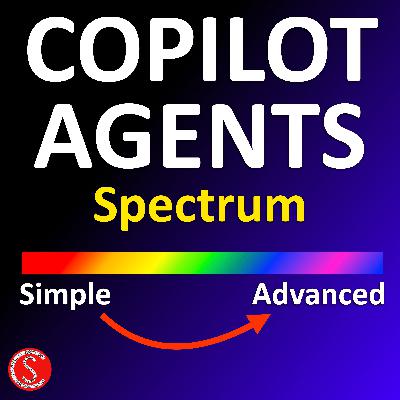
Using Microsoft Copilot Studio, I built a Retrieval, Task, and Autonomous AI Agent - each increasingly smarter than the next. I will take you under the hood to explore their components, functionality, evolution and key differences. The Task based agent is new to this channel and uses ServiceNow connectors for both read/write to a ServiceNow database. Here's what you'll learn in this video: • Why are Agents the future of AI? • A hands-on demo of each type of AI agent, custom made by me • How these agents are built and what makes them unique • The differences between Retrieval, Task, and Autonomous agents • How to get access to Microsoft Copilot Studio • How to calculate agents costs⏩ To watch this Podcast as a video, please visit my YouTube Channel, Collaboration Simplified: https://youtube.com/@collaborationsimplifiedThis Podcast represents the opinions of Shervin Shaffie and his guests to the video and does not reflect the opinions of Microsoft, affiliates, or the companies with which this video's participants are affiliated with.
Master Microsoft Copilot in Excel, from basics to advanced AI & Python analysis. Microsoft 365 Copilot is changing the way we work with Excel, making data analysis faster and easier than ever! In this step-by-step tutorial, I'll show you how to get the most out of Copilot in Excel—from simple prompts to advanced Python-powered analysis. 📌 What You’ll Learn in This Video: - How to set up your Excel file for the best Copilot experience - Where to find Copilot prompts and how to interact with them - Using simple prompts to automate tasks - Advanced data analysis using Python in Copilot - Creating charts and visualizations with AI - Automating conditional formatting for better data insights⏩ To watch this Podcast as a video, please visit my YouTube Channel, Collaboration Simplified: https://youtube.com/@collaborationsimplifiedThis Podcast represents the opinions of Shervin Shaffie and his guests to the video and does not reflect the opinions of Microsoft, affiliates, or the companies with which this video's participants are affiliated with.

Microsoft Copilot Chat is included with Education, Business, and Enterprise licenses, but how does it compare to the paid Microsoft 365 Copilot license? And how do AI Agents fit into the picture? In this video, we break down: 🟣 What Copilot Chat is & how it works 🟣 What Copilot Chat can and CAN’T do 🟣 How it compares to the paid Microsoft 365 Copilot license 🟣 How to Use AI Agents with Copilot Chat 🟣 Discuss Personal vs. Work Copilots 🟣 Live demo to see it all in action Whether you're an IT pro, business user, or just curious about AI in Microsoft 365, this video will give you the clarity you need!⏩ To watch this Podcast as a video, please visit my YouTube Channel, Collaboration Simplified: https://youtube.com/@collaborationsimplifiedThis Podcast represents the opinions of Shervin Shaffie and his guests to the video and does not reflect the opinions of Microsoft, affiliates, or the companies with which this video's participants are affiliated with.
In this video, I’ll show you step-by-step how to create an Autonomous AI Agent that automatically finds answers in emails using internal company documents and prepares a detailed reply. All that's left to do is click send! No coding required to build this agent. Here’s what you’ll learn: ✅ What are Autonomous AI Agents? ✅ How to build one from scratch in Copilot Studio ✅ A real-world demo in action!⏩ To watch this Podcast as a video, please visit my YouTube Channel, Collaboration Simplified: https://youtube.com/@collaborationsimplifiedThis Podcast represents the opinions of Shervin Shaffie and his guests to the video and does not reflect the opinions of Microsoft, affiliates, or the companies with which this video's participants are affiliated with.
Join Shervin Shaffie, Copilot Principal Engineer at Microsoft, for a deep dive into creating a powerful Human Resources (HR) Copilot AI Agent. In this detailed tutorial, you’ll learn: ✅ How to build an HR Copilot Agent from scratch ✅ Best practices for sharing and editing AI agents within your organization ✅ How to integrate HR knowledge sources in SharePoint for Copilot ✅ Accessing and using the HR Copilot Agent effectively ✅ Copilot licensing requirements and considerations for automation Whether you’re an HR professional, IT admin, or AI enthusiast, this guide will help you create your own HR AI assistant. Stay ahead in the world of AI-powered HR solutions and enhance your Microsoft 365 Copilot skills!⏩ To watch this Podcast as a video, please visit my YouTube Channel, Collaboration Simplified: https://youtube.com/@collaborationsimplifiedThis Podcast represents the opinions of Shervin Shaffie and his guests to the video and does not reflect the opinions of Microsoft, affiliates, or the companies with which this video's participants are affiliated with.
Using Microsoft 365 Copilot Agent Builder, Danny Dias & Shervin Shaffie, Copilot Engineers at Microsoft provide a full demonstration and build tutorial. Learn how to use Copilot AI Agents for your everyday work and understand AI security measures across your organization. Automate your workflows, speed up new hire productivity, and increase employee efficiency. This demo is based on a financial services use-case but can easily be modified for any customer workflow. You'll also learn how to use Copilot Pages as a tool to consolidate your Agent responses and collaborate with your teammates.⏩ To watch this Podcast as a video, please visit my YouTube Channel, Collaboration Simplified: https://youtube.com/@collaborationsimplifiedThis Podcast represents the opinions of Shervin Shaffie and his guests to the video and does not reflect the opinions of Microsoft, affiliates, or the companies with which this video's participants are affiliated with.
AI Agents, Copilot Studio, Agent Builder, and Autonomous agents are just a few of the concepts Shervin Shaffie, Copilot Principal Engineer at Microsoft covers in this AI tutorial. Shervin demos an IT Helpdesk agent, an HR Onboarding agent and later builds an HR Benefits agent, step by step from the ground up. In this comprehensive video, Shervin will start off by explaining what Copilot agents are, where to find them, how to use them and ultimately how to build them.⏩ To watch this Podcast as a video, please visit my YouTube Channel, Collaboration Simplified: https://youtube.com/@collaborationsimplifiedThis Podcast represents the opinions of Shervin Shaffie and his guests to the video and does not reflect the opinions of Microsoft, affiliates, or the companies with which this video's participants are affiliated with.

Increase business value by using Copilot Studio to create a custom connector with ServiceNow and Copilot for Microsoft 365. Copilot AI can reason over ServiceNow cases, sort data, and even create reports. Join Shervin Shaffie, Copilot Principal Engineer at Microsoft as he illustrates, step by step, how to connect these traditionally disparate systems. Shervin will start from the beginning and illustrate how tenants have to be configured, before moving into Copilot Studio and building out the ServiceNow connector. Ultimately he will demonstrate the end-user experience of this powerful business process enhancer.⏩ To watch this Podcast as a video, please visit my YouTube Channel, Collaboration Simplified: https://youtube.com/@collaborationsimplifiedThis Podcast represents the opinions of Shervin Shaffie and his guests to the video and does not reflect the opinions of Microsoft, affiliates, or the companies with which this video's participants are affiliated with.
Join Shervin Shaffie, Copilot Principal Engineer at Microsoft as he demonstrates his top Copilot for Microsoft 365 tips. Learn how to find Copilot prompts for Word, Excel, Powerpoint, Teams, Outlook and more. Learn how to bookmark your favorite prompts for easy access and get a sneak peak into the upcoming Copilot prompt scheduler. A tool that will allow you to automate Copilot tasks on your behalf, enjoy!⏩ To watch this Podcast as a video, please visit my YouTube Channel, Collaboration Simplified: https://youtube.com/@collaborationsimplifiedThis Podcast represents the opinions of Shervin Shaffie and his guests to the video and does not reflect the opinions of Microsoft, affiliates, or the companies with which this video's participants are affiliated with.
Join Shervin Shaffie, Copilot Principal Engineer at Microsoft, as he breaks down Microsoft's journey to enabling 330,000 users with Copilot for Microsoft 365. He will walk you through the four main stages for a successful deployment: Governance, Planning & Deployment, Adoption and Support as well as touch on training and optimization topics. This simplified overview will cover all the main components and provide you with a holistic overview of what's involved in a such a project.⏩ To watch this Podcast as a video, please visit my YouTube Channel, Collaboration Simplified: https://youtube.com/@collaborationsimplifiedThis Podcast represents the opinions of Shervin Shaffie and his guests to the video and does not reflect the opinions of Microsoft, affiliates, or the companies with which this video's participants are affiliated with.
Learn how to use Copilot for Microsoft 365 AI with Microsoft Teams Phone calls. Similar to Copilot in Teams Meetings, extremely powerful and a huge time saver, specially on long phone conversations. Join, Shervin Shaffie, Copilot Principal Engineer at Microsoft, as he walks you through this technology in a simplified manner.⏩ To watch this Podcast as a video, please visit my YouTube Channel, Collaboration Simplified: https://youtube.com/@collaborationsimplifiedThis Podcast represents the opinions of Shervin Shaffie and his guests to the video and does not reflect the opinions of Microsoft, affiliates, or the companies with which this video's participants are affiliated with.

Comments

Download from Google Play

Download from App Store
 United States