DiscoverAtoZ CSS
AtoZ CSS
Claim Ownership

AtoZ CSS

Author: Guy Routledge: front-end developer, teacher and screencaster

Subscribed: 426Played: 420
Share

Description


Tue, 26 Apr 2016 14:01:44 +0000
Made with love and CSS by Guy Routledge in 2014. All rights reserved.web,design,development,css,html,screencast,video,frontend,responsive,rwd,webdev,education,technology,entrepreneurTechnology/Software How-Tomail@guyroutledge.co.ukGuy Routledge: front-end developer, teacher and screencasterGuy Routledge: front-end developer, teacher and screencasternoweb,design,development,css,html,screencast,video,frontend,responsive,rwd,webdev,education,technology,entrepreneurLearn CSS and sharpen your front-end skills with this totally free 26-part video seriesAtoZ CSS is a video podcast that tackles one CSS topic per letter of the alphabet. From auto to z-index, take a deep dive into a single property, value, selector or concept each week.
AtoZ CSS Episode26: Z-index
AtoZ CSS Episode26: Z-index


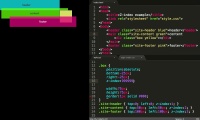
Some interface designs may call for elements to be layered or stacked on top of each other.


There are many ways that elements will naturally stack on top of each other. But we can control this stacking order using a combination of the `position` and `z-index` properties.


In this final episode of AtoZ CSS season one we'll learn about:


  • The default stacking order of the document


  • What a stacking context is and how they interact with each other


  • How z-index controls layer order within stacking contexts


  • And a method I use for standardising z-index across a project


Thu, 30 Oct 2014 11:05:12 +0000

wistia-media-10438157

AtoZ CSS Episode26: Z-index


AtoZ CSS Episode26: Z-index


AtoZ CSS Episode26: Z-index


mail@guyroutledge.co.uk (Guy Routledge: front-end developer, teacher and screencaster)no Some interface designs may call for elements to be layered or stacked on top of each other.   There are many ways that elements will naturally stack on top of each other. But we can control this stacking order using a combination of the `position` and `zGuy Routledge: front-end developer, teacher and screencaster Some interface designs may call for elements to be layered or stacked on top of each other.   There are many ways that elements will naturally stack on top of each other. But we can control this stacking order using a combination of the `position` and `z-index` properties.   In this final episode of AtoZ CSS season one we'll learn about:   The default stacking order of the document What a stacking context is and how they interact with each other How z-index controls layer order within stacking contexts And a method I use for standardising z-index across a project web,design,development,css,html,screencast,video,frontend,responsive,rwd,webdev,education,technology,entrepreneur

AtoZ CSS Episode 25: rotateY
AtoZ CSS Episode 25: rotateY


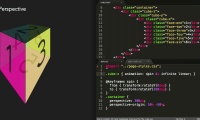
In the previous episode we learned about the transform property and the value translateX(). In this episode we'll be digging deeper into transforms and manipulating elements in 3D.


In this episode we'll learn all about:


  • 3D space in CSS


  • How to rotate elements around their vertical and horizontal axis


  • And how perspective works


Thu, 23 Oct 2014 16:45:13 +0000

wistia-media-10216479

AtoZ CSS Episode 25: rotateY


AtoZ CSS Episode 25: rotateY


AtoZ CSS Episode 25: rotateY


mail@guyroutledge.co.uk (Guy Routledge: front-end developer, teacher and screencaster)no In the previous episode we learned about the transform property and the value translateX(). In this episode we'll be digging deeper into transforms and manipulating elements in 3D. In this episode we'll learn all about:   3D space in CSS How to rotate elGuy Routledge: front-end developer, teacher and screencaster In the previous episode we learned about the transform property and the value translateX(). In this episode we'll be digging deeper into transforms and manipulating elements in 3D. In this episode we'll learn all about:   3D space in CSS How to rotate elements around their vertical and horizontal axis And how perspective works web,design,development,css,html,screencast,video,frontend,responsive,rwd,webdev,education,technology,entrepreneur

AtoZ CSS Episode 24: TranslateX
AtoZ CSS Episode 24: TranslateX


As we approach the end of the alphabet, and the end of the first season of AtoZ CSS, there aren’t many properties, values or concepts that start with the letter X.


There are however a series of transform values that allow elements to have their visual co-ordinates changed along the x-axis to create complex and interesting visual details on the page.


In this episode we’ll learn all about:


  • The CSS transform property


  • Moving elements with translate and translateX


  • The performance benefits of using translate over other methods


Thu, 16 Oct 2014 07:56:34 +0000

wistia-media-9963467

AtoZ CSS Episode 24: TranslateX


AtoZ CSS Episode 24: TranslateX


AtoZ CSS Episode 24: TranslateX


mail@guyroutledge.co.uk (Guy Routledge: front-end developer, teacher and screencaster)no As we approach the end of the alphabet, and the end of the first season of AtoZ CSS, there aren’t many properties, values or concepts that start with the letter X.   There are however a series of transform values that allow elements to have their visual Guy Routledge: front-end developer, teacher and screencaster As we approach the end of the alphabet, and the end of the first season of AtoZ CSS, there aren’t many properties, values or concepts that start with the letter X.   There are however a series of transform values that allow elements to have their visual co-ordinates changed along the x-axis to create complex and interesting visual details on the page.   In this episode we’ll learn all about:   The CSS transform property Moving elements with translate and translateX The performance benefits of using translate over other methods web,design,development,css,html,screencast,video,frontend,responsive,rwd,webdev,education,technology,entrepreneur

AtoZ CSS Episode23: Widows
AtoZ CSS Episode23: Widows


More and more these days, CSS is being used to control the styling of things other than websites.


One type of media that CSS can apply styling to is paged media - things like digital magazines and ebooks or a website in the form of a print stylesheet.


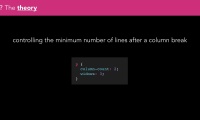
There are some properties that only apply to this media type. The widows and orphans properties are two that allow us to control how lines of text flow around page breaks. 


In this episode we’ll learn about: 


  • Paged media and


  • Widows and Orphans


Thu, 09 Oct 2014 15:39:39 +0000

wistia-media-9758049

AtoZ CSS Episode23: Widows


AtoZ CSS Episode23: Widows


mail@guyroutledge.co.uk (Guy Routledge: front-end developer, teacher and screencaster)no More and more these days, CSS is being used to control the styling of things other than websites.   One type of media that CSS can apply styling to is paged media - things like digital magazines and ebooks or a website in the form of a print stylesheet. Guy Routledge: front-end developer, teacher and screencaster More and more these days, CSS is being used to control the styling of things other than websites.   One type of media that CSS can apply styling to is paged media - things like digital magazines and ebooks or a website in the form of a print stylesheet.   There are some properties that only apply to this media type. The widows and orphans properties are two that allow us to control how lines of text flow around page breaks.    In this episode we’ll learn about:  Paged media and Widows and Orphans web,design,development,css,html,screencast,video,frontend,responsive,rwd,webdev,educa
35 Episodes
Reverse
Sass mixins enables block of code to be reused with slight variations. They take the form @mixin uppercase-letter-spacing { letter-spacing: 2px; text-transform: uppercase; } And then are used by calling @include within the body of a style rule. Mixins can have parameters (arguments) passed to them which is what makes them very flexible. It’s also possible to call a mixin and pass a whole block of CSS via the @content directive. Check out the video for a recap on how mixins work and then a round up of some particularly useful examples.
In this video we'll be diving into two more command line tools that can help you compile Sass. They both do a lot more than just compile Sass so they're definitely worth looking in to. But for the purposes of keeping this video short and to the point, we'll just focus on the Sass side of things. Grunt and Gulp are both JavaScript powered build tools. They can be used to compile Sass, start local servers, run linters, automatically add vendor prefixes, inline CSS and much, much more! While both tools do similar things, they work in very different ways behind the scenes. Grunt uses a declarative approach to configuring tasks (for things like compiling CSS). A Gruntfile.js contains a large configuration object that specifies the options for each task - things like where to find the imput Sass files, where to output the compiled CSS and what output style should be used. Gulp uses “streams” and it’s configuration style may look familiar if you work with jQuery code a lot. I’ve used both but now favour Gulp for compiling my Sass predominantly because it uses Node Sass behind the scenes which runs incredibly fast, cutting down development time significantly.
Functions are a core concept in many programming languages but creating our own custom functions isn't something we can use in normal CSS. However, Sass brings the power of programming to the table and does allow us to create custom functions for performing common tasks. In this episode you'll learn what functions can do and why they're useful, how to create and use your own custom functions in Sass and examples of functions in the real world
Mixins are a way of creating flexible, reusable chunks of code. Another Sass feature which seems to work in a similar way is the @extend directive. In this episode we'll learn all about extends and how they're different to mixins, how to create and extend placeholder selectors and about some of the pros and cons of using extend in real projects.
Sass brings a lot more power to CSS and starts to make it feel like a programming language rather than just a series of property and value declarations. One key feature that enables this programatic feel is Sass variables, which can hold a number of different types of data. In this episode we'll cover the seven core data types in Sass and how we can manipulate and operate on these various values.
Colour is hugely important for adding life and visual interest to a project and is an invaluable tool for highlighting parts of the interface that a user can interact with. In this practical episode we're going to talk all about manipulating colours programmatically with Sass. Colour functions take the form function-name( $color, $amount ). The are really useful for manipulating a base pallette of colours for visual details like borders, gradients and drop shadows. Some of the most popular Sass colour functions include: lighten( ) darken( ) saturate( ) desaturate( ) rgba( ) The Sass rgba() function takes any valid colour format and a decimal amount for quick and easy transparent colours without typing out the full red, green and blue values.
BEM is a system of naming classes that encourages the good practice of writing modular code. It can really help bring structure and meaning to the way we name things and it's something I use consistently in my day to day client work. It can be used with or without Sass but Sass and BEM are a great combination. In this video you'll learn what BEM is, what it stands for, how to leverage the Sass ampersand with BEM and some BEM best practices.
In this first video of a brand new AtoZ screencast series, we start our journey into the world of Sass. The Sass ampersand character is very powerful and acts as a placeholder for the parent selector within nesting.
Some interface designs may call for elements to be layered or stacked on top of each other.   There are many ways that elements will naturally stack on top of each other. But we can control this stacking order using a combination of the `position` and `z-index` properties.   In this final episode of AtoZ CSS season one we'll learn about:   The default stacking order of the document What a stacking context is and how they interact with each other How z-index controls layer order within stacking contexts And a method I use for standardising z-index across a project
In the previous episode we learned about the transform property and the value translateX(). In this episode we'll be digging deeper into transforms and manipulating elements in 3D. In this episode we'll learn all about:   3D space in CSS How to rotate elements around their vertical and horizontal axis And how perspective works
As we approach the end of the alphabet, and the end of the first season of AtoZ CSS, there aren’t many properties, values or concepts that start with the letter X.   There are however a series of transform values that allow elements to have their visual co-ordinates changed along the x-axis to create complex and interesting visual details on the page.   In this episode we’ll learn all about:   The CSS transform property Moving elements with translate and translateX The performance benefits of using translate over other methods
More and more these days, CSS is being used to control the styling of things other than websites.   One type of media that CSS can apply styling to is paged media - things like digital magazines and ebooks or a website in the form of a print stylesheet.   There are some properties that only apply to this media type. The widows and orphans properties are two that allow us to control how lines of text flow around page breaks.    In this episode we’ll learn about:  Paged media and Widows and Orphans
In the previous episode we looked at all sorts of properties for styling text. In modern browsers, and in IE back to version 4, we can add *custom* fonts to enhance the design of our websites. We can leverage various features of these custom fonts to help boost performance and improve our typography overall.   In this episode we'll learn: All about the `@font-face` at-rule And how to control typography with font stacks and `unicode-range`
Text is everywhere. Without it, the web wouldn't be such a valuable resource. There are many different CSS properties for styling text and in this video we'll cover most of them in some way shape or form. As there are so many things to cover, this episode will demo a selection but in part just act as an overview of the tools in the box.   In this episode we cover   `text-align` `text-decoration` `text-indent` `text-overflow` `text-rendering` `text-shadow` `text-transform` `font-family` `font-size` `font-style` `font-weight` `font-variant` `font` shorthand `line-height` `letter-spacing` `word-spacing` `word-wrap` `white-space`
When using new or experimental CSS, it can be useful to know if the browser supports the features we’re writing code for.   Feature detection is often done in JavaScript with tools like Modernizr but in some browsers, we can now detect capabilities from CSS.   The @supports rule allows us to conditionally apply styles for features that are or are not supported. In this episode we’ll learn all about Browser support for various CSS features How the @supports at-rule works and how to provide alternative styles for unsupported features
:required is a state based pseudo class that can be useful when styling forms.   Combined with :valid and :invalid we can have a lot of control over providing visual feedback to users without having to write lots of JavaScript.   In this episode we’ll learn:  How to use HTML5 form validation Using :required and other state-based pseudo classes A creative technique for displaying validation messages to users
Single and double quotes appear frequently when writing code.   However, when displaying any quoted text like the `q` element or when using apostropes we should use smart quotes.   These are often added by the browser, but we can control their appearance and the choice of character from CSS.   In this episode about we'll learn all about:   the difference between dumb quotes and smart quotes the different styles of quotes used internationally and the somewhat under-used CSS `quotes` property
Pseudo elements are elements on the page that aren't found in the HTML code.   They can be manipulated with any CSS that would be applied to any other element.   Two special pseudo elements - :before and :after can be used to generate content on the page from CSS and have many potential use cases.   In this episode we'll learn about:  The five different pseudo elements, generating content like text, images attribute values and counters from CSS and how to make complex shapes with minimal markup
The opacity property specifies how opaque an element is. It takes a value ranging from 0 to 1 where 0 is completely transparent and 1 is completely opaque. In this practical episode we'll look at how the opacity property works - including some of it's downsides - and then create a CSS only fading slideshow using `opacity` and what we learned about `@keyframes` in Episode 11.
loading
Comments 
loading
