



 Claim Ownership
Cherru
Subscribed: 2Played: 18
Subscribe

Description
Pasa y aprende con mis cursos de Adobe Premiere Pro, Final Cut Pro X, Photoshop y con interesantes videotutoriales sobre trucos para tu Mac, Windows, Bricotecno, reviews Tecnointeresantes y todo lo relacionado con internet y la tecnología. Prometo no aburrirte.
CONTACTO EMPRESARIAL/COLABORACIONES: contacto@cherru.es
CONTACTO EMPRESARIAL/COLABORACIONES: contacto@cherru.es
72 Episodes
Reverse

Os traigo un pack profesional de 9 LUTS EXCLUSIVOS para que vuestros vídeos adquieran un color fantástico con un solo clic y os enseño a trabajar con ellos.
★ Link de descarga 9 LUTS PACK GRATIS: http://bit.ly/9-LUTS-Pack-Premiere
(Para no pagar nada, utilizad el código: GRATIS100X100)
► Más presets para Premiere: http://bit.ly/Presets_Premiere_Pack
► Mi actual cámara: http://amzn.to/2uYu2JL
► ¿Quiéres sonidos gratis para tus vídeos? ¡Pues toma!: http://bit.ly/Packs_de_sonidos_mp3
► Curso de Adobe Premiere completo: http://bit.ly/Curso-Premiere-Pro
► Curso de Final Cut Pro X completo: http://bit.ly/Curso-Final-Cut-Pro-X
► Curso Photoshop completo: http://bit.ly/Curso-Photoshop-CC
► Descarga los recursos utilizados aquí: https://www.cherru.es/descargar-recursos
► Todo esto y mucho más en mi web: https://www.cherru.es
SUSCRÍBETE A MIS TRES CANALES:
★ Cherru: http://goo.gl/pNtV5i
★ CherruVlog: http://goo.gl/0qXmxb
★ CherruGames: https://goo.gl/5JMQKn
SÍGUEME Y CONTACTA CONMIGO:
► Twitter: http://twitter.com/cherruvideos
► Facebook: http://facebook.com/cherruvideos
► Instagram: http://instagram.com/cherruvideos
► Telegram (MD): http://telegram.me/cherruvideos
► Telegram (Cherrigrupo): http://t.me/cherrigrupo
► Web: https://www.cherru.es
► Email: contacto@cherru.es
VIDEOS INTERESANTES DEL CANAL:
► Curso Final Cut Pro X: https://goo.gl/CL0Dm9
► Curso Photoshop: https://goo.gl/16xJlW
► Curso Adobe Premiere Pro: https://goo.gl/DDk6sI
► Tutoriales Mac OSX: https://goo.gl/x0i3WL
► Tutoriales Windows: https://goo.gl/ZSvdNH
► Tecnointeresantes: https://goo.gl/0Uh4lk
► BricoTecno: https://goo.gl/CegcLh
► Cómo ampliar tu Mac: https://goo.gl/bHTuUO
► Curso básico de Mac: https://goo.gl/mjy76V

Especial 100K...¡GRACIAS A TODOS! y no os perdáis el final del vídeo porque os revelo una información que he mantenido en secreto hasta hoy.
► Con qué lo he grabado: http://amzn.to/2uYu2JL
SUSCRÍBETE A MIS TRES CANALES:
► Cherru: http://goo.gl/pNtV5i
► CherruVlog: http://goo.gl/0qXmxb
► CherruGames: https://goo.gl/5JMQKn
SÍGUEME Y CONTACTA CONMIGO:
► MI NUEVA WEB: https://www.cherru.es
► Twitter: http://twitter.com/cherruvideos
► Facebook: http://facebook.com/cherruvideos
► Instagram: http://instagram.com/cherruvideos
► Telegram (MD): http://telegram.me/cherruvideos
► Telegram (Cherrigrupo): http://t.me/cherrigrupo
► Email: contacto@cherru.es
VIDEOS INTERESANTES DEL CANAL:
► Curso Final Cut Pro X: https://goo.gl/CL0Dm9
► Curso Photoshop: https://goo.gl/16xJlW
► Curso Adobe Premiere Pro: https://goo.gl/DDk6sI
► Tutoriales Mac OSX: https://goo.gl/x0i3WL
► Tutoriales Windows: https://goo.gl/ZSvdNH
► Tecnointeresantes: https://goo.gl/0Uh4lk
► BricoTecno: https://goo.gl/CegcLh
► Cómo ampliar tu Mac: https://goo.gl/bHTuUO
► Curso básico de Mac: https://goo.gl/mjy76V

Os presento la que considero la mejor modificación que se le puede hacer al patinete Xiaomi M365. Obtendrás unos niveles de rendimiento brutales: + Velocidad + Estabilidad + Seguridad + Fiabilidad.
★ Link del firmware que utilizo en mi patinete: https://www.cherru.es/descargar-recursos/
★ Vídeo para hacer el downgrade al patinete y trucarlo: https://www.youtube.com/watch?v=VelI9y9nxdI (Agradecimientos a El Camionero Geek)
★ Link del taller donde me lo han modificado: https://smartride.es/index.php/servicio-tecnico/
★ Link del patinete en Amazon: https://amzn.to/2YzmFq7
★ Link de los accesorios: https://amzn.to/2YD8RuE
► Con qué lo he grabado: http://amzn.to/2uYu2JL
SUSCRÍBETE A MIS TRES CANALES:
► Cherru: http://goo.gl/pNtV5i
► CherruVlog: http://goo.gl/0qXmxb
► CherruGames: https://goo.gl/5JMQKn
SÍGUEME Y CONTACTA CONMIGO:
► MI NUEVA WEB: https://www.cherru.es
► Twitter: http://twitter.com/cherruvideos
► Facebook: http://facebook.com/cherruvideos
► Instagram: http://instagram.com/cherruvideos
► Telegram (MD): http://telegram.me/cherruvideos
► Telegram (Cherrigrupo): http://t.me/cherrigrupo
► Email: contacto@cherru.es
VIDEOS INTERESANTES DEL CANAL:
► Curso Final Cut Pro X: https://goo.gl/CL0Dm9
► Curso Photoshop: https://goo.gl/16xJlW
► Curso Adobe Premiere Pro: https://goo.gl/DDk6sI
► Tutoriales Mac OSX: https://goo.gl/x0i3WL
► Tutoriales Windows: https://goo.gl/ZSvdNH
► Tecnointeresantes: https://goo.gl/0Uh4lk
► BricoTecno: https://goo.gl/CegcLh
► Cómo ampliar tu Mac: https://goo.gl/bHTuUO
► Curso básico de Mac: https://goo.gl/mjy76V

Os muestro cómo insertar una imagen dentro de un círculo en Photoshop, de la forma más sencilla y profesional.
► Descarga el recurso utilizado aquí: https://www.cherru.es/descargar-recursos/
SUSCRÍBETE A MIS TRES CANALES:
★ Cherru: http://goo.gl/pNtV5i
★ CherruVlog: http://goo.gl/0qXmxb
★ CherruGames: https://goo.gl/5JMQKn
SÍGUEME Y CONTACTA CONMIGO:
► Twitter: http://twitter.com/cherruvideos
► Facebook: http://facebook.com/cherruvideos
► Instagram: http://instagram.com/cherruvideos
► Telegram (MD): http://telegram.me/cherruvideos
► Telegram (Cherrigrupo): http://t.me/cherrigrupo
► Web: https://www.cherru.es
► Email: contacto@cherru.es
VIDEOS INTERESANTES DEL CANAL:
► Curso Final Cut Pro X: https://goo.gl/CL0Dm9
► Curso Photoshop: https://goo.gl/16xJlW
► Curso Adobe Premiere Pro: https://goo.gl/DDk6sI
► Tutoriales Mac OSX: https://goo.gl/x0i3WL
► Tutoriales Windows: https://goo.gl/ZSvdNH
► Tecnointeresantes: https://goo.gl/0Uh4lk
► BricoTecno: https://goo.gl/CegcLh
► Cómo ampliar tu Mac: https://goo.gl/bHTuUO
► Curso básico de Mac: https://goo.gl/mjy76V

► Spyzie: https://bit.ly/2vZqVCn
► Cómo rastrear un teléfono celular sin que ellos lo sepan: https://bit.ly/2HlJnvF
Método definitivo e indetectable pensado para padres que quieran controlar a sus hijos, posibles infidelidades, parejas o supervisión de empleados.
► Te explico todas las funciones en este post: https://www.cherru.es/como-localizar-celular
SUSCRÍBETE A MIS TRES CANALES:
★ Cherru: http://goo.gl/pNtV5i
★ CherruVlog: http://goo.gl/0qXmxb
★ CherruGames: https://goo.gl/5JMQKn
SÍGUEME Y CONTACTA CONMIGO:
► Twitter: http://twitter.com/cherruvideos
► Facebook: http://facebook.com/cherruvideos
► Instagram: http://instagram.com/cherruvideos
► Telegram (MD): http://telegram.me/cherruvideos
► Telegram (Cherrigrupo): http://t.me/cherrigrupo
► Web: https://www.cherru.es
► Email: contacto@cherru.es
VIDEOS INTERESANTES DEL CANAL:
► Curso Final Cut Pro X: https://goo.gl/CL0Dm9
► Curso Photoshop: https://goo.gl/16xJlW
► Curso Adobe Premiere Pro: https://goo.gl/DDk6sI
► Tutoriales Mac OSX: https://goo.gl/x0i3WL
► Tutoriales Windows: https://goo.gl/ZSvdNH
► Tecnointeresantes: https://goo.gl/0Uh4lk
► BricoTecno: https://goo.gl/CegcLh
► Cómo ampliar tu Mac: https://goo.gl/bHTuUO
► Curso básico de Mac: https://goo.gl/mjy76V

★ Link del set de 2 cámaras: https://amzn.to/2JB0UmC
★ Link de mi soporte para smartphone: https://amzn.to/2HFVnth
★ Link del patinete Xiaomi M365 (Rebajado 11%): https://amzn.to/2U398cg
► ¡Mira mi nueva web!: https://www.cherru.es
SUSCRÍBETE A MIS TRES CANALES:
★ Cherru: http://goo.gl/pNtV5i
★ CherruVlog: http://goo.gl/0qXmxb
★ CherruGames: https://goo.gl/5JMQKn
SÍGUEME Y CONTACTA CONMIGO:
► Twitter: http://twitter.com/cherruvideos
► Facebook: http://facebook.com/cherruvideos
► Instagram: http://instagram.com/cherruvideos
► Telegram (MD): http://telegram.me/cherruvideos
► Telegram (Cherrigrupo): http://t.me/cherrigrupo
► Web: https://www.cherru.es
► Email: contacto@cherru.es
VIDEOS INTERESANTES DEL CANAL:
► Curso Final Cut Pro X: https://goo.gl/CL0Dm9
► Curso Photoshop: https://goo.gl/16xJlW
► Curso Adobe Premiere Pro: https://goo.gl/DDk6sI
► Tutoriales Mac OSX: https://goo.gl/x0i3WL
► Tutoriales Windows: https://goo.gl/ZSvdNH
► Tecnointeresantes: https://goo.gl/0Uh4lk
► BricoTecno: https://goo.gl/CegcLh
► Cómo ampliar tu Mac: https://goo.gl/bHTuUO
► Curso básico de Mac: https://goo.gl/mjy76V

★ Link cable USB a SATA III: https://amzn.to/2HF045J
★ Link adaptador SuperDrive: https://amzn.to/2TEecDD
★ Link disco SSD: https://amzn.to/2TCSG1U
► Link al post de mi web con el vídeo exclusivo desmontando la SuperDrive paso a paso: https://www.cherru.es/como-formatear-mac
► Link a mi web para crear un USB booteable tú mismo: https://www.cherru.es/crear-usb-booteable-osx-desde-windows
► Link a mi web para comprar un USB booteable ya hecho: https://www.cherru.es/categoria-producto/comprar-usb-instalador-mac-osx/
► ¡Mira mi nueva web!: https://www.cherru.es
SUSCRÍBETE A MIS TRES CANALES:
★ Cherru: http://goo.gl/pNtV5i
★ CherruVlog: http://goo.gl/0qXmxb
★ CherruGames: https://goo.gl/5JMQKn
SÍGUEME Y CONTACTA CONMIGO:
► Twitter: http://twitter.com/cherruvideos
► Facebook: http://facebook.com/cherruvideos
► Instagram: http://instagram.com/cherruvideos
► Telegram (MD): http://telegram.me/cherruvideos
► Telegram (Cherrigrupo): http://t.me/cherrigrupo
► Web: https://www.cherru.es
► Email: contacto@cherru.es
VIDEOS INTERESANTES DEL CANAL:
► Curso Final Cut Pro X: https://goo.gl/CL0Dm9
► Curso Photoshop: https://goo.gl/16xJlW
► Curso Adobe Premiere Pro: https://goo.gl/DDk6sI
► Tutoriales Mac OSX: https://goo.gl/x0i3WL
► Tutoriales Windows: https://goo.gl/ZSvdNH
► Tecnointeresantes: https://goo.gl/0Uh4lk
► BricoTecno: https://goo.gl/CegcLh
► Cómo ampliar tu Mac: https://goo.gl/bHTuUO
► Curso básico de Mac: https://goo.gl/mjy76V

Estáis ante el que, bajo mi punto de vista, es el mejor micrófono lavalier que existe dentro de su categoría. Dentro os oxplico por qué es tan bueno y qué lo diferencia de los demás, con prueba de sonido.
► Link Shure: https://amzn.to/2GBTJIt
► Link al post de mi web con video test de sonido exclusivo: https://www.cherru.es/analisis-microfono-solapa-shure-motiv-mvla/
► Adaptador obligatorio para cámara DSLR: https://amzn.to/2DTBXNb
► Link Yeti: https://amzn.to/2V8AcTu
► ¡Mira mi nueva web!: https://www.cherru.es
SUSCRÍBETE A MIS TRES CANALES:
★ Cherru: http://goo.gl/pNtV5i
★ CherruVlog: http://goo.gl/0qXmxb
★ CherruGames: https://goo.gl/5JMQKn
SÍGUEME Y CONTACTA CONMIGO:
► Twitter: http://twitter.com/cherruvideos
► Facebook: http://facebook.com/cherruvideos
► Instagram: http://instagram.com/cherruvideos
► Telegram (MD): http://telegram.me/cherruvideos
► Telegram (Cherrigrupo): http://t.me/cherrigrupo
► Web: https://www.cherru.es
► Email: contacto@cherru.es
VIDEOS INTERESANTES DEL CANAL:
► Curso Final Cut Pro X: https://goo.gl/CL0Dm9
► Curso Photoshop: https://goo.gl/16xJlW
► Curso Adobe Premiere Pro: https://goo.gl/DDk6sI
► Tutoriales Mac OSX: https://goo.gl/x0i3WL
► Tutoriales Windows: https://goo.gl/ZSvdNH
► Tecnointeresantes: https://goo.gl/0Uh4lk
► BricoTecno: https://goo.gl/CegcLh
► Cómo ampliar tu Mac: https://goo.gl/bHTuUO
► Curso básico de Mac: https://goo.gl/mjy76V

Por desgracia a nuestros alimentos les añaden "Aditivos E", de dudosa procedencia o simplemente tóxicos para la salud. Con este tip puedes comprobar al instante qué lleva tu comida. AVISO: Puede que al ver sus aditivos rechaces para siempre ese alimento.
► ¡Mira mi nueva web!: https://www.cherru.es
SUSCRÍBETE A MIS TRES CANALES:
★ Cherru: http://goo.gl/pNtV5i
★ CherruVlog: http://goo.gl/0qXmxb
★ CherruGames: https://goo.gl/5JMQKn
SÍGUEME Y CONTACTA CONMIGO:
► Twitter: http://twitter.com/cherruvideos
► Facebook: http://facebook.com/cherruvideos
► Instagram: http://instagram.com/cherruvideos
► Telegram (MD): http://telegram.me/cherruvideos
► Telegram (Cherrigrupo): http://t.me/cherrigrupo
► Web: https://www.cherru.es
► Email: contacto@cherru.es
VIDEOS INTERESANTES DEL CANAL:
► Curso Final Cut Pro X: https://goo.gl/CL0Dm9
► Curso Photoshop: https://goo.gl/16xJlW
► Curso Adobe Premiere Pro: https://goo.gl/DDk6sI
► Tutoriales Mac OSX: https://goo.gl/x0i3WL
► Tutoriales Windows: https://goo.gl/ZSvdNH
► Tecnointeresantes: https://goo.gl/0Uh4lk
► BricoTecno: https://goo.gl/CegcLh
► Cómo ampliar tu Mac: https://goo.gl/bHTuUO
► Curso básico de Mac: https://goo.gl/mjy76V

Trucazo para compartir tu wifi y dejar a todos con la boca abierta.
► ¡Mira mi nueva web!: https://www.cherru.es
SUSCRÍBETE A MIS TRES CANALES:
★ Cherru: http://goo.gl/pNtV5i
★ CherruVlog: http://goo.gl/0qXmxb
★ CherruGames: https://goo.gl/5JMQKn
SÍGUEME Y CONTACTA CONMIGO:
► Twitter: http://twitter.com/cherruvideos
► Facebook: http://facebook.com/cherruvideos
► Instagram: http://instagram.com/cherruvideos
► Telegram (MD): http://telegram.me/cherruvideos
► Telegram (Cherrigrupo): http://t.me/cherrigrupo
► Web: https://www.cherru.es
► Email: contacto@cherru.es
VIDEOS INTERESANTES DEL CANAL:
► Curso Final Cut Pro X: https://goo.gl/CL0Dm9
► Curso Photoshop: https://goo.gl/16xJlW
► Curso Adobe Premiere Pro: https://goo.gl/DDk6sI
► Tutoriales Mac OSX: https://goo.gl/x0i3WL
► Tutoriales Windows: https://goo.gl/ZSvdNH
► Tecnointeresantes: https://goo.gl/0Uh4lk
► BricoTecno: https://goo.gl/CegcLh
► Cómo ampliar tu Mac: https://goo.gl/bHTuUO
► Curso básico de Mac: https://goo.gl/mjy76V

Te muestro cómo ver la ISS desde tu propia casa, a simple vista. Es una experiencia única que pocas personas han presenciado.
★ Link para saber cuándo pasa la ISS por tu casa: http://bit.ly/Como_ver_la_ISS
► ¡Mira mi nueva web!: https://www.cherru.es
SUSCRÍBETE A MIS TRES CANALES:
★ Cherru: http://goo.gl/pNtV5i
★ CherruVlog: http://goo.gl/0qXmxb
★ CherruGames: https://goo.gl/5JMQKn
SÍGUEME Y CONTACTA CONMIGO:
► Twitter: http://twitter.com/cherruvideos
► Facebook: http://facebook.com/cherruvideos
► Instagram: http://instagram.com/cherruvideos
► Telegram (MD): http://telegram.me/cherruvideos
► Telegram (Cherrigrupo): http://t.me/cherrigrupo
► Web: https://www.cherru.es
► Email: contacto@cherru.es
VIDEOS INTERESANTES DEL CANAL:
► Curso Final Cut Pro X: https://goo.gl/CL0Dm9
► Curso Photoshop: https://goo.gl/16xJlW
► Curso Adobe Premiere Pro: https://goo.gl/DDk6sI
► Tutoriales Mac OSX: https://goo.gl/x0i3WL
► Tutoriales Windows: https://goo.gl/ZSvdNH
► Tecnointeresantes: https://goo.gl/0Uh4lk
► BricoTecno: https://goo.gl/CegcLh
► Cómo ampliar tu Mac: https://goo.gl/bHTuUO
► Curso básico de Mac: https://goo.gl/mjy76V

Antes de llevar tu iPhone a cambiar la batería, mira esto... No te arrepentirás.
★ Kit utilizado: https://amzn.to/2Sa0tPl
SUSCRÍBETE A MIS TRES CANALES:
★ Cherru: http://goo.gl/pNtV5i
★ CherruVlog: http://goo.gl/0qXmxb
★ CherruGames: https://goo.gl/5JMQKn
► ¡Mira mi nueva web!: https://www.cherru.es
SÍGUEME Y CONTACTA CONMIGO:
► Twitter: http://twitter.com/cherruvideos
► Facebook: http://facebook.com/cherruvideos
► Instagram: http://instagram.com/cherruvideos
► Telegram (MD): http://telegram.me/cherruvideos
► Telegram (Cherrigrupo): http://t.me/cherrigrupo
► Web: https://www.cherru.es
► Email: contacto@cherru.es
VIDEOS INTERESANTES DEL CANAL:
► Curso Final Cut Pro X: https://goo.gl/CL0Dm9
► Curso Photoshop: https://goo.gl/16xJlW
► Curso Adobe Premiere Pro: https://goo.gl/DDk6sI
► Tutoriales Mac OSX: https://goo.gl/x0i3WL
► Tutoriales Windows: https://goo.gl/ZSvdNH
► Tecnointeresantes: https://goo.gl/0Uh4lk
► BricoTecno: https://goo.gl/CegcLh
► Cómo ampliar tu Mac: https://goo.gl/bHTuUO
► Curso básico de Mac: https://goo.gl/mjy76V

En este tutorial te enseño a crear tus propios Stickers para Telegram con dos métodos muy sencillos. Con este truco personalizarás tu Telegram fácilmente y podrás enviar estos Stickers en tus chats siempre que quieras.
★ Cómo crear Stickers para Whatsapp: https://youtu.be/EkaAP5guq40
★ Link de los Stickers creados en este vídeo: https://t.me/addstickers/RestFamosos
SUSCRÍBETE A MIS TRES CANALES:
★ Cherru: http://goo.gl/pNtV5i
★ CherruVlog: http://goo.gl/0qXmxb
★ CherruGames: https://goo.gl/5JMQKn
► ¡Mira mi nueva web!: https://www.cherru.es
SÍGUEME Y CONTACTA CONMIGO:
► Twitter: http://twitter.com/cherruvideos
► Facebook: http://facebook.com/cherruvideos
► Instagram: http://instagram.com/cherruvideos
► Telegram (MD): http://telegram.me/cherruvideos
► Telegram (Cherrigrupo): http://t.me/cherrigrupo
► Web: https://www.cherru.es
► Email: contacto@cherru.es
VIDEOS INTERESANTES DEL CANAL:
► Curso Final Cut Pro X: https://goo.gl/CL0Dm9
► Curso Photoshop: https://goo.gl/16xJlW
► Curso Adobe Premiere Pro: https://goo.gl/DDk6sI
► Tutoriales Mac OSX: https://goo.gl/x0i3WL
► Tutoriales Windows: https://goo.gl/ZSvdNH
► Tecnointeresantes: https://goo.gl/0Uh4lk
► BricoTecno: https://goo.gl/CegcLh
► Cómo ampliar tu Mac: https://goo.gl/bHTuUO
► Curso básico de Mac: https://goo.gl/mjy76V

En este tutorial te enseño a crear tus propios Stickers para Whatsapp desde iOS con un iPhone. Con este truco personalizarás tu Whatsapp fácilmente y podrás enviar estos Stickers en tus chats siempre que quieras.
★ Cómo crear Stickers para Telegram: https://youtu.be/Dwio-duKXvg
SUSCRÍBETE A MIS TRES CANALES:
★ Cherru: http://goo.gl/pNtV5i
★ CherruVlog: http://goo.gl/0qXmxb
★ CherruGames: https://goo.gl/5JMQKn
► ¡Mira mi nueva web!: https://www.cherru.es
SÍGUEME Y CONTACTA CONMIGO:
► Twitter: http://twitter.com/cherruvideos
► Facebook: http://facebook.com/cherruvideos
► Instagram: http://instagram.com/cherruvideos
► Telegram (MD): http://telegram.me/cherruvideos
► Telegram (Cherrigrupo): http://t.me/cherrigrupo
► Web: https://www.cherru.es
► Email: contacto@cherru.es
VIDEOS INTERESANTES DEL CANAL:
► Curso Final Cut Pro X: https://goo.gl/CL0Dm9
► Curso Photoshop: https://goo.gl/16xJlW
► Curso Adobe Premiere Pro: https://goo.gl/DDk6sI
► Tutoriales Mac OSX: https://goo.gl/x0i3WL
► Tutoriales Windows: https://goo.gl/ZSvdNH
► Tecnointeresantes: https://goo.gl/0Uh4lk
► BricoTecno: https://goo.gl/CegcLh
► Cómo ampliar tu Mac: https://goo.gl/bHTuUO
► Curso básico de Mac: https://goo.gl/mjy76V

Os traigo un pack de transiciones Girar + Deslizar + Zoom que os he diseñado y que generan unos efectos muy chulos.
★ Link transiciones: https://www.cherru.es/producto/transiciones-premiere-giro-deslizar-zoom/
SUSCRÍBETE A MIS TRES CANALES:
★ Cherru: http://goo.gl/pNtV5i
★ CherruVlog: http://goo.gl/0qXmxb
★ CherruGames: https://goo.gl/5JMQKn
► Todos los capítulos GRATIS aquí: https://goo.gl/DDk6sI
► ¡Mira mi nueva web!: https://www.cherru.es
SÍGUEME Y CONTACTA CONMIGO:
► Twitter: http://twitter.com/cherruvideos
► Facebook: http://facebook.com/cherruvideos
► Instagram: http://instagram.com/cherruvideos
► Telegram (MD): http://telegram.me/cherruvideos
► Telegram (Cherrigrupo): http://t.me/cherrigrupo
► Web: https://www.cherru.es
► Email: contacto@cherru.es
VIDEOS INTERESANTES DEL CANAL:
► Curso Final Cut Pro X: https://goo.gl/CL0Dm9
► Curso Photoshop: https://goo.gl/16xJlW
► Curso Adobe Premiere Pro: https://goo.gl/DDk6sI
► Tutoriales Mac OSX: https://goo.gl/x0i3WL
► Tutoriales Windows: https://goo.gl/ZSvdNH
► Tecnointeresantes: https://goo.gl/0Uh4lk
► BricoTecno: https://goo.gl/CegcLh
► Cómo ampliar tu Mac: https://goo.gl/bHTuUO
► Curso básico de Mac: https://goo.gl/mjy76V

★ ENLACE A MI POST DE OFERTAS BLACK FRIDAY: https://www.cherru.es/ofertas-flash-black-friday
► Con esto grabo mis tutoriales: https://amzn.to/2CTF4Wo
SUSCRÍBETE A MIS TRES CANALES:
► Cherru: http://goo.gl/pNtV5i
► CherruVlog: http://goo.gl/0qXmxb
► CherruGames: https://goo.gl/5JMQKn
★ ¡Tienes que visitar mi nueva página web!: https://www.cherru.es
SÍGUEME Y CONTACTA CONMIGO:
► MI NUEVA WEB: https://www.cherru.es
► Twitter: http://twitter.com/cherruvideos
► Facebook: http://facebook.com/cherruvideos
► Instagram: http://instagram.com/cherruvideos
► Telegram (MD): http://telegram.me/cherruvideos
► Telegram (Cherrigrupo): http://t.me/cherrigrupo
► Email: contacto@cherru.es
VIDEOS INTERESANTES DEL CANAL:
► Curso Final Cut Pro X: https://goo.gl/CL0Dm9
► Curso Photoshop: https://goo.gl/16xJlW
► Curso Adobe Premiere Pro: https://goo.gl/DDk6sI
► Tutoriales Mac OSX: https://goo.gl/x0i3WL
► Tutoriales Windows: https://goo.gl/ZSvdNH
► Tecnointeresantes: https://goo.gl/0Uh4lk
► BricoTecno: https://goo.gl/CegcLh
► Cómo ampliar tu Mac: https://goo.gl/bHTuUO
► Curso básico de Mac: https://goo.gl/mjy76V
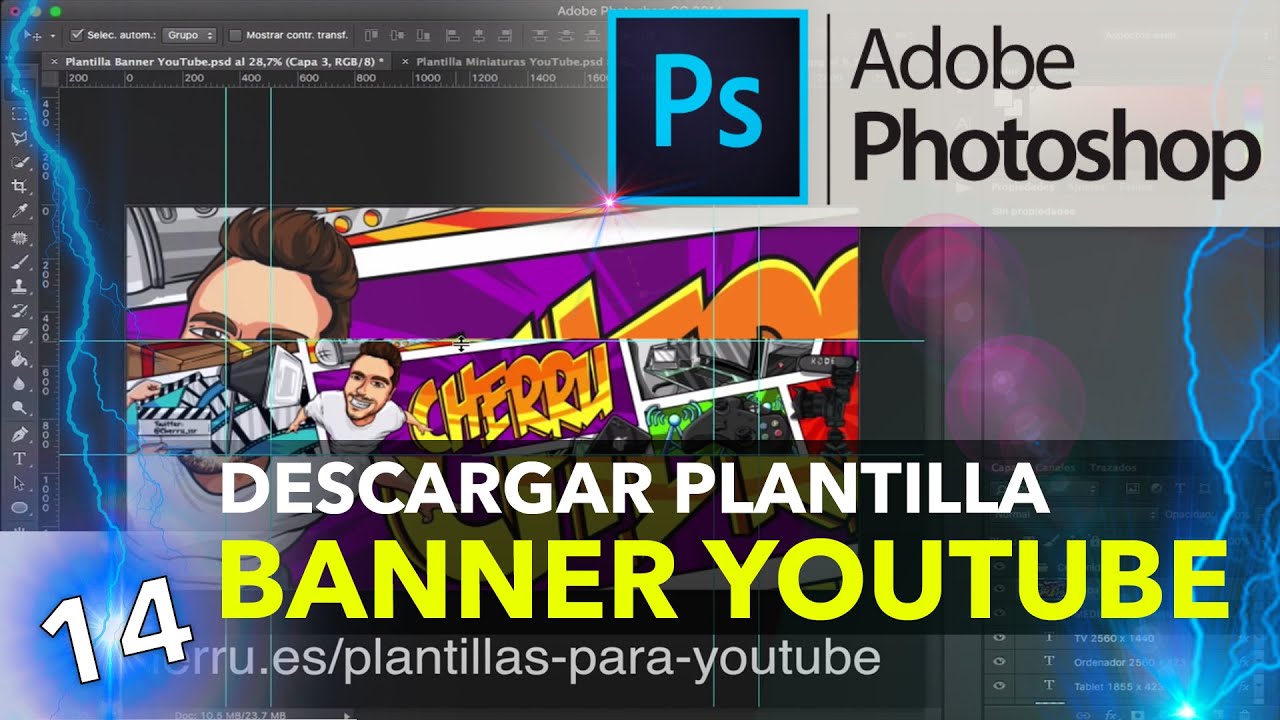
★ ENLACE PARA DESCARGAR LAS PLANTILLAS: https://www.cherru.es/plantillas-para-youtube
► Con esto grabo mis tutoriales: https://amzn.to/2CTF4Wo
SUSCRÍBETE A MIS TRES CANALES:
► Cherru: http://goo.gl/pNtV5i
► CherruVlog: http://goo.gl/0qXmxb
► CherruGames: https://goo.gl/5JMQKn
★ ¡Tienes que visitar mi nueva página web!: https://www.cherru.es
SÍGUEME Y CONTACTA CONMIGO:
► MI NUEVA WEB: https://www.cherru.es
► Twitter: http://twitter.com/cherruvideos
► Facebook: http://facebook.com/cherruvideos
► Instagram: http://instagram.com/cherruvideos
► Telegram (MD): http://telegram.me/cherruvideos
► Telegram (Cherrigrupo): http://t.me/cherrigrupo
► Email: contacto@cherru.es
VIDEOS INTERESANTES DEL CANAL:
► Curso Final Cut Pro X: https://goo.gl/CL0Dm9
► Curso Photoshop: https://goo.gl/16xJlW
► Curso Adobe Premiere Pro: https://goo.gl/DDk6sI
► Tutoriales Mac OSX: https://goo.gl/x0i3WL
► Tutoriales Windows: https://goo.gl/ZSvdNH
► Tecnointeresantes: https://goo.gl/0Uh4lk
► BricoTecno: https://goo.gl/CegcLh
► Cómo ampliar tu Mac: https://goo.gl/bHTuUO
► Curso básico de Mac: https://goo.gl/mjy76V

★ ENLACE PARA DESCARGAR TODAS LAS IMÁGENES OSX Y GUÍA COMPLETA: https://www.cherru.es/crear-usb-booteable-osx-desde-windows
► Con qué lo he grabado: http://amzn.to/2uYu2JL
SUSCRÍBETE A MIS TRES CANALES:
► Cherru: http://goo.gl/pNtV5i
► CherruVlog: http://goo.gl/0qXmxb
► CherruGames: https://goo.gl/5JMQKn
★ ¡Tienes que visitar mi nueva página web!: https://www.cherru.es
SÍGUEME Y CONTACTA CONMIGO:
► MI NUEVA WEB: https://www.cherru.es
► Twitter: http://twitter.com/cherruvideos
► Facebook: http://facebook.com/cherruvideos
► Instagram: http://instagram.com/cherruvideos
► Telegram (MD): http://telegram.me/cherruvideos
► Telegram (Cherrigrupo): http://t.me/cherrigrupo
► Email: contacto@cherru.es
VIDEOS INTERESANTES DEL CANAL:
► Curso Final Cut Pro X: https://goo.gl/CL0Dm9
► Curso Photoshop: https://goo.gl/16xJlW
► Curso Adobe Premiere Pro: https://goo.gl/DDk6sI
► Tutoriales Mac OSX: https://goo.gl/x0i3WL
► Tutoriales Windows: https://goo.gl/ZSvdNH
► Tecnointeresantes: https://goo.gl/0Uh4lk
► BricoTecno: https://goo.gl/CegcLh
► Cómo ampliar tu Mac: https://goo.gl/bHTuUO
► Curso básico de Mac: https://goo.gl/mjy76V

Te muestro cómo descargar una imagen de OSX desde Windows para crear un usb booteable Mac OSX. Las descargas de las imágenes son gratis desde mi web. Debes hacer clic en el siguiente enlace y no olvides cumplir con el encargo que te pido en los comentarios.
★ ENLACE: https://www.cherru.es/crear-usb-booteable-osx-desde-windows
► Con qué lo he grabado: http://amzn.to/2uYu2JL
SUSCRÍBETE A MIS TRES CANALES:
► Cherru: http://goo.gl/pNtV5i
► CherruVlog: http://goo.gl/0qXmxb
► CherruGames: https://goo.gl/5JMQKn
★ ¡Dale Me Gusta a mi página en Facebook!: http://facebook.com/cherruvideos
SÍGUEME Y CONTACTA CONMIGO:
► MI NUEVA WEB: https://www.cherru.es
► Twitter: http://twitter.com/cherruvideos
► Facebook: http://facebook.com/cherruvideos
► Instagram: http://instagram.com/cherruvideos
► Telegram (MD): http://telegram.me/cherruvideos
► Telegram (Cherrigrupo): http://t.me/cherrigrupo
► Email: contacto@cherru.es
VIDEOS INTERESANTES DEL CANAL:
► Curso Final Cut Pro X: https://goo.gl/CL0Dm9
► Curso Photoshop: https://goo.gl/16xJlW
► Curso Adobe Premiere Pro: https://goo.gl/DDk6sI
► Tutoriales Mac OSX: https://goo.gl/x0i3WL
► Tutoriales Windows: https://goo.gl/ZSvdNH
► Tecnointeresantes: https://goo.gl/0Uh4lk
► BricoTecno: https://goo.gl/CegcLh
► Cómo ampliar tu Mac: https://goo.gl/bHTuUO
► Curso básico de Mac: https://goo.gl/mjy76V

Te muestro cómo realizar un llamativo efecto donde el personaje saca algo de la pantalla de un ordenador.
► MIRA MI NUEVA WEB CON TIENDA DE PRESETS GRATIS: https://www.cherru.es/tienda
► Con qué lo he grabado: http://amzn.to/2uYu2JL
SUSCRÍBETE A MIS TRES CANALES:
► Cherru: http://goo.gl/pNtV5i
► CherruVlog: http://goo.gl/0qXmxb
► CherruGames: https://goo.gl/5JMQKn
★ Todos los capítulos GRATIS aquí: https://goo.gl/CL0Dm9
★ ¡Dale Me Gusta a mi página en Facebook!: http://facebook.com/cherruvideos
SÍGUEME Y CONTACTA CONMIGO:
► Twitter: http://twitter.com/cherruvideos
► Facebook: http://facebook.com/cherruvideos
► Instagram: http://instagram.com/cherruvideos
► Telegram (MD): http://telegram.me/cherruvideos
► Telegram (Cherrigrupo): http://t.me/cherrigrupo
► Web: https://www.cherru.es
► Email: contacto@cherru.es
VIDEOS INTERESANTES DEL CANAL:
► Curso Final Cut Pro X: https://goo.gl/CL0Dm9
► Curso Photoshop: https://goo.gl/16xJlW
► Curso Adobe Premiere Pro: https://goo.gl/DDk6sI
► Tutoriales Mac OSX: https://goo.gl/x0i3WL
► Tutoriales Windows: https://goo.gl/ZSvdNH
► Tecnointeresantes: https://goo.gl/0Uh4lk
► BricoTecno: https://goo.gl/CegcLh
► Cómo ampliar tu Mac: https://goo.gl/bHTuUO
► Curso básico de Mac: https://goo.gl/mjy76V

Comments

Download from Google Play

Download from App Store
 United States