


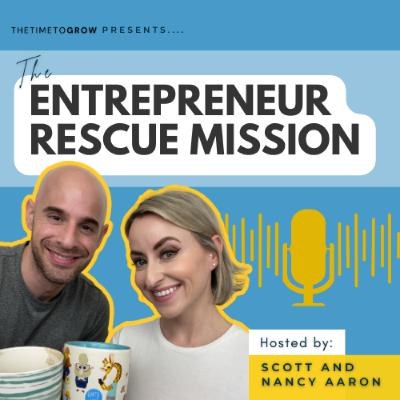
Entrepreneur Rescue Mission
Subscribed: 1Played: 14
Subscribe

© Nancy & Scott Aaron
Description
This podcast is a special series created by Scott and Nancy Aaron, co-founders of The Time to Grow. In this podcast Scott and Nancy share tips to help you build, grow and scale your business online.
They cover: AI, tech, tools and more to streamline your business, routines to maintain a strong online presence, how to set yourself apart in the online world, how to grow your network with qualified leads and more!
You can learn more about Scott and Nancy at: www.thetimetogrow.com
They cover: AI, tech, tools and more to streamline your business, routines to maintain a strong online presence, how to set yourself apart in the online world, how to grow your network with qualified leads and more!
You can learn more about Scott and Nancy at: www.thetimetogrow.com
275 Episodes
Reverse
If you have logged into LinkedIn this week and could not find Groups, Events, or your own recent posts, this episode is for you.LinkedIn quietly updated its desktop layout, and several everyday features have been moved or removed. In this episode, we walk you through the three biggest changes: where Groups, Events, and Newsletters went, the new five step path to finding your Posts and Activity, and the brand new Reactions filter that actually makes engagement easier.You will learn exactly where everything lives now, why these changes matter for anyone using LinkedIn to grow their business, and how to adjust your routine so the update never slows you down.In this episode, we cover:The new More tab and what LinkedIn moved inside it.The step by step path to viewing your recent posts and activity.How to use the new Reactions filter to revisit content you have engaged with.Our honest take on what LinkedIn got right and wrong with this update.The mindset that keeps you growing no matter how the platform changes.If this episode helps you, follow the show so you never miss a weekly training, and leave a quick review to help more service professionals find it.Before you dig into the new layout, make sure your profile is ready for the visitors it brings. Download our free guide, How to Optimize Your LinkedIn Profile: https://www.thetimetogrow.com/ecsoptimizeyourprofile
When people ask us how we generate leads on LinkedIn, they expect to hear about searching for prospects and sending connection requests. That works, but it is only one of the seven or eight lead levers available on LinkedIn every single day, and most professionals stop at the first one.In this episode, we cover three of the others. Every one of them starts with people who have already engaged with you, so you are following up on a warm signal instead of interrupting a stranger.First, we walk through how we run one poll a week inside relevant LinkedIn groups, review who voted, and connect with the people who fit our ideal client or business ally profile. Next, we show how we browse our LinkedIn newsletter subscribers and reach out to the ones we are not connected with yet. Finally, we break down the warmest option of all... messaging the first degree connections who vote in polls on our personal profile, using the poll itself as the reason to restart the conversation.You will hear the exact steps we use, the two personas we filter every contact through, and the short, personalized messages we send so none of it feels like cold outreach.Before any of this works, your profile needs to do its job when these people click through. We put together a free step by step guide to optimizing your LinkedIn profile so you show up in more searches and turn new connections into real conversations.Download the free guide here: https://www.thetimetogrow.com/ecsoptimizeyourprofileConnect with us on LinkedIn:Scott Aaron: https://www.linkedin.com/in/scottaaroncoach/Nancy Evans-Aaron: https://www.linkedin.com/in/nancyevans1/
LinkedIn added two features and told no one. One can put your post in front of five other networks at once. The other is already on your profile, and most people have not noticed it yet.We walk through where to find the new Add collaborators button, how the accept process works on the other person’s end, and the exact situations where a collaborative post is worth it: multi speaker workshops, LinkedIn Lives with co-hosts, and partner announcements. Then we cover the Present label in your Experience section and how to reorder your roles so the business you are actively marketing is the first thing a prospect sees.Not every new feature deserves your time. The question is whether it helps you build a relationship, strengthen your authority, or create a new opportunity. These two can, if you use them with intention.Free resource: 3 High Impact Post Templates for LinkedInhttps://www.thetimetogrow.com/ecsposttemplatesFollow us on LinkedIn:Scott Aaron: https://www.linkedin.com/in/scottaaroncoach/Nancy Evans-Aaron: https://www.linkedin.com/in/nancyevans1/
“LinkedIn doesn’t work anymore.” We hear it from coaches, consultants, and service professionals almost every week. Fewer leads, less engagement, content that shows up one day and vanishes the next.In this episode, we answer the question honestly. Does LinkedIn still work? Yes, and we have the receipts.In the last four weeks alone, LinkedIn booked us a half day consulting engagement, signed a new one to one coaching client, brought in a referral for one of our programs, filled a group coaching program, and filled a paid workshop. One of our clients is now at full capacity with 18 recurring clients. Another had over 100 people accept the invitation to her very first LinkedIn Live.So the platform still works. The real question is whether you have adapted or whether you are still using your 2017 playbook.We break down the three habits that separate the people winning on LinkedIn from the people giving up on it: growing your network every day, starting genuine conversations in the DMs, and creating at least three pieces of thought leadership content every week. We also walk through how to use your Featured section, your LinkedIn newsletter, and LinkedIn Live to move people off the platform and onto your email list.If you have been thinking about quitting LinkedIn, listen to this one first.Ready to Make LinkedIn Work for You? Let’s TalkIf you know LinkedIn can work for you and you just need help making it happen, book a call with us. We will look at your profile and your strategy, and give you a clear next step. No pitch, no pressure.Book a call with us here: https://scottaaron.as.me/linkedinacceleratorConnect with us on LinkedIn:Scott Aaron: https://www.linkedin.com/in/scottaaroncoach/Nancy Evans-Aaron: https://www.linkedin.com/in/nancyevans1/Learn more at http://www.thetimetogrow.com
Three popular LinkedIn shortcuts break the LinkedIn User Agreement, and a lot of people are still using them.Some know it and do it anyway. Many have no idea they are putting their account at risk.In this episode, we walk through three rules from Section 8 of the LinkedIn User Agreement. We cover automation tools that scrape data or send connection requests and messages for you, engagement pods that manufacture likes and comments, and giving an executive assistant or VA access to your personal account so they can act as you.We also explain what you can hand off, including your company page, and why your personal profile needs to stay yours.LinkedIn is built around real, person to person interaction. There are no shortcuts to building real relationships.Ready to grow on LinkedIn without the risky shortcuts? Join our free four day live workshop, Your LinkedIn Sales System, Tuesday, October 20 to Friday, October 23, 12:30 to 1:30 PM EDT. Replays are available through Sunday, October 25.Save your free spot: https://www.thetimetogrow.com/YourLinkedInSalesSystemIf this episode helped, follow Entrepreneur Rescue Mission so you never miss a new episode.Website: https://www.thetimetogrow.com

Comments

Download from Google Play

Download from App Store
 United States