



 Claim Ownership
OALabs
Subscribed: 2Played: 0
Subscribe

Description
Malware analysis tools, techniques, and tutorials!
39 Episodes
Reverse

Just a quick tutorial on how to unpack sodinokibi (revil) ransomware and a neat hack to build a fake import address table for a binary that has dynamically resolved imports. We use x64dbg, scylla, and IDA free.
Packed ransomware:
bf7114f025fff7dbc6b7aff8e4edb0dd8a7b53c3766429a3c5f10142609968f9
https://malshare.com/sample.php?action=detail&hash=61c19e7ce627da9b5004371f867a47d3
Clean dump of unpacked ransomware:
5f56d5748940e4039053f85978074bde16d64bd5ba97f6f0026ba8172cb29e93
https://malshare.com/sample.php?action=detail&hash=890a58f200dfff23165df9e1b088e58f
Unpacked ransomware with hacked IAT:
ffae85401d87052ef22aaabf8e941c5f9096056e0b586f0b463cc6b0254463ea
https://malshare.com/sample.php?action=detail&hash=fb9d11c5ff87dd9071ab44f4c562ca3e
Feedback, questions, and suggestions are always welcome : )
Sergei https://twitter.com/herrcore
Sean https://twitter.com/seanmw
As always check out our tools, tutorials, and more content over at https://www.openanalysis.net
#x64dbg #Ransomware #MalwareAnalysis

This tutorial covers how to identify, verify, and decrypt RC4 encryption in malware using IDA Pro and the x64dbg debugger.
Wikipedia overview of RC4:
https://en.wikipedia.org/wiki/RC4
Python implementation of RC4 (for decryption in scripts):
https://gist.github.com/OALabs/1b07f7ef90e19e77745cad4101af78e9
CyberChef Online Tool:
https://gchq.github.io/CyberChef/
Feedback, questions, and suggestions are always welcome : )
Sergei https://twitter.com/herrcore
Sean https://twitter.com/seanmw
As always check out our tools, tutorials, and more content over at https://www.openanalysis.net
#ReverseEngineering #Encryption #RC4 #MalwareAnalysis

This tutorial covers how to disable ASLR in your debugging VM to speed up your debugging when using x64dbg and IDA Pro.We have a short blog post here:
https://oalabs.openanalysis.net/2019/06/12/disable-aslr-for-easier-malware-debugging/
The registry value you want to add is:
HKLM\SYSTEM\CurrentControlSet\Control\Session Manager\Memory Management\MoveImages
Feedback, questions, and suggestions are always welcome : )
Sergei https://twitter.com/herrcore
Sean https://twitter.com/seanmw
As always check out our tools, tutorials, and more content over at https://www.openanalysis.net
#ReverseEngineering #Debugging #ASLR #x64dbg

This tutorial covers the basics needed to get started with reverse engineering C++ malware. We cover classes, constructors, structs, and a few tricks to help speed up your analysis with IDA. We have a short blog post here: https://oalabs.openanalysis.net/2019/06/03/reverse-engineering-c-with-ida-pro-classes-constructors-and-structs/
The compiled example we analyzed is available on malshare here:
https://malshare.com/sample.php?action=detail&hash=4bd19107be0e1fda595e009a6c787f86
You can download the freeware version of IDA here (sorry no decompiler): https://www.hex-rays.com/products/ida/support/download_freeware.shtml
If you want to try Ghidra there is an excellent online tutorial website you can check out here: https://ghidra.re/online-courses/
Ghidra download: https://ghidra-sre.org/
Feedback, questions, and suggestions are always welcome : )
Sergei https://twitter.com/herrcore
Sean https://twitter.com/seanmw
As always check out our tools, tutorials, and more content over at https://www.openanalysis.net
#ReverseEngineering #cpp #structs #IDAPro

Use x64dbg to unpack malware that uses process injection with a single breakpoint on WriteProcessMemory. Debugging has never been so easy...
Malware sample:
7e7d0557cc95e3f509f71a72aad9b8ab85d6a681df4a46e1648e928a4be5f4be
CAPE Sandbox (for download and analysis):
https://cape.contextis.com/analysis/65348/#
Feedback, questions, and suggestions are always welcome : )
Sergei https://twitter.com/herrcore
Sean https://twitter.com/seanmw
As always check out our tools, tutorials, and more content over at https://www.openanalysis.net
#MalwareAnalysis #Debugging #Unpacking

In this tutorial we cover the basics of debugging malware with WinDbg. Expand for more...
Tutorial Bookmarks:
3:12 WinDbg workspace layout
13:00 downloading and importing symbols
17:10 basic commands
25:40 unpacking live malware with WinDbg
WinDbg Cheat Sheet and Tutorial Notes:
https://oalabs.openanalysis.net/2019/02/18/windbg-for-malware-analysis/
Huge thank you to Josh... follow him on Twitter for lots of great Reverse Engineering content!
https://twitter.com/JershMagersh
TLD Malware:
SHA256: 1be4cbc9f9b6eea7804e08df92cff7453aa72f0bb862b0fb8f118c5e3ffdaad6
https://www.malware-traffic-analysis.net/2018/06/08/index.html
Josh’s talk on TLD Malware:
https://www.youtube.com/watch?v=LV4kBhPVUqc
Feedback, questions, and suggestions are always welcome : )
Sergei https://twitter.com/herrcore
Sean https://twitter.com/seanmw
As always check out our tools, tutorials, and more content over at https://www.openanalysis.net
#WinDbg #ReverseEngineering #Tutorial

We dive into why some recent malware samples have been crashing in x64dbg. Expand for more...
Example (Vidar) sent from subscriber packed with packer that crashes old versions of x64dbg :
7b2c480736bc2ea3c6e064077e78c6a0acabbd83d0e4e637673c9deb966296d5
Download x64dbg (with fix for crash):
https://x64dbg.com/#start
Donate to x64dbg:
https://www.bountysource.com/teams/x64dbg
Corkami PE file map:
https://github.com/corkami/pics/tree/master/binary/pe102
MSDN PE file documentation:
https://docs.microsoft.com/en-us/windows/desktop/debug/pe-format#export-directory-table
PE Bear download:
https://github.com/hasherezade/pe-bear-releases/releases/tag/0.3.9.5
Feedback, questions, and suggestions are always welcome : )
Sergei https://twitter.com/herrcore
Sean https://twitter.com/seanmw
As always check out our tools, tutorials, and more content over at https://www.openanalysis.net
#x64dbg #MalwareAnalysis #Tutorial #OpenAnalysis

We use x64dbg debugger to unpack troldesh / shade ransomware then we use IDA PRO to quickly decrypt strings and resolve dynamic imports. Expand for details...
Original packed sample:
b1f13a9ef3da3c9bd2cfd0fcfd7368b48346a6995a91dd0edca12557773a7763
https://cape.contextis.com/analysis/28279/#
Ransom note:
https://pastebin.com/ghYY0xQE
Any.Run:
https://app.any.run/tasks/e1cd0797-c4d2-4a5c-aedf-20330a79fe3f
ID-Ransomware:
https://id-ransomware.malwarehunterteam.com/index.php
Talos FIRST (shared code identification):
https://www.talosintelligence.com/first
Build your own FREE malware analysis VM:
https://oalabs.openanalysis.net/2018/07/16/oalabs_malware_analysis_virtual_machine/
Michael's Ransomware Analysis YouTube channel:
https://www.youtube.com/channel/UCDbWhUnMdhxi2bo-oZQ1m3Q
Feedback, questions, and suggestions are always welcome : )
Sergei https://twitter.com/herrcore
Sean https://twitter.com/seanmw
As always check out our tools, tutorials, and more content over at https://www.openanalysis.net
#IDAPro #Tutorial #ReverseEngineering

Thank you everyone for all the motivation in 2018! Sometimes when we are filming a tutorial it doesn't always go as planned... here are some of our best reverse engineering bloopers from the year! Happy New Year and we will see you in 2019!
All the best,
Sergei and Sean

Just a quick malware unpacking tutorial for one of our subscribers... how to unpack Hermes ransomware with two breakpoints expand for more...
Once you have unpacked this sample and you load it in IDA you will see they dynamically resolve their APIs, you can quickly fix this by loading the PE in a debugger, adding a breakpoint after the first function, run until breakpoint. Then use scyla to dump and fix imports!
Original packed sample:
https://cape.contextis.com/analysis/28853/
Unpacked:
https://cape.contextis.com/analysis/28851/
We use the Ollydbg CiM build because I am on holidays and don't have my full VM tools but you can use x64dbg the commands are the same : )
https://x64dbg.com/#start
FLOSS is a great too used to find strings in a binary:
https://github.com/fireeye/flare-floss
We will be back to full tutorial videos soon so stay tuned : )
Feedback, questions, and suggestions are always welcome : )
Sergei https://twitter.com/herrcore
Sean https://twitter.com/seanmw
As always check out our tools, tutorials, and more content over at https://www.openanalysis.net

We reverse engineer the IcedID custom malware injection component using IDA Pro, x64dbg, and some Python (API Scout). Expand for details...
14:45 - Unpacking live with x64dbg
19:03 - Attaching to 2nd process to dump code
20:09 - OEP of injected code (and dynamic building of IAT)
22:16 - Find other injected code sections by reference
24:35 - Loading injected code sections into IDA Pro
27:34 - Using API Scout to label APIs in injected code
30:50 - Building structs in IDA Pro and re-labeling data
35:20 - Final overview of unpacking steps
See unpacking Bokbot part 1 here:
https://youtu.be/wObF9n2UIAM
Original sample:
0ca2971ffedf0704ac5a2b6584f462ce27bac60f17888557dc8cd414558b479e
https://cape.contextis.com/analysis/21237/
Stage1 (packed UPX):
7f463bd55aa360032fbd6489b4e34455178a35254ff66c1cd98d0775437074b4
https://cape.contextis.com/analysis/21240/
Stage2 (custom injector):
89a0325379e1e868b668955ed41ba0faa724845028bc961a0691f19e5213dedf
https://cape.contextis.com/analysis/21241/
Talos blog post on Bokbot injection method:
https://blog.talosintelligence.com/2018/04/icedid-banking-trojan.html
Vitali Kremez analysis of IcedID:
https://www.vkremez.com/2018/09/lets-learn-deeper-dive-into.html
TOOLS - API Scout
https://github.com/danielplohmann/apiscout
TUTORIAL - How to setup a FREE malware analysis VM
https://oalabs.openanalysis.net/2018/07/16/oalabs_malware_analysis_virtual_machine/
TUTORIAL - Understanding API calls in Windows (ntdll.dll, kernel32.dll)
https://youtu.be/CiZ5D6wlIrw
TUTORIAL - Fast unpacking by hooking RtlDecompressBuffer
https://youtu.be/2zYokTkzIC8
Feedback, questions, and suggestions are always welcome : )
Sergei https://twitter.com/herrcore
Sean https://twitter.com/seanmw
As always check out our tools, tutorials, and more content over at https://www.openanalysis.net
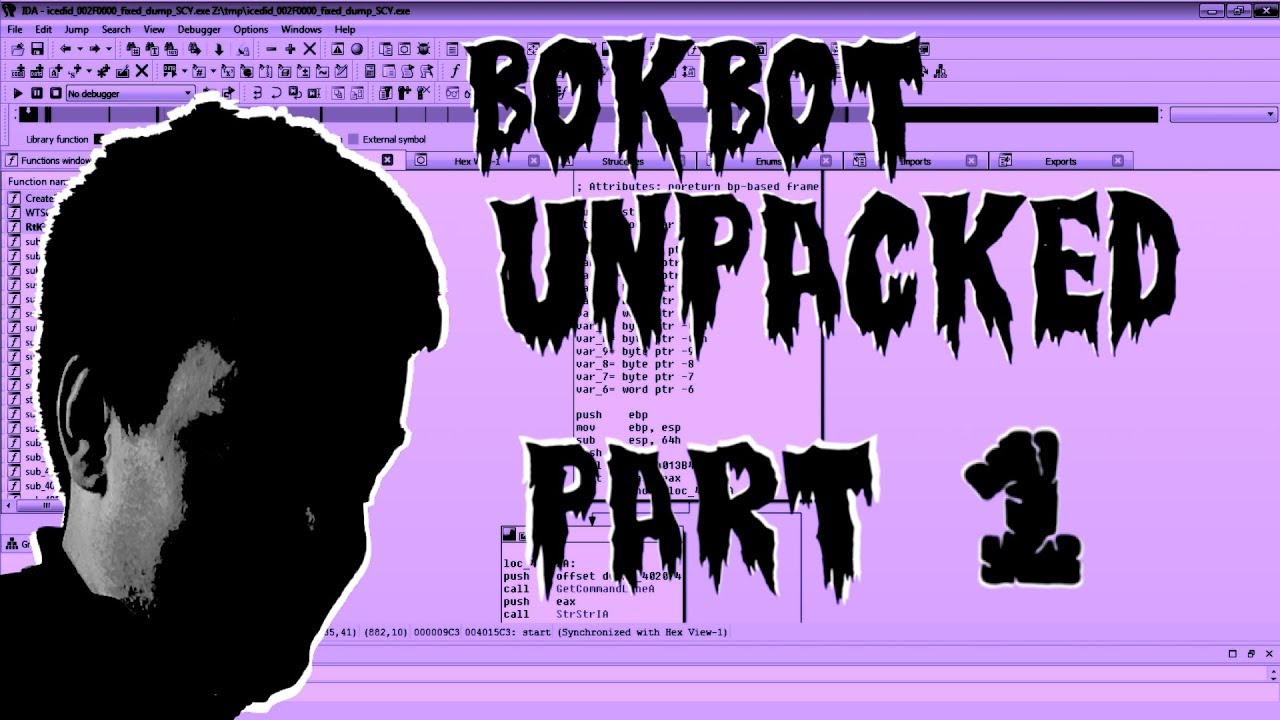
We demonstrate how to unpack the first two stages of Bokbot / IcedID malware with x64dbg, PeBear, and IDA Pro. Expand for more...
Original sample:
0ca2971ffedf0704ac5a2b6584f462ce27bac60f17888557dc8cd414558b479e
https://cape.contextis.com/analysis/21237/
Stage1 (packed UPX):
7f463bd55aa360032fbd6489b4e34455178a35254ff66c1cd98d0775437074b4
https://cape.contextis.com/analysis/21240/
Stage2 (custom injector):
89a0325379e1e868b668955ed41ba0faa724845028bc961a0691f19e5213dedf
https://cape.contextis.com/analysis/21241/
Talos blog post on Bokbot injection method:
https://blog.talosintelligence.com/2018/04/icedid-banking-trojan.html
Vitali Kremez analysis of IcedID:
https://www.vkremez.com/2018/09/lets-learn-deeper-dive-into.html
TUTORIAL - How to setup a FREE malware analysis VM
https://oalabs.openanalysis.net/2018/07/16/oalabs_malware_analysis_virtual_machine/
Stay tuned for PART 2 ...
Feedback, questions, and suggestions are always welcome : )
Sergei https://twitter.com/herrcore
Sean https://twitter.com/seanmw
As always check out our tools, tutorials, and more content over at https://www.openanalysis.net

Open Analysis Live! We reverse engineer the Aegis Crypter and take a look at how packers work from the malware developer's perspective...
Calc.exe packed with Aegis Crypter:
Sha256:
https://malshare.com/sample.php?action=detail&hash=8381bd4dfc24fb2d5d664b179606dec4
Aegis Crypter (7zip archive of the tools):
https://malshare.com/sample.php?action=detail&hash=fff7ee5231e6089efbd60e1264b002a0
Deep-dive tutorial on defeating anti-analysis and anti-VM checks:
https://www.youtube.com/watch?v=WlE8abc8V-4
Analysis VM setup tutorial:
https://www.youtube.com/watch?v=gFxImi5t37c
Feedback, questions, and suggestions are always welcome : )
Sergei https://twitter.com/herrcore
Sean https://twitter.com/seanmw
As always check out our tools, tutorials, and more content over at http://www.openanalysis.net

Easily configure a free Windows 7 x86 malware analysis virtual machine using the one-click OALabs VM installer. Expand for more ...
Step-by-step install guide:
https://oalabs.openanalysis.net/2018/07/16/oalabs_malware_analysis_virtual_machine/
One-click install PowerShell script:
https://gist.github.com/OALabs/cad8d9489245f3f96d9669f56d2877f3
Free Windows virtual machines:
https://developer.microsoft.com/en-us/microsoft-edge/tools/vms/
Chocolatey package repo:
https://chocolatey.org/packages
Feedback, questions, and suggestions are always welcome : )
Sergei https://twitter.com/herrcore
Sean https://twitter.com/seanmw
As always check out our tools, tutorials, and more content over at https://www.openanalysis.net
Open Analysis Live! We unpack TrickBot and extract it's configuration file using x64dbg and a Python script from the KevinTheHermit project. Expand for more...
Packed sample (download the zip file):
Sha256:
fa9ad80c0977cdbfe8419d27ca9ad909d34f1737df726f4d175f6b85b0670074
http://www.malware-traffic-analysis.net/2018/05/16/index.html
Unpacked Stage 2:
Sha256: 5609b3f916346146771b721ee20f7679ce87b7fc4b6a18bf6adf7201b98c5e22
https://malshare.com/sample.php?action=detail&hash=89ae5e21d6cf455f467cfaf62350848c
Unpacked Stage 3 (Trickbot payload):
Sha256: 54dd37adfb6917060392a89b539b8402c7166f452cd5534df6ea9df607908181
https://malshare.com/sample.php?action=detail&hash=442da27968cc93d780cfd96c2399950c
Kevin the hermit config extractors:
https://github.com/kevthehermit/RATDecoders
Modified standalone version of TrickBot extractor:
https://gist.github.com/herrcore/35ad5644f940012487e3aff5034bff74
Sysopfb github (more malware analysis scripts):
https://github.com/sysopfb
x64dbg:
https://x64dbg.com/#start
More TrickBot samples to practice unpacking:
http://www.malware-traffic-analysis.net/2018/05/24/index2.html
http://www.malware-traffic-analysis.net/2018/05/25/index2.html
http://www.malware-traffic-analysis.net/2018/05/15/index2.html
http://www.malware-traffic-analysis.net/2018/05/01/index2.html
Tutorial on self-injection unpacking:
https://www.youtube.com/watch?v=WthvahlAYFY
Feedback, questions, and suggestions are always welcome : )
Sergei https://twitter.com/herrcore
Sean https://twitter.com/seanmw
As always check out our tools, tutorials, and more content over at http://www.openanalysis.net

Open Analysis Live! We use IDA Pro and x64dbg to take a second look at Gootkit and determine how it uses files name checks to evade analysis. Expand for more...
Our original Gootkit unpacking video where we explain the packer and dumping from memory.
https://youtu.be/242Tn0IL2jE
Packed sample:
Sha256:
da336edead5e63d2759ebe1414575ce7f07162f28a99fa55a4d8badfc87b6720
https://malshare.com/sample.php?action=detail&hash=ef4cf20e80a95791d76b3df8d9096f60
Unpacked Gootkit (stage 1):
Sha256: b0d421e2d415e0e5a4b94e4adaa8a6625405db3739156e79b2e85ba2fb1d6067
https://malshare.com/sample.php?action=detail&hash=f92aa495c4f932a1f0a7dd7669d592e4
Excellent blog from @r3mrum on crc32 hashes and Gootkit:
https://r3mrum.wordpress.com/2018/02/15/string-hashing-reverse-engineering-an-anti-analysis-control/
Lastline CRC32 hashes for Gootkit:
https://www.lastline.com/labsblog/evasive-malware-tricks/
x64dbg:
https://x64dbg.com/#start
IDA:
https://www.hex-rays.com/products/ida/support/download_freeware.shtml
Feedback, questions, and suggestions are always welcome : )
Sergei https://twitter.com/herrcore
Sean https://twitter.com/seanmw
As always check out our tools, tutorials, and more content over at http://www.openanalysis.net

Open Analysis Live! We use the IDA Pro debugger and some API hooks to unpack a Visual Basic (VB6) packed sample and demonstrate a few tricks along the way. This is a re-uploaded classic from our old channel. Expand the description for more details...
Go check out this fantastic blog post from @R3MRUM on unpacking VB5 packers, it's worth the click!
https://r3mrum.wordpress.com/2017/06/07/defeating-the-vb5-packer/
This is also a great presentation (video) from Juriaan Bremer & Marion Marschalek with some additional background on VB6:
https://www.youtube.com/watch?v=RiBdm668lAk
VB6 packed malware sample:
SHA256: fc4f695752f8eb20b17689e60a7161a43665fa3455dc379aeb2a251838eb4da6
https://malshare.com/sample.php?action=detail&hash=e5e8b3f740dc41ef00d397f46debc867
Unpacked payload (note this is also packed, we don't demonstrate how to unpack this in the video):
SHA256: e5e463196d360df14b1bd6e8bc67836cc9d6a78a92d3ded67ca5713788643d22
https://malshare.com/sample.php?action=detail&hash=eebd3f633ea14a4144597bf496e45aeb
Feedback, questions, and suggestions are always welcome : )
Sergei https://twitter.com/herrcore
Sean https://twitter.com/seanmw
As always check out our tools, tutorials, and more content over at http://www.openanalysis.net

Open Analysis Live teams up with MalwareAnalysisForHedgehogs to unpack Princess Locker ransomware. We show how to use x64dbg and hooks on VirtualAlloc to dump the unpacked payload then fix the corrupted PE header...
Many thanks to Karsten from MalwareAnalysisForHedgehogs!! Check out his channel for some awesome videos on unpacking and malware analysis!
https://www.youtube.com/channel/UCVFXrUwuWxNlm6UNZtBLJ-A
Packed:
SHA256: dc7ab2e7ed26554a11da51a184e95b01e685b1a2f99c7fc77d54d5966530bf60
https://malshare.com/sample.php?action=detail&hash=93cb0053e883fb262f9f795f327152f8
Unpacked:
SHA256: ec3a44babff75b7022fc7373bf779cac5a4243e8e81ce0e7a3fbb72558d4fca6
https://malshare.com/sample.php?action=detail&hash=49dbf3e4a78e87f87f0bfd90d9e42338
Corkami PE Poster:
https://github.com/corkami/pics/blob/master/binary/pe101/pe101.pdf
X64dbg
https://x64dbg.com/#start
PEBear
https://github.com/hasherezade/releases/releases/tag/0.3.8
HxD hex editor
https://mh-nexus.de/en/hxd/
Feedback, questions, and suggestions are always welcome : )
Sergei https://twitter.com/herrcore
Sean https://twitter.com/seanmw
As always check out our tools, tutorials, and more content over at http://www.openanalysis.net

Open Analysis Live! We analyze Adwind / JRAT malware using x64dbg and Java ByteCode Viewer. This was a subscriber request asking us to take a closer look at Adwind and how to extract the config...
Packed sample:
SHA256 - 937a18e19ad1579ffc5f9399830860c13fc9f54df4c3f4a0f9f15a658e02ddac
https://malshare.com/sample.php?action=detail&hash=f0abfd6d3fb0ba12a5d874b16ac753fc
Hybrid Analysis sandbox:
https://www.hybrid-analysis.com/sample/937a18e19ad1579ffc5f9399830860c13fc9f54df4c3f4a0f9f15a658e02ddac?environmentId=100
Decoy Adwind unpacked:
https://malshare.com/sample.php?action=detail&hash=c10199b8c0855b502d6edfe204bf7767
Adwind config:
https://pastebin.com/aq7K1GNY
Blog post on Adwind:
https://www.codemetrix.net/decrypting-adwind-jrat-jbifrost-trojan/
x64dbg:
https://x64dbg.com/#start
Java ByteCode Viewer:
https://bytecodeviewer.com/
Compile and run Java Class file
https://docs.oracle.com/javase/tutorial/getStarted/cupojava/win32.html
Java JAR basics
https://docs.oracle.com/javase/tutorial/deployment/jar/basicsindex.html
Python Adwind decryptor:
https://gist.github.com/herrcore/8336975475e88f9bc539d94000412885
Feedback, questions, and suggestions are always welcome : )
Sergei https://twitter.com/herrcore
Sean https://twitter.com/seanmw
As always check out our tools, tutorials, and more content over at http://www.openanalysis.net

Open Analysis Live! We use IDA Pro and x64dbg to unpack a recently packed Gootkit malware (stage1). This was a subscriber request asking us to determine how this was packed. Video bookmarks to skip ahead...
- Deobfuscating strings with IDA Python 5:15
- Identify anti-analysis tricks after string deobfuscation 9:03
- Mutex trick 14:40
- CreateFile ShareMode trick 17:33
- Fully unpacking with x64dbg 20:25
- Searching for PE in memory using x64dbg 23:24
- Carving PE files from a memory dump with a hex editor 26:24
- Final overview of the whole process 27:59
Packed sample:
Sha256:
38933984f5ff8b71c054d1c1155e308ac02377b89315ef17cea859178a30dbab
https://malshare.com/sample.php?action=detail&hash=e561ae3cedb6f9fc0ecff559c62788b0
Unpacked Gootkit (stage 1):
Sha256: e61082d8f711d775b5c427af649c64ab50fac695f334720dca467598c5817b7a
https://malshare.com/sample.php?action=detail&hash=691c71e5b3d72835730b2db5e60b28cc
x64dbg:
https://x64dbg.com/#start
IDA:
https://www.hex-rays.com/products/ida/support/download_freeware.shtml
Packer string decryption script (IDAPython):
https://gist.github.com/herrcore/473133aa1387ed0b08a67d1a221b5b09
Tutorial examining the CreateFile share anti-analysis trick:
https://www.youtube.com/watch?v=ScBB-Hi7NxQ&t=9m22s
Feedback, questions, and suggestions are always welcome : )
Sergei https://twitter.com/herrcore
Sean https://twitter.com/seanmw
As always check out our tools, tutorials, and more content over at http://www.openanalysis.net

Comments

Download from Google Play

Download from App Store
 United States