



macOS 26 Beta: What’s in the latest macOS beta and how to get it
Description
<body>
Every year, Apple updates the Mac operating system. The current version of macOS is macOS 15.5, but development of macOS 26 (not macOS 16) is well underway.
Apple runs a beta program, which means developers and registered public testers can try out new features before they are released to the general public later in the year.
The beta process doesn’t stop with the full release of macOS in the fall. After macOS 15 Sequoia arrived on Macs in September 2024, development continued with new features rolled out every couple of months. The same will be true of the macOS 26 development cycle.
In this article, we’ll explain what you need to do to get your hands on a copy of the new beta of macOS 26, how to install it, and what you should bear in mind if you want to avoid problems. (If you would prefer to use the latest official release of macOS, here’s how to update macOS on your Mac.)
Update July 7, 2025: Apple released macOS 26 beta 3 to developers, but there’s a catch: it’s only available for Intel macs at the time of this writing, due to a distribution issue. It’s not yet clear when it will be available for Apple Silicon macs, but it should be very soon.
macOS beta: Latest version
The most recent version of the macOS 26 Tahoe beta is beta 3. It was released on July 7, 2025.
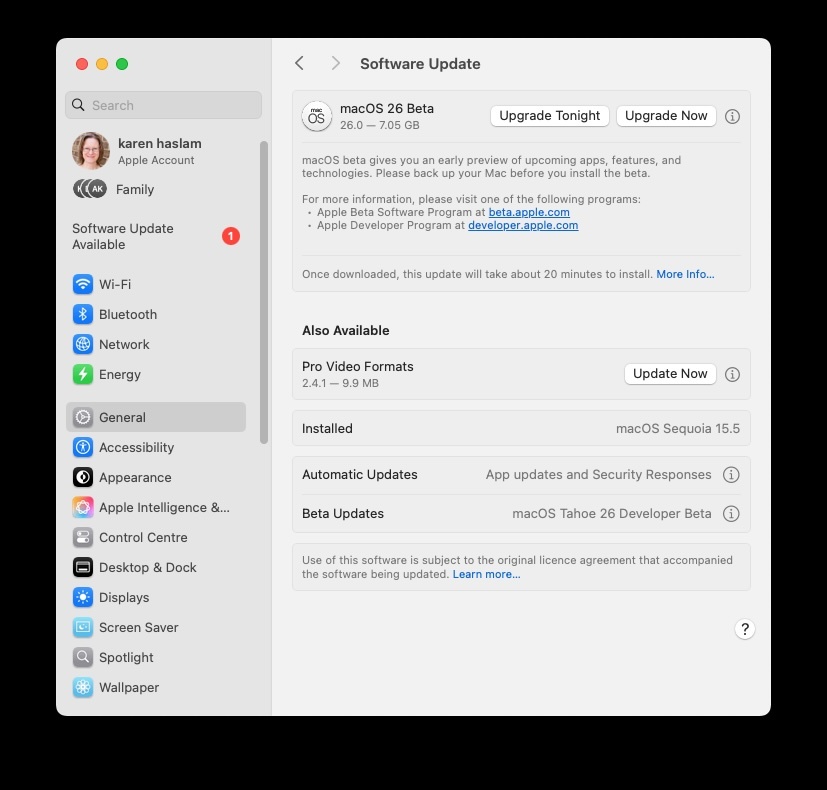
Following WWDC 2025 on June 9, the macOS 26 developer beta is now available to download for those signed up to the program. the “macOS 26” name is part of a coherent annual naming system along with iOS 26 and iPadOS 26.
 <button class="lightbox-trigger" type="button" aria-haspopup="dialog" aria-label="Enlarge" data-wp-init="callbacks.initTriggerButton" data-wp-on-async--click="actions.showLightbox" data-wp-style--right="state.imageButtonRight" data-wp-style--top="state.imageButtonTop">
<svg xmlns="http://www.w3.org/2000/svg" width="12" height="12" fill="none" viewbox="0 0 12 12">
<path fill="#fff" d="M2 0a2 2 0 0 0-2 2v2h1.5V2a.5.5 0 0 1 .5-.5h2V0H2Zm2 10.5H2a.5.5 0 0 1-.5-.5V8H0v2a2 2 0 0 0 2 2h2v-1.5ZM8 12v-1.5h2a.5.5 0 0 0 .5-.5V8H12v2a2 2 0 0 1-2 2H8Zm2-12a2 2 0 0 1 2 2v2h-1.5V2a.5.5 0 0 0-.5-.5H8V0h2Z"></path>
</svg>
</button></figure>
Karen Kahn / Foundry
macOS beta: Public beta release date
Apple has confirmed that the public beta will arrive in July. In 2024 the public beta became available on July 15, so we anticipate a similar time frame.
macOS beta: Next beta update
New betas tend to arrive every one to two weeks, and more frequently as the full release data approaches.
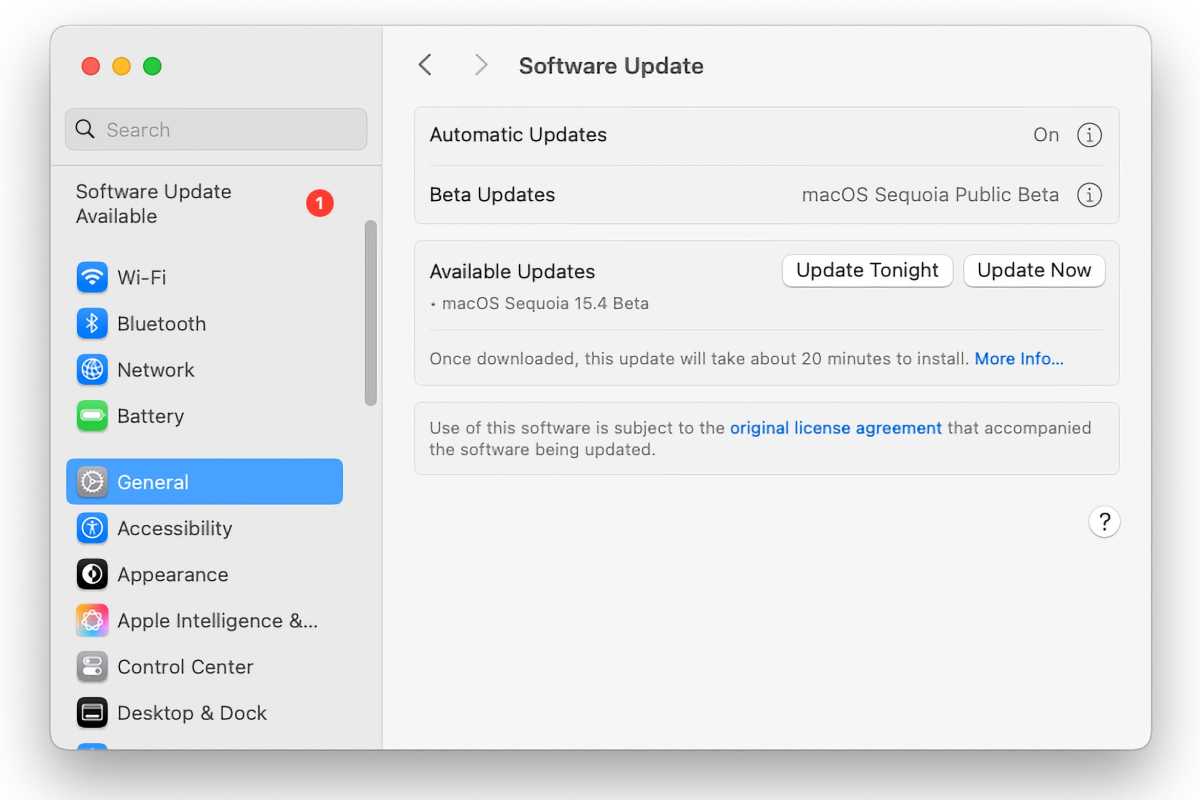
The beta testing program will continue to run after the new macOS 26 software launches in September or October 2025, with Apple continuing to roll out new features.
 <button class="lightbox-trigger" type="button" aria-haspopup="dialog" aria-label="Enlarge" data-wp-init="callbacks.initTriggerButton" data-wp-on-async--click="actions.showLightbox" data-wp-style--right="state.imageButtonRight" data-wp-style--top="state.imageButtonTop">
<svg xmlns="http://www.w3.org/2000/svg" width="12" height="12" fill="none" viewbox="0 0 12 12">
<path fill="#fff" d="M2 0a2 2 0 0 0-2 2v2h1.5V2a.5.5 0 0 1 .5-.5h2V0H2Zm2 10.5H2a.5.5 0 0 1-.5-.5V8H0v2a2 2 0 0 0 2 2h2v-1.5ZM8 12v-1.5h2a.5.5 0 0 0 .5-.5V8H12v2a2 2 0 0 1-2 2H8Zm2-12a2 2 0 0 1 2 2v2h-1.5V2a.5.5 0 0 0-.5-.5H8V0h2Z"></path>
</svg>
</button></figure>
Foundry
How to get the macOS beta
To get the developer version of the macOS 26 beta you need to be running macOS Sequoia, and be registered for Apple’s developer program, either having paid $99/£79 to enrol in Apple’s Developer program (here) or with a free developer account (follow the instructions below for how to register for that).
Alternatively, if it’s the public beta you are after, you just need to sign up for the Public Beta program on Apple’s beta webpage, signed the NDA, and enrolled your Mac. Details of how to do that are below.
As long as you are a registered developer, or enrolled in the public beta program, when the relevant macOS Beta becomes available, it will also show up on your Mac.
Before you download the beta, a few warnings:
- We strongly advise that if you aren’t a developer, you don’t download the developer beta.
- We also strongly recommend that you back up your Mac before you upgrade to the macOS beta.
- We recommend that you do not run the macOS beta on your primary Mac; ideally, run it in a separate volume. This should minimize any risks to you.
How to get a free Apple developer account
If you just want a free Apple Developer account so you can access the beta you can get this via Xcode or the Apple Developer app in iOS. Here’s how to do it via the Apple Developer app on an iPhone:
- Get the Apple Developer App <a rel="noreferrer noopener" href="https://go.redirectingat.com/?id=111346X1569486&url=https://apps.apple.com/app/apple-developer/id640199958&xcust=1-1-671198-1-0-0&sref=https:


 United States
