


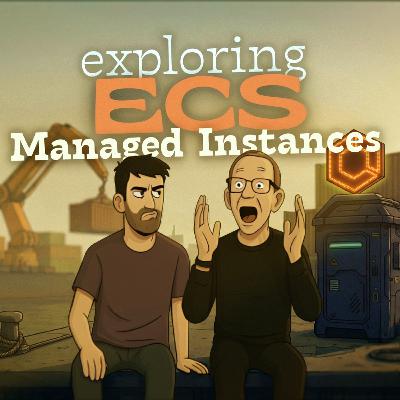
150. Exploring All-New ECS Managed Instances (MI) Mode
Description
Love AWS Fargate, but occasionally hit the “I need more control” wall (GPUs, storage, network bandwidth, instance sizing)? In this episode of AWS Bites, Eoin and Luciano put the brand-new Amazon ECS Managed Instances (ECS MI) under the microscope as the “middle path” between Fargate simplicity and ECS on EC2 flexibility. We unpack what ECS MI actually is and where it fits in the ECS spectrum, especially how it changes the way you think about clusters and capacity providers. From there we get practical: we talk through the pricing model (EC2 pricing with an additional ECS MI fee that can be a bit counterintuitive if you rely heavily on Reserved Instances or Savings Plans), and we share what it feels like to finally get GPU support in an experience that’s much closer to Fargate than to “full EC2 fleet management”. To make it real, we walk through what we built: a GPU-enabled worker that transcribes podcast audio using OpenAI Whisper, including the end-to-end setup in CDK (roles, capacity provider wiring, task definitions, and service configuration). Along the way we call out the rough edges we ran into, like configuration options that look like they might enable Spot-style behavior, and the operational realities you should expect, such as tasks taking roughly 3–4 minutes to start when ECS needs to provision fresh capacity. We close by mapping out the workloads where ECS MI shines (queue-driven GPU jobs, HPC-ish compute, tighter storage/network control) and the scenarios where it’s probably the wrong choice, like when you need custom AMIs, SSH access, or stricter isolation guarantees.
In this episode, we mentioned the following resources:
- Amazon ECS Managed Instances: https://aws.amazon.com/ecs/managed-instances/
- ECS Managed Instances documentation: https://docs.aws.amazon.com/AmazonECS/latest/developerguide/ManagedInstances.html
- Amazon Bottlerocket (what it is): https://aws.amazon.com/bottlerocket/
- Our CDK ECS MI template: https://github.com/fourTheorem/cdk-ecs-mi-template
- Ep 42. How do you containerise and run your API with Fargate?: https://awsbites.com/42-how-do-you-containerise-and-run-your-api-with-fargate/
- Ep 72. How do you save cost with ECS?: https://awsbites.com/72-how-do-you-save-cost-with-ecs/
- Ep 10. Lambda or Fargate for containers?: https://awsbites.com/10-lambda-or-fargate-for-containers/
- Ep 38. How do you choose the right compute service on AWS?: https://awsbites.com/38-how-do-you-choose-the-right-compute-service-on-aws/
- Ep 143. Is App Runner better than Fargate?: https://awsbites.com/143-is-app-runner-better-than-fargate/
Do you have any AWS questions you would like us to address?
Leave a comment here or connect with us on X/Twitter, BlueSky or LinkedIn:
- https://twitter.com/eoins | https://bsky.app/profile/eoin.sh | https://www.linkedin.com/in/eoins/
- https://twitter.com/loige | https://bsky.app/profile/loige.co | https://www.linkedin.com/in/lucianomammino/





 United States
