



Best NAS drives for Mac
Description
Black Friday NAS Deals
There are Black Friday deals on the top NAS drives we recommend here; check the live price-comparison boxes underneath each one. But here are some highlights.
- TerraMaster F8 SSD Plus: 20% off at Amazon
- Synology DiskStation DS925+: 20% off at Amazon
- Ugreen NASync DH2300: 20% off at Amazon
- Ugreen NASync DXP2800: 20% off at Amazon
There are three types of storage you can use with your Mac. External storage devices such as SSDs and hard drives can plug into your Mac and be used to back up your data or to extend your storage. There are also those little USB memory sticks you can use to store or transfer files, these days they can hold up to 2TB of files in your pocket.
These days cloud storage is another popular solution, as it offers a simple way to access your data from anywhere, collaborate with teams of people, and it extends the amount of storage available on your Mac. With the advent of home working meaning fewer people are confined to the office, lots are turning to cloud storage for collaboration, but there are downsides to this, not least the fact that typical cloud storage solutions are not really suitable for backing up (even iCloud doesn’t work with Time Machine for example). As you basically rent cloud storage space it gets expensive quite quickly. There are various cloud backup services that we look at here: Best Cloud backup for Mac.
The third kind of storage is a NAS (Network Attached Storage). A NAS drive is a good solution if you are looking for a shared storage solution for a team of people in an office, when you want to share data and projects between multiple workstations, keep on top of all that data in your home, or if you are looking for a way to keep your Mac backed up without needing to leave it plugged into a drive.
Using a NAS to store your files means you aren’t reliant on a good internet connection, you don’t need to upload your data to an external service, and you don’t (generally) have to pay a monthly subscription.
So, in this article, we round up the best NAS drives for a Mac owner. If you’d like more advice about what to look for in a good NAS drive, such as the amount of storage you’ll need and the features to look for, jump down to our buying advice.
Best NAS and PCS drives for Mac
TerraMaster F8 SSD Plus – Uber-fast network/workgroup storage
<figure class="wp-lightbox-container">
 <button class="lightbox-trigger" type="button">
<svg fill="none" height="12" viewBox="0 0 12 12" width="12" xmlns="http://www.w3.org/2000/svg">
<path d="M2 0a2 2 0 0 0-2 2v2h1.5V2a.5.5 0 0 1 .5-.5h2V0H2Zm2 10.5H2a.5.5 0 0 1-.5-.5V8H0v2a2 2 0 0 0 2 2h2v-1.5ZM8 12v-1.5h2a.5.5 0 0 0 .5-.5V8H12v2a2 2 0 0 1-2 2H8Zm2-12a2 2 0 0 1 2 2v2h-1.5V2a.5.5 0 0 0-.5-.5H8V0h2Z" fill="#fff"></path>
</svg>
</button></figure>
Pros
- Holds up to 8 NVMe SSDs
- Up to 1GBps transfers over 10Gbe
Cons
- Non-fatal bugs in the interface
Best Prices Today:

Product
Price
Price comparison from Backmarket
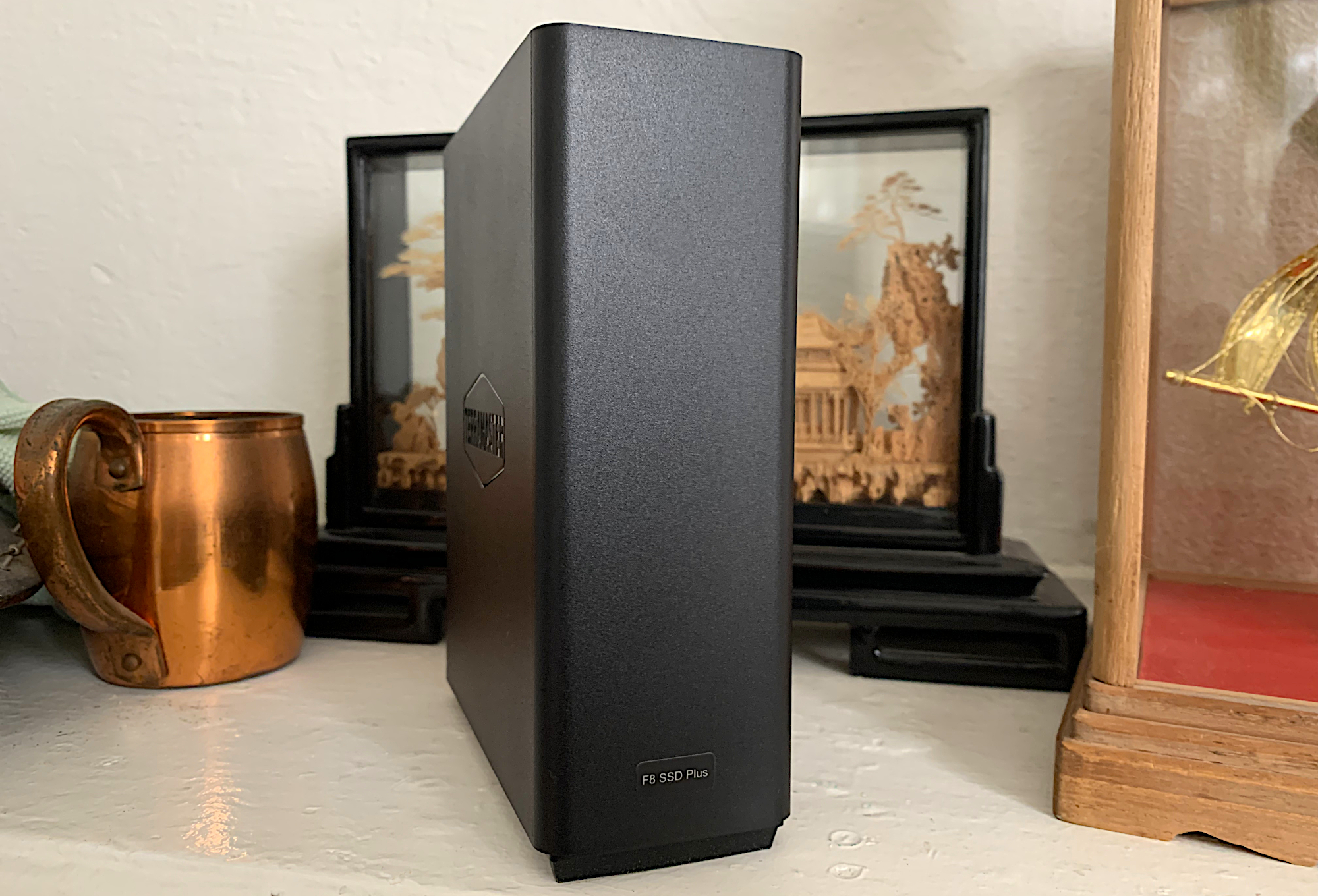
The TerraMaster F8 SSD Plus is an 8-bay/slot NVMe NAS box with an 8-core Intel Core I3 CPU, 32-execution unit GPU (part of the CPU), 16GB of DRAM, and 10Gbe ethernet connectivity.
Ports include 10Gbe ethernet, three 10Gbps USB ports (two Type-A, one Type-C), and an HDMI port for diagnostics rather than direct video output.
It’s 7-inch tall, by 2.25-inch wide, and 5.5-inch. It’s not particularly hefty, weighing only 1 pound, 10 ounces with eight SSDs installed. The eight included heat sinks add another 5 ounces if you need them (that depends on how much traffic the fan-cooled box is subjected to).
It opens via a single thumb screw and rests on rubber feet. It is stable despite its vertical orientation, but you might want to lay it on its side. Of course, SSDs aren’t as delicate as hard drives that normally inhabit NAS boxes, so a tumble likely wouldn’t be catastrophic.
NAS/server features include security, file sharing, media streaming, BitTorrent downloads, video surveillance, Docker and VM hosting. These all require installing applications from TerraMaster. There are numerous backup solutions available, and the File Manager lets you add remote folders from Dropbox, OneDrive, Google Drive, and Amazon S3/S3-compatibles.
The operating system, TOS 6.0, isn’t quite as refined as those offered by QNAP and Synology. I couldn’t run file manager or anything else while installing an app, for example.
Also, the program didn’t register a deleted storage pool, an added online destination, or a new volume immediately. I had to reboot each time to get changes to r


 United States
