


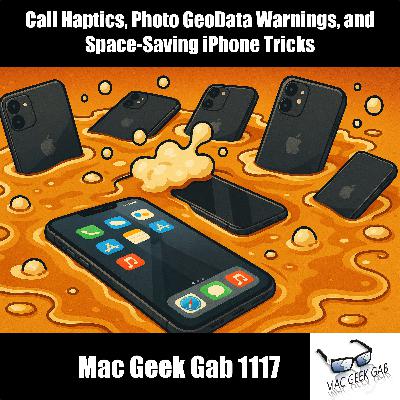
Call Haptics, Photo GeoData Warnings, and Space-Saving iPhone Tricks
Description

You kick off this week’s episode on D. B. Cooper Day with a rapid-fire mix of fresh iOS 26 tricks and Mac power-moves. You learn how iOS 26’s haptic call alerts work, how Alfred can shut down your Mac faster than any menu, and how Forklift’s sync feature rivals DeltaWalker without any hassle. Shortcuts get smarter with automated sleep tracking, Command-P becomes your instant PDF escape hatch, and you get clarity on when you do and don’t need to hand over your phone as a digital ID. Listener follow-ups keep the energy rolling, including a reminder to rethink long-held holiday assumptions and a shoutout to Tailscale for keeping your tech effortlessly connected.
Then it’s time to sharpen your defensive instincts so you Don’t Get Caught. You hear how to avoid being stranded without a wireless charger, why sending photos can leak your location, and what to do when the Mac App Store refuses to update your apps. You dig into undeleting Mail quirks, discover where your iPhone hides space-hogging files, and pick up smart workflows for offloading Messages media with CCC, iMazing, and Apple’s GDPR archive. You close with a simple breakdown of SSH so you can finally understand what’s happening when you open that mysterious Remote Login switch.
- 00:00:00 Mac Geek Gab 1117 for Monday, November 24th, 2025
- November 24th: D.B. Cooper Day
- MGG Monthly Giveaway – Your own OpenCase!
- The MGG Merch Store is Live!
- 00:11:12 MGG’s CES 2026 Sponsors:
- Quick Tips
- 00:00:01 Alex-QT-iOS 26 adds haptic vibrations for connected and dropped calls
- 00:05:18 MoeCoffee-1116-Use Alfred to Shut Down your Mac
- 00:06:30 Forklift has a Sync Function – Much like Delta Walker
- 00:07:59 Paul-Create a shortcut to automatically Start Sleep Analysis
- 00:11:32 Todd-QT-Add Command-P to Save as PDF
- 00:13:52 Pilot Pete-QT-Follow Up – No Need to Hand Over Phone Digital ID
- Sponsors
- 00:17:42 SPONSOR: Aura Frames. Relive your favorite holiday traditions—every day. Visit AuraFrames.com and get $45 off Aura’s best-selling Carver Mat frames – named #1 by Wirecutter – by using promo code MGG at checkout.
- 00:19:44 SPONSOR: Udacity is an online learning platform with courses in AI and Tech. You can try Udacity risk-free for seven days. Head to Udacity.com/MGG and use code MGG for 40% off your order.
- Follow-ups and Reviews
- 00:21:10 Paul & Ben-Was the last episode Wednesday or Monday?
- 00:23:41 MGG Review-T. Hongo-An Apple Geeks home for tips and tricks
- 00:25:51 Brian-Tell us the story about the Santa mind-shift, Dave!
- 00:32:22 Joe-Let’s Hear It for Tailscale
- Don’t Get Caught
- Sponsors
- 00:47:16 SPONSOR: Gusto. Get three months free when you run your first payroll when you start at gusto.com/MGG
- 00:48:36 SPONSOR: PAKA makes performance apparel from sustainable alpaca fiber, softer than cashmere, warmer than wool. To grab your PAKA hoodie and free pair of alpaca crew socks, head to PAKAapparel.com/MGG and use code MGG.
- Your Questions Answered and Tips Shared!
- 00:50:12 Rob-Why doesn’t Mac App Store update all my apps?
- 00:53:50 ED-Why does mail sometimes undelete my emails?
- Mail > Mailboxes > Rebuild Mailbox
- 00:57:58 Steve-How can I clean up my iPhone storage?
- [home]/Library/Photos/Libraries/Syndication.photoslibrary/
- 01:02:48 A solution for offloading your Messages media
- CCC Backup to sync photos to a new destination
- iMazing to archive messages
- Request a data archive from Apple for your data
- 01:09:49 Steve-What is SSH-ing?
- System Settings > General > Sharing > Remote Login
- 01:18:19 MGG 1117 Outtro
- MGG Monthly Giveaway
- Bandwidth Provided by CacheFly
- MGG’s CES 2026 Sponsors: BusyCal (with code MACGEEK10)!
- Pilot Pete’s Aviation Podcast: So There I Was (for Aviation Enthusiasts)
- The Debut Film Podcast – Adam’s new podcast!
- Dave’s Business Brain (for Entrepreneurs) and Gig Gab (for Working Musicians) Podcasts
- MGG Merch is Available!
- Mac Geek Gab YouTube Page
- Mac Geek Gab Live Calendar
- This Week’s MGG Premium Contributors
- MGG Apple Podcasts Reviews
- feedback@macgeekgab.com
- 224-888-GEEK
- Active MGG Sponsors and Coupon Codes List
- BackBeat Media Podcast Network
















 United States
