


Classic Rogue
Description
Classic Rogue. Dan’s MEGA65 Digest for June 2026.
<figure>
<figcaption>
Classic Rogue.
</figcaption>
</figure>
<figure>
<figcaption>
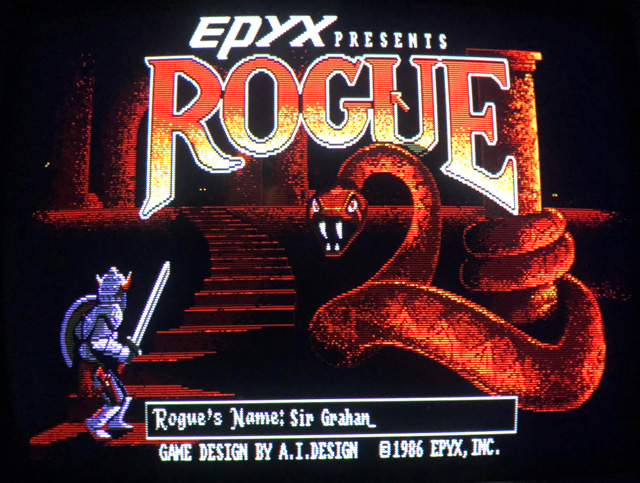
Title screen for Rogue, Amiga version. (Photo courtesy Eric Hill.)
</figcaption>
</figure>
It’s the game that defined a genre. Rogue: Exploring the Dungeons of Doom by Michael Toy, Glenn Wichman, and Ken Arnold took college campuses by storm in the early 1980s, as a freely distributed game for Unix-based mainframes. Toy and Wichman formed a company to develop versions of Rogue for microcomputers, distributed by Epyx, with notable releases for the Amiga, classic Mac, and Atari ST. It inspired similar dungeon crawlers The Dungeons of Moria (1983), Hack (1984), NetHack (1987), and the Tolkien-themed Angband (1990). NetHack and Angband are both in active development today.
Rogue’s distinctive combination of gameplay properties, especially procedural level generation, turn-based movement, and “permadeath,” have persisted in video games over the decades, including recent commercial successes such as Diablo, Spelunky, and Hades. Hobbyist developers love to make “Roguelikes,” and the annual Roguelike Celebration joyfully encourages creative computing through personal game development. The Roguelike Celebration YouTube channel is packed full of informative and inspiring talks from the last ten years.
And of course, Roguecraft DX for the MEGA65 (and Amiga, Game Boy Color, Evercade, and modern PC) by Badger Punch Games is a clear descendant of the seminal Unix game.
The authors of the original released the C source code for the Unix version of Rogue under the BSD open source software license in 1986, currently maintained by David Silva. That got me wondering: how could I use the original code to make a faithful version of classic Rogue for the MEGA65?
In this Digest, we’ll cover how to play the original Rogue on a modern PC by building its vintage source code in just a few easy steps. We’ll look around the code to see how it works, and chart a path to porting the game to the MEGA65. Next month, we’ll return to the Calypsi C compiler, see how to build large projects with the tools, and get a real MEGA65 version of Rogue up and running. Spoiler alert: Rogue is much larger than 39 kilobytes.
BitBinders MEGA1581 external drive
<figure>
<figcaption>
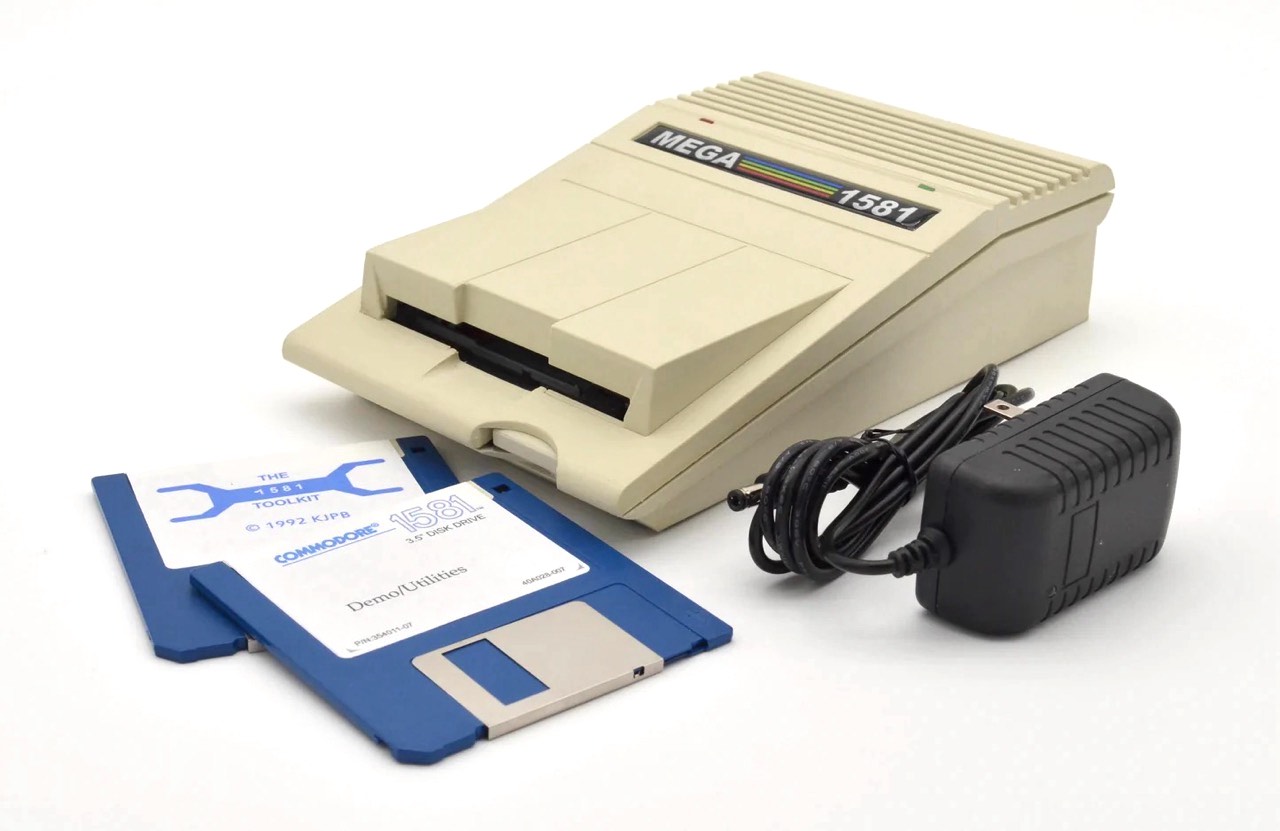
The BitBinders MEGA1581 external IEC floppy drive.
</figcaption>
</figure>
BitBinders is now taking orders for the MEGA1581, a MEGA65-themed external 1581-compatible IEC 3-1/2" floppy disk drive. BitBinders has been making 1581-compatible external drives in interesting form factors for several years. This new drive has a case that matches the shape and color of the MEGA65, taking its place literally by its side. The drive includes JiffyDOS and a 12-month warranty.
Craig has shown prototypes of this model at recent computer shows. I have a BitBinders dual drive, and it’s good quality and fun to use. Congrats to Craig on the launch!
The Ultimate MiSTer2MEGA65 Porting Guide
As we know, the MEGA65 is just one kind of computer a MEGA65 can be. You can load alternate cores into the MEGA65’s FPGA to run cycle-accurate recreations of other famous microcomputers and arcade game machines, including the Commodore PET, the VIC-20, the Commodore 16 / plus/4, the Commodore 64, the ZX Spectrum, and the TI-99/4A. And the list keeps growing.
Hobbyists have been recreating vintage microcomputers using FPGAs for over a decade, with a great deal of work going into producing high quality cores for the MiSTer FPGA platform. MJoergen and sy2002 created the MiSTer2MEGA65 framework to make porting MiSTer projects to the MEGA65 hardware easier, and this framework is the basis for many (but not all) of the MEGA65 alternate cores currently available. You can also use the framework for all-new recreations, as well as original computer designs, taking advantage of the framework’s well-documented connectivity to the MEGA65 input/output hardware.
MJoergen and sy2002 just launched The Ultimate MiSTer2MEGA65 Porting Guide, a comprehensive step-by-step technical manual for using the framework to bring MiSTer projects to the MEGA65. Many hard-won lessons porting cores are fully documented to support future projects. The guide is highly technical, but also walks through every part of the process of porting a MiSTer core to the MEGA65. I’m looking forward to trying this myself.
Huge thanks to MJoergen and sy2002 for this new book, and for their ongoing contributions to the MEGA65!
Upcoming shows in the USA
<figure>
<figcaption>
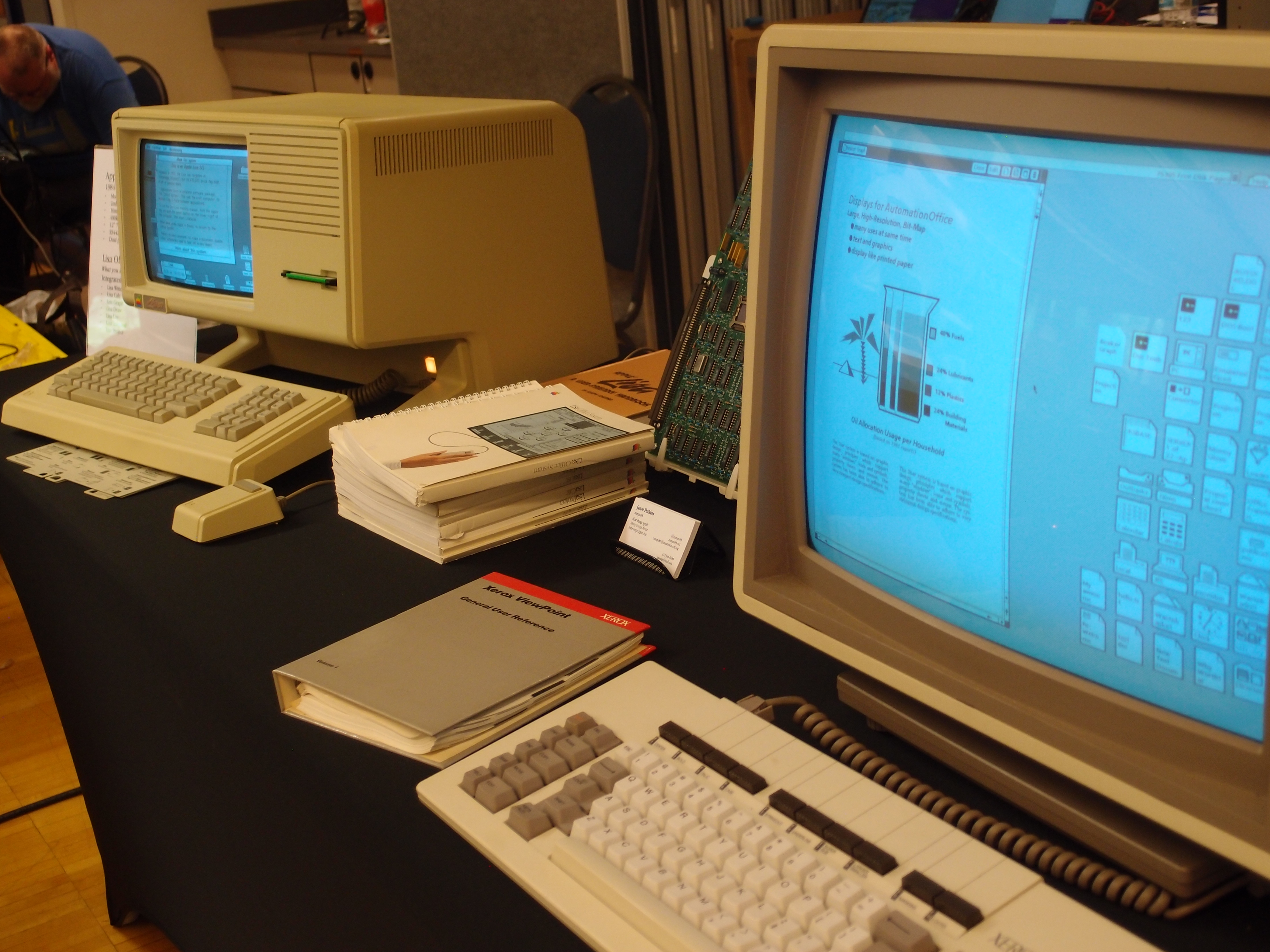
Vintage Computer Festival Pacific Northwest 2026.
</figcaption>
</figure>
Vintage Computer Festival Pacific Northwest 2026 took place in May, and the MEGA65 was there! Roguecraft DX was a huge hit, and people also came up to the booth to write BASIC programs and ask lots of questions. The show spanned many decades of computing, with some rare pieces in miraculously working condition available to try. Check out the shared photo album from the event.
I will be bringing the MEGA65 booth to these upcoming events around the United States:
- Pacific Commodore Expo Northwest, Seattle, WA, June 20-21.
- Vintage Computer Festival West, Mountain View, CA, August 1-2.
- Vintage Computer Festival Midwest, Shaumburg, IL (outside of Chicago), September 12-13. My exhibit has not yet been confirmed but they haven’t turned me down in past years. Last year they just kept growing the space to accommodate all exhibitors, it was wild.
How to play Rogue
<figure>
<figcaption>
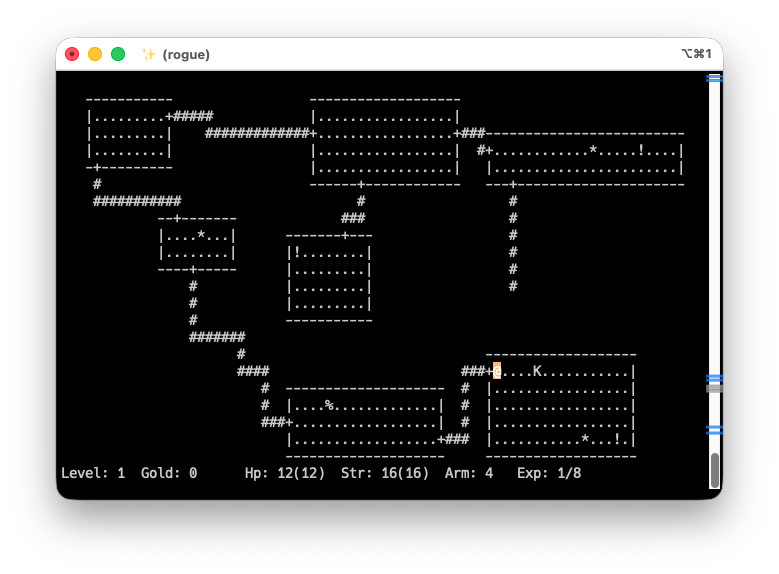
The original Rogue game, running on a modern PC in a terminal window.
</figcaption>
</figure>
For the sake of running on modern computers, Rogue is distributed as C source code. You can compile it for your PC with the most common C compiler toolchains, with the included GNU Autotools configure script and GNU Make. On Linux, you probably have the tools installed already. On macOS, xcode-select --install gets you everything you need. Windows users have plenty of options (MinGW, Windows Subsystem for Linux, Cygwin), but I don’t have regular access to a Windows computer so you’ll have to find them yourself.
With the appropriate tools installed, and the Rogue source code downloaded and unpacked in a folder, open a command prompt (terminal) window. Change the current working directory to the Rogue source folder, run the configure script, then run make.
cd
./configure
make
This produces the rogue program. To start a game, run the command.
./rogueThe game runs inside the command prompt (terminal) window. If the program exits imme


 United States
