


Why Your M365 Security Fails Against Social Engineering
Update: 2025-12-04
Description
Attention, valued knowledge workers. By order of the Productivity Council, your Microsoft 365 defenses are failing precisely where human judgment collides with ambiguous policy. Many assume MFA, EDR, and secure score form an adequate perimeter. They do not. They do not arrest consent exploitation, device-code laundering, or Teams pretexting executed under your own brand. Here is the operational truth: adversaries enter through official channels and harvest trust at line speed. The Council will present five incident case files and the corrective doctrine—policies, detections, user protocols, and tooling. One misconfiguration currently nullifies your MFA entirely. Remember it. Its name will be issued shortly.
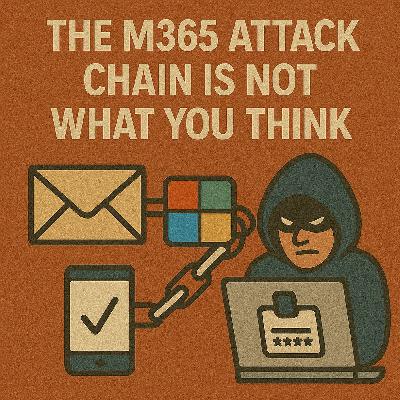
Citizens, this is the formal record of Authority Theater. The adversary enters not through malware nor brute force, but through Teams external federation—the front door you assumed was screened. A profile appears: “IT Support – Priority”. Microsoft-colored avatar. Crisp timing. The message asserts a routine authentication irregularity and promises expedited resolution. A verification number follows. Familiar. Harmless-looking. The intended mechanism is approval fatigue. The victim, already conditioned by countless legitimate prompts, approves the MFA request to “resolve the issue.” In that instant, an attacker-in-the-middle relay kit captures the session token. The mailbox changes. The SharePoint site syncs. Teams threads flicker with unseen edits. Compliance evaporates silently. Failure Analysis This breach does not demonstrate adversary brilliance—it reveals policy ambiguity.
In Teams Admin Center:
A prompt appears. They decline. They invoke the pause rule.
The Service Desk confirms no ticket exists.
Security correlates the DM with deviceAuth endpoint hits, blocks access, and revokes tokens.
A breach evaporates because a protocol, not improvisation, controlled the moment. 6. Tooling Enforcement Activate:
It is an identity surface. Therefore, supervision is compulsory. If external messaging is not business-critical, disable it.
If it is, confine it under governance. When chat pretext fails under verification friction, adversaries pivot.
They reach for device code flows, capturing cooperation without asking for a password. Case File II will document that pivot. Mandatory compliance is appreciated.
Become a supporter of this podcast: https://www.spreaker.com/podcast/m365-show-podcast--6704921/support.
Follow us on:
LInkedIn
Substack
Citizens, this is the formal record of Authority Theater. The adversary enters not through malware nor brute force, but through Teams external federation—the front door you assumed was screened. A profile appears: “IT Support – Priority”. Microsoft-colored avatar. Crisp timing. The message asserts a routine authentication irregularity and promises expedited resolution. A verification number follows. Familiar. Harmless-looking. The intended mechanism is approval fatigue. The victim, already conditioned by countless legitimate prompts, approves the MFA request to “resolve the issue.” In that instant, an attacker-in-the-middle relay kit captures the session token. The mailbox changes. The SharePoint site syncs. Teams threads flicker with unseen edits. Compliance evaporates silently. Failure Analysis This breach does not demonstrate adversary brilliance—it reveals policy ambiguity.
- External access defaults remain permissive.
Most tenants allow any federated domain to message any user. - Message hygiene is not enforced.
Unsolicited DMs from new tenants are not quarantined or rate-limited. - Risk policies operate independently of collaboration channels.
A risky session triggered from a Teams-initiated elevation looks “normal” to identity systems. - Verification protocol does not exist.
Users cannot distinguish a sanctioned IT outreach from an adversarial pretext.
In Teams Admin Center:
- External access → Deny by default.
- Add only verified partner tenants.
Use shared channels for legitimate collaboration; forbid unsolicited tenant-to-tenant DMs.
- Require compliant device for any Teams-initiated access to Exchange, SharePoint, or admin portals.
- Enforce phishing-resistant authentication strengths (FIDO2, CBA) for privileged workloads.
- For risky sign-ins: restrict to web-only, block download, and require reauthentication before sensitive operations.
- Shorten sign-in frequency for elevated roles—durable exposure is unacceptable.
- A message appears →
- therefore an MFA prompt follows →
- therefore elevation is attempted.
- Inbound external DMs from unseen tenants
- MFA prompt clusters in five-minute windows
- Device context mismatches (consumer IP → corporate elevation)
- Sudden mailbox or SharePoint privilege activity
- Verification Phrase Protocol:
All legitimate IT outreach includes a rotating phrase listed on the intranet. No phrase, no action. - Code-over-Voice Prohibition:
Citizens are forbidden to read codes, numbers, device codes, or MFA digits into chat, SMS, or voicemail. Ever. - Mandatory Pause Rule:
Stop. Verify using the Service Desk number printed on the badge—not the number in the message. Proceed only upon confirmation.
A prompt appears. They decline. They invoke the pause rule.
The Service Desk confirms no ticket exists.
Security correlates the DM with deviceAuth endpoint hits, blocks access, and revokes tokens.
A breach evaporates because a protocol, not improvisation, controlled the moment. 6. Tooling Enforcement Activate:
- Defender for Office Safe Links in Teams
- Defender for Cloud Apps policies for mass external messaging, anomalous OAuth consent seeded from Teams
- UEBA baselines for chat frequency, external-tenant ratios, and time-of-day anomalies
- SOAR responses that isolate sessions and enforce FIDO2 reauthentication when Teams-to-MFA patterns appear
It is an identity surface. Therefore, supervision is compulsory. If external messaging is not business-critical, disable it.
If it is, confine it under governance. When chat pretext fails under verification friction, adversaries pivot.
They reach for device code flows, capturing cooperation without asking for a password. Case File II will document that pivot. Mandatory compliance is appreciated.
Become a supporter of this podcast: https://www.spreaker.com/podcast/m365-show-podcast--6704921/support.
Follow us on:
Substack

Comments
In Channel









Download from Google Play

Download from App Store
 United States
00:00
00:00
x

