



AVG Internet Security for Mac review: Solid protection, but the free version could be enough
Description
At a glance
Expert's Rating
Pros
- Strong antivirus and anti-malware detection and protection
- Speedy performance and a good level of customization/whitelist file creation
- Network Inspector and Ransomware Shield add some useful elements as well as an extra layer of security in case of hacking
Cons
- Anti-phishing and anti-fake website protection tools underperform despite catching occasional malware
- Occasional hiccups when removing detected malware
- The paid features feel only marginally better than the free version
Our Verdict
AVG Internet Security for Mac is a solid, competent security suite, and definitely worth Considering — but its uneven web protection and anti-spam/anti-phishing features make it a tougher sell over the free version.
Price When Reviewed
This value will show the geolocated pricing text for product undefined
Best Pricing Today
Best Prices Today: AVG Internet Security for Mac
Product
Price
Price comparison from Backmarket
There’s always the question of what you get with the full/paid version of a software application, especially if the free/demo version already provides a respectable feature set. Following up on my review of AVG AntiVirus Free for Mac comes AVG Internet Security for Mac, the full-fledged, if somewhat confusingly named, version of AVG’s antiviral/anti-malware protection. Another of the solutions we are looking at in our round up of the best Mac antivirus apps for Mac users.
The paid version offers purported hacker and payment protection tools in addition to the core antiviral/anti-malware feature set found in the free version.
Like the free version, AVG Internet Security requires macOS 10.13 (High Sierra) or later to run, and downloads and installs easily, requesting access to your Mac’s entire disk as well as permission to set up networking tools as needed.
Unlike the free version, AVG Internet Security asks for your payment credentials, whereupon you can either start a one- to three-year subscription or begin a 60-day trial period; AVG then emails an activation code to unlock the application’s full feature set and removes reminders to upgrade.
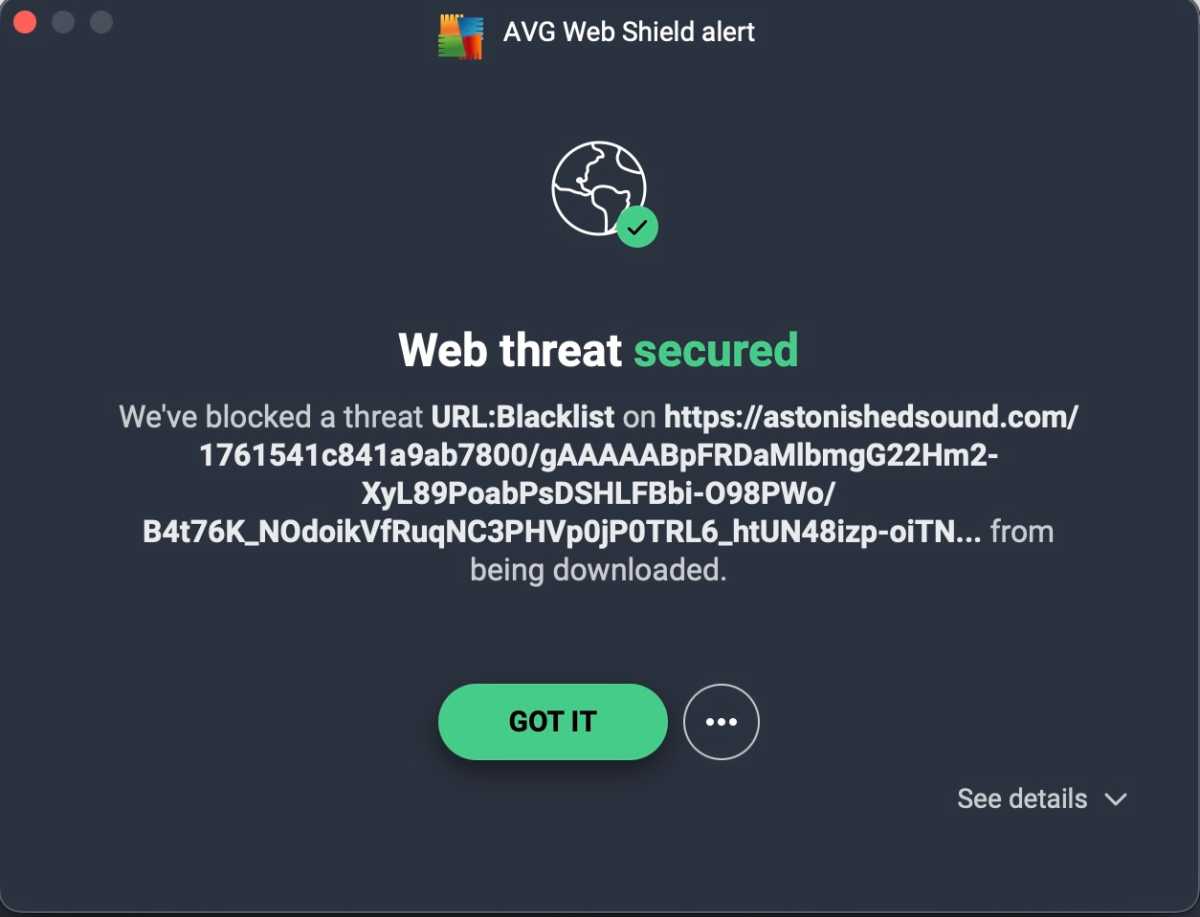
Everything that excels in the free version stands just as well in the paid version. AVG’s antivirus and malware protection remains sharpened. The application syncs nicely with macOS’s built-in Gatekeeper and XProtect elements to catch just about all the malware samples thrown at it.
 <button class="lightbox-trigger" type="button">
<svg fill="none" height="12" viewBox="0 0 12 12" width="12" xmlns="http://www.w3.org/2000/svg">
<path d="M2 0a2 2 0 0 0-2 2v2h1.5V2a.5.5 0 0 1 .5-.5h2V0H2Zm2 10.5H2a.5.5 0 0 1-.5-.5V8H0v2a2 2 0 0 0 2 2h2v-1.5ZM8 12v-1.5h2a.5.5 0 0 0 .5-.5V8H12v2a2 2 0 0 1-2 2H8Zm2-12a2 2 0 0 1 2 2v2h-1.5V2a.5.5 0 0 0-.5-.5H8V0h2Z" fill="#fff"></path>
</svg>
</button><figcaption class="wp-element-caption">
</figcaption></figure>
Foundry
Yes, occasional malware can still slip through the cracks, but you’ll have to bypass multiple warning screens to install and execute them.
Like the free version, it’s easy to use AVG Internet Security to schedule and execute the scan types (Smart Scan, Deep Scan, Targeted Scan, External Storage Scan), though the user-interface quibble remains: you’ll have to dig through menus to monitor scheduled scans after they begin.
AVG’s paid feature set comes under four core modules: Computer Protection, Web & Email Protection, Hacker Attacks, and Payment Protection.
The Hacker Attacks module offers a Network Inspector and a Ransomware Shield. The Payments module offers a Fake Website Shield (and related phishing protections).
The Network Inspector is nifty for checking exactly how many and which types of devices are on your network; it can alert you when a new device joins, which is handy for spotting intruders or unexpected devices on your home Wi-Fi.
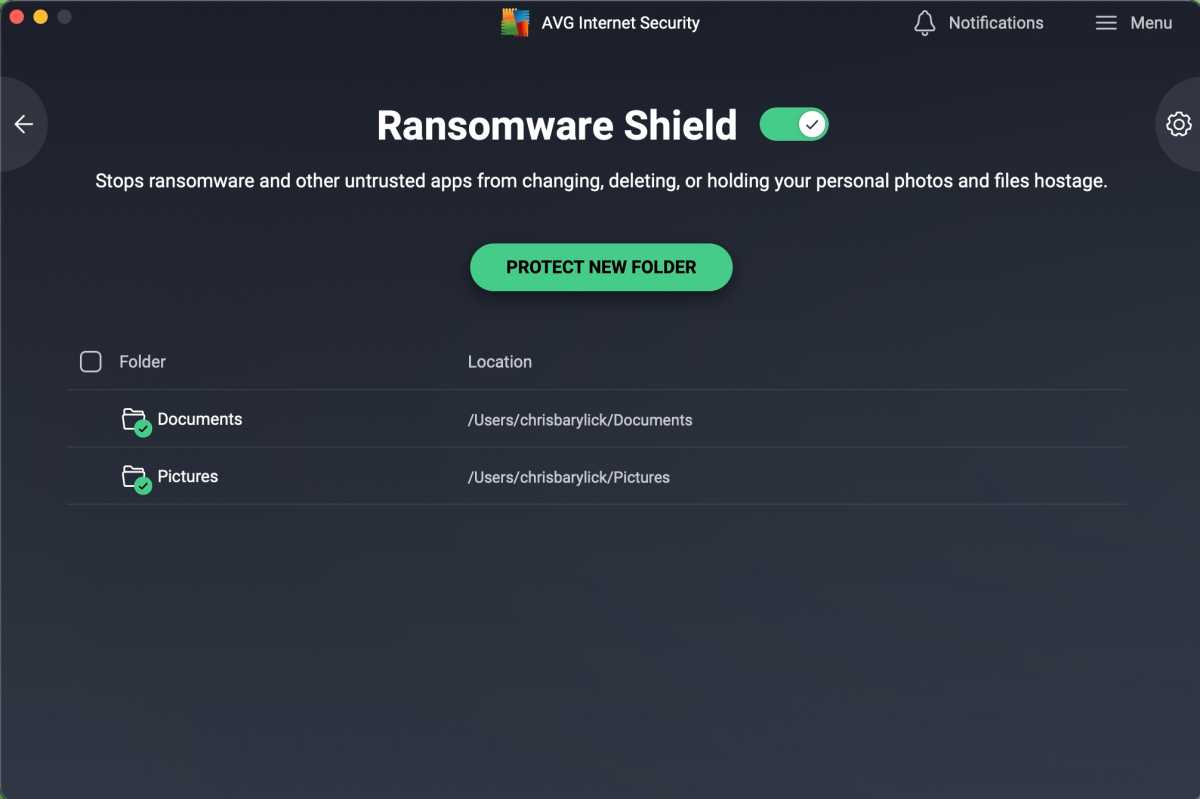
The Ransomware Shield acts as an encryption-layer safeguard, preventing ransomware (or malicious software) from changing, deleting or locking protected folders like Documents or Pictures. You can customize which folders are protected, which is a nice touch.
 <button class="lightbox-trigger" type="button">
<svg fill="none" height="12" viewBox="0 0 12 12" width="12" xmlns="http://www.w3.org/2000/svg">
<path d="M2 0a2 2 0 0 0-2 2v2h1.5V2a.5.5 0 0 1 .5-.5h2V0H2Zm2 10.5H2a.5.5 0 0 1-.5-.5V8H0v2a2 2 0 0 0 2 2h2v-1.5ZM8 12v-1.5h2a.5.5 0 0 0 .5-.5V8H12v2a2 2 0 0 1-2 2H8Zm2-12a2 2 0 0 1 2 2v2h-1.5V2a.5.5 0 0 0-.5-.5H8V0h2Z" fill="#fff"></path>
</svg>
</button><figcaption class="wp-element-caption">
</figcaption></figure>
Foundry
Fake Website / Web & Payment Protection is designed to help stop you from visiting phishing or scam websites, prevent inadvertent downloads of malware, and stop your payment credentials from being sent to shady sites. In testing, AVG generally warns when we were about to click into


 United States
