



Wavlink Thunderbolt 5 Dock review: Affordable fast Thunderbolt plus handy power options
Description

At a glance
Expert's Rating
Pros
- 12 ports, including four Thunderbolt 5
- 2.5Gb Ethernet
- 30W USB-C at front
- 230W Power Delivery
- Affordable
Cons
- Upstream port at front
- Four USB-A but no USB-C
Our Verdict
As a dual-display dock with a handy bunch of top-rated ports the Wavlink Thunderbolt 5 Docking Station is great value for money for 80Gbps speed and power.
Price When Reviewed
This value will show the geolocated pricing text for product undefined
Best Pricing Today
Best Prices Today: WAVLINK Thunderbolt 5 Dock

Product
Price
Price comparison from Backmarket
The Wavlink Thunderbolt 5 Docking Station is a full docking station with 12 ports, including a full four 80Gbps Thunderbolt 4 and 2.5Gb Ethernet, available at an affordable price. It features a decent rack of high-end ports, and looks fancy, too.
Even if your laptop has Thunderbolt 4 (TB4) rather than Thunderbolt 5 (TB5) connectivity, buying the newer faster standard will future proof your purchase. Backwards compatible with Thunderbolt 3 and 4, TB5 features the fastest 80Gbps bandwidth (up to 120Gbps Bandwidth Boost for unidirectional video) plus smart device daisy-chaining and super-fast storage connectivity.
 <button class="lightbox-trigger" type="button">
<svg fill="none" height="12" viewBox="0 0 12 12" width="12" xmlns="http://www.w3.org/2000/svg">
<path d="M2 0a2 2 0 0 0-2 2v2h1.5V2a.5.5 0 0 1 .5-.5h2V0H2Zm2 10.5H2a.5.5 0 0 1-.5-.5V8H0v2a2 2 0 0 0 2 2h2v-1.5ZM8 12v-1.5h2a.5.5 0 0 0 .5-.5V8H12v2a2 2 0 0 1-2 2H8Zm2-12a2 2 0 0 1 2 2v2h-1.5V2a.5.5 0 0 0-.5-.5H8V0h2Z" fill="#fff"></path>
</svg>
</button></figure>
Foundry
Specs and features
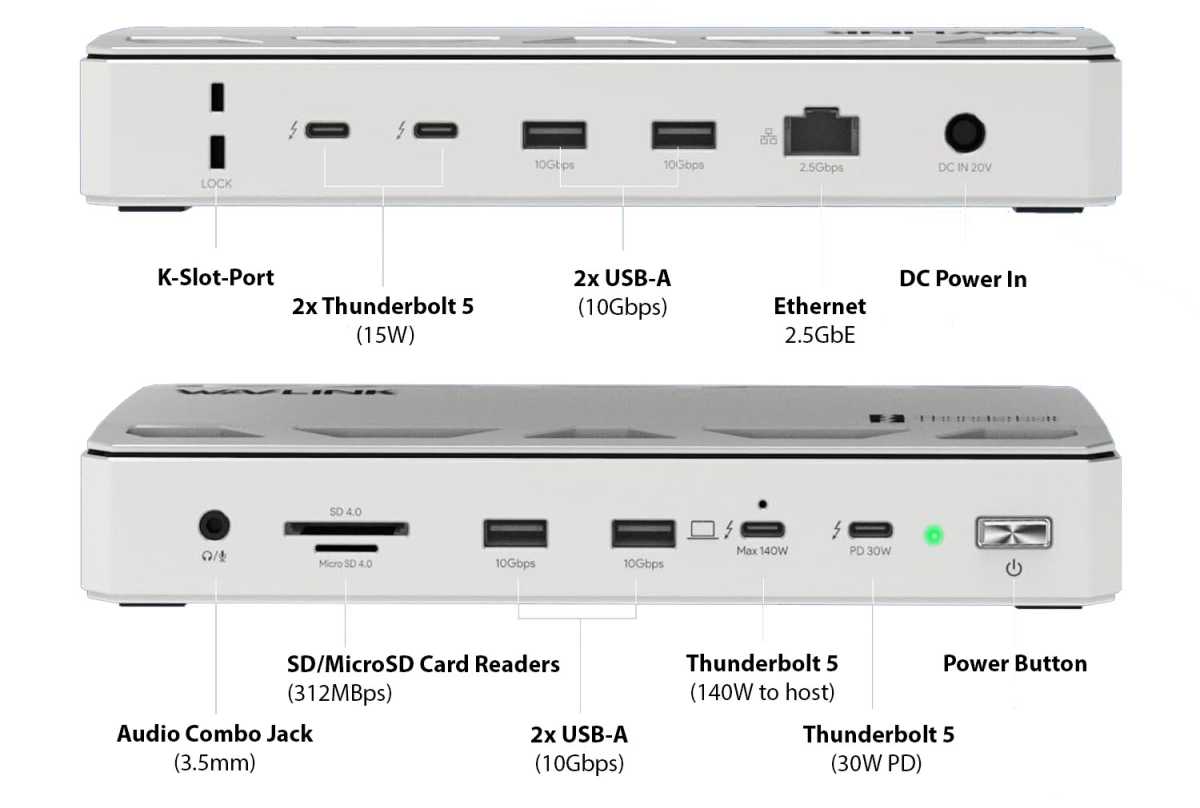
- One upstream Thunderbolt 5 port (80Gbps, 140W)
- Two downstream Thunderbolt 5 ports (80Gbps, 15W)
- One downstream Thunderbolt 5 port (80Gbps, 30W)
- Four USB-A ports (10Gbps)
- Ethernet (2.5Gb)
- UHS-II SD Card reader (312MBps)
- UHS-II MicroSD Card reader (312MBps)
- 3.5mm audio jack
- 230W power supply
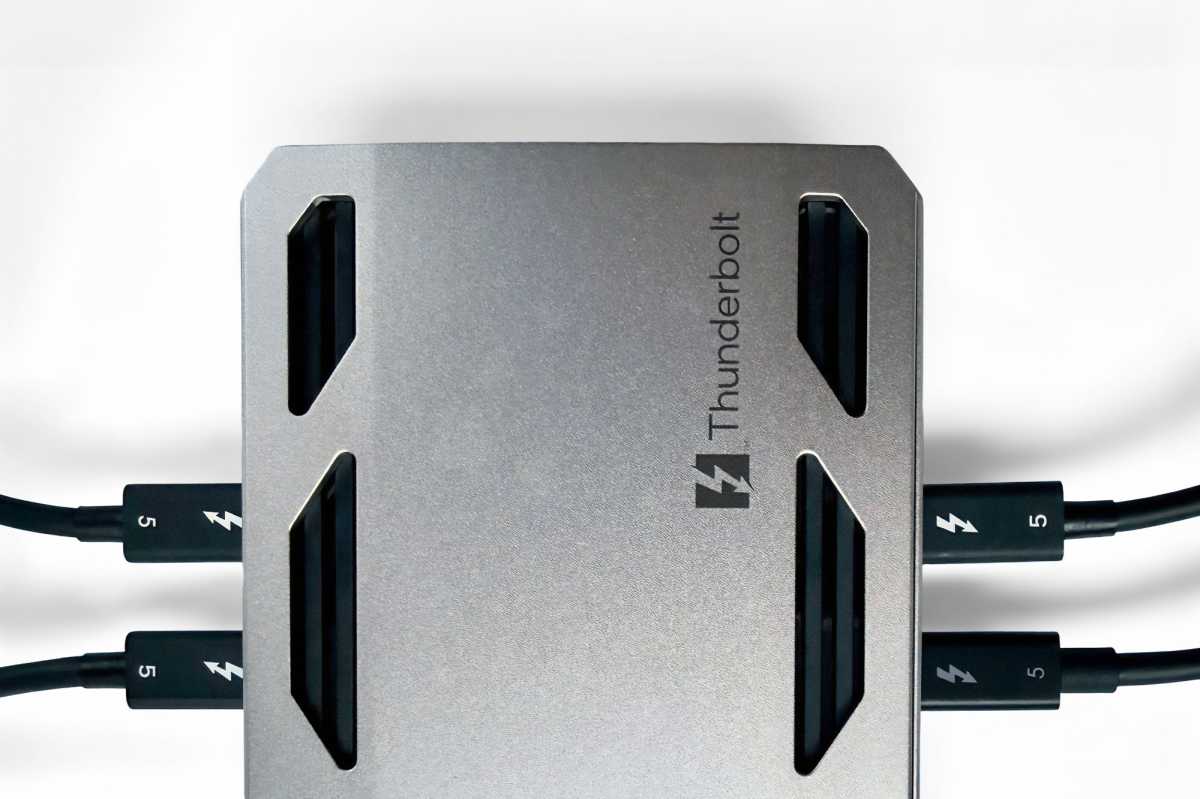
As well as its upstream Thunderbolt 5 port that connects to your laptop, there are three downstream TB5 ports that connect to other devices such as monitors or storage drives: one is at the front with the upstream TB5 port, and two are at the back.
 <button class="lightbox-trigger" type="button">
<svg fill="none" height="12" viewBox="0 0 12 12" width="12" xmlns="http://www.w3.org/2000/svg">
<path d="M2 0a2 2 0 0 0-2 2v2h1.5V2a.5.5 0 0 1 .5-.5h2V0H2Zm2 10.5H2a.5.5 0 0 1-.5-.5V8H0v2a2 2 0 0 0 2 2h2v-1.5ZM8 12v-1.5h2a.5.5 0 0 0 .5-.5V8H12v2a2 2 0 0 1-2 2H8Zm2-12a2 2 0 0 1 2 2v2h-1.5V2a.5.5 0 0 0-.5-.5H8V0h2Z" fill="#fff"></path>
</svg>
</button></figure>
Simon Jary
Wavlink’s Thunderbolt 4 dock had just one downstream TB4 port as it sacrificed two possible Thunderbolt ports for dedicated HDMI 2.1 ports. With this new model, Wavlink ditches the video ports to give you the choice of which TB ports to use to connect to monitors either via a direct USB-C connection or using USB-C to DisplayPort or USB-C to HDMI adapter cables.
This gives you flexibility, and if connecting two screens we expect you’ll choose the two TB5 ports at the back.
The downstream TB5 port at the front can output at 30W, which is easily enough to fast charge an iPhone or iPad. The two TB5 ports at the back can handle 15W each.
The upstream TB5 port can output at 140W (PD 3.1), which is what you need to fast-charge the 16-inch MacBook Pro so is good for the whole range.
The external power supply can provide up to 230W of power, which is a welcome boost from the company’s rather puny 160W TB4 dock.
USB: Thunderbolt is backwards compatible with USB-C, which uses the same end connector, so any of the TB ports not being used to connect a monitor can be used for USB-C devices as well as speedy Thunderbolt. There are four speedy 10Gbps USB-A ports. USB-A has a place for legacy devices, but do we need four them at the expense of a spare USB-C or two?
 <button class="lightbox-trigger" type="button">
<svg fill="none" height="12" viewBox="0 0 12 12" width="12" xmlns="http://www.w3.org/2000/svg">
<path d="M2 0a2 2 0 0 0-2 2v2h1.5V2a.5.5 0 0 1 .5-.5h2V0H2Zm2 10.5H2a.5.5 0 0 1-.5-.5V8H0v2a2 2 0 0 0 2 2h2v-1.5ZM8 12v-1.5h2a.5.5 0 0 0 .5-.5V8H12v2a2 2 0 0 1-2 2H8Zm2-12a2 2 0 0 1 2 2v2h-1.5V2a.5.5 0 0 0-.5-.5H8V0h2Z" fill="#fff"></path>
</svg>
</button></figure>
Simon Jary
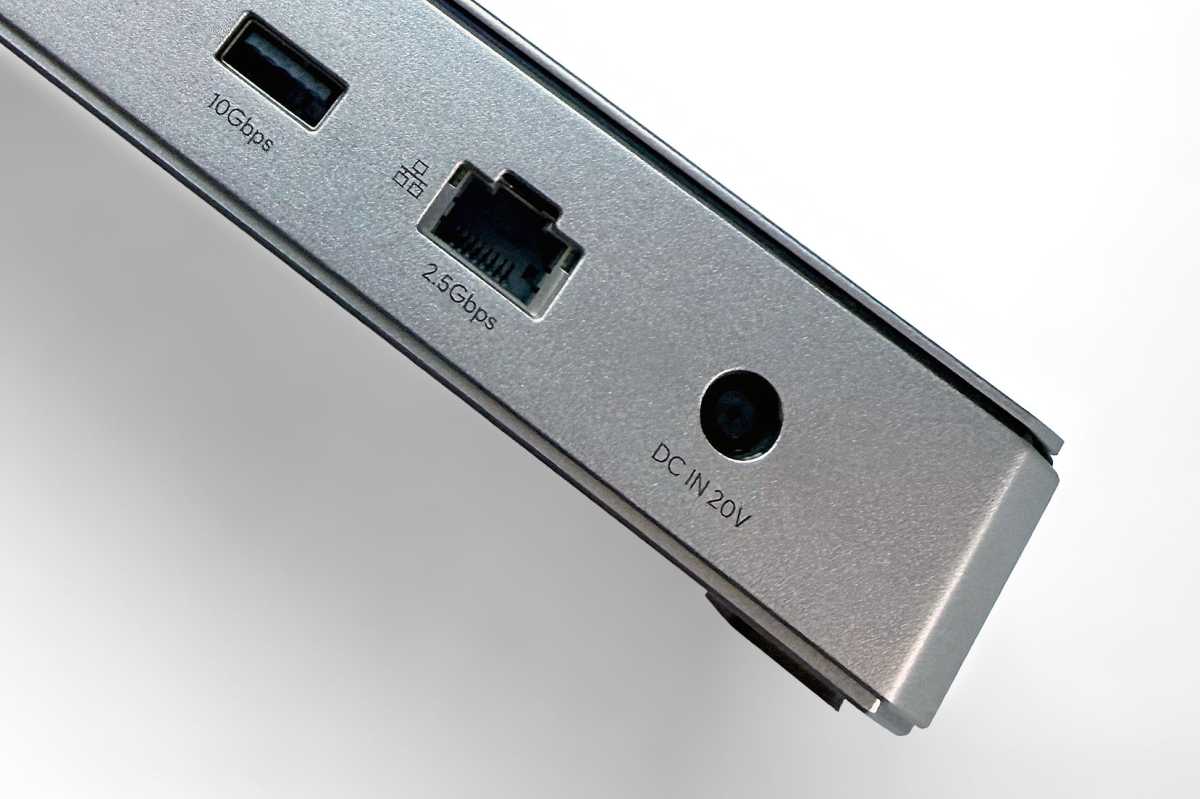
Ethernet: While WiFi is great for phone use, sometimes hooking up to the home or office wired network gives you faster and more stable downloads. Most local area networks (LANs) use 1Gb Ethernet, known as Gigabit Ethernet or 1GbE. Increasingly networks are moving to much faster 2.5GbE, 5GbE or even 10GbE. The Wavlink Thunderbolt 5 Dock offers 2.5GbE, which is backwards compatib


 United States
