



Best Keyboards for Mac 2026: Top wireless, mechanical & budget options compared
Description
Whether you’re a Mac desktop or MacBook owner, there’s nothing quite like finding that keyboard that fits perfectly within your setup.
A keyboard, just as with picking the best mice for Mac, is a very personal choice. After all, you’re likely to be pressing its various keys and twirling its dials for hours each day, and that makes getting the investment right all that much more important.
Best Mac Keyboards fully tested
We have all sorts of Mac keyboards in this round-up, including Apple’s default Magic Keyboard prwith Touch ID and the cheaper, and still-on-sale Magic Keyboard. We have some keyboards with customizable keys and dedicated apps, and wired keyboards (for those fed up with searching for new batteries every few weeks) as well as ergonomic solutions to help you avoid RSI, and some pretty stylish offerings that give Apple a run for its money.
We also look at Hall Effect options that use magnetic sensors to detect key presses, full-size offerings and compact board. Here are our favorite keyboards for Mac users, many of which cost a lot less than Apple’s. Read on to find the Mac compatible keyboard that’s best for you.
You can also use Bluetooth keyboards with iPads, so expect to see some good options here if you are an iPad user, or take a look at our Best iPad Keyboards roundup.
1. Apple Magic Keyboard with Touch ID – Best Mac keyboard with Touch ID
<figure class="wp-lightbox-container">
 <button class="lightbox-trigger" type="button">
<svg fill="none" height="12" viewBox="0 0 12 12" width="12" xmlns="http://www.w3.org/2000/svg">
<path d="M2 0a2 2 0 0 0-2 2v2h1.5V2a.5.5 0 0 1 .5-.5h2V0H2Zm2 10.5H2a.5.5 0 0 1-.5-.5V8H0v2a2 2 0 0 0 2 2h2v-1.5ZM8 12v-1.5h2a.5.5 0 0 0 .5-.5V8H12v2a2 2 0 0 1-2 2H8Zm2-12a2 2 0 0 1 2 2v2h-1.5V2a.5.5 0 0 0-.5-.5H8V0h2Z" fill="#fff"></path>
</svg>
</button></figure>
Pros
- Touch ID
- Nice design
Cons
- Touch ID won’t work with Intel-powered Macs
- Slimline so keys don’t ‘travel’ much
- Smaller version is cramped
Best Prices Today:
<button class="tablinks active">New</button>
<button class="tablinks ">Refurbished</button>
Retailer
Price


Price comparison from over 24,000 stores worldwide
Product
Price
Price comparison from Backmarket
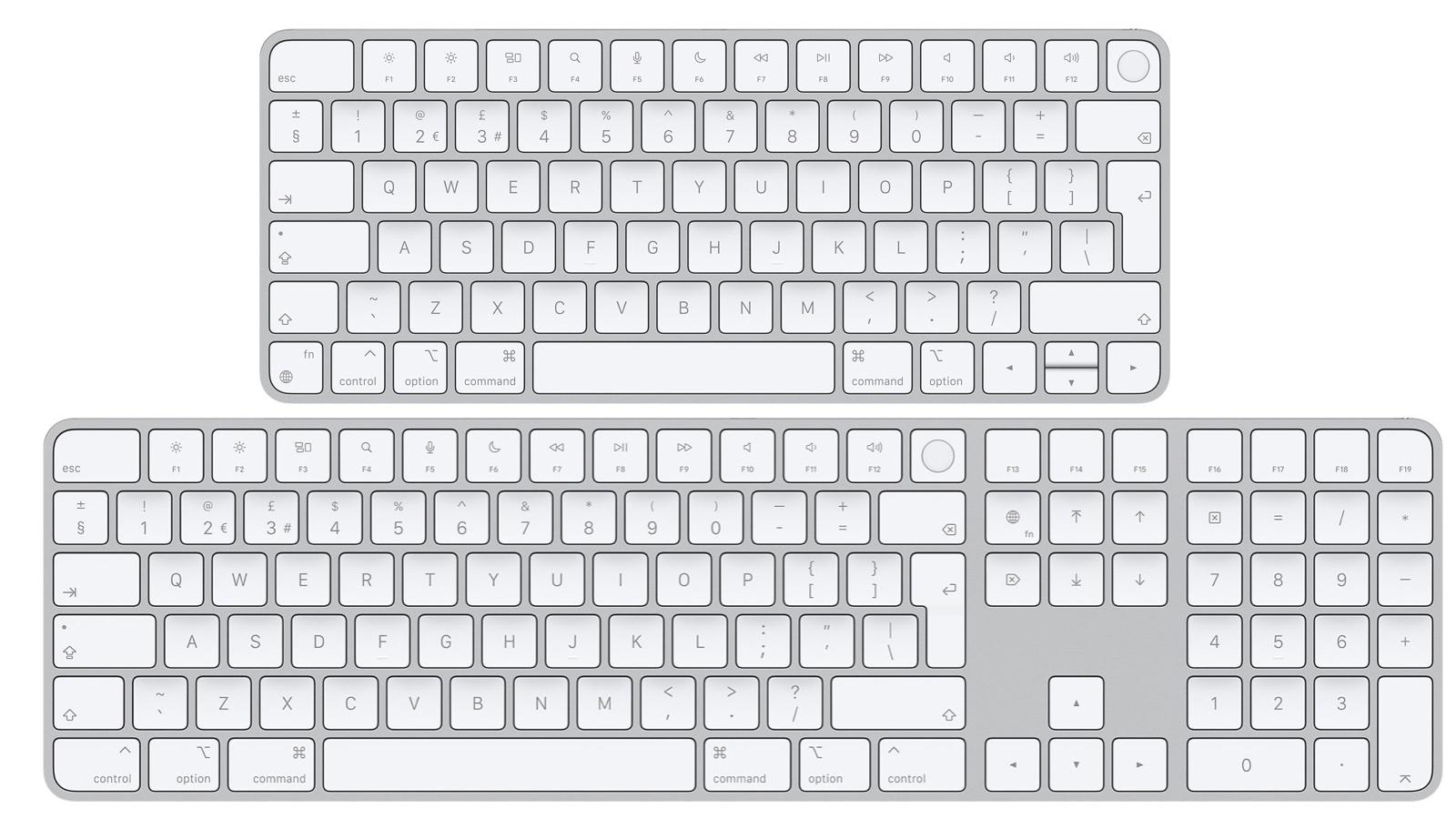
At first glance, the two Magic Keyboard models launched by Apple in mid-2021 look very similar to the original models—which are still available and reviewed here as well. However, these newer models bring a number of new features that aren’t available on the older Magic keyboards. For starters, these models are officially referred to by Apple as (1) the Magic Keyboard With Touch ID For Mac Models With Apple Silicon ($149 / £149), and (2) the Magic Keyboard with Touch ID and Numeric Keypad for Mac Models with Apple Silicon ($179 / £179). Note there are Space Gray versions that cost more ($199/£199) so make sure you select the white models if you want to save money.
(Apple Silicon means your Mac has an M-series processor—for example, an M2 iMac—rather than an older Intel-based processor. If you bought your Mac after 2020 it is likely using a Silicon M-Series processor.)
Apple


 United States
