



Mobile Pixels Duex Float 2 Pro review: Portable screen that floats above your MacBook
Description

At a glance
Expert's Rating
Pros
- Thin & light portable screen
- Kickstand
- Three clever viewing modes
Cons
- Integrated speakers aren’t brilliant
Our Verdict
A simple but effective display solution. The Duex Float 2 and Float 2 Pro screens are lightweight and simple to setup – a great solution at home or if you are often moving between offices.
Price When Reviewed
This value will show the geolocated pricing text for product undefined
Best Pricing Today
Best Prices Today: Mobile Pixels Duex Float 2 Pro
Retailer
Price

Price comparison from over 24,000 stores worldwide
Product
Price
Price comparison from Backmarket
Portable monitors are often units that sit separately alongside your laptop, allowing you to use them together side by side or on their own with the MacBook’s screen closed.
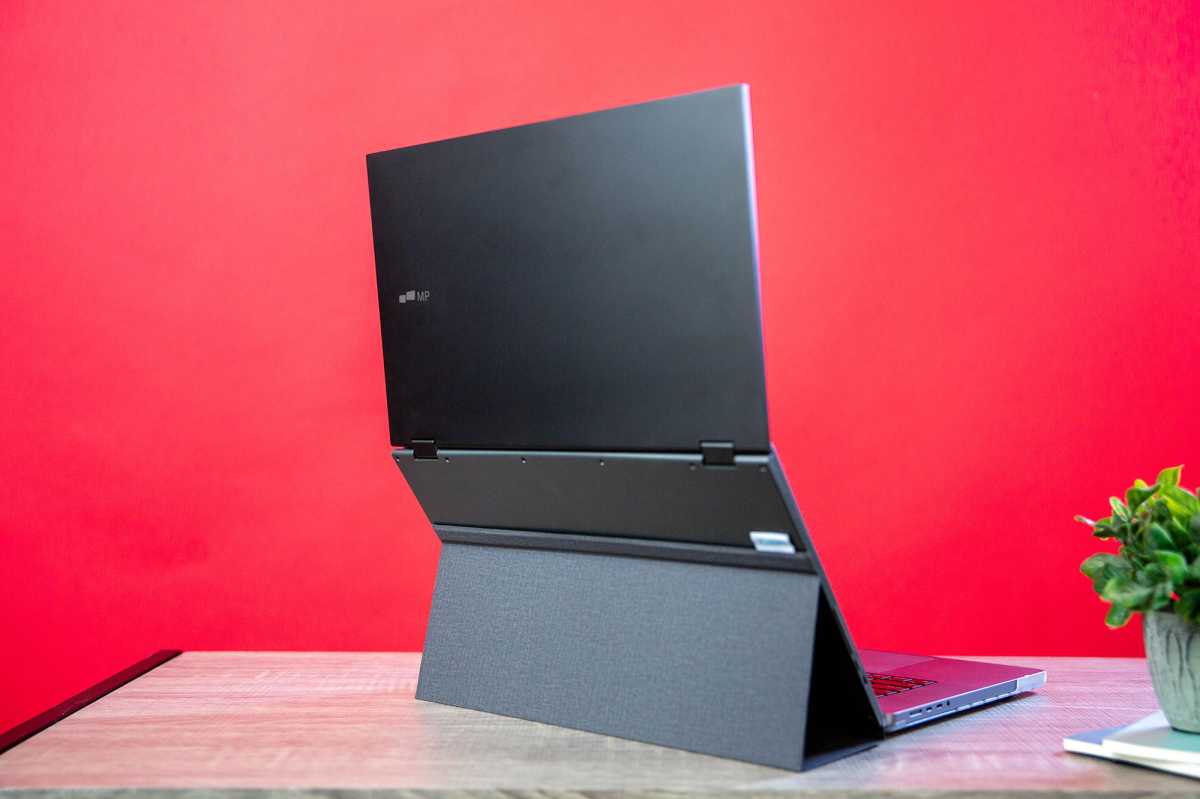
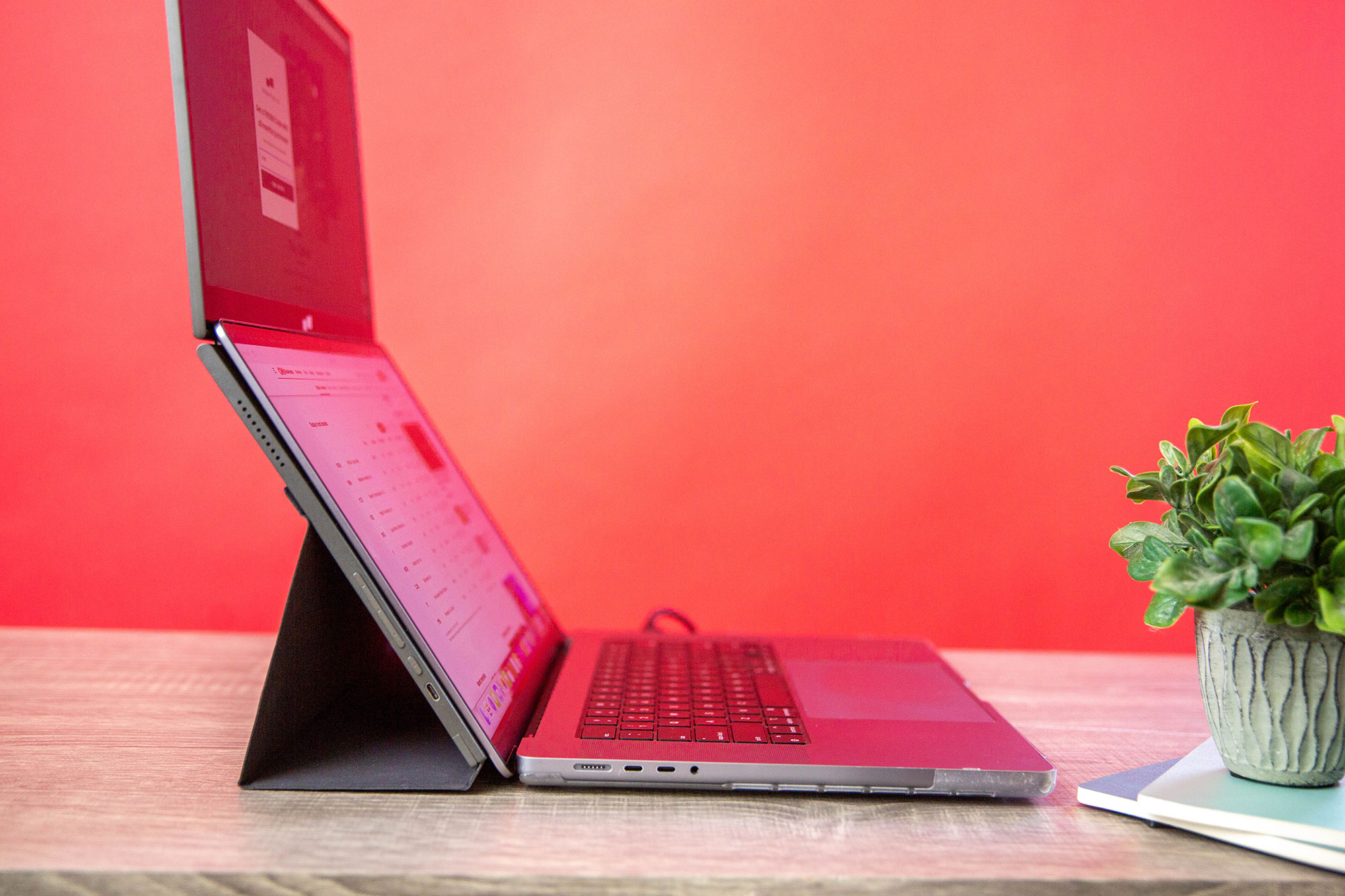
The Duex Float 2 and Float 2 Pro, from Mobile Pixels, are neater than that. It’s a single screen that is positioned in a stacked arrangement above the MacBook’s own display—as its name would like have it, it “floats”. You simply place your MacBook below the second screen and hey-presto you have two screens that mean you are not having to move your head from side to side to enjoy the extra screen space.
If you use the included magnets you can keep this stacked screen setup attached to your MacBook. It also makes the setup more stable when in use.
A few of the displays we have reviewed in our roundup of the best portable monitors for MacBook feature stacked dual screens. The Float 2 and Pro use the MacBook’s own display as the lower screen and its screen exactly above. It’s an update on the original Float display, and is lighter and of a higher resolution.
Screen stacking
Stacked screens offer neck-strain-saving ergonomic benefits compared to two side-by-side monitors and are especially useful where space is at a premium—say in a tight home-working or co-working environment.
The Duex Float 2 Pro mirrors the 16-inch display of the top-end MacBook Pro. That model might have the largest of the MacBook displays but basically doubling the screen space is a revelation. You get the best of both worlds—a desktop-like large screen in a portable package that fits under your arm or slides into a backpack. When you’re not working or streaming TV, it packs away out of sight.
Having two screens—MacBook with Float above—is an undoubted improvement on staring down at a small laptop screen, with shoulders hunched and eyes squinting. If you use a laptop stand, this will have to be discarded when using the Float as it will remain lower than the laptop on a stand. However, the height of the Float’s screen should mean that a stand is unnecessary.
 <button class="lightbox-trigger" type="button">
<svg fill="none" height="12" viewBox="0 0 12 12" width="12" xmlns="http://www.w3.org/2000/svg">
<path d="M2 0a2 2 0 0 0-2 2v2h1.5V2a.5.5 0 0 1 .5-.5h2V0H2Zm2 10.5H2a.5.5 0 0 1-.5-.5V8H0v2a2 2 0 0 0 2 2h2v-1.5ZM8 12v-1.5h2a.5.5 0 0 0 .5-.5V8H12v2a2 2 0 0 1-2 2H8Zm2-12a2 2 0 0 1 2 2v2h-1.5V2a.5.5 0 0 0-.5-.5H8V0h2Z" fill="#fff"></path>
</svg>
</button></figure>
Mobile Pixels
Float 2 and Float 2 Pro differences
There are two versions available: the Float 2 and Float 2 Pro.
2K HD model
Mobile Pixels Duex Float 2
- Screen size: 15.6 inches
- Resolution: 1920 × 1080 pixels
- Maximum brightness: 300 nits
- Contrast ratio: 1000:1


 United States
